Manage analysis frameworks and revisions
The analysis framework defines what easy insights evaluates your free-text answers against: which topic areas are examined, which measures are calculated, and whether risk factors are reported. You define these criteria yourself. To make sure changes to them happen deliberately and traceably, easyreview works with dated revisions: a change only takes effect once a specifically authorized person has confirmed it. This guide walks the whole path from the first framework to an approved change.
Open the AI configuration
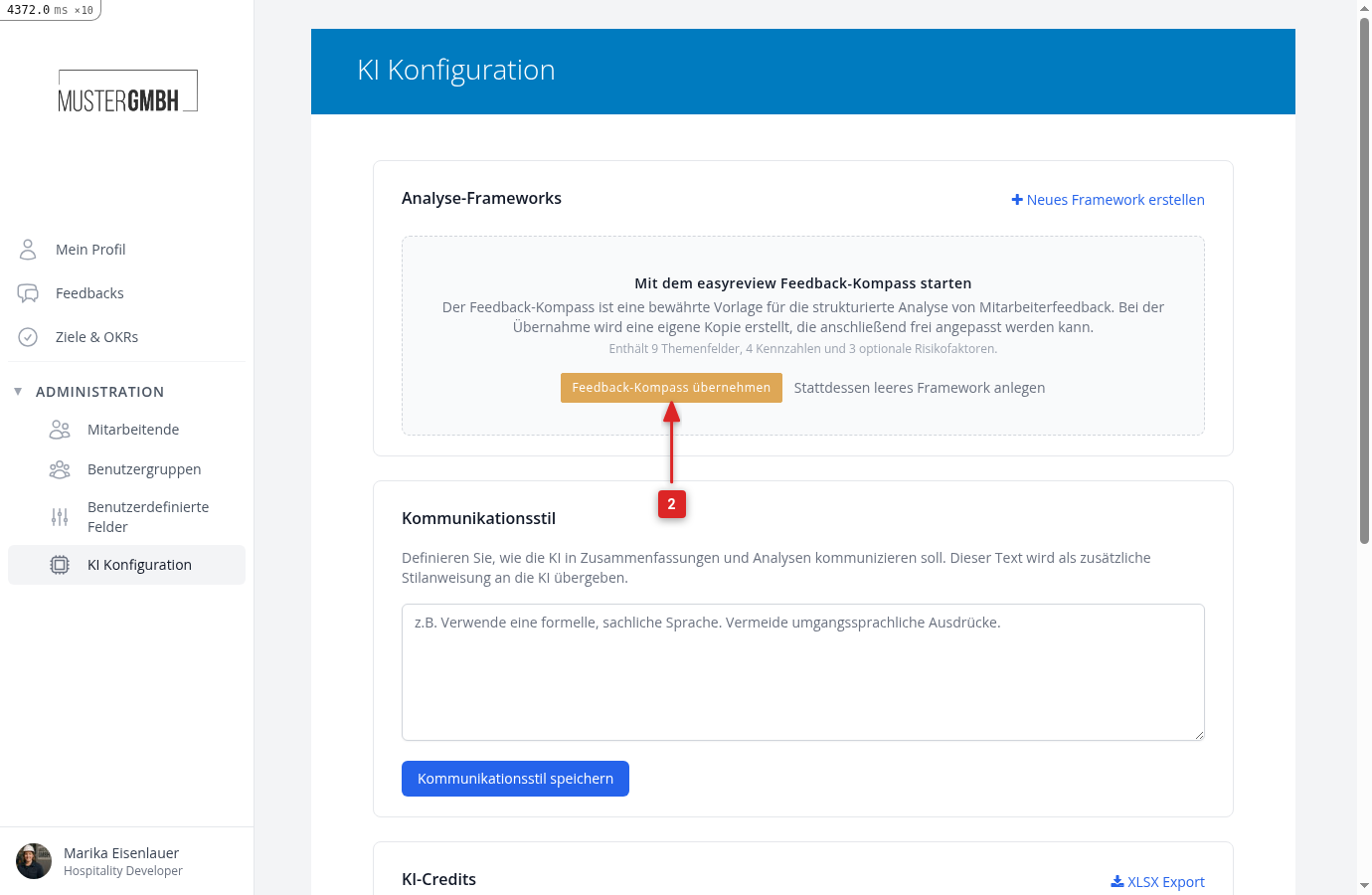
In the sidebar, open Administration > AI configuration. This is where you manage frameworks, see the AI credits, and the group of authorized confirmers. You need HR access, and easy insights must be enabled for your organization.
Adopt the first framework or start empty
As long as no framework exists, the page offers to start with the easyreview Feedback Compass: a proven template with 9 topic areas, 4 measures, and 3 optional risk factors. Adopt Feedback Compass creates your own copy, which belongs entirely to you and can be adjusted freely. easyreview does not change it afterwards. If you prefer to start from scratch, choose Create an empty framework instead. Without this deliberate step, easyreview creates no framework, so no analysis takes place either. The copy's first revision starts as Confirmation pending: review the criteria, adjust them if needed, and confirm the revision (steps 4 and 5); only then does the analysis begin.
Adjust criteria, always via a new revision
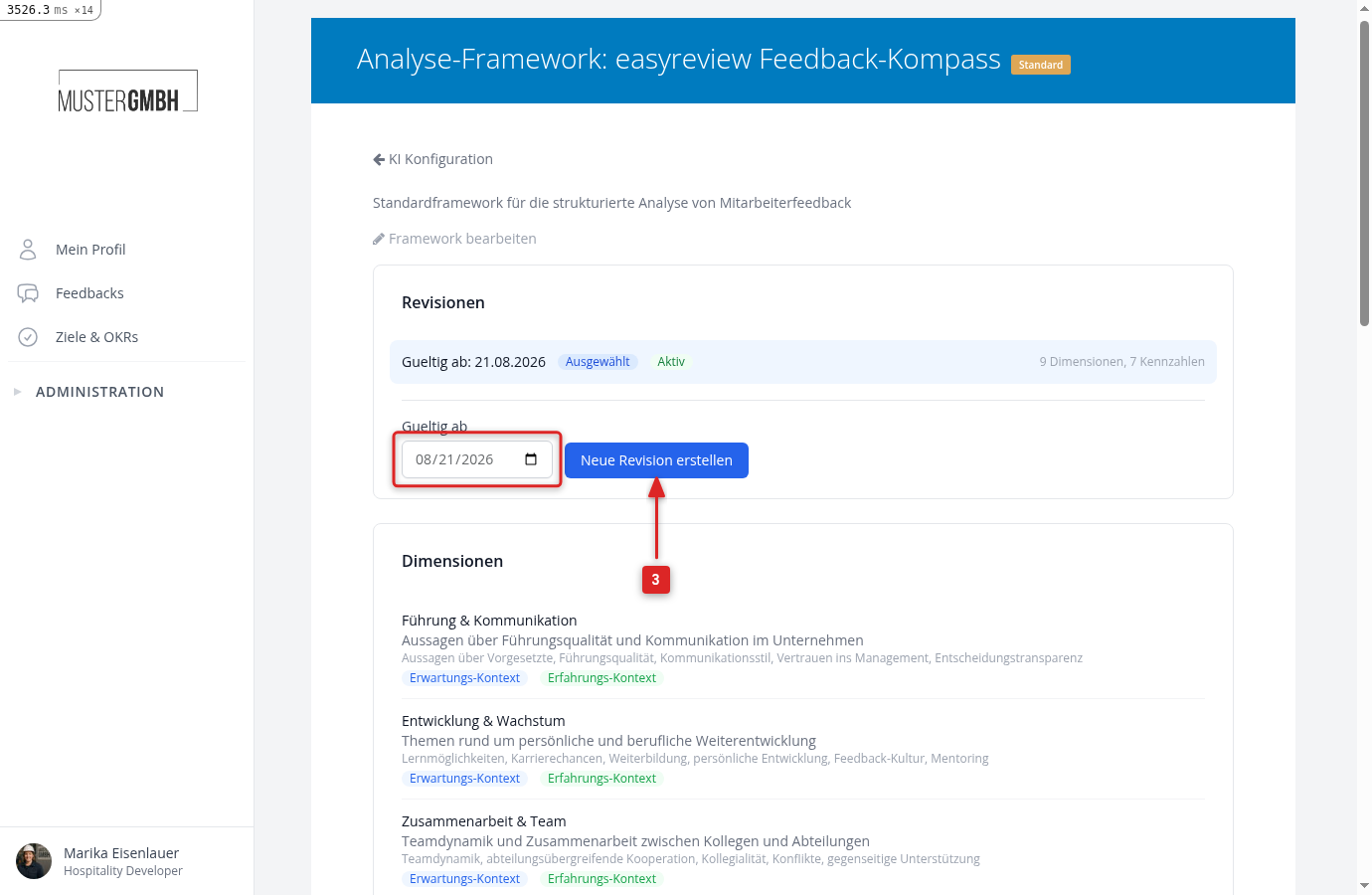
You never change existing evaluation criteria directly, but via a new revision: click Create new revision on the framework page and pick the date from which it should apply. The new revision takes over everything from the previous one and can be edited freely: topic areas with their evaluation instructions, measures with value ranges, and the optional risk factors, each with its own instruction text. Your existing results stay untouched, because every analysis result remembers which revision produced it.
Read the automatic check
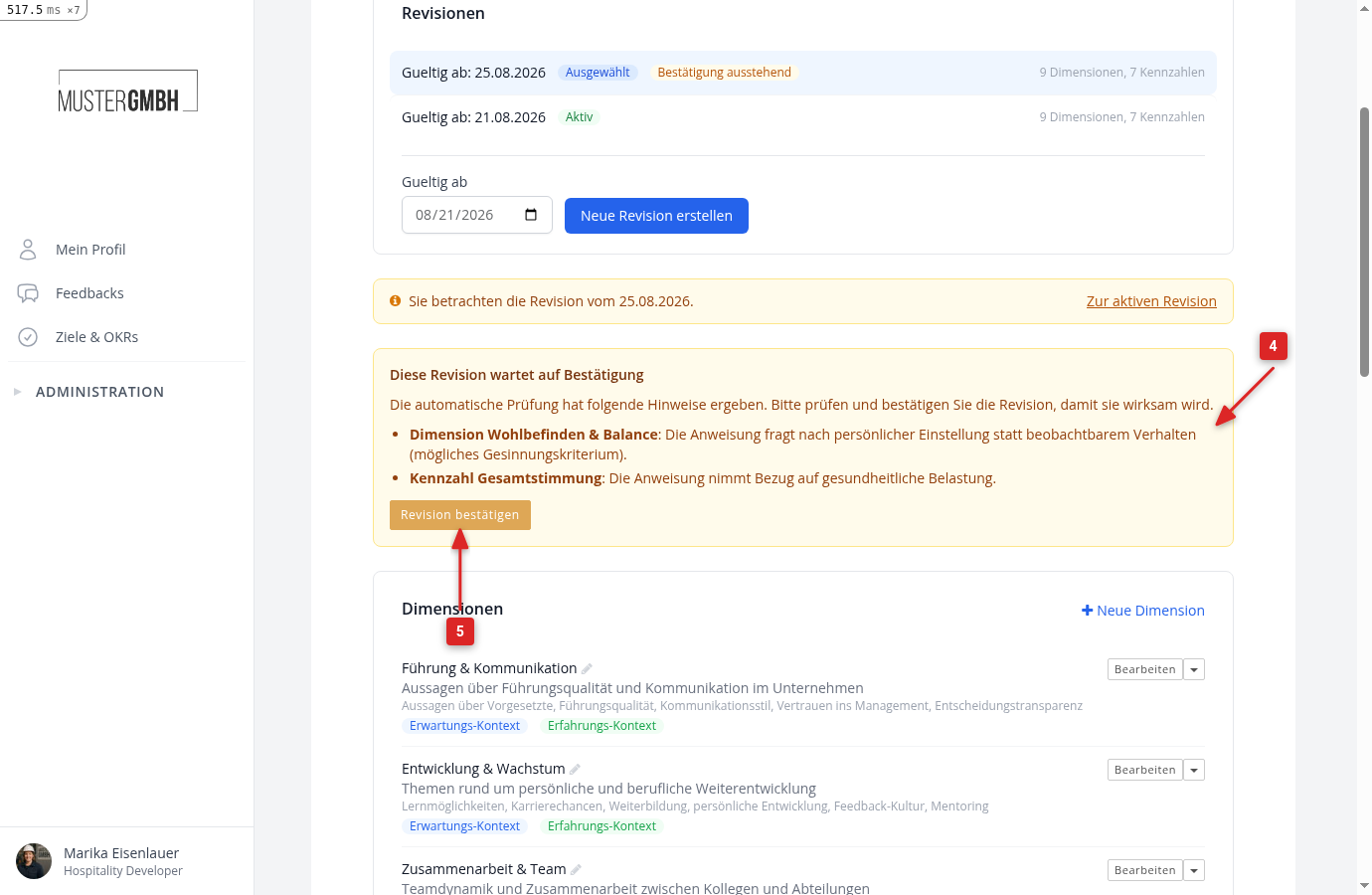
When you create a revision, the AI automatically checks it for problematic criteria, such as wording with discrimination potential or health references. Findings appear as warnings on the revision. The check blocks nothing and decides nothing; the professional responsibility for the criteria stays with you. If the check could not run technically, the page says so openly and asks you to review the content especially carefully yourself.
Confirm the revision
A new revision starts with the status Confirmation pending and is not yet used for analyses. Only when an authorized confirmer clicks Confirm revision does it take effect from its effective date. After that it is immutable: for further adjustments, create the next revision. This keeps it traceable at all times which criteria applied when, and who approved them.
See and change the authorized confirmers
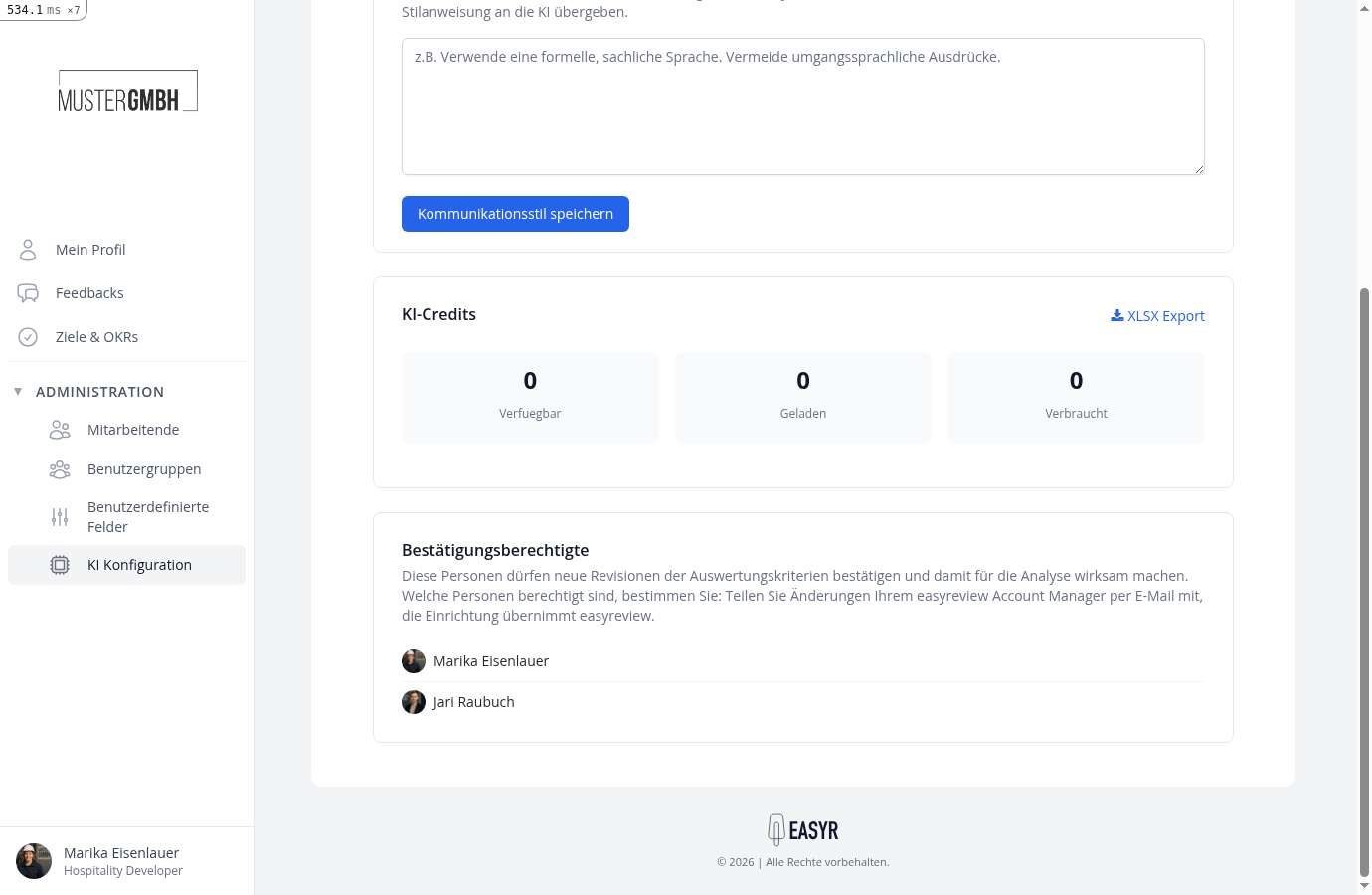
Who may confirm is shown in the AI configuration below the AI credits, in the Authorized confirmers section. This group is deliberately separate from the other admin rights: not everyone with HR access should automatically be able to approve evaluation criteria. You decide who is authorized. easyreview sets it up, an email to your account manager is all it takes. As long as no one is authorized, new revisions cannot be confirmed.
Reached the end?
Done – guide completed!
Check off the steps as you work through them. Your progress is shown on the left.
You have completed every step.