Sign out
To sign out of easyreview:
-
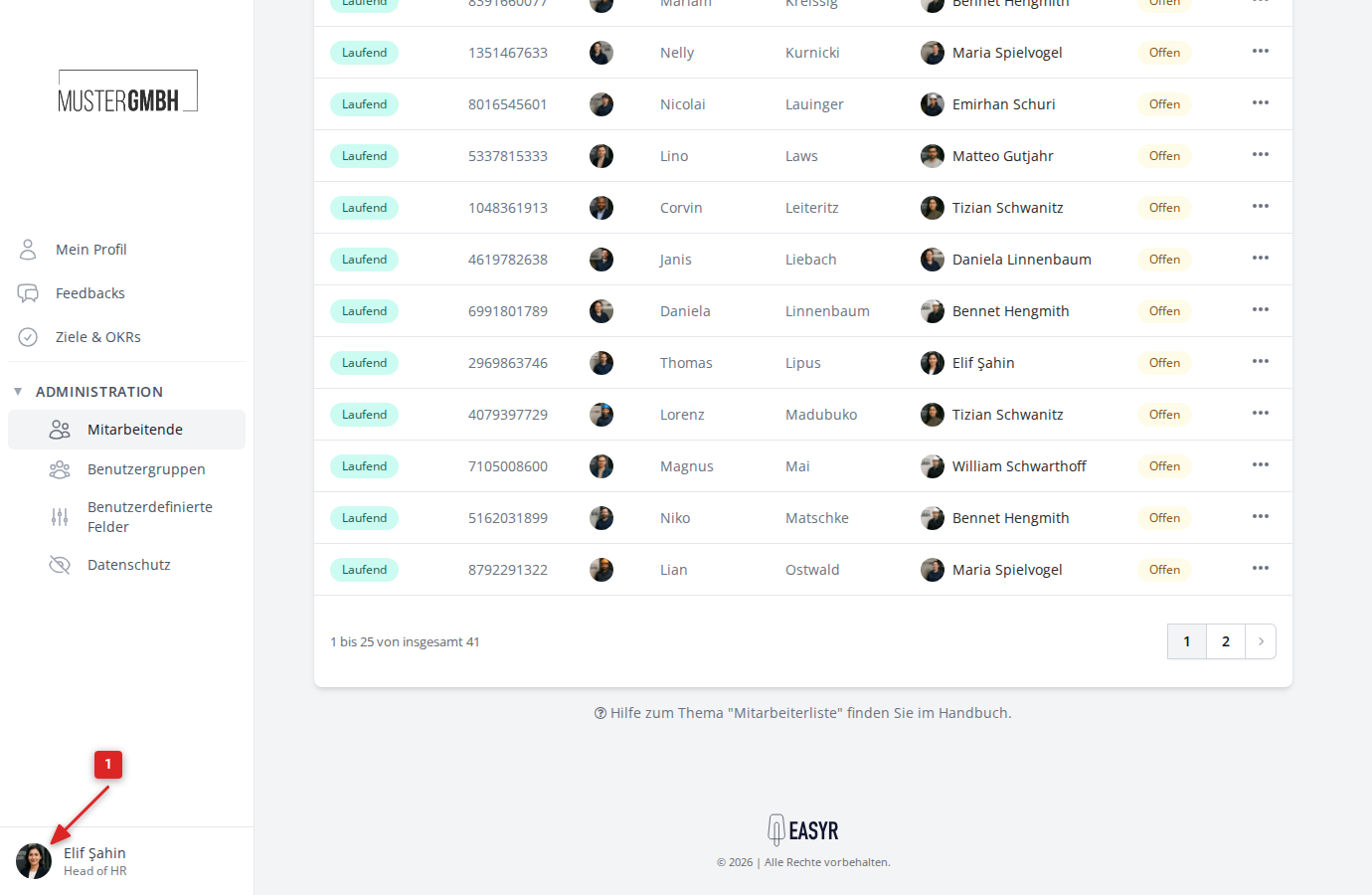
Click your profile picture (avatar) at the bottom left of the sidebar.
-
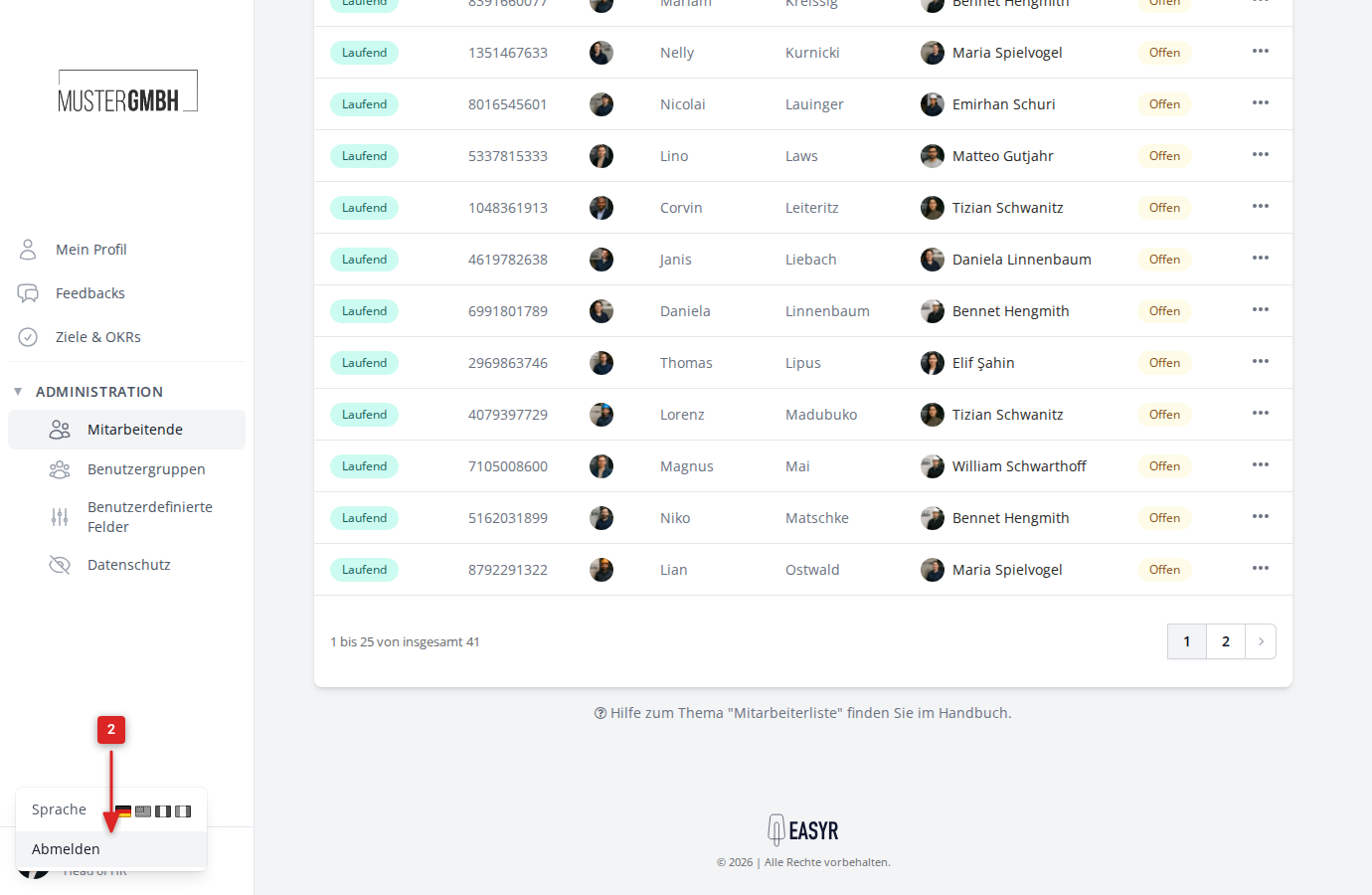
A small menu opens. Click Sign out.
-
You are signed out and taken back to the sign-in page.
To sign out of easyreview:
Click your profile picture (avatar) at the bottom left of the sidebar.
A small menu opens. Click Sign out.
You are signed out and taken back to the sign-in page.