Reset a forgotten password
If you’ve forgotten your password, do the following:
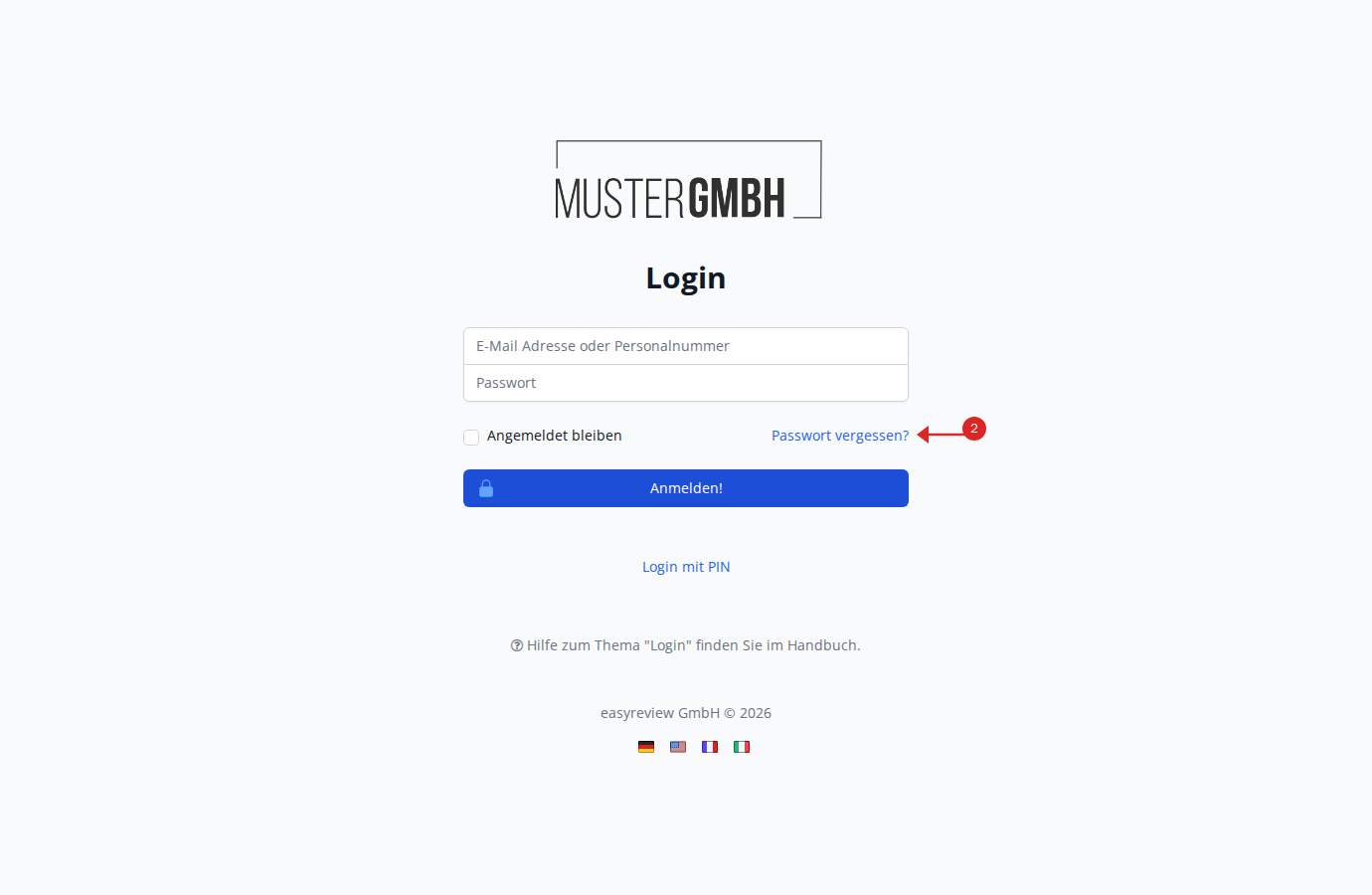
- Open your company’s easyreview address.
- Click the Forgot password? link next to remain signed in.
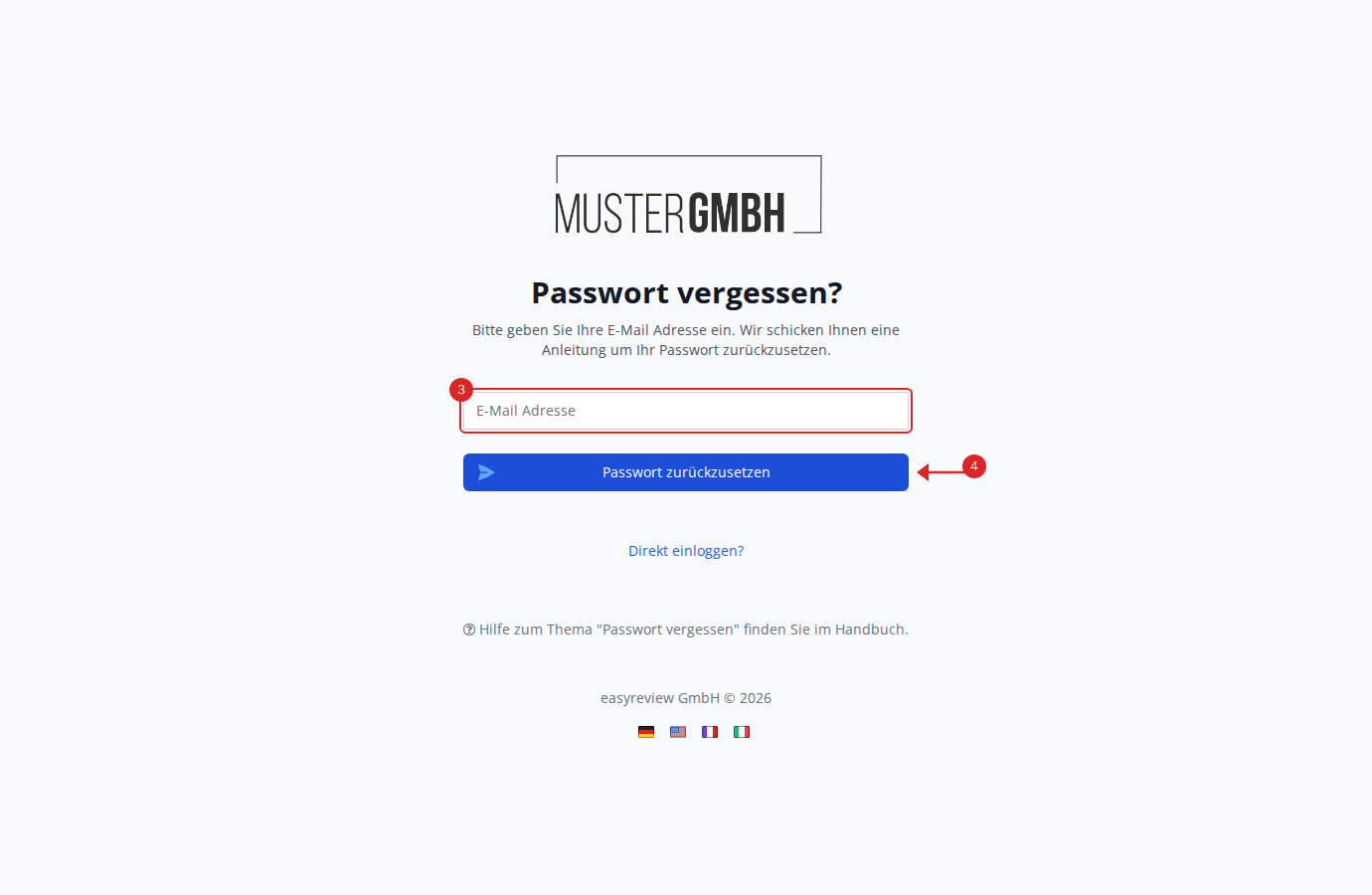
- On the next page, enter your email address in the text field.
- Click Reset password.
- Check your inbox. Within a few minutes you’ll receive an email with a subject about resetting your password.
- In the email, click the Set password button.
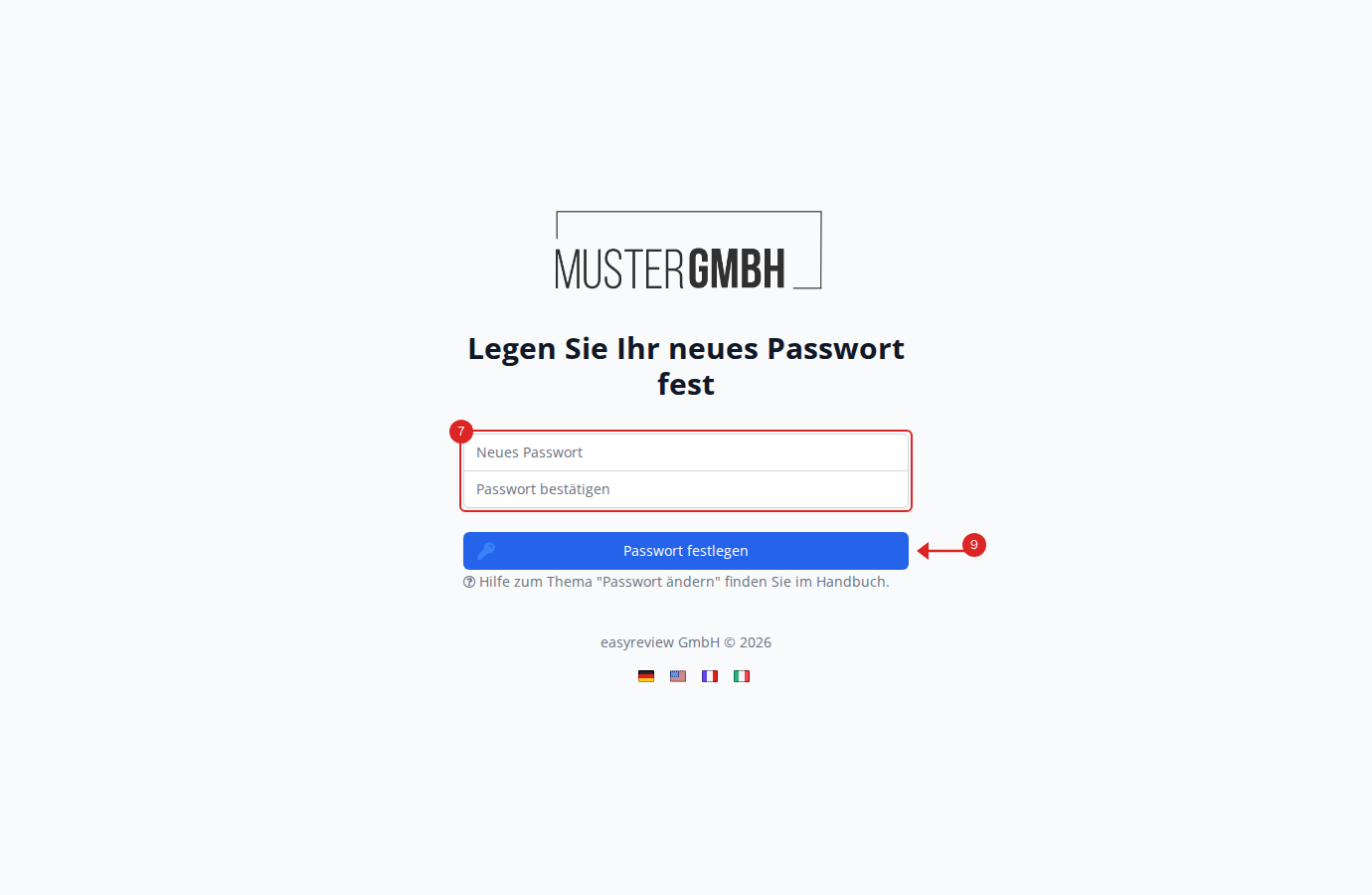
- On the next page, enter your new password in the New password field.
- Confirm it by entering it again in the Confirm password field.
- Click Set password.
- Your new password is saved and you are signed in automatically.