Change your password
Here’s how to change your password in easyreview:
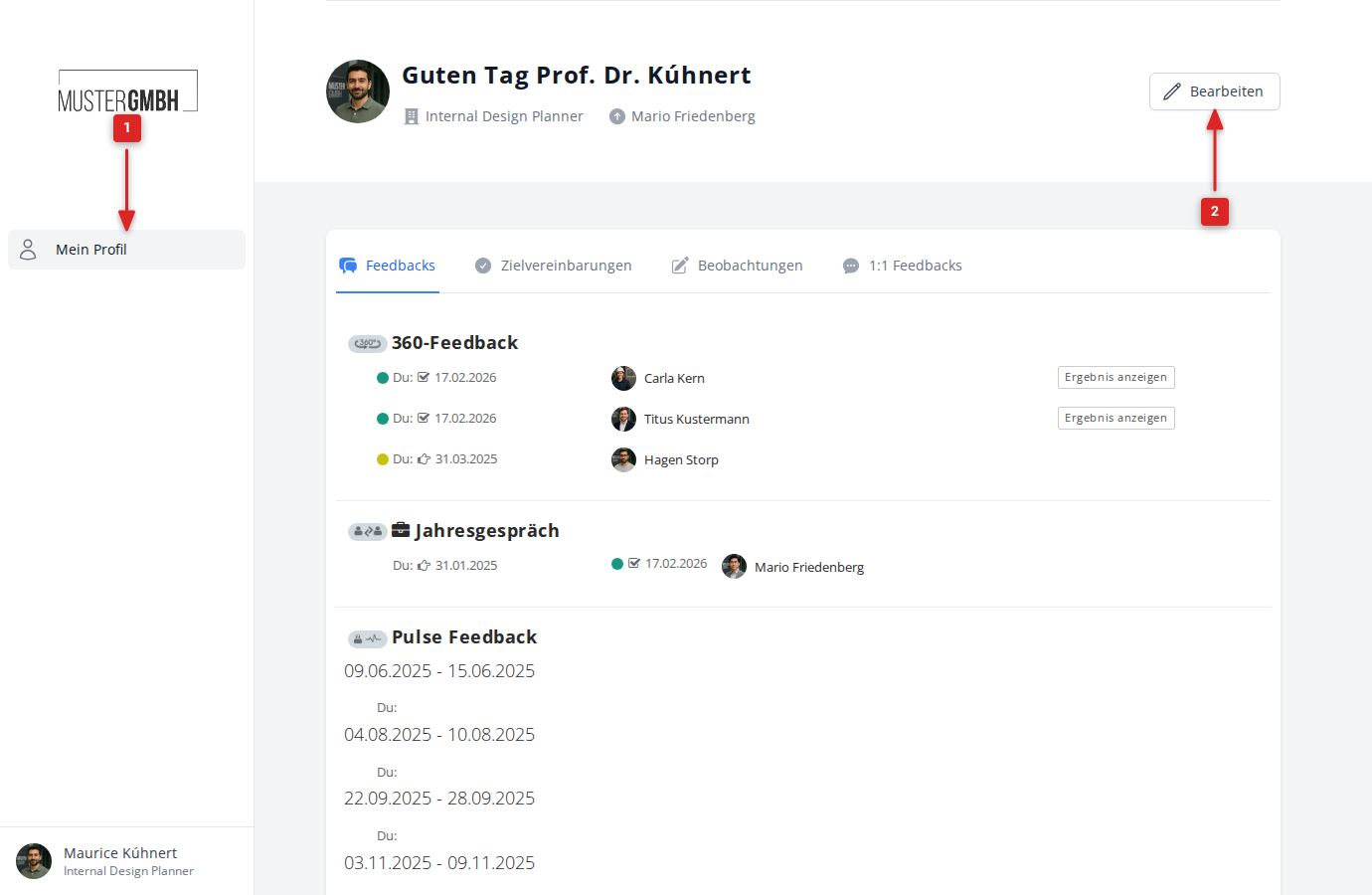
- Click Profile in the sidebar.
- Click Edit in the top right of your profile page.
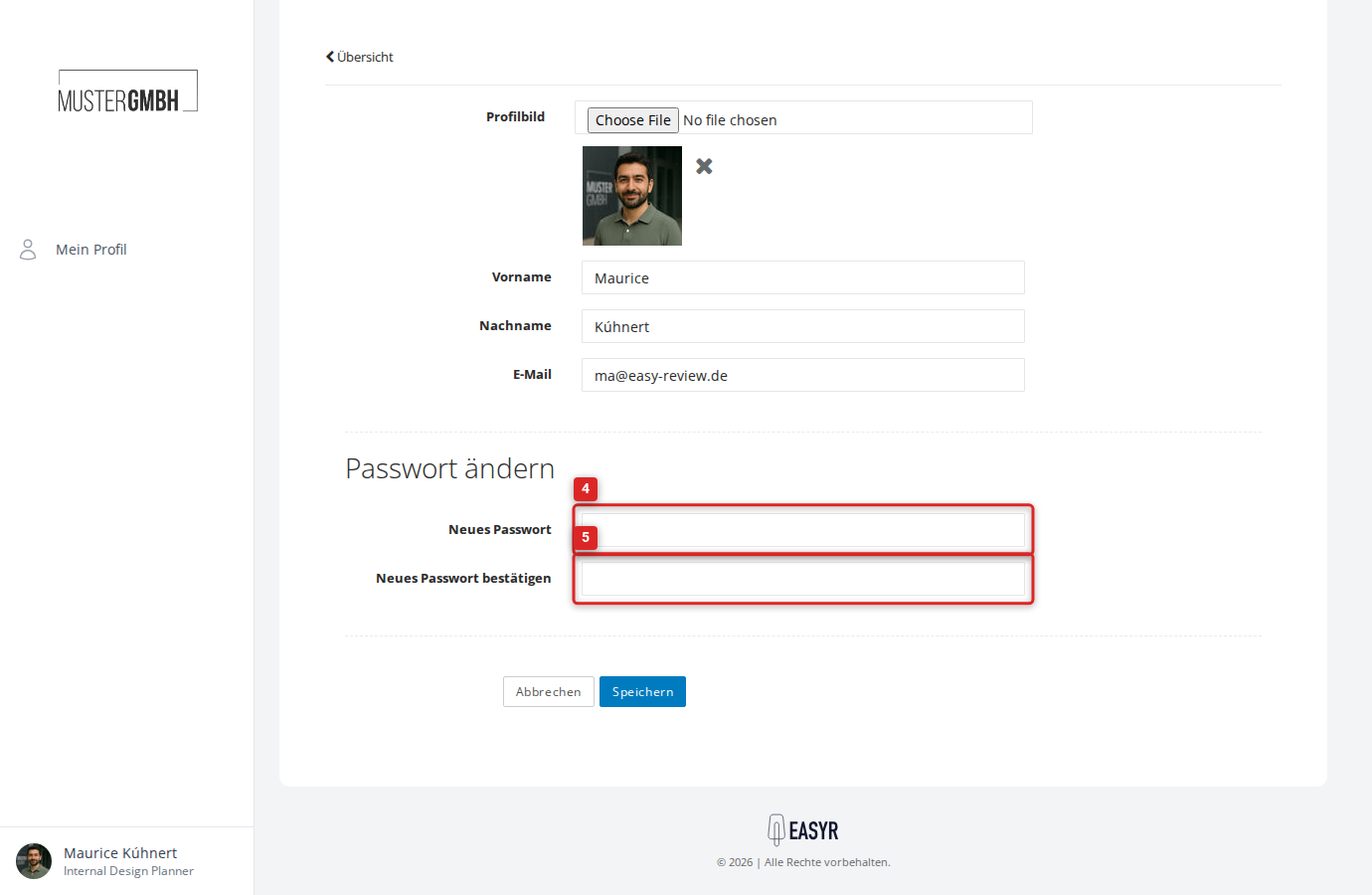
- Scroll down to the Change password section.
- Enter your new password in the Password field.
- Repeat it in the Confirm password field.
- Click Save.