Evaluate results with AI chat (Results AI)
Instead of reading hundreds of text answers one by one, you simply ask a question: the Results AI chatbot analyzes the text answers of a feedback process and delivers a structured summary. Results AI is an optional module and must be enabled for your account; to arrange that, contact your easyreview representative.
Open the "Results AI" tab
Open the evaluation view of the feedback process. There you find a dedicated Results AI tab. You only see it with HR access or management access, and the process needs completed text answers. With purely quantitative questions, there is nothing meaningful for the chat to work with.
Confirm your consent (one-time)
The first time you open it, a consent page appears. It explains what the AI analysis does, that results are not deterministic and do not replace professional judgment, and that survey data is only transmitted to a technology partner under a contractual agreement (use for training purposes is contractually excluded). Confirm with your password or via SSO. After that, this step no longer appears.
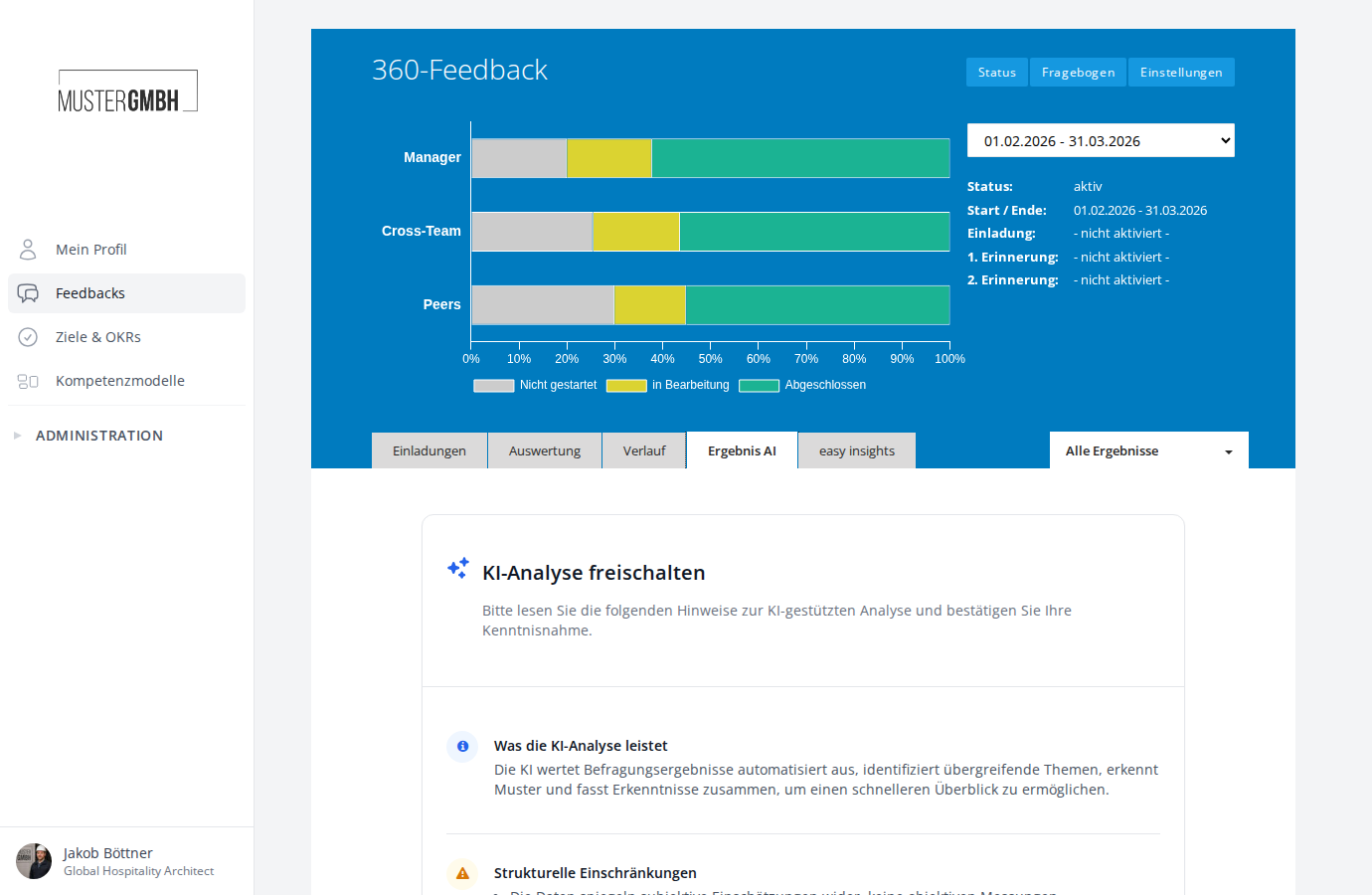
Choose the analysis scope
At the top of the chat area, use the Analyze: dropdown to choose what is evaluated. The default is All text questions. Pick a single text question when you want to analyze it more deeply without other answers influencing the result.
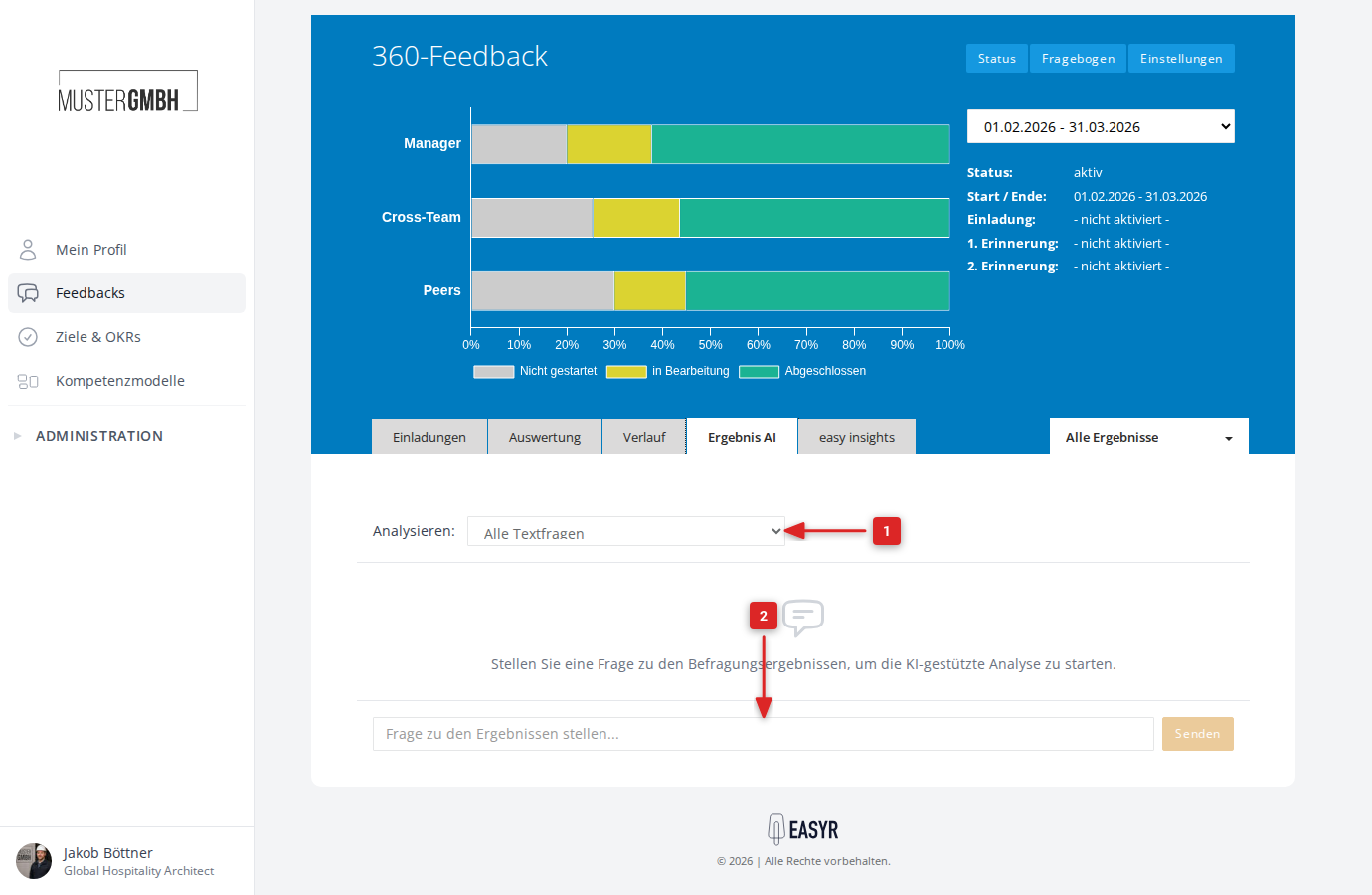
Ask questions
Type your question into the input field and send it. During the analysis, the AI shows which step it is currently working on; then the answer appears in the chat history. You can ask as many questions in a row as you like. Questions in natural language give the best results, for example:
- What are the most common positive remarks about collaboration?
- Which development topics are mentioned most often?
- Summarize the critical points about team communication in three sentences.
Use filters and interpret the results
The chatbot respects the active filter of the evaluation view: if a department is filtered, for example, the AI only analyzes those answers. And to keep things in perspective: AI answers are not a substitute for reviewing the original answers yourself. For important personnel decisions, check the answers directly in the evaluation.
Reached the end?
Done – guide completed!
Check off the steps as you work through them. Your progress is shown on the left.
You have completed every step.