Structured AI analyses with easy insights
easy insights automatically evaluates the free-text answers of your feedback processes, detects themes, calculates sentiment scores, and highlights risk signals. This gives you a structured overview of qualitative results without reading every answer one by one. easy insights is a paid add-on and must be enabled for your organization.
Open easy insights
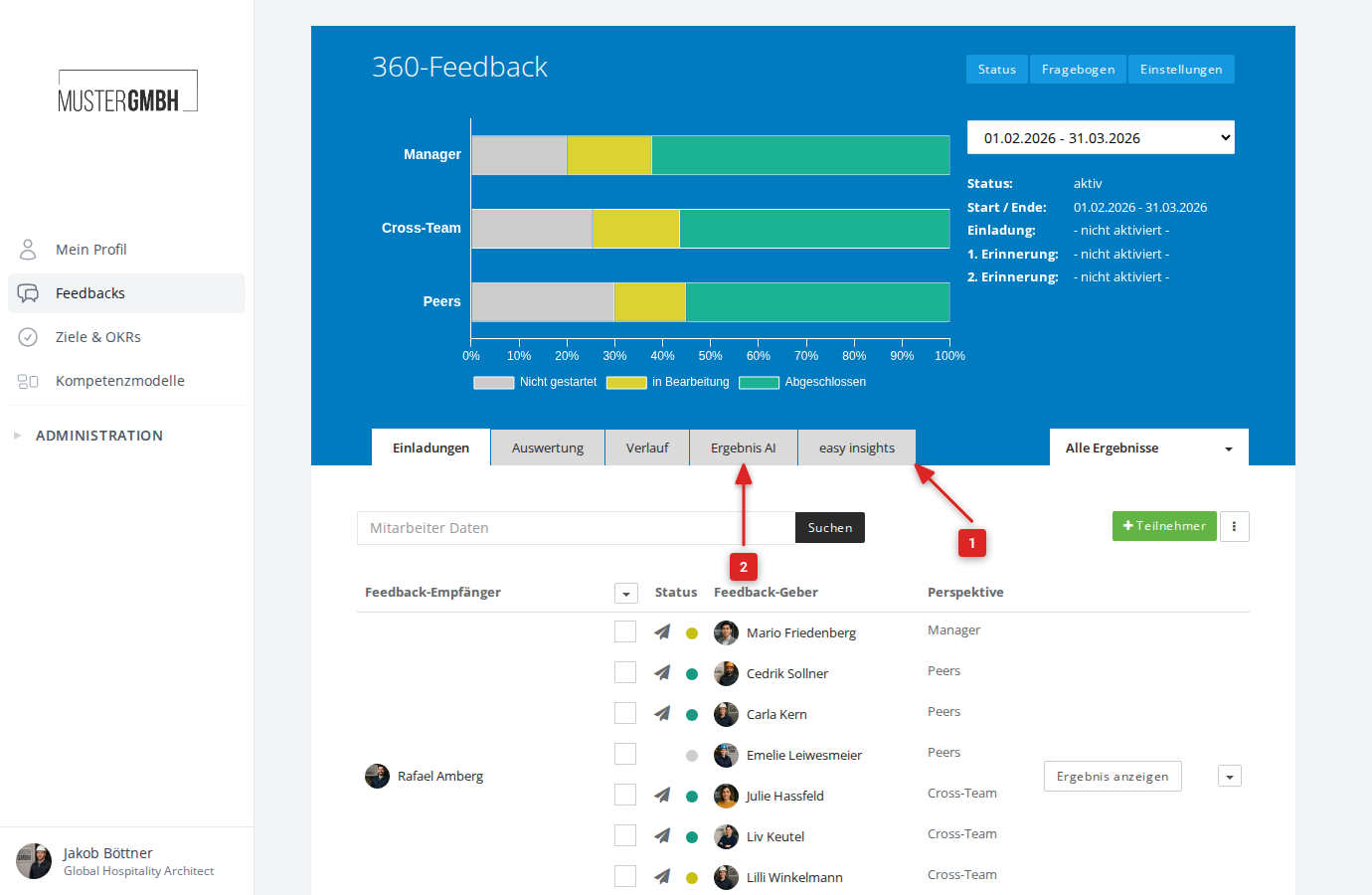
In the sidebar, open Reviews, then choose the feedback process and the edition. Alongside the Review, Evaluation, and Time series tabs, Results AI and easy insights appear if they are enabled. Click easy insights.
Enable the AI analysis (one-time)
The first time you open it, you confirm that you have read the notice: what the AI does, that results are not deterministic and do not replace professional judgment, and that survey data is only transmitted to a specialized technology partner for analysis. Authenticate with your password or via SSO. The step no longer appears after that.
Read the overview
The dashboard calculates the results automatically once participants have submitted (the first analysis can take 24 to 48 hours). The Overview tab bundles the essentials:
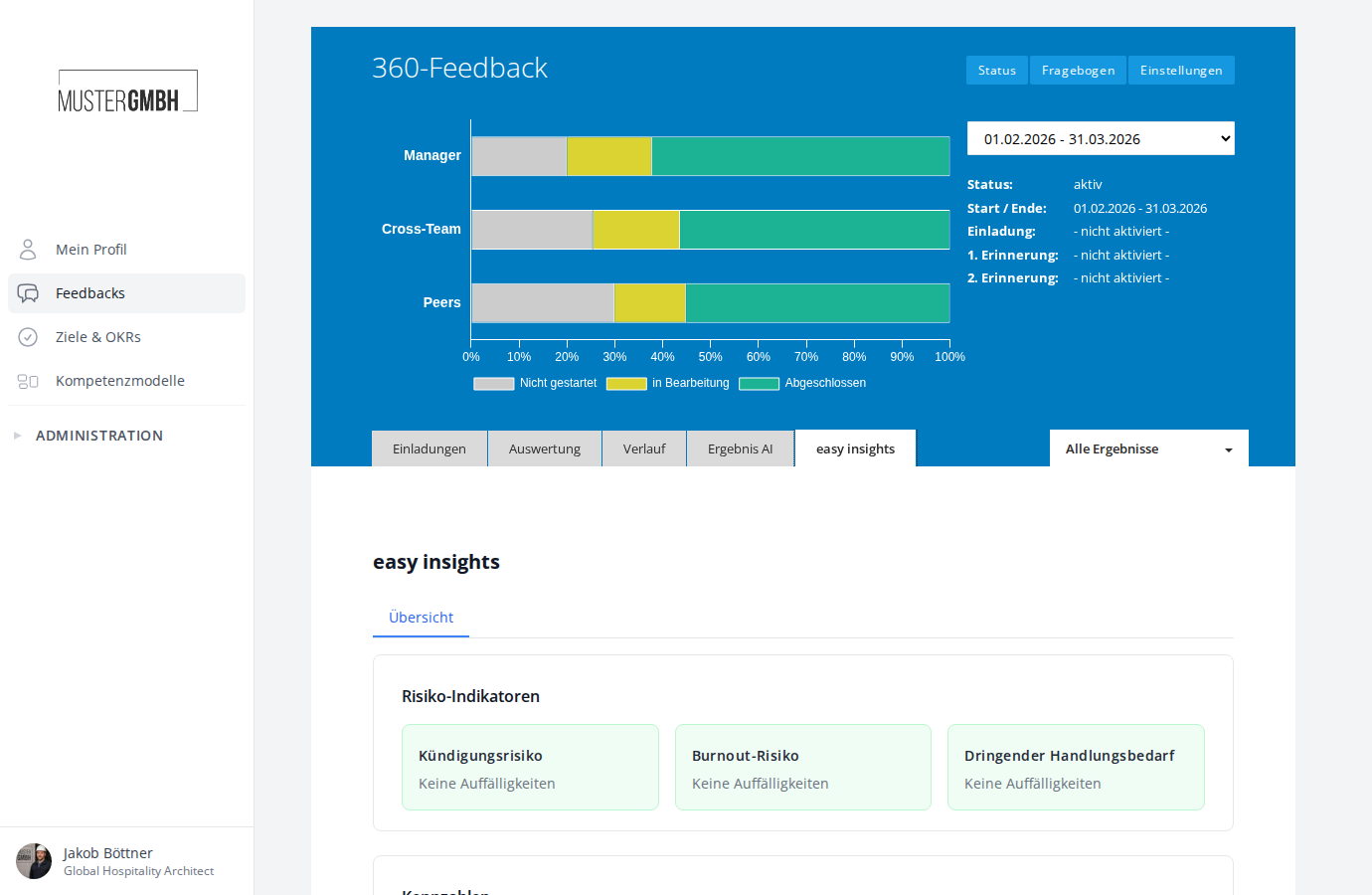
- Risk indicators: the risk factors configured in your framework. In the standard template these are attrition risk, structural obstacles, and urgent action required, each with the number of people affected. A click shows the AI summaries.
- Metrics: overall sentiment, engagement, constructiveness, and answer depth, each with a distribution histogram.
- Theme explorer: themes detected across the board, with a sentiment score and quotes.
- Expectation vs. experience: shows unmet or exceeded expectations, if configured in the framework.
- Analysis progress: how many participations have already been evaluated.
All AI content is permanently marked as such: "AI-generated analysis. For orientation only, not a substitute for professional judgement."
Dive into the dimensions
Each dimension of the analysis framework has its own tab — in the standard framework, for example, Leadership & Communication, Development & Growth, or Wellbeing & Balance. Each tab shows the sentiment distribution, detected themes, representative original quotes, and, if you are authorized, brief per-person assessments sorted by need for action.
Follow up in the Results AI chat
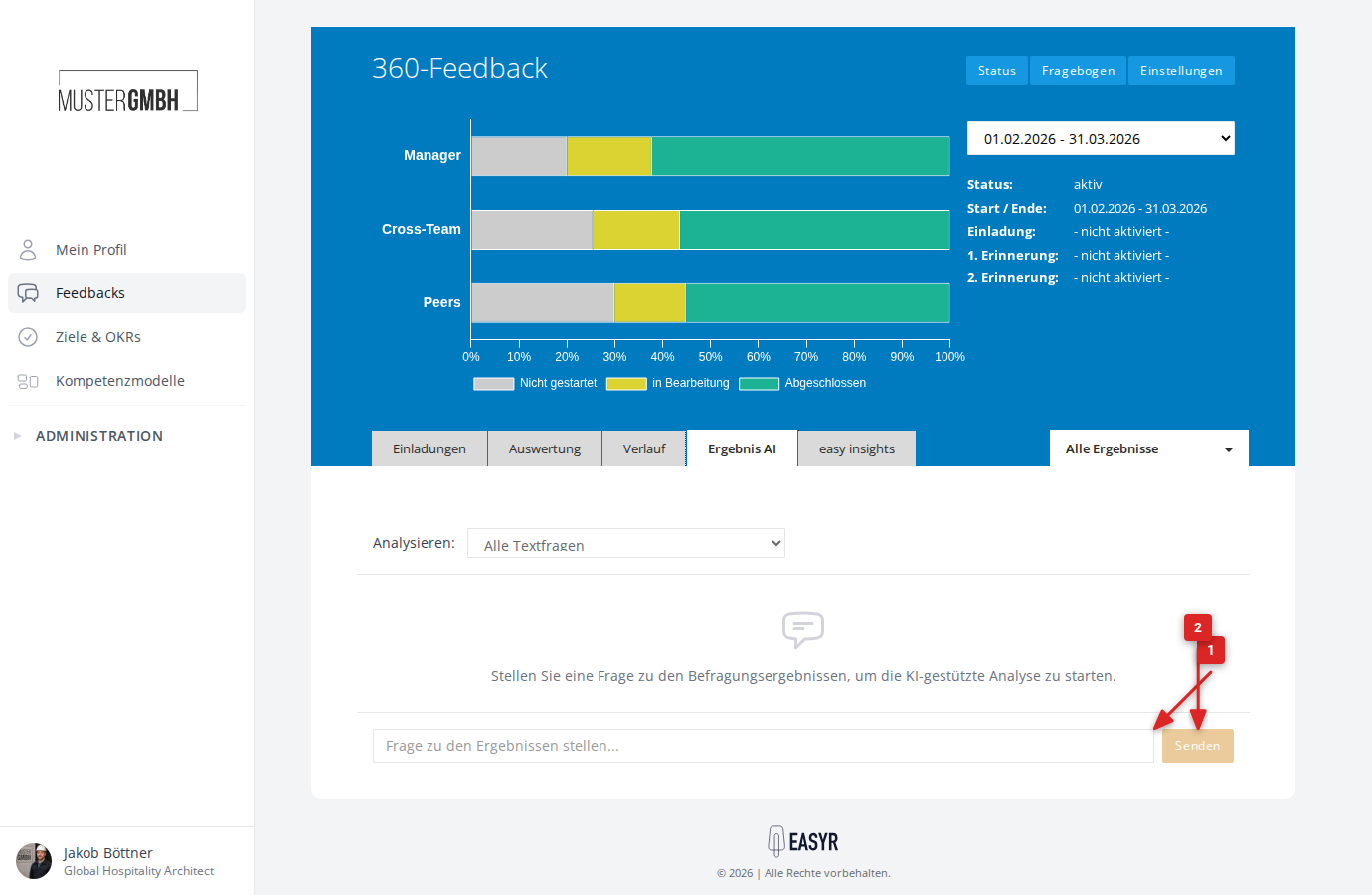
The Results AI tab adds a conversational way in on top of the dashboard: you ask in natural language, the AI searches the answers and replies with structure. It uses the same consent as easy insights.
Tailor the analysis to your organization
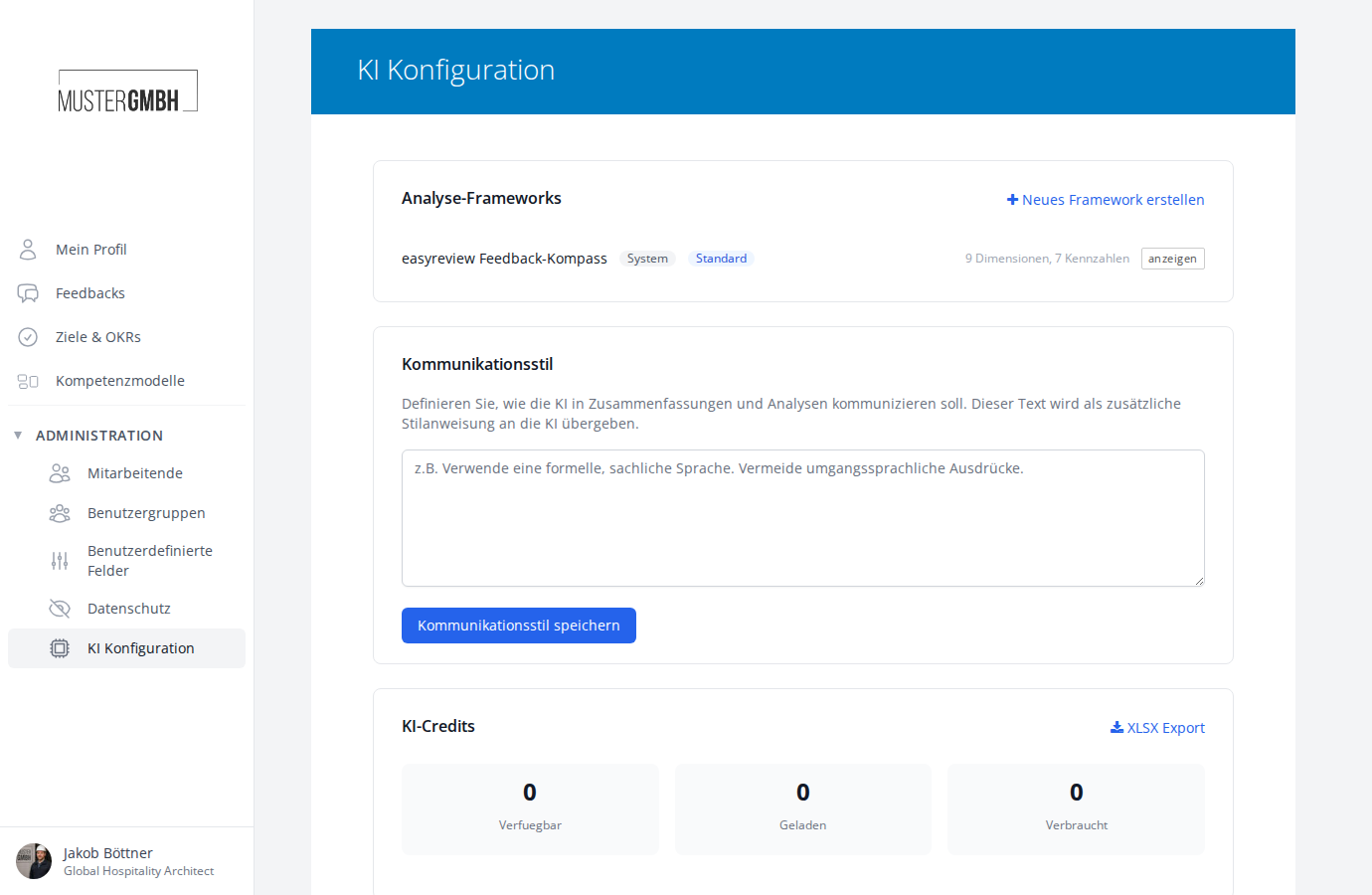
Under Administration > AI configuration, HR admins steer the analysis:
- Analysis frameworks: you define the evaluation criteria yourself. As long as no framework exists, the page offers to adopt the "easyreview Feedback Compass" (9 topic areas, 4 measures, 3 optional risk factors) as your own freely adjustable copy. Alternatively, start with an empty framework.
- Revisions: changes to the evaluation criteria create dated revisions. A new revision is automatically checked by the AI for problematic criteria and only takes effect once an authorized person confirms it. Confirmed revisions can no longer be changed.
- Authorized confirmers: below the AI credits you can see who may confirm revisions. You decide who is authorized. easyreview sets it up, an email to your account manager is all it takes.
- Communication style: a style instruction for the AI, e.g. "Use formal, factual language."
- AI credits: available, loaded, and consumed credits, including daily usage. Credits are allocated by easyreview.
Reached the end?
Done – guide completed!
Check off the steps as you work through them. Your progress is shown on the left.
You have completed every step.