Export the audit log (XLS)
To export the audit log as an Excel file:
- Open the audit log overview
- Click the three dots at the top right of the screen
- Click “Export (XLS)”
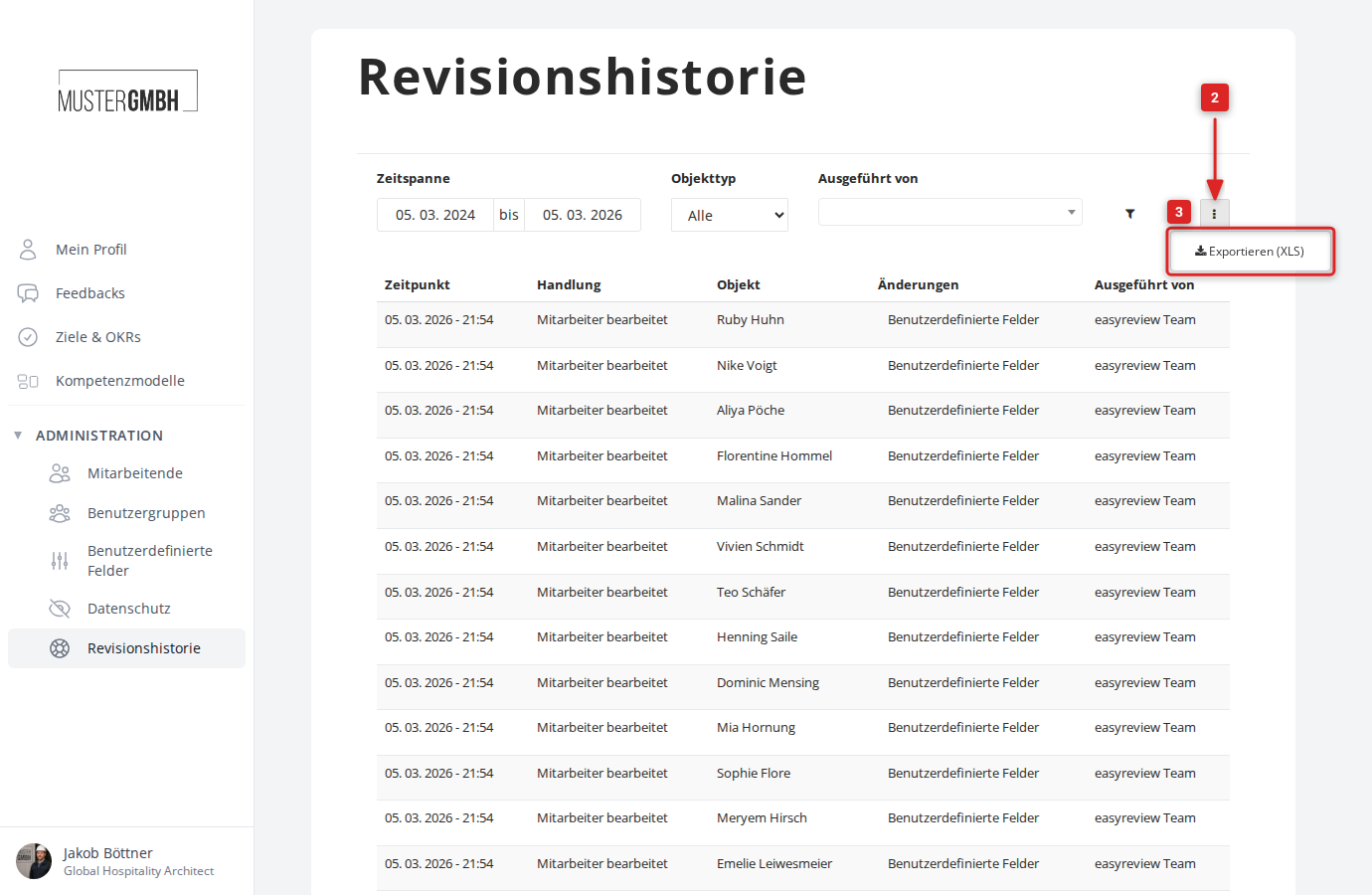
- The audit log download starts within a few moments
Contents of the Excel file
The exported file contains the following columns:
- Revision ID: unique identifier of the change
- Timestamp: when the change was made
- Action: kind of change (created, changed, deleted) and the type of data changed
- Affected: the changed record
- Changes: which data fields were changed
- Operator: who made the change