Getting started with competency models
What is the competency system?
With the competency system you assess your employees’ competencies in a structured way as part of reviews. You define competency models with categories and individual competencies, assign them to the right employees via job profiles, and evaluate the results as a radar chart, a table or an Excel export.
How it differs from the potential analysis
The competency system replaces the previous potential analysis. Compared with the potential analysis, it offers:
- Revisions, which let you adjust rating scales and weightings over time without losing historical data
- Job profiles, which define which competencies are relevant for which employees
- Flexible scale configuration per category (numeric range or discrete labels)
- Its own results overview with filter, search and Excel export
The potential analysis remains available for existing reviews. For new projects, you should use the competency system.
Core concepts
- Competency model: bundles competency categories and their individual competencies. You can create several competency systems per tenant. (→ Create and configure a competency model)
- Revisions: versioned configuration of the rating scales, aggregation methods and weightings. The “valid from” date controls which revision is active. (→ Manage revisions)
- Job profiles: define which competencies and categories are relevant for a specific role, with individual weightings and target values. Employees are assigned via memberships or formulas. (→ Job profiles and assignments)
- Competency assessment: a special question type in the questionnaire of a review. Participants assess the competencies relevant for the respective job profile. (→ Add a competency assessment to the questionnaire)
Navigation
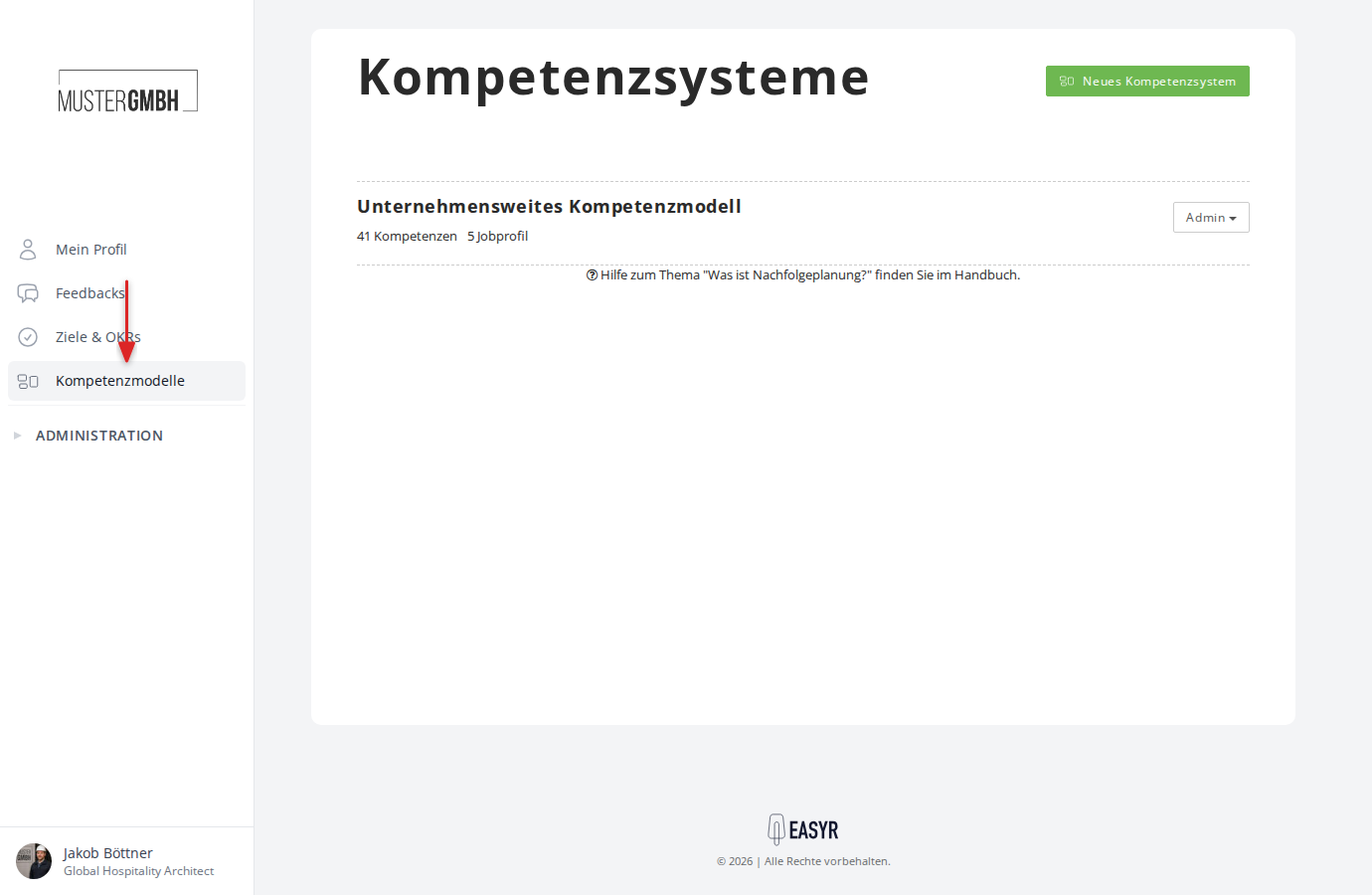
You find the competency system in the sidebar under Competency models.
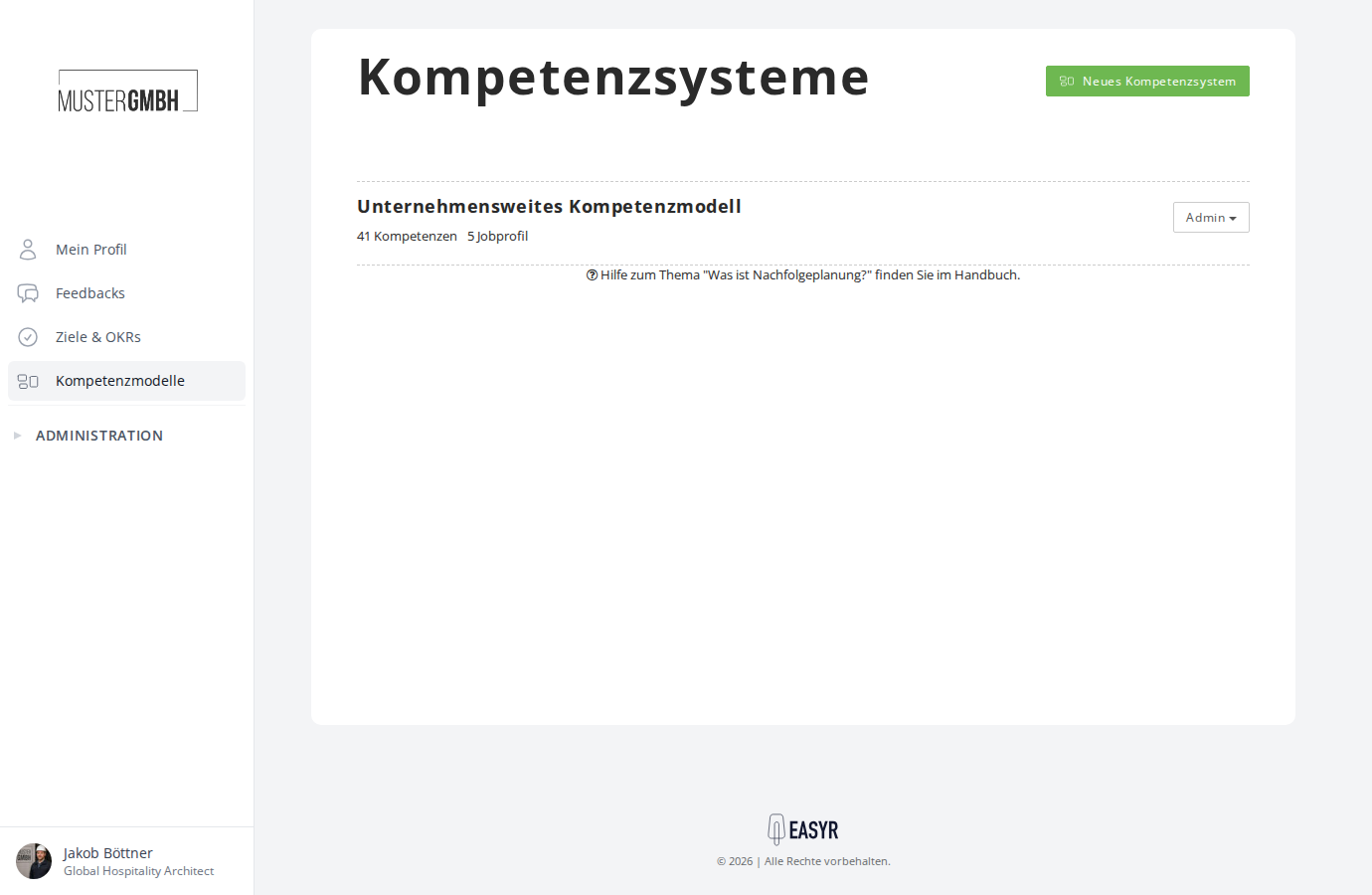
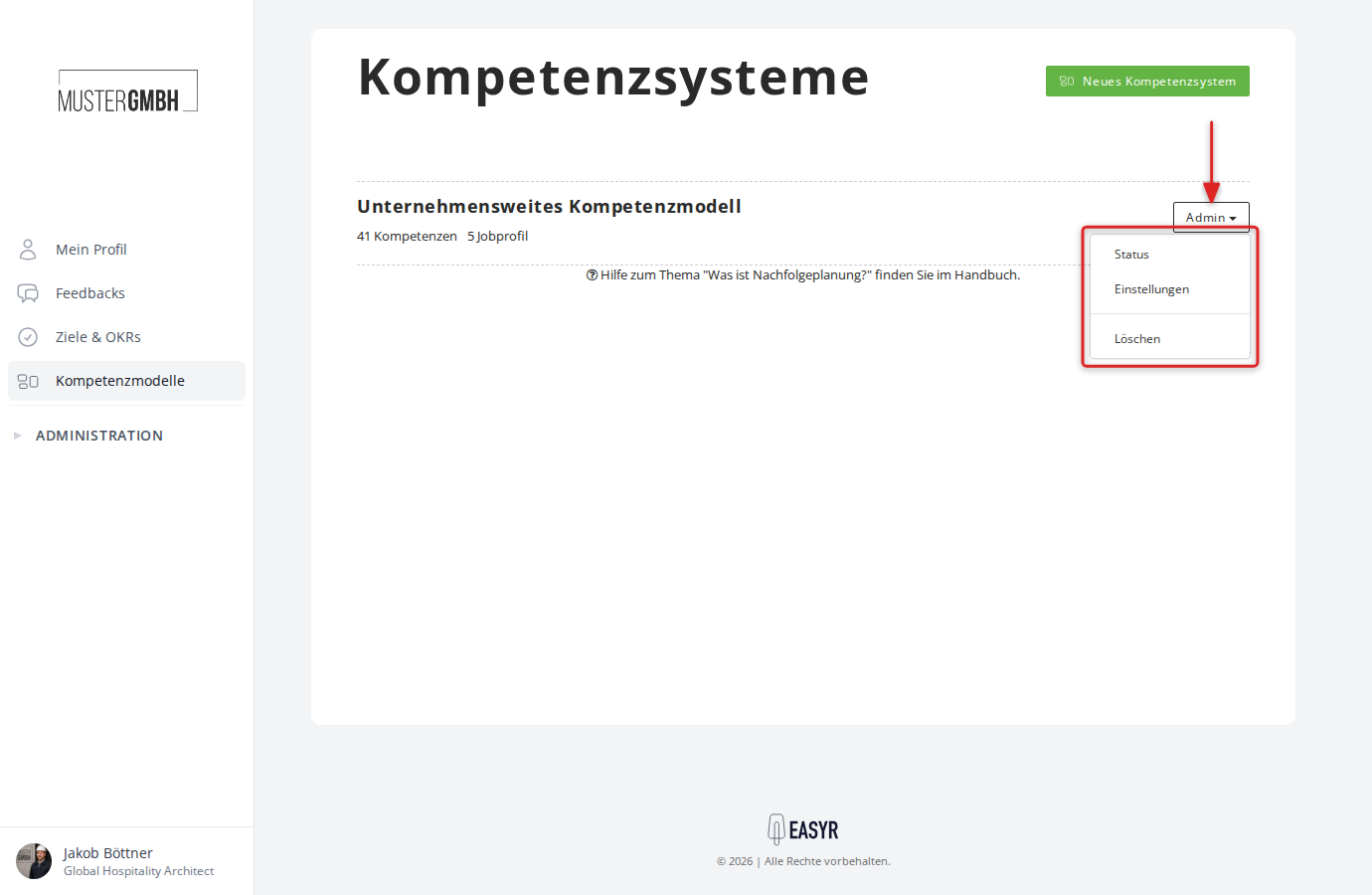
On the overview page you see all the competency systems you have created. For each system, the number of competencies and job profiles is shown. Clicking the name of a competency system takes you straight to the results overview (status page). The Admin dropdown gives you access to:
- Status: opens the results overview of the current revision
- Settings: opens the configuration page of the competency system
- Delete: deletes the competency system
Structure of a competency system
The settings page is divided into four areas:
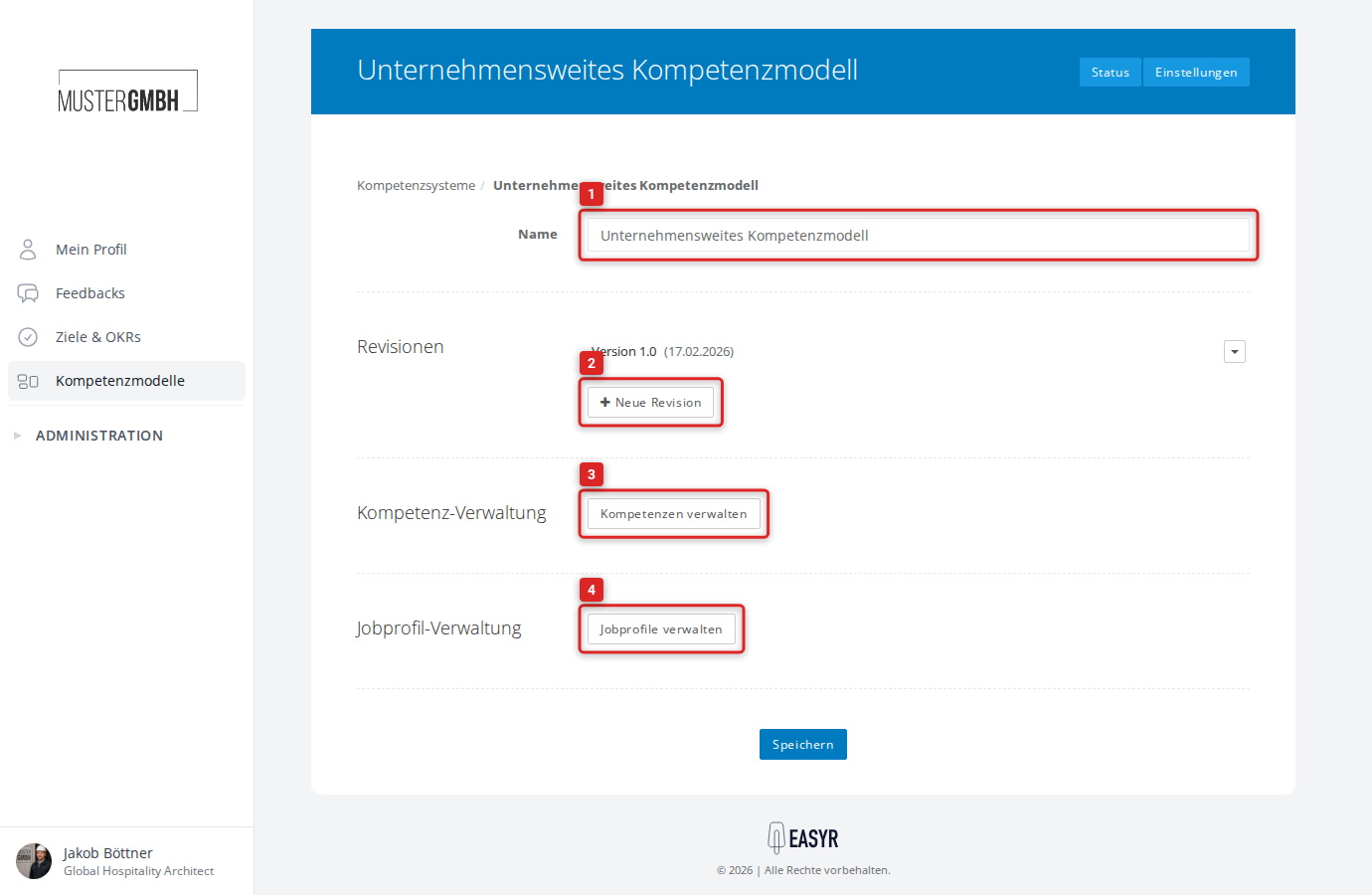
- Name: the name of the competency system
- Revisions: a list of all revisions, with the option to create new revisions or edit existing ones
- Competency management: a link to the page where competency categories and competencies are created and edited
- Job profile management: a link to the page where job profiles are created and assigned to employees
Typical workflow
- Create a competency model: create a new competency system and define categories and competencies. (→ Create and configure a competency model)
- Configure a revision: set the rating scales and aggregation methods for the categories. (→ Manage revisions)
- Assign job profiles: create job profiles and assign employees to the matching profiles. (→ Job profiles and assignments)
- Add the question to a questionnaire: add the competency assessment as a question type to the questionnaire of a review and link a revision. (→ Add a competency assessment to the questionnaire)
- Participants assess: the participants assess the competencies as part of the review. (→ Take part in a competency assessment)
- Evaluate the results: view individual results per employee or use the overall overview with filter and export. (→ View individual results, Results overview and data export)
Results overview (Status)
The Status link (or clicking the name of the competency system) takes you to the results overview. Here you see the assessment results of all employees in a table, broken down by competency category.
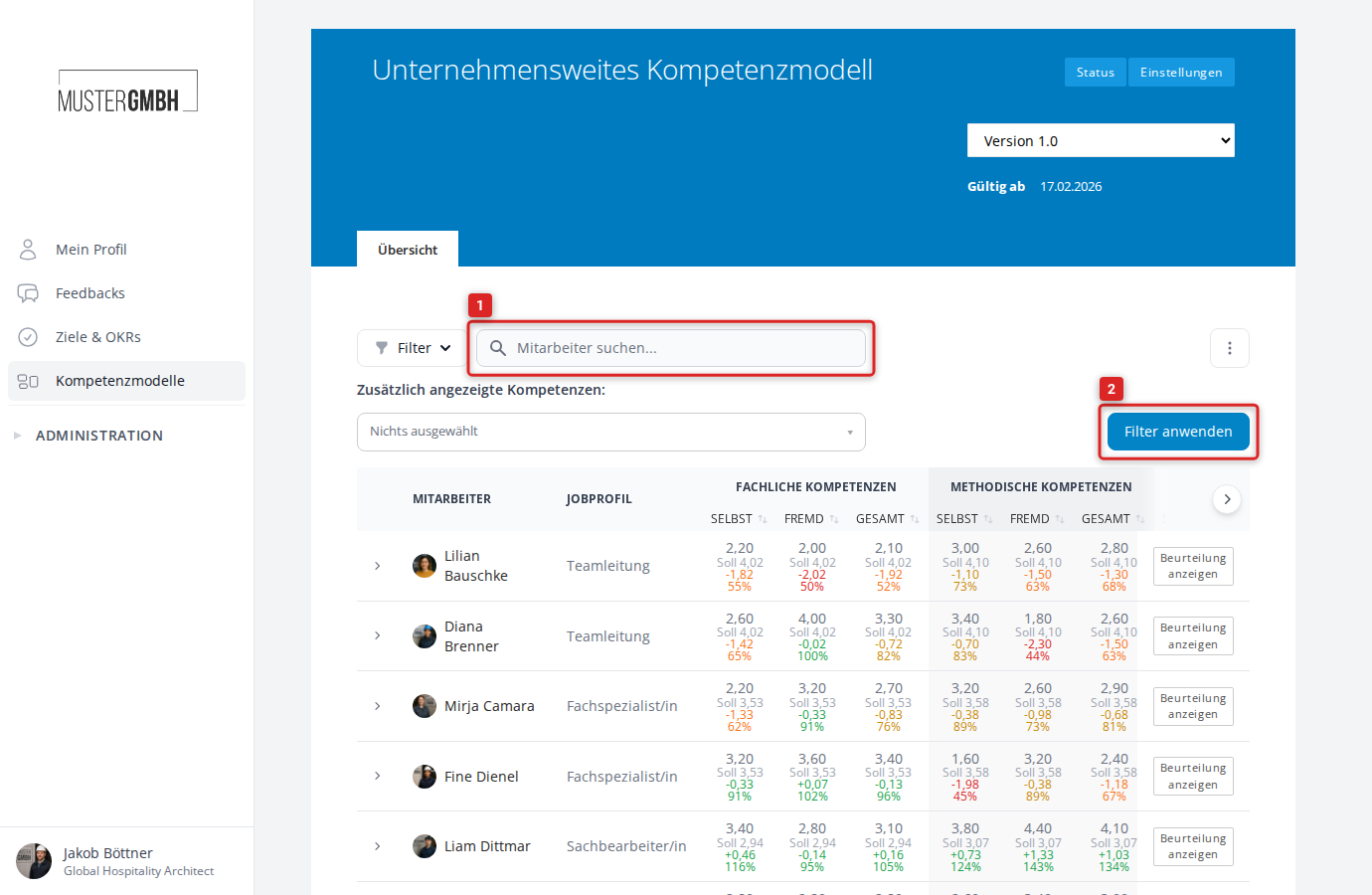
For each employee, the table shows the assigned job profile as well as, per competency category, the self-assessment and external assessment, the overall score and the deviation from the target value. The Show assessment button opens the individual results.
Above the table, the following functions are available:
- Filter: narrow down the employees shown by various criteria.
- Search: search by name, email, staff number or job profile.
- Additionally shown competencies: display individual competencies as extra columns in the table.
- Excel export: download the results as an Excel file (via the three-dot menu on the right).
If several revisions exist, use the dropdown in the top right to select the revision you want. (→ Results overview and data export)