Extend an observation / add a comment
Add a comment
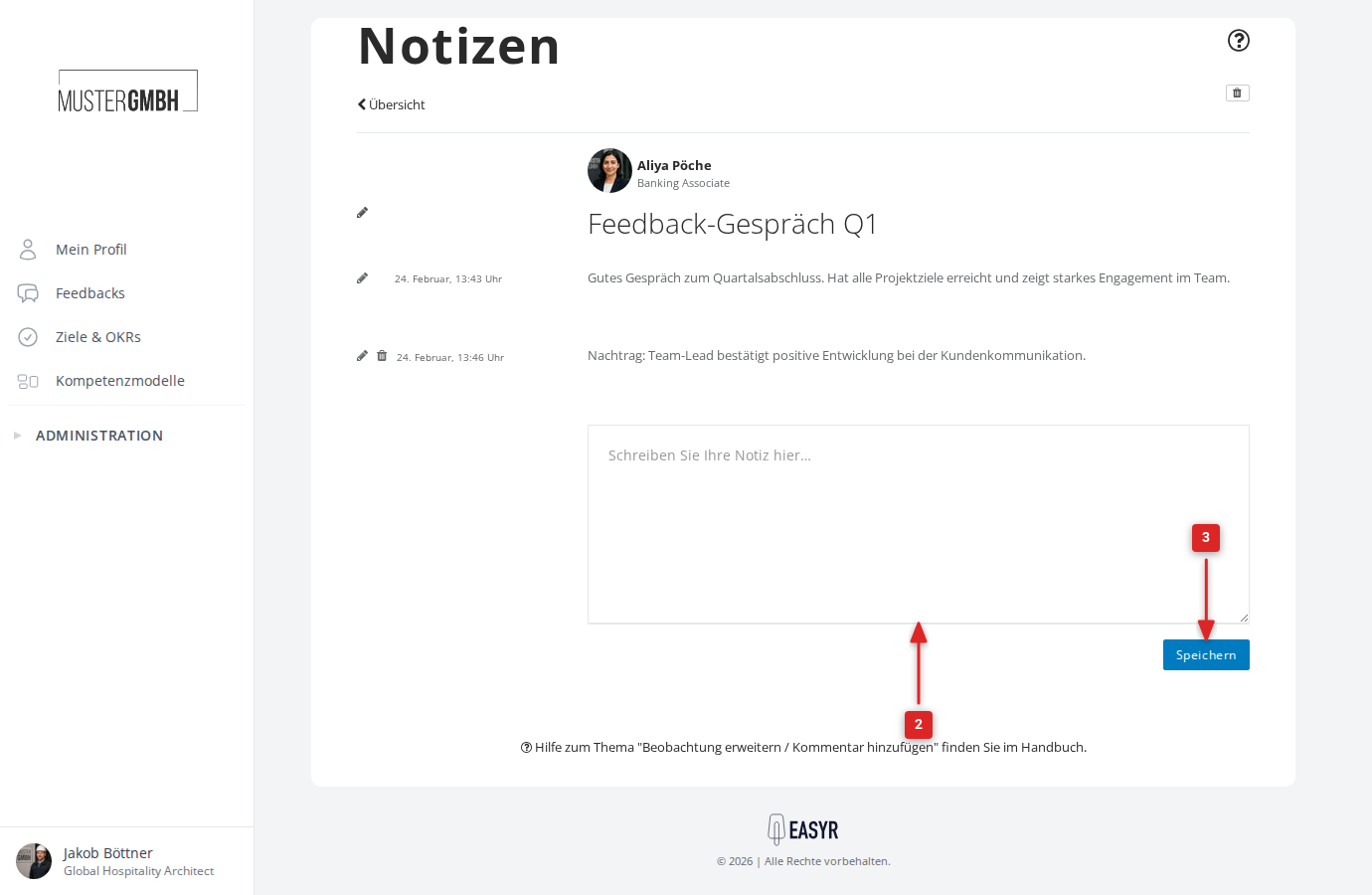
- Open the observation you want to add a comment to.
- Enter your text in the Write your note here … field at the bottom of the page.
- Click Save.
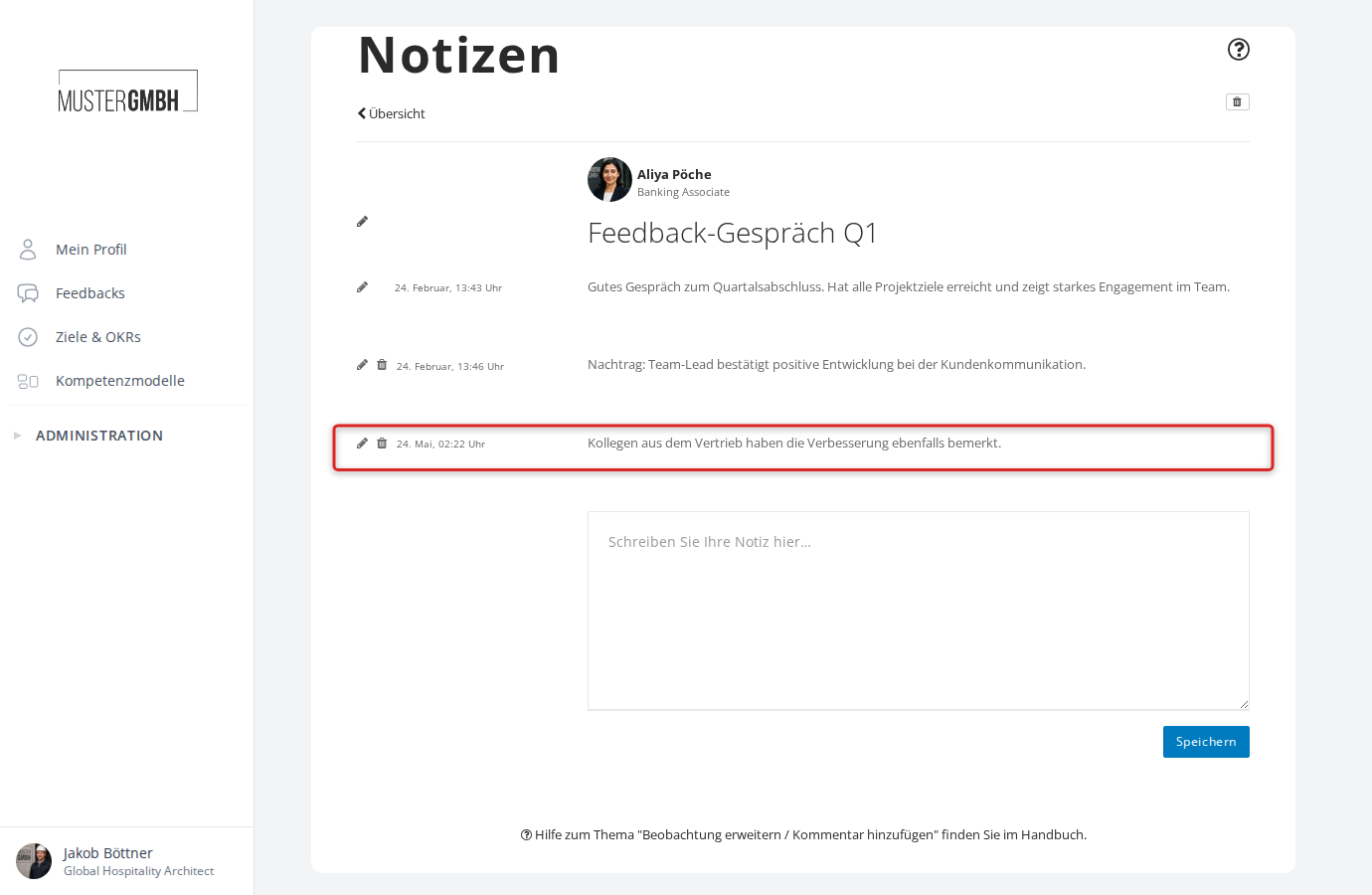
The new comment appears below the existing entries with its own date.
Edit a comment
- Click the pencil icon next to the comment.
- Edit the text in the input field.
- Click Save (or Cancel to discard the change).
Delete a comment
- Click the trash icon next to the comment.
- Confirm the deletion in the dialog.