Search observations
The Notes & comments page has a search field that filters all your notes by a keyword. The search covers the colleague’s first and last name, the note’s title, and its content.
Open the search page
The search is available on the Notes & comments overview page. You reach it like this:
- In the sidebar navigation, click Profile.
- Open the Notes tab.
- Click the title of any note to open it.
- Click Overview at the top left to reach the full list of all notes.
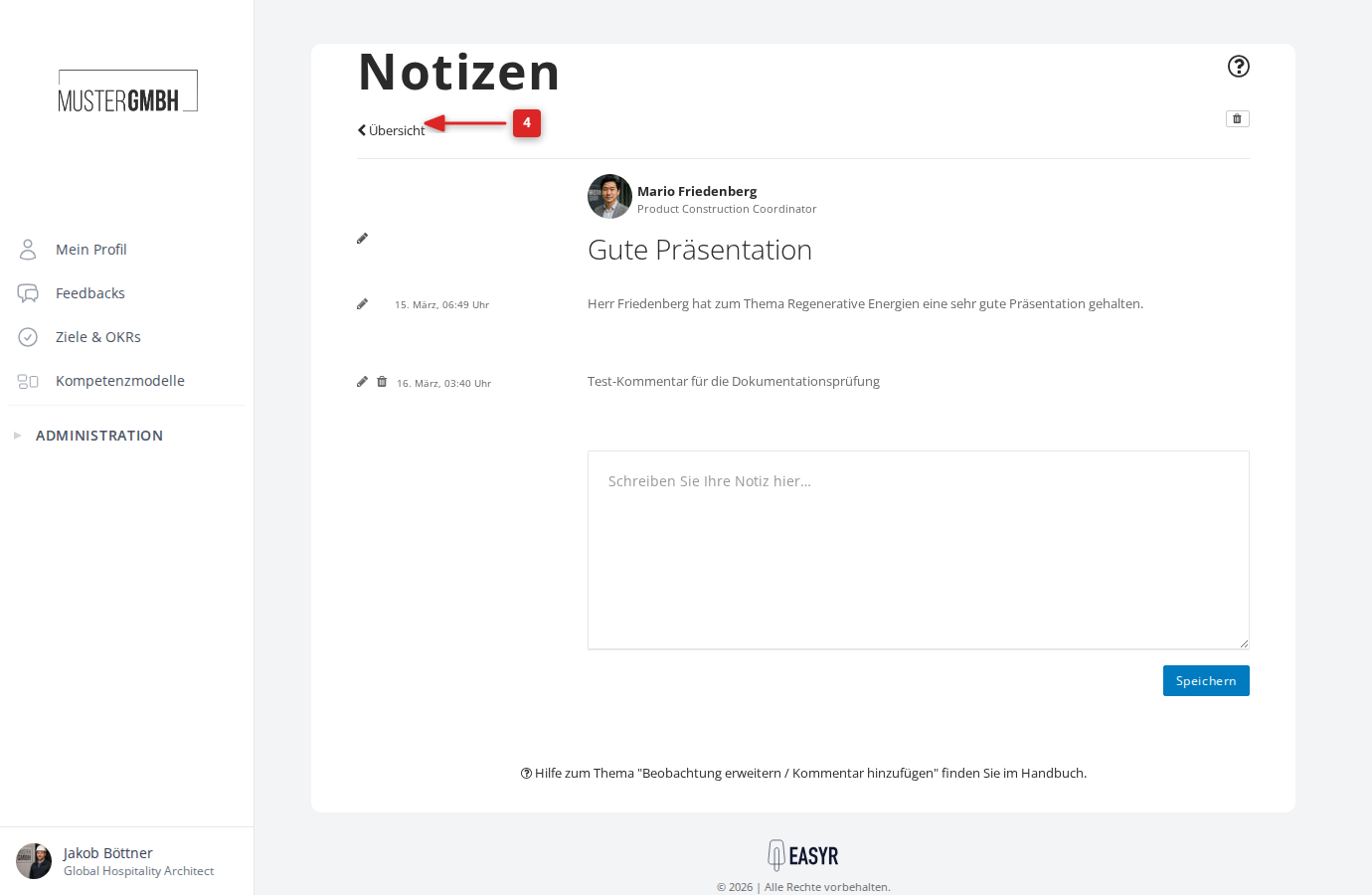
Search your notes
- Enter a search term in the Search notes field.
- Click Search.
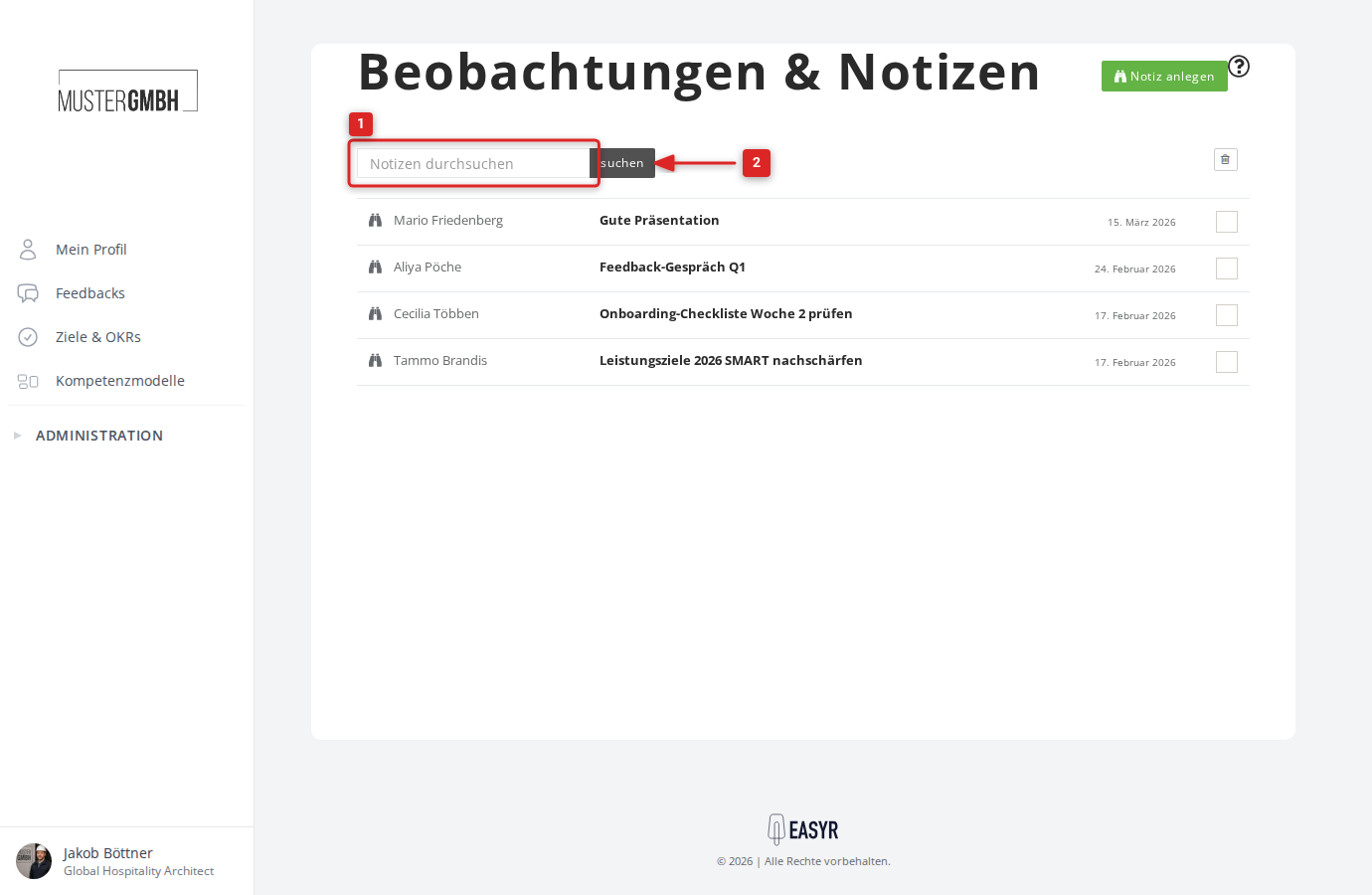
The list then shows only notes that contain the search term. For each note you see the colleague’s name, the title, and the creation date.
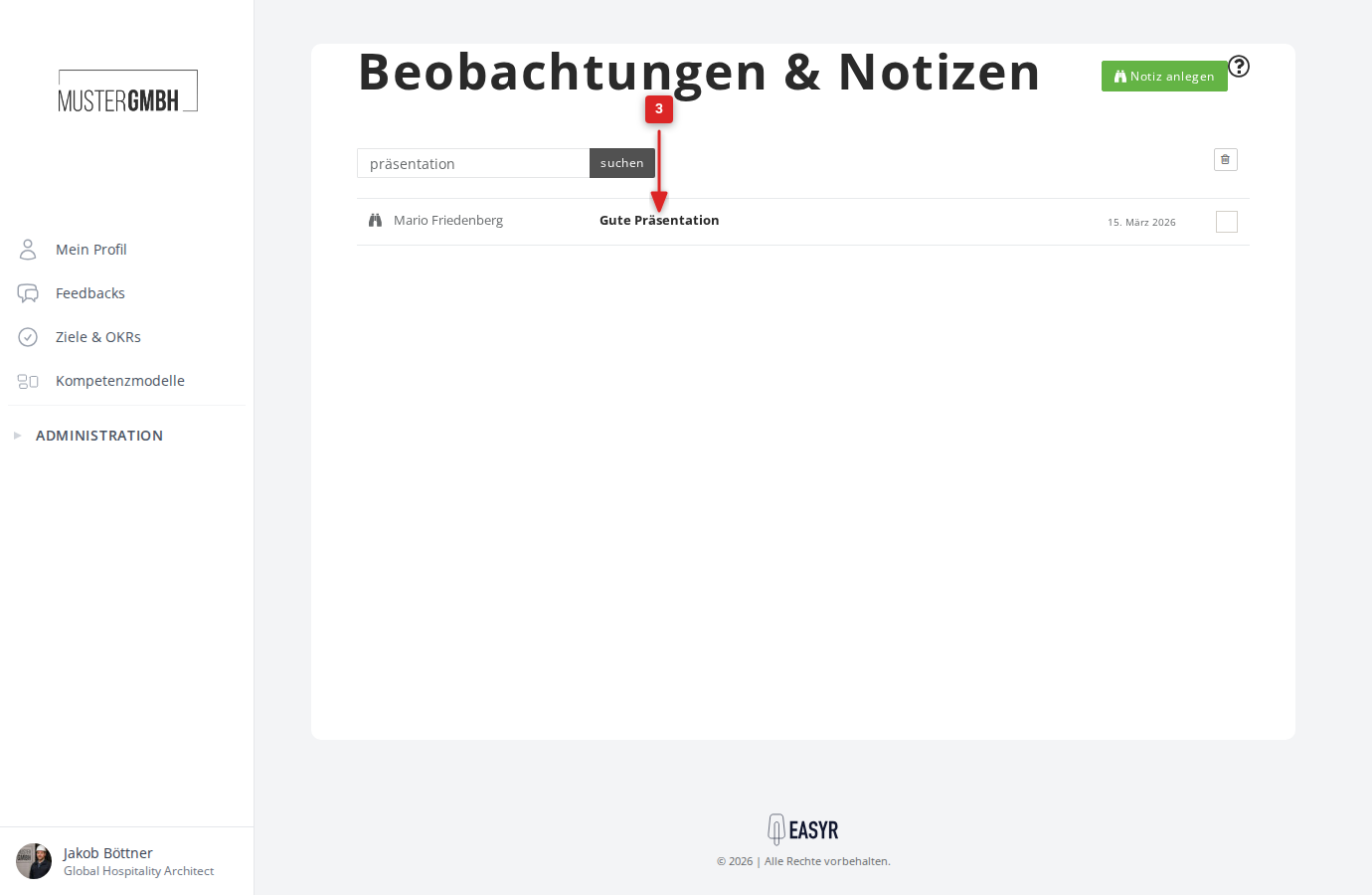
- Click a note’s title to open it.