Delete an observation
You can delete observations one at a time or several at once. Only the person who created an observation can delete it.
Delete a single observation
- In the sidebar, click Profile
- Open the Notes tab
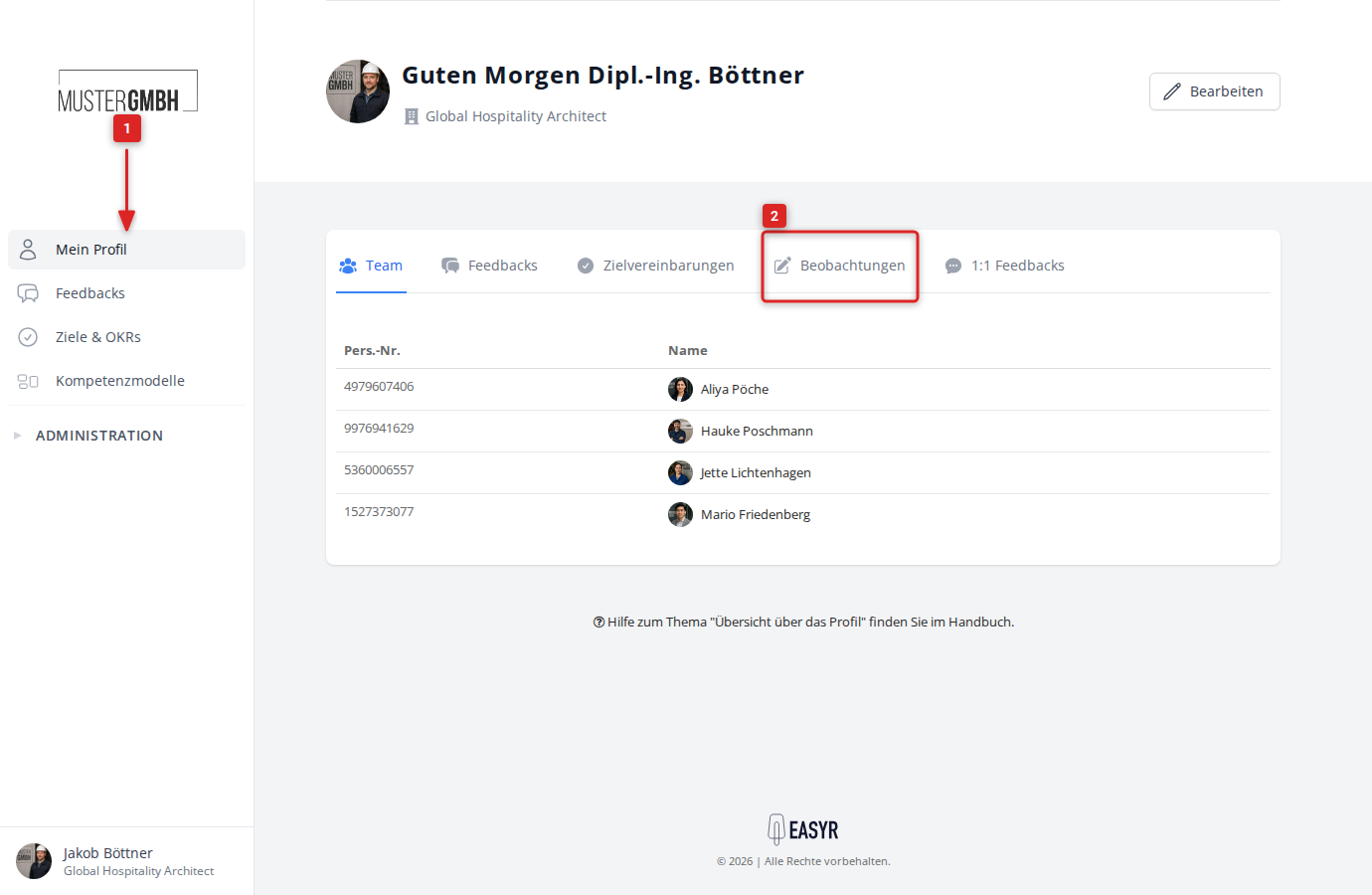
- Click the observation you want to delete
- Click the trash icon at the top right
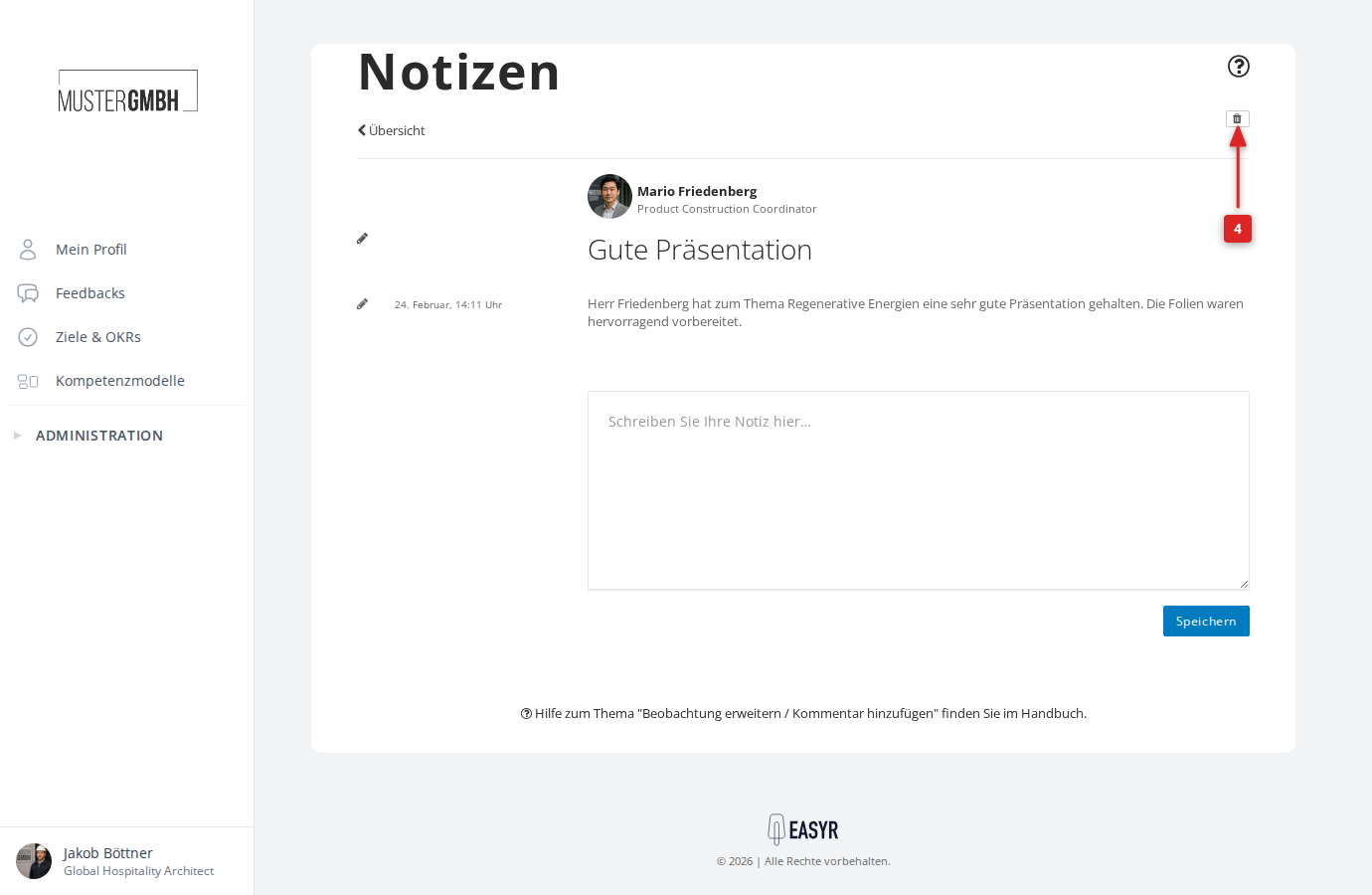
- Confirm the deletion with Delete now
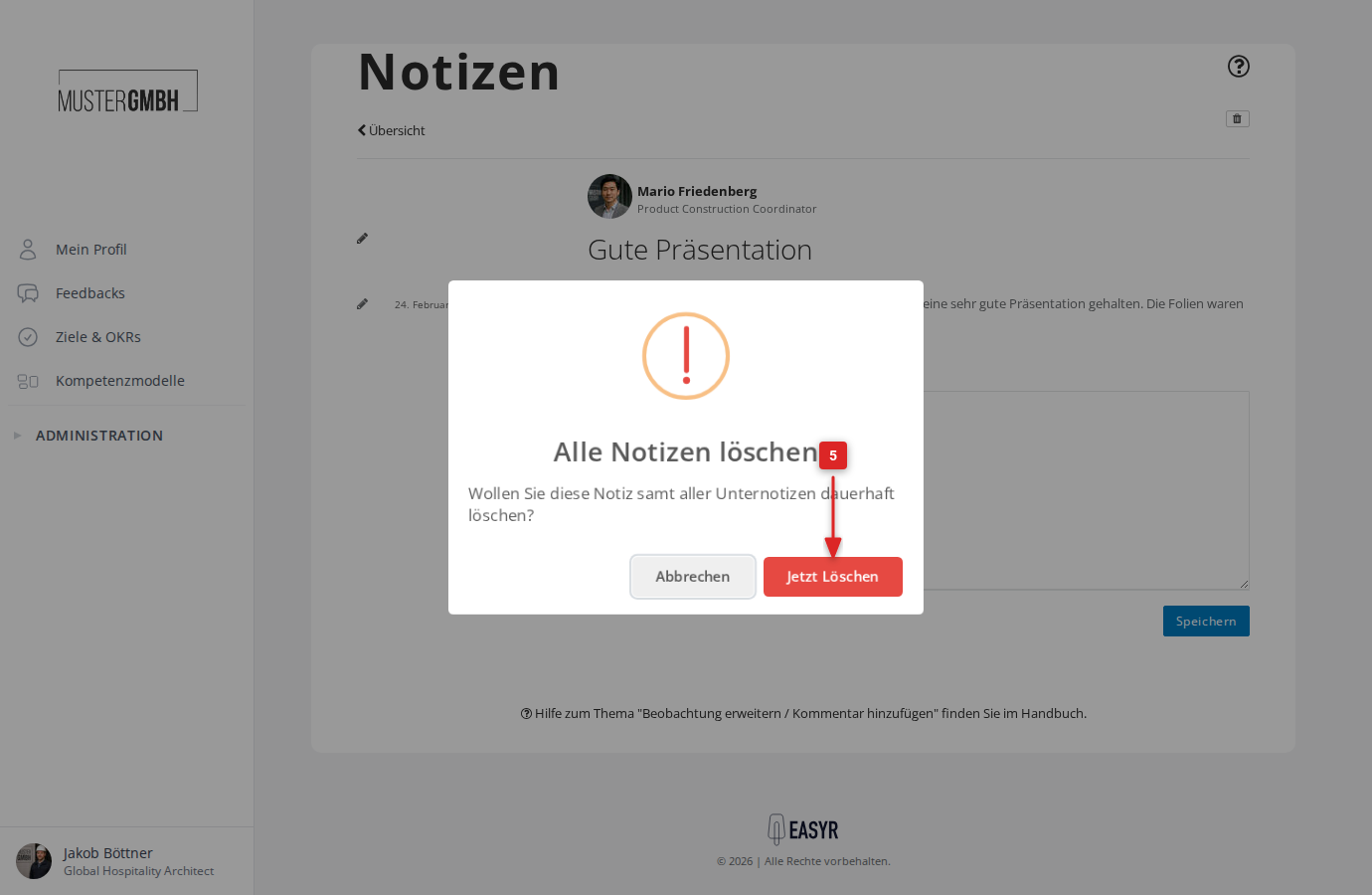
The observation and all its sub-notes are now deleted.
Delete several observations at once
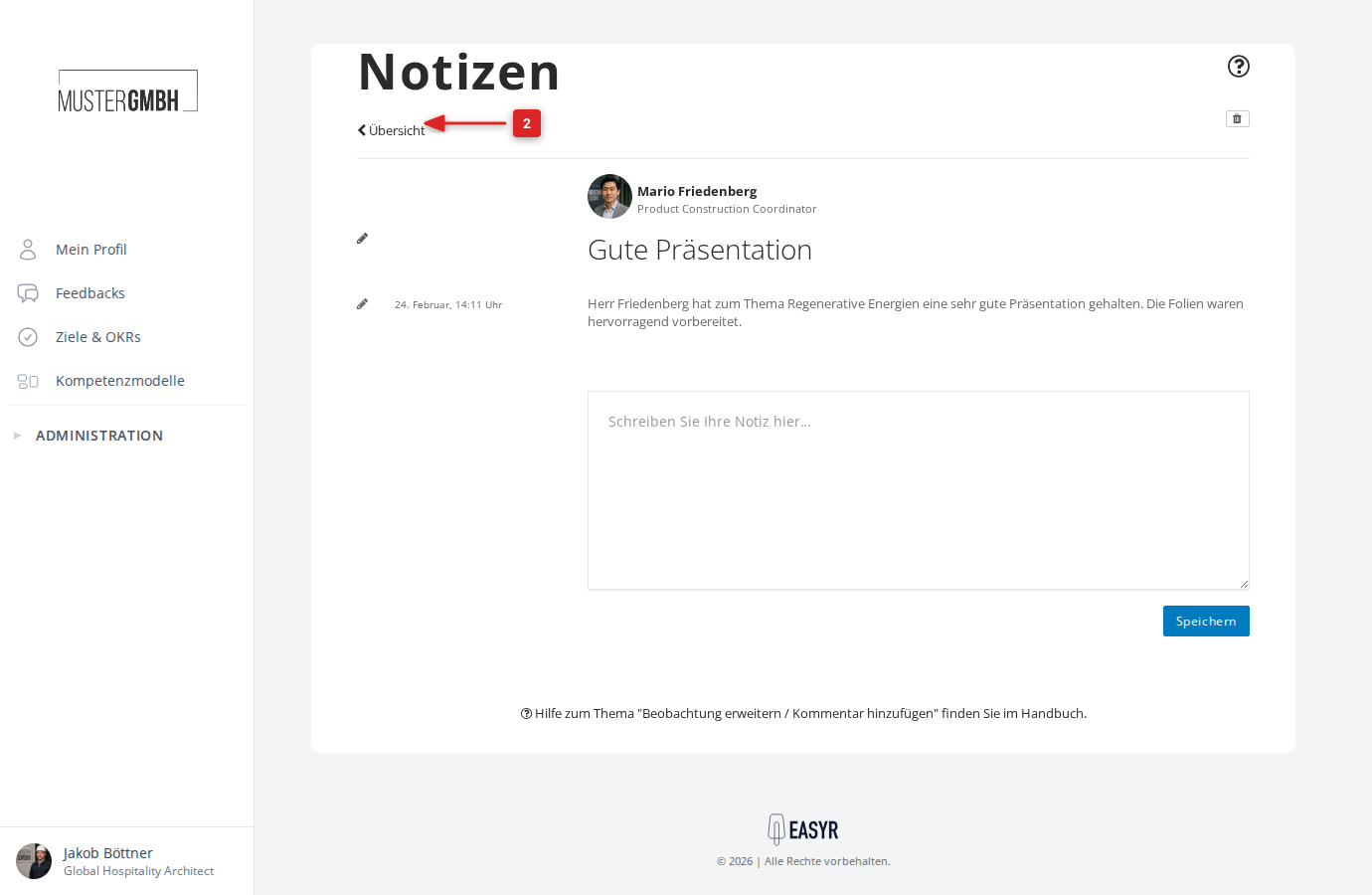
- Open any observation (as described above)
- Click Overview to open the observation list
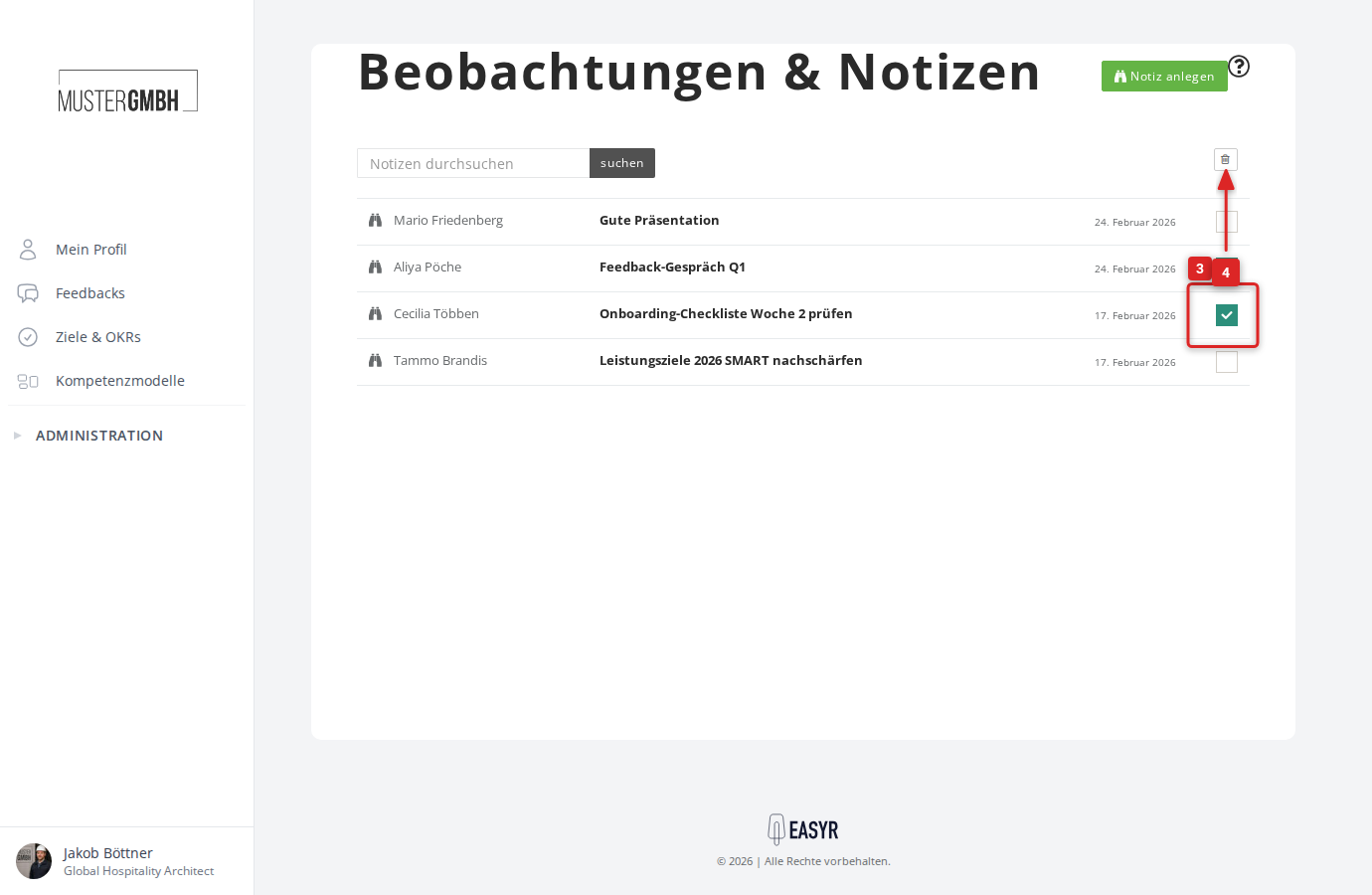
- Select the observations to delete using the checkboxes on the right edge
- Click the trash icon at the top right
- Confirm the deletion with Delete now
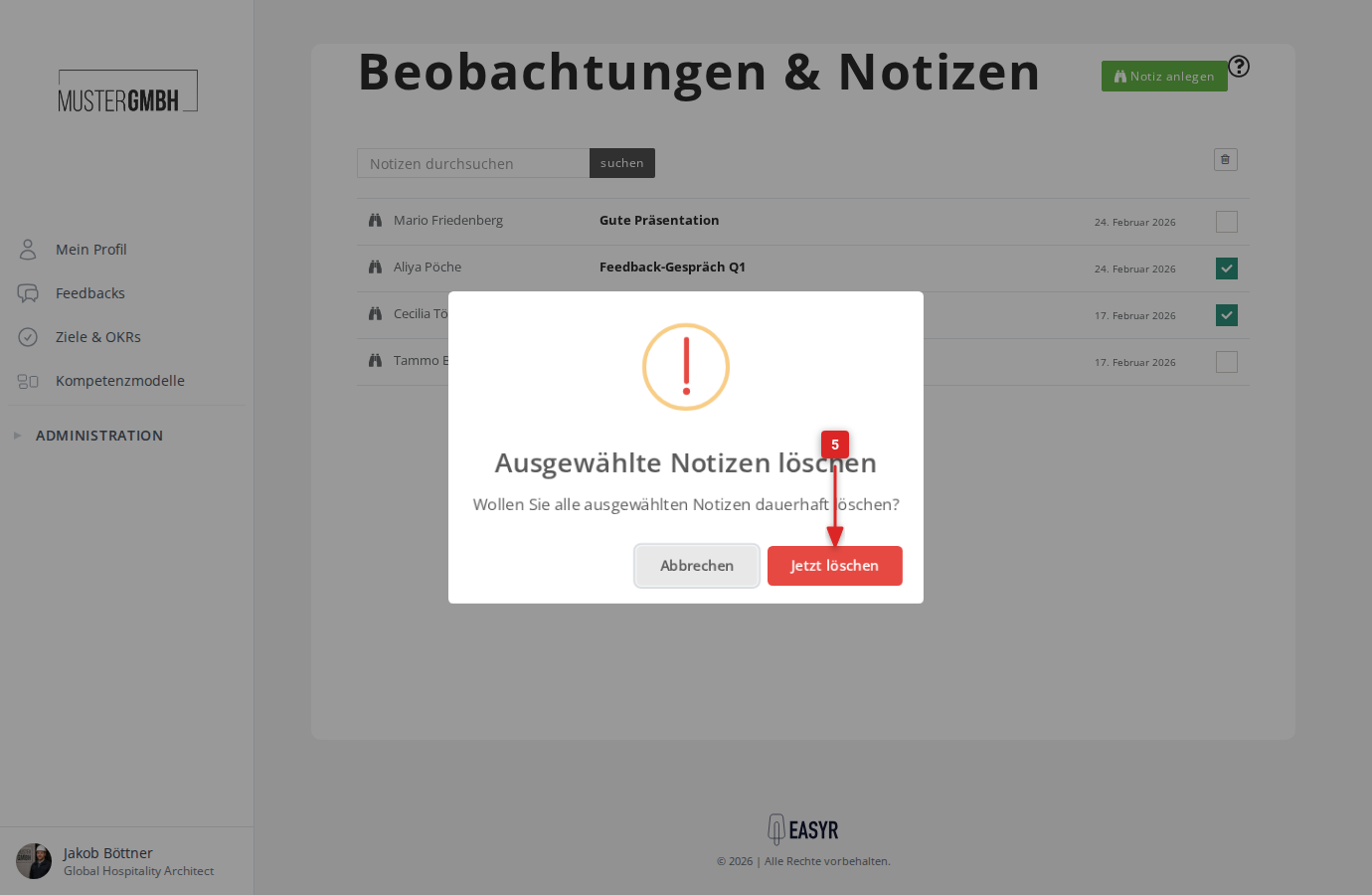
The selected observations are now deleted.