Delete an observation comment
You can only delete comments you wrote yourself. Deleting a comment is permanent and cannot be undone.
Delete a comment
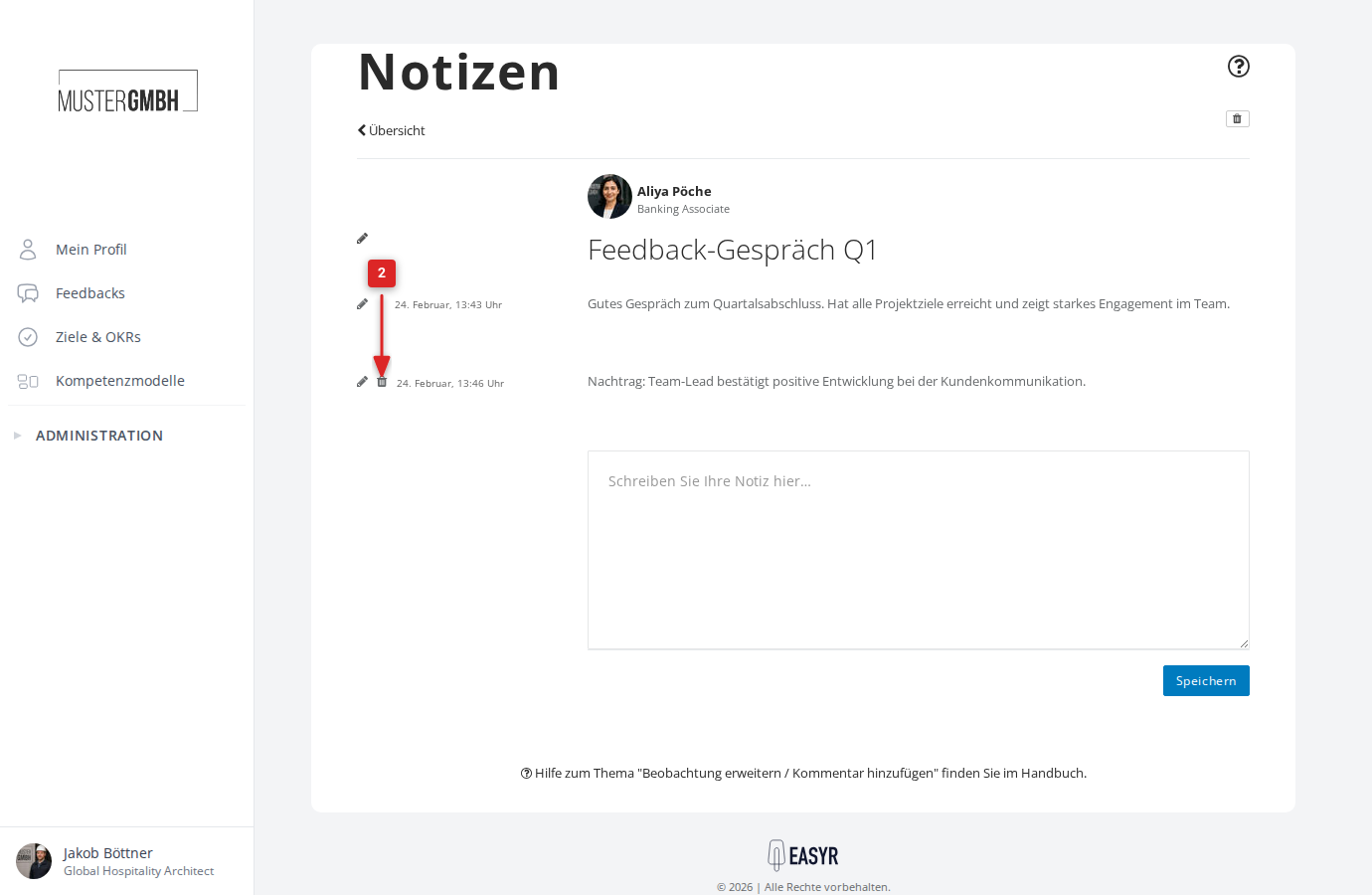
- Open the observation whose comment you want to delete.
- Click the trash-can icon to the left of the comment.
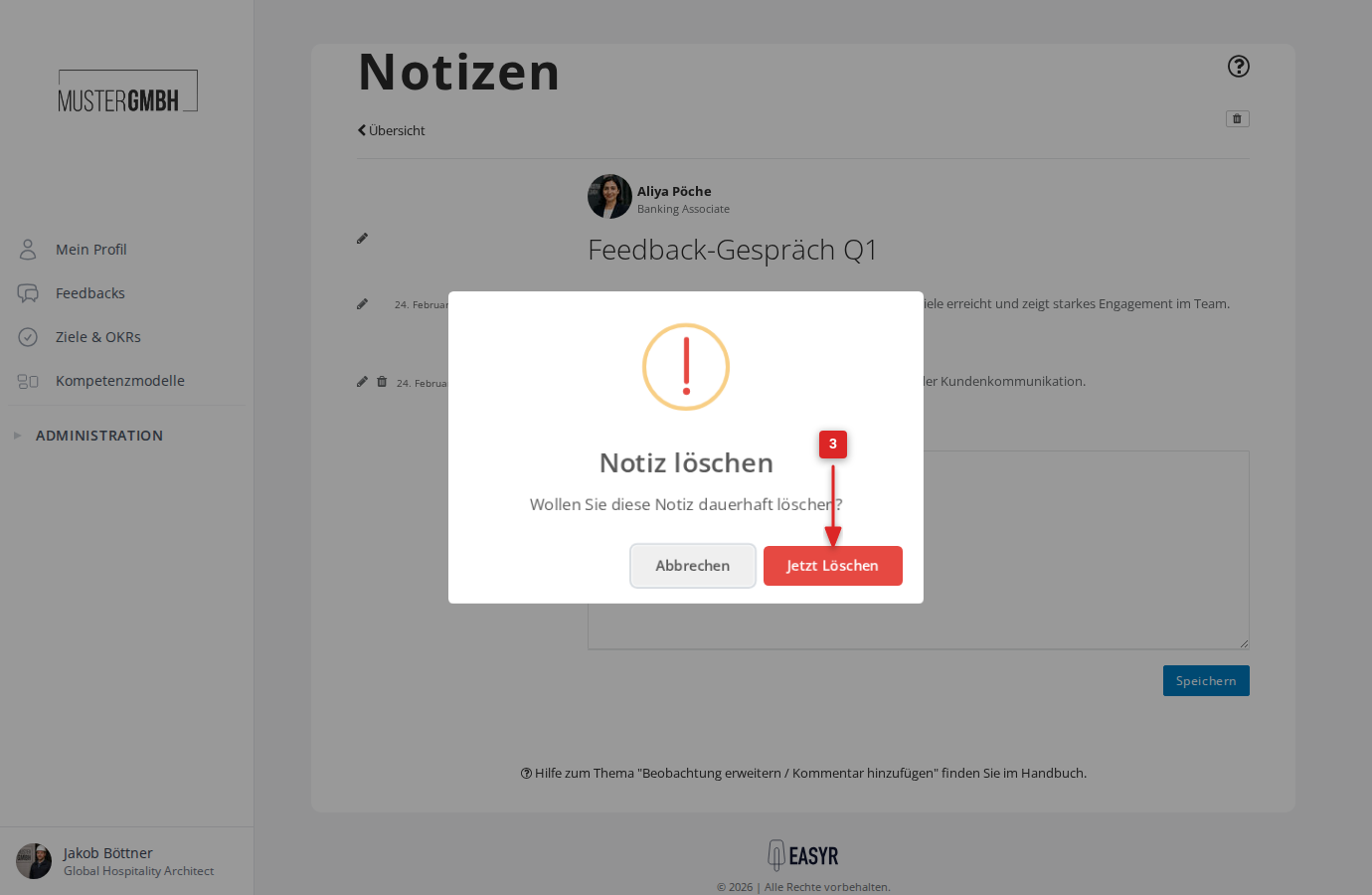
- A confirmation dialog appears. Click Delete now.
- The comment is now deleted, and you are taken back to the observation.