Edit an observation
You can change the title and the text of an observation at any time from its detail view. Only the person who created an observation can edit it.
Edit the title
- Open the observation whose title you want to change.
- Click the pencil icon to the left of the title.
- Enter the new title in the text field.
- Click Save.
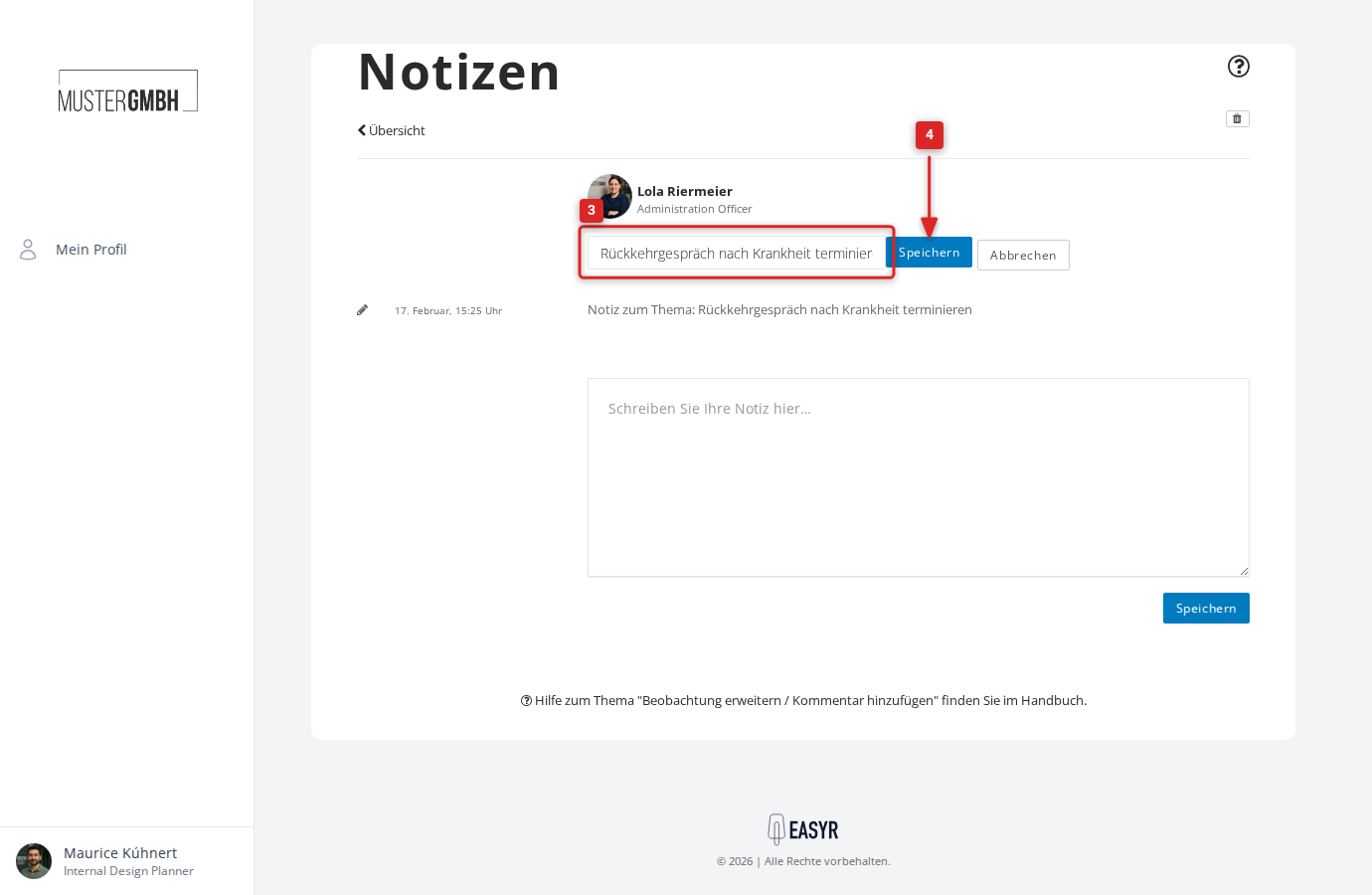
The title updates immediately. If you decide not to keep the change after all, click Cancel.
Edit the note text
- Open the observation whose text you want to change.
- Click the pencil icon to the left of the note text.
- Adjust the text in the text field.
- Click Save.
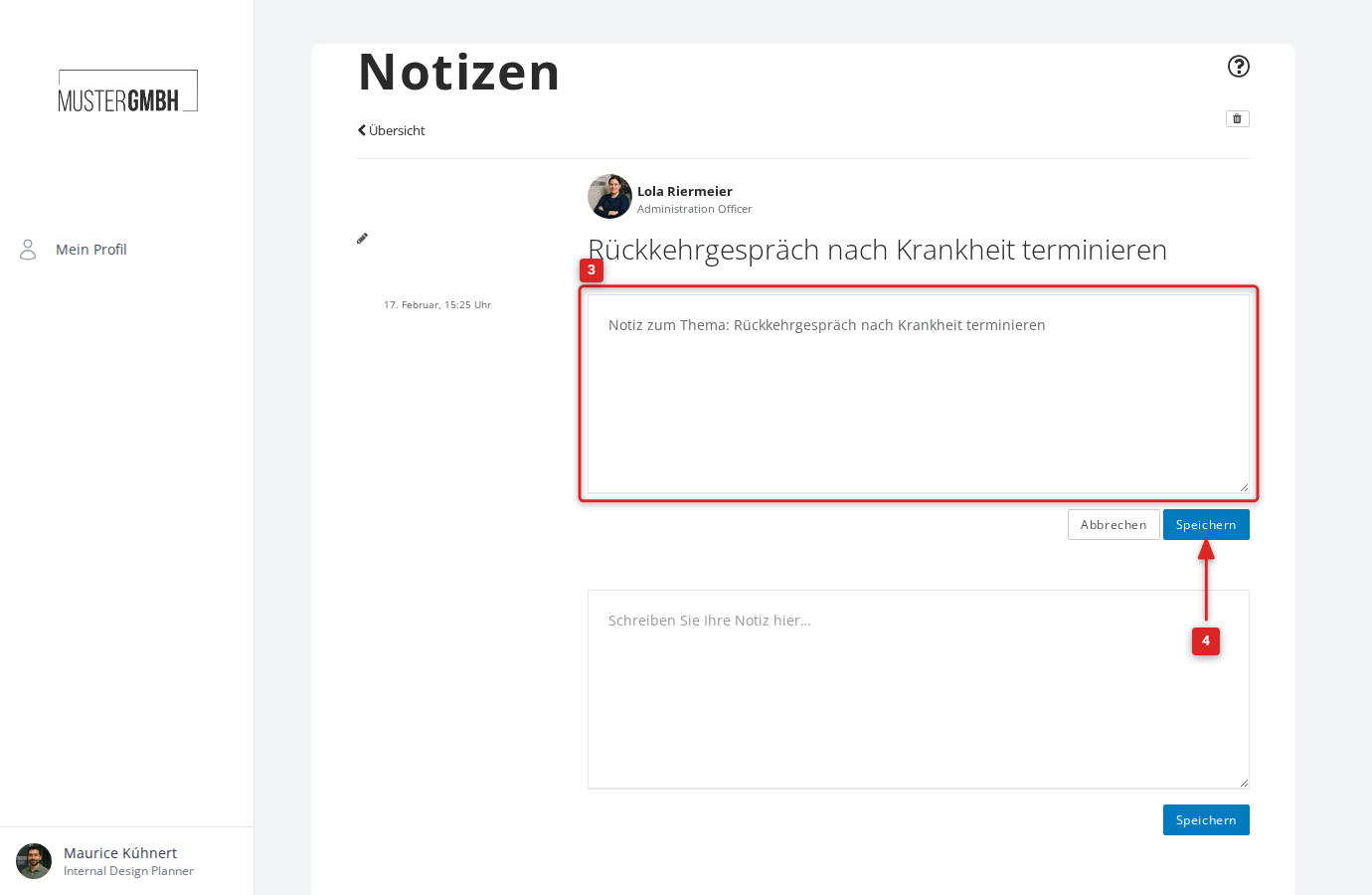
Here too you can discard the edit with Cancel.