The Notification Center
The Notification Center shows you at a glance which emails an area sends, to whom, and when. This is where you switch individual emails off, adjust their text and recipients, and check what has already gone out.
How to reach the three Notification Centers (feedback process, target agreement process, company-wide) is covered in Getting started with notifications.
At a glance: which emails go to whom
The overview groups all emails by their trigger, for example “Invitation & reminders” or “Feedback completed”. Each group shows in a status badge how many rules are active (e.g. “6 active”). Click a group to expand its rules.
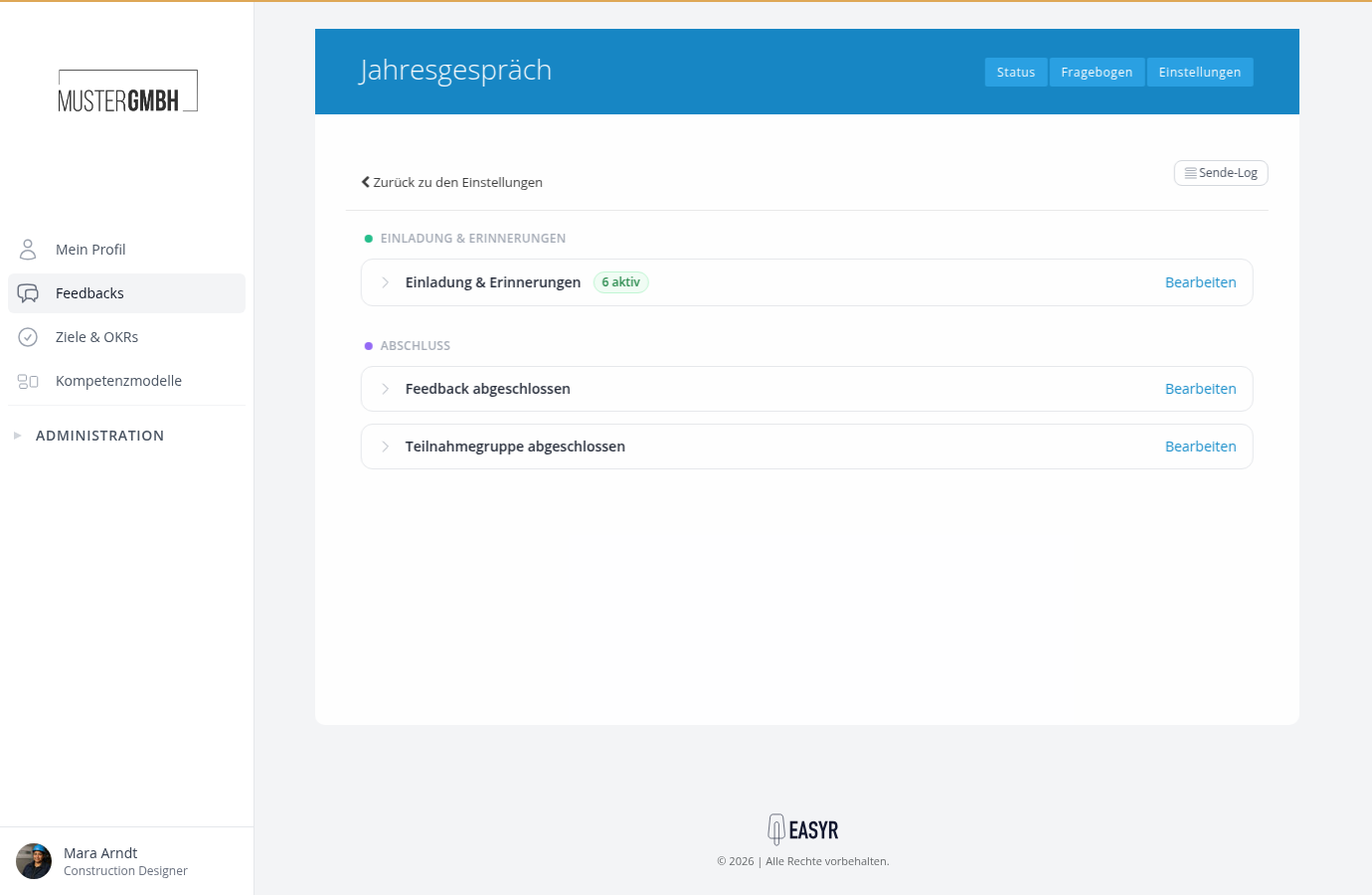
Every expanded rule row answers the key questions right away:
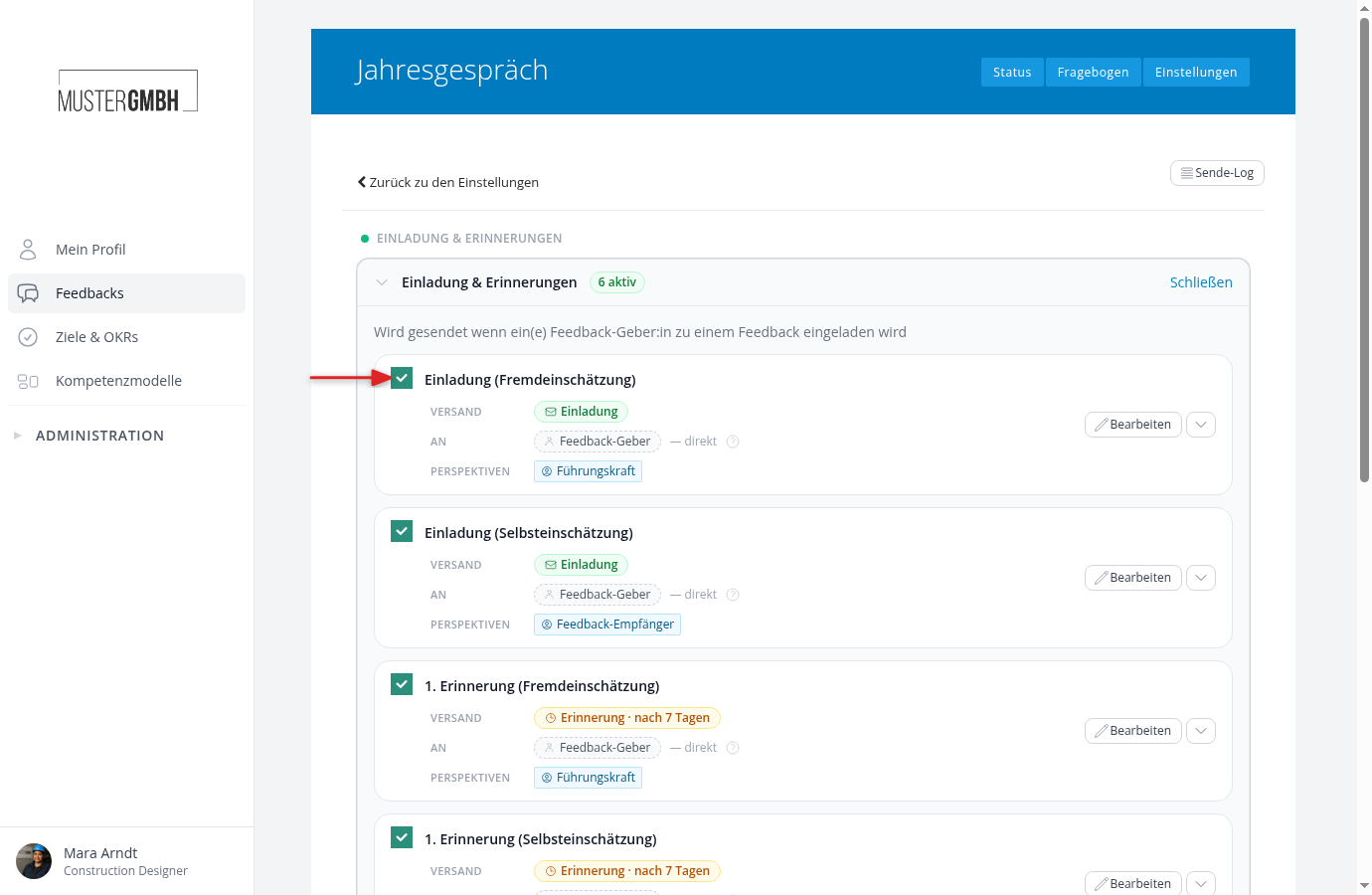
- When? The delivery time shows the moment of sending: immediately (e.g. “Invitation”) or delayed (e.g. “Reminder · after 7 days” or “Reminder · 7 days before the deadline”).
- To whom? The recipient shows who gets the email. The question mark beside it explains in one sentence how the recipient is determined.
- For whom does it apply? For feedback rules, the perspectives show which perspectives the rule applies to.
- The name of the rule (e.g. “1st reminder (external assessment)”) is only for your own overview. Recipients never see it.
Use the “Settings” link above the title to return to the settings of the feedback process or target agreement process.
Switch an email off or back on
The checkbox on the left of the rule row switches the rule on or off immediately, without opening anything. Deactivated rules send no emails and are shown greyed out. Switching off is reversible at any time.
Adjust, add or delete an email
- Adjust: “Edit” opens the rule editor, where you change content, recipients and delivery.
- Add: “Add Notification” at the end of the list creates an extra email, such as another reminder.
- Delete: in the dropdown menu next to “Edit”. Deleting must be confirmed and cannot be undone. If you only want to pause an email, deactivate it instead.
Warnings: when an email would reach nobody
The Notification Center warns you before emails run into the void:
- Recipient no longer reachable: the fixed recipient of a rule was deleted or is no longer employed, the chosen user group has no active members, or the custom field it uses was deleted. In that case, adjust the recipients of the rule.
- Primary recipient not covered: if no active rule reaches the person the email is actually meant for (for example the feedback provider for invitations), the Center flags it.
- Perspective without notification: for a feedback process, if no active rule covers a perspective, the Center shows which perspectives receive no email.
Check what has been sent
The “Delivery Log” button in the top right opens the delivery log: every email the area has sent, with its time, recipient and status.
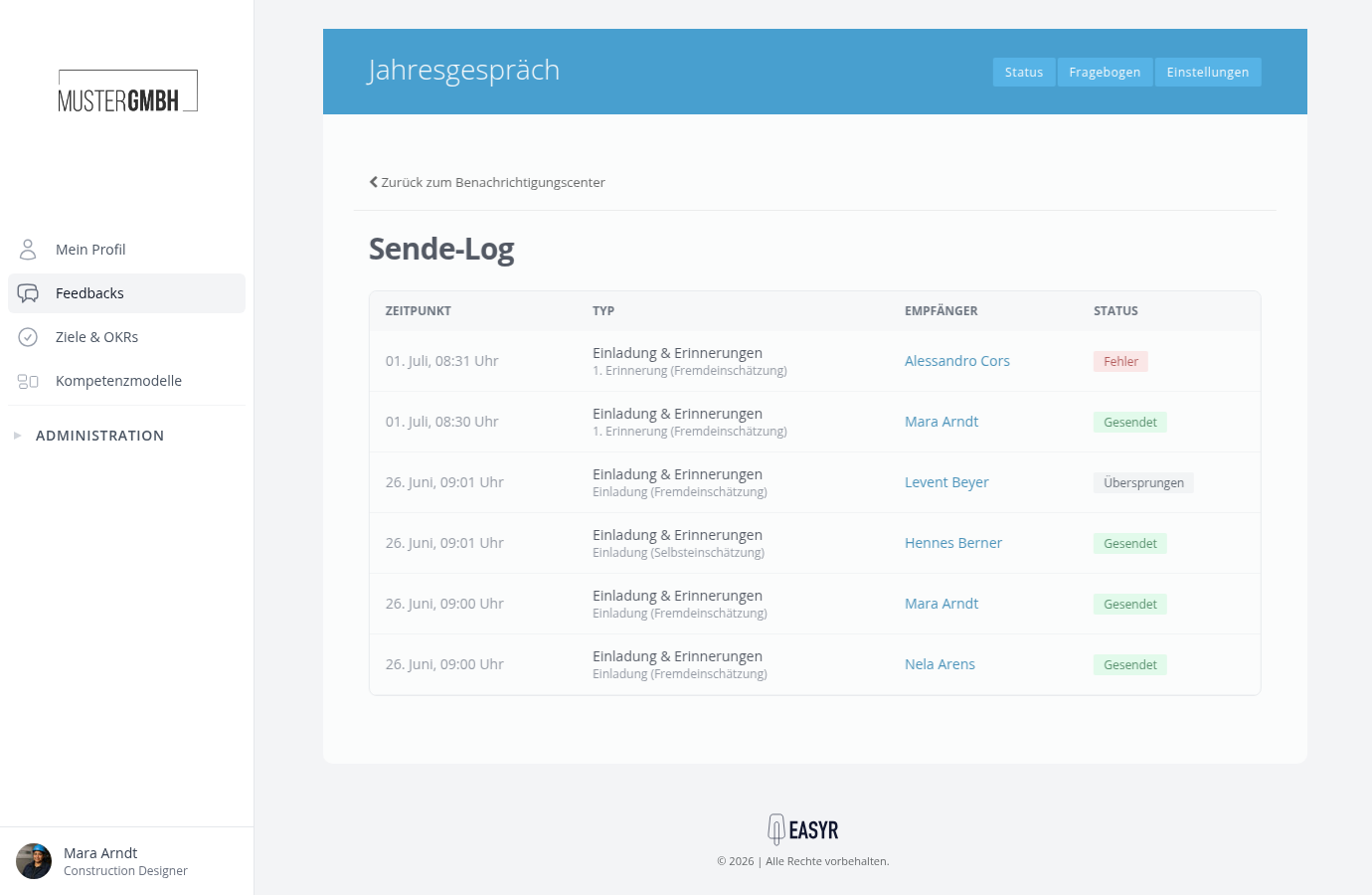
How to read the log and what the status values mean is covered in Check whether an email was sent (delivery log).