Getting started with notifications
easyreview keeps your processes moving by email, so you never have to chase anyone down: feedback providers are invited and reminded about open participations, everyone involved in a target agreement is informed about changes and approaching deadlines, and new users are invited to activate their account.
You do not need to set anything up. All the important emails are pre-configured and active right away. You can still adjust almost everything: the text, the recipients and the timing.
Who gets an email, and when?
Always the people who need to know or do something right now:
- Feedback providers get an invitation as soon as they are invited to a feedback. If their participation is still open after 7 or 14 days, they are reminded automatically.
- Everyone involved in a target agreement finds out when a target agreement is created or changed, when goals are updated, and before a deadline runs out.
- New users get an account invitation; the recipient of a 1:1 feedback message gets a note about the new message.
The full list with triggers and default recipients is in Which notifications does easyreview send?
Can I change content, recipients and timing?
Yes. Every email can be adjusted individually:
- Subject and text you write freely, with placeholders for names and process data. A preview shows the finished email before anyone receives it. Guide: Design content and use placeholders
- Recipients you choose per email, e.g. the person concerned, their supervisor or a fixed contact in HR. Guide: Set recipients
- Timing of reminders you set in days. Individual emails you switch off with one click. Guide: Sending and reminders
Where do I configure this?
In the Notification Center. Because notifications always belong to a specific area, the Center exists in three places:
For a feedback process
Every feedback process has its own Notification Center with invitations, reminders, sealing and completion emails. You reach it through the settings of the feedback process: click “Edit” in the “E-mails” row. More on this in Notifications for feedbacks.
For a target agreement process
Every target agreement process has a Notification Center with all emails around target agreements, including the reminder before the deadline. You reach it through the settings of the target agreement process. More on this in Notifications for target agreements.
Company-wide
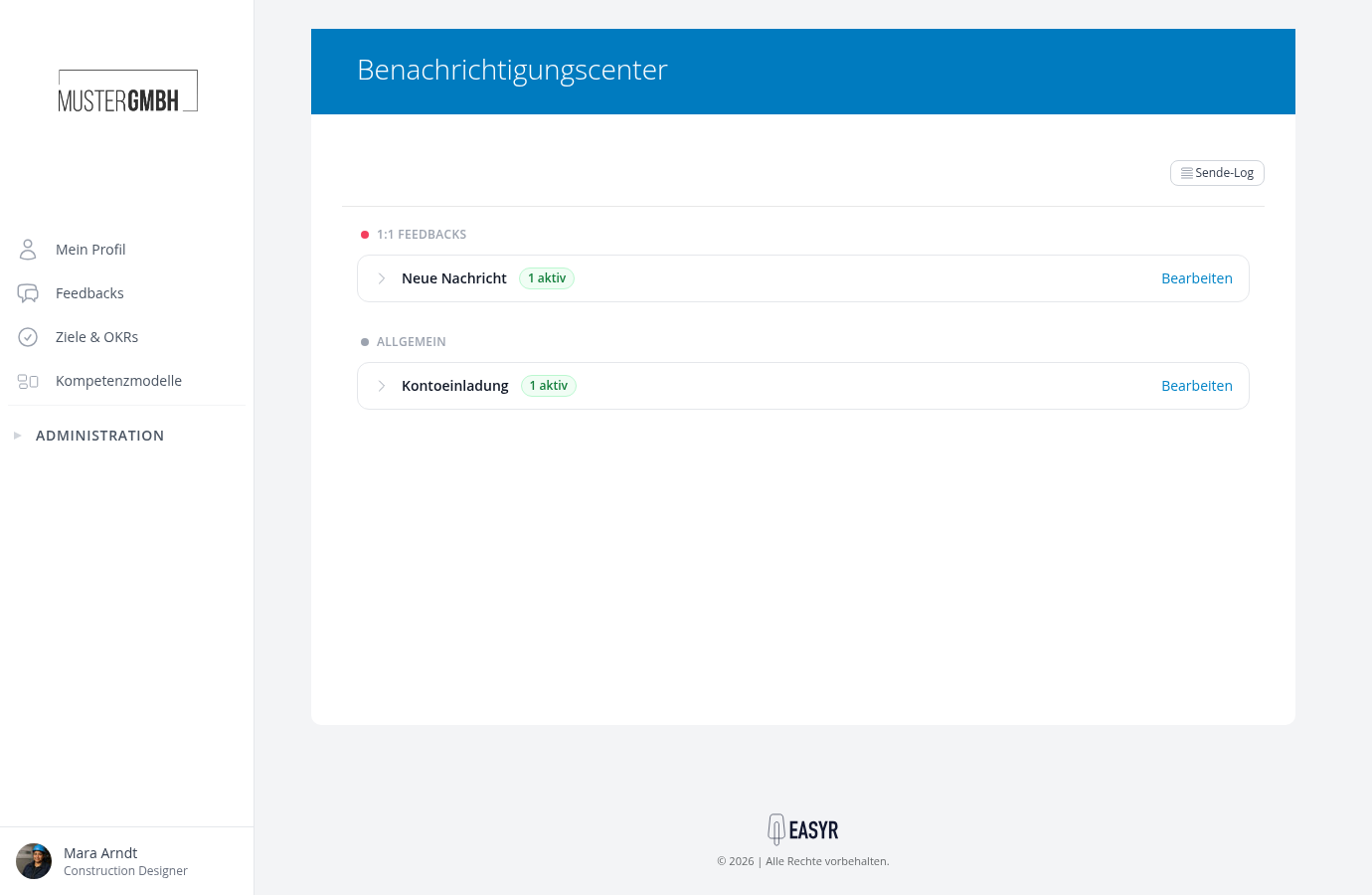
Emails not tied to a single process, such as the account invitation for new users and the note about new 1:1 feedback messages, you manage in the company-wide Notification Center:
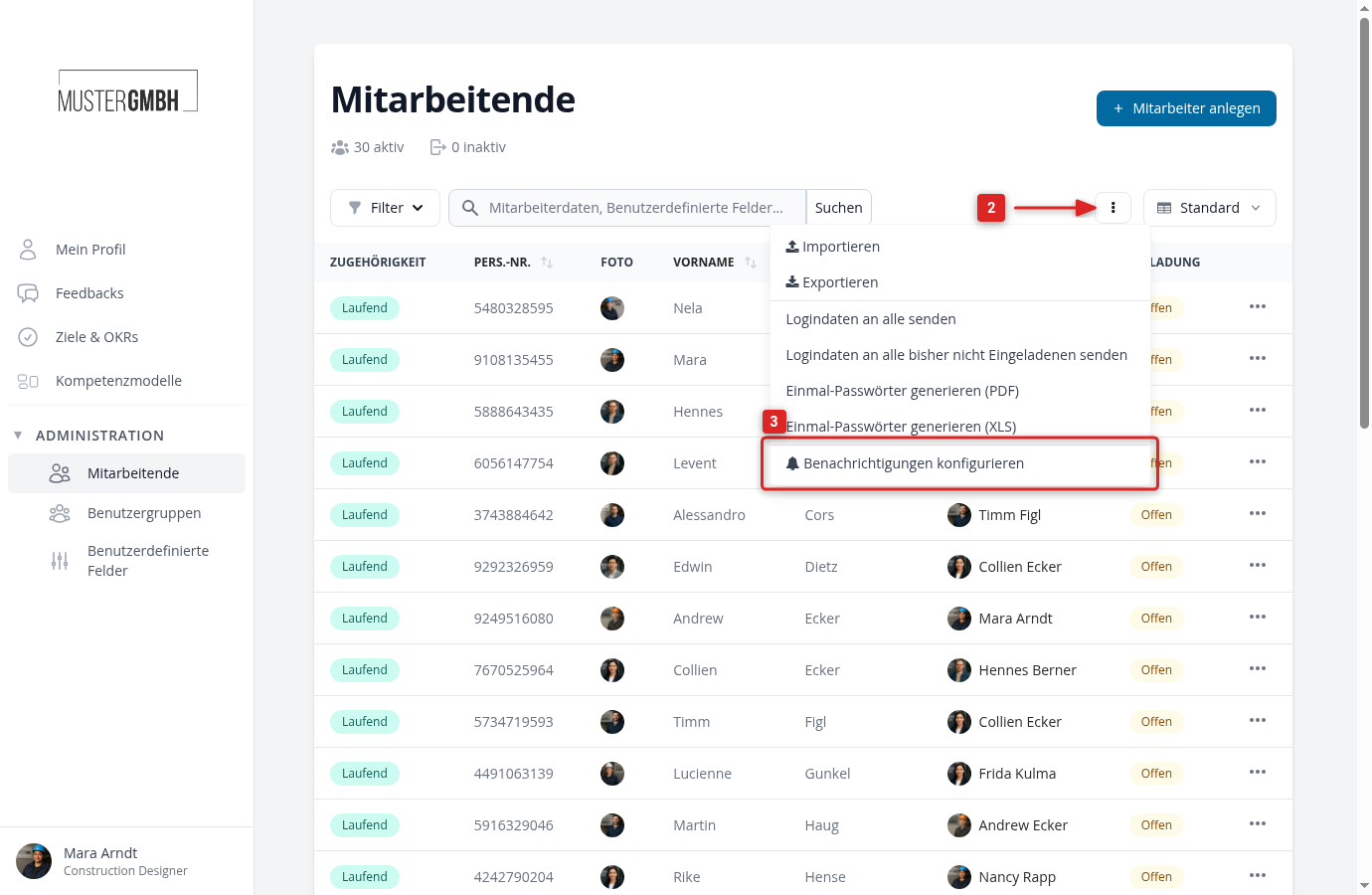
- In the sidebar, open Administration > Employees.
- Click the actions button with the three dots next to the search field.
- Choose the option to configure notifications.
The company-wide Notification Center shows the areas “Feedbacks” and “General”:
Who may adjust notifications?
The Notification Center is available to users with the “HR employee” role and to users with executive management access. Everyone else does not see it.
Related articles
- The Notification Center: read the overview, switch emails off, understand warnings
- Which notifications does easyreview send?: all emails with triggers and default recipients
- Create and edit a notification rule: set up an extra email or change an existing one
- Check whether an email was sent (delivery log): trace every email that was sent