Notifications for target agreements
For target agreements, easyreview automatically keeps everyone involved up to date by email, without you having to write group emails or chase deadlines. You do not need to set anything up. This article shows who receives which email and when, and where you can adjust it.
How emails accompany a target agreement
- On creation: The recipient and their supervisor learn that a new target agreement has been created for them.
- During the work: When the target agreement is changed or goals are updated (for example marked as achieved), easyreview notifies the subscribers of the target agreement.
- When a deadline approaches: 7 days before the due date of the target agreement or of individual goals, easyreview reminds the recipient and the creator. For details and adjustments, see Set up reminders for target agreements.
- On completion: The subscribers learn that the target agreement has been fully completed.
If the process uses process steps, four more emails join in:
- When a step waits for someone: The responsible person (for example the supervisor who should initiate a sealing) is prompted as soon as the step is up.
- Before a step’s deadline: If the schedule has a deadline, easyreview reminds the responsible people in time.
- When a signature is needed: Every signer receives their signature request as soon as their stage is up.
- When a sealing is completed: The participants learn that all signatures are in.
Each of these emails can be adjusted or switched off, per target agreement process and independently of the others.
Where you set all of this
In the Notification Center of the target agreement process:
- Open the settings of the target agreement process.
- Scroll to the Notifications section and click the “Notification Center” tile.
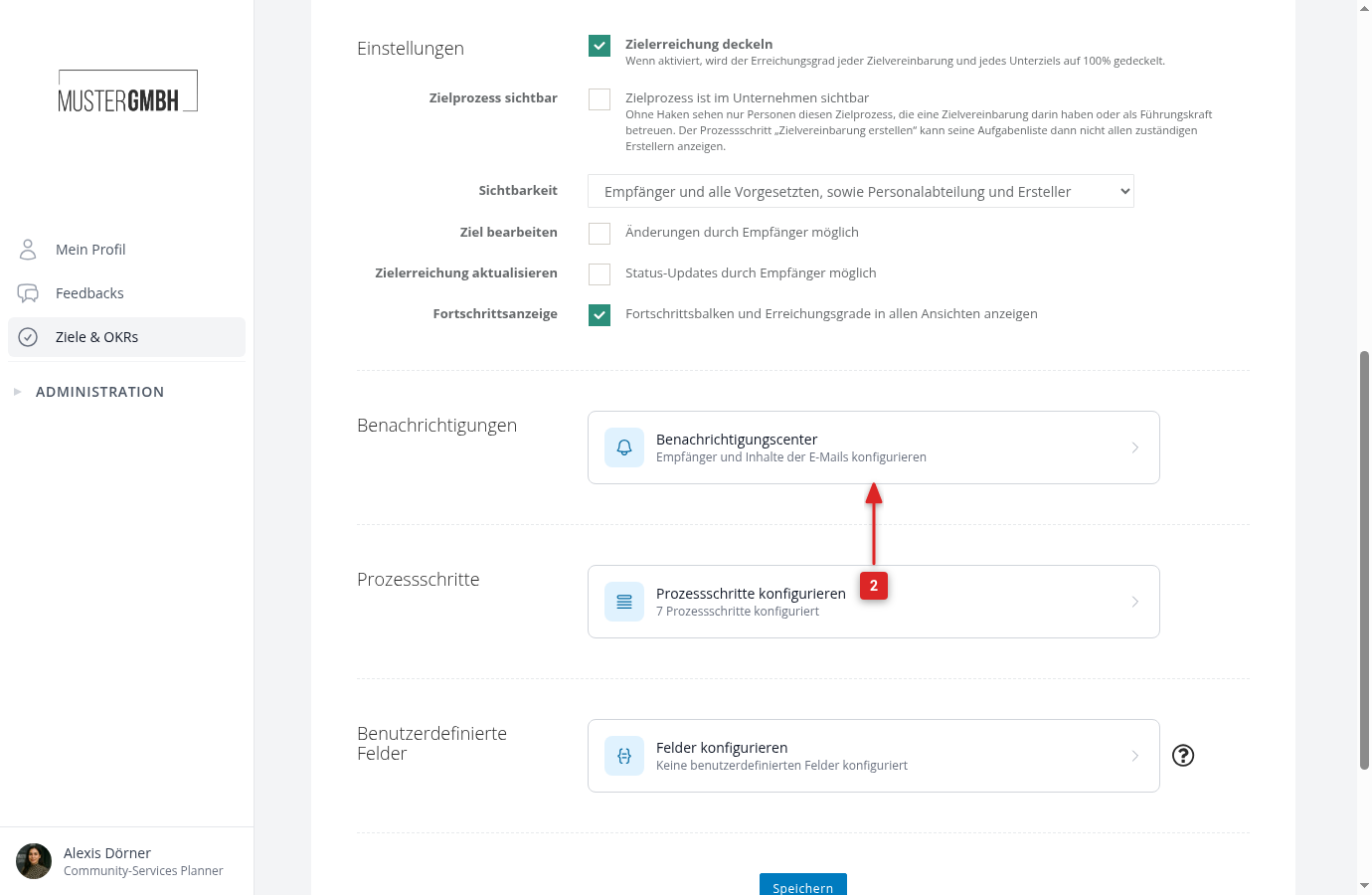
The center shows all emails of the target agreement process, grouped by occasion:
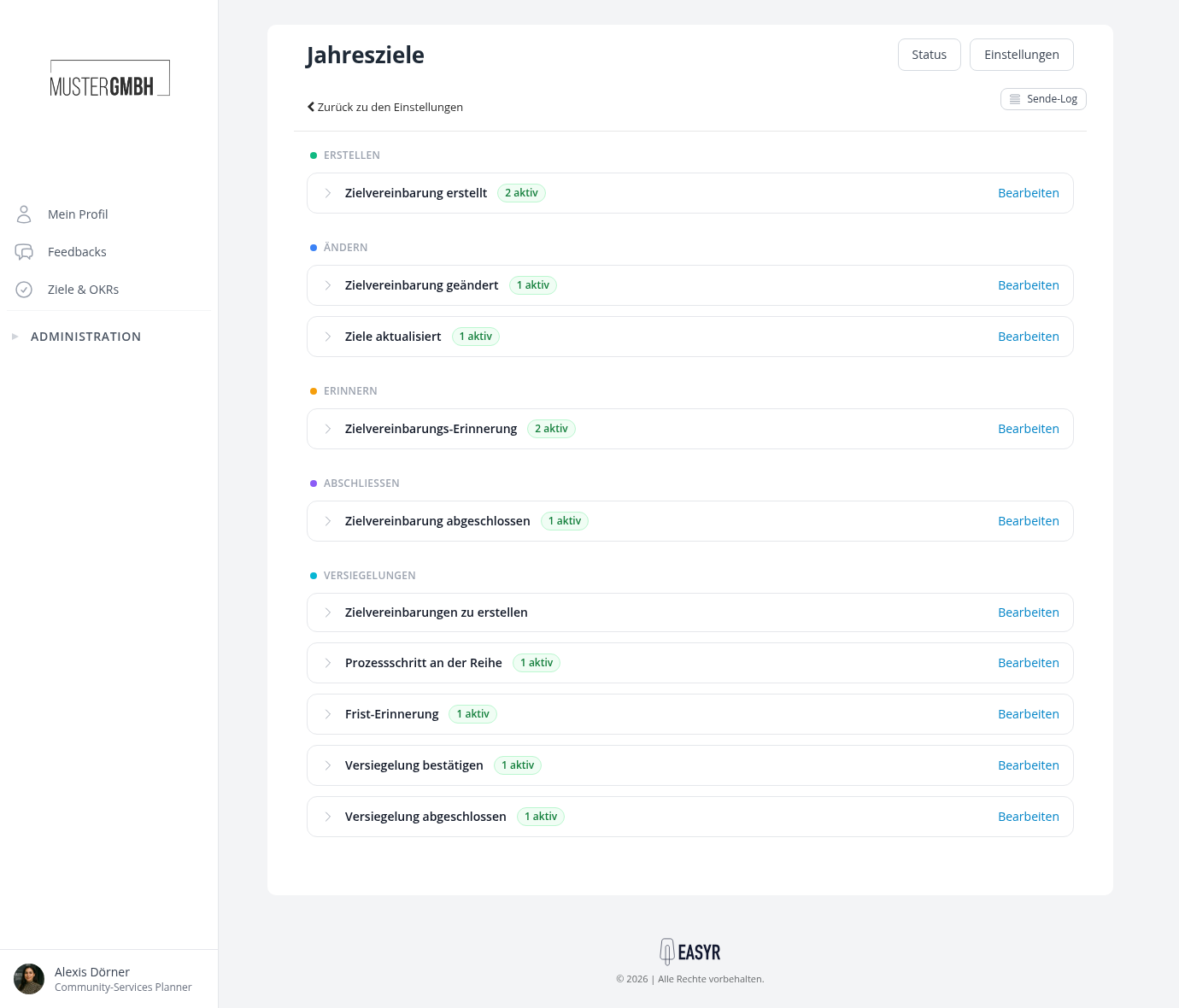
Here you adjust the subject and text, the recipients and the timing of each email, switch individual emails off, or add your own. The guides:
Employees decide too: the subscription
Whether someone receives the emails about a specific target agreement (changes, goal updates, completion) is controlled by their personal subscription to that target agreement. Creator and recipient are subscribed automatically; anyone with the right permission can switch the subscription on or off with one click in the detail view. That way nobody gets more mail than they want.
For more on this, see Subscribe to notifications for a target agreement. Reminders before deadlines are independent of the subscription.