Copy a target agreement
You can copy an existing target agreement to use it as a template for a new one. All intermediate goals are carried over with their settings — progress is reset to 0%.
Step by step
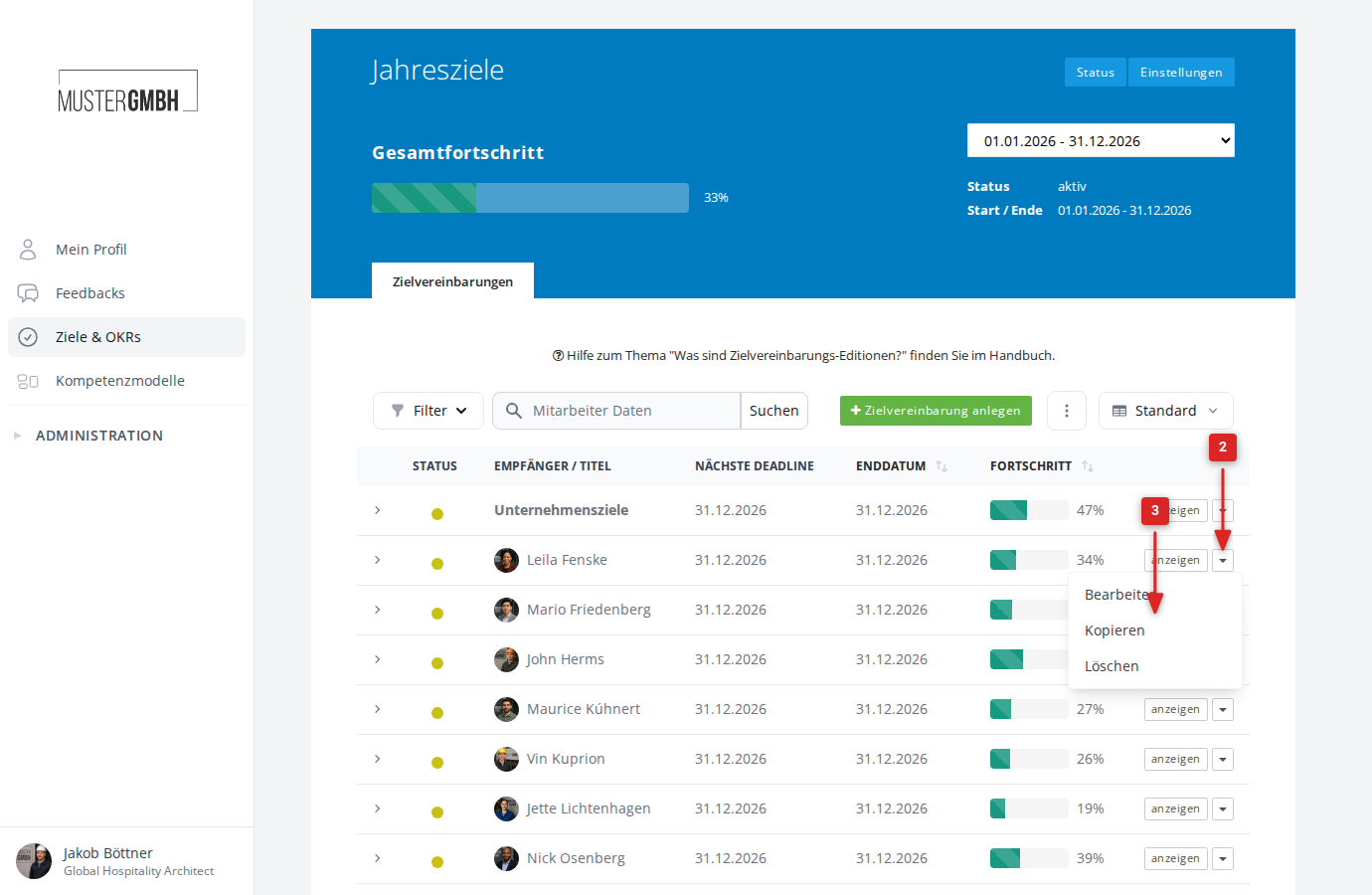
- Open the target agreements overview via Objectives in the sidebar.
- In the row of the target agreement you want, click the dropdown menu (▾) next to the “show” button.
- Choose Copy from the dropdown.
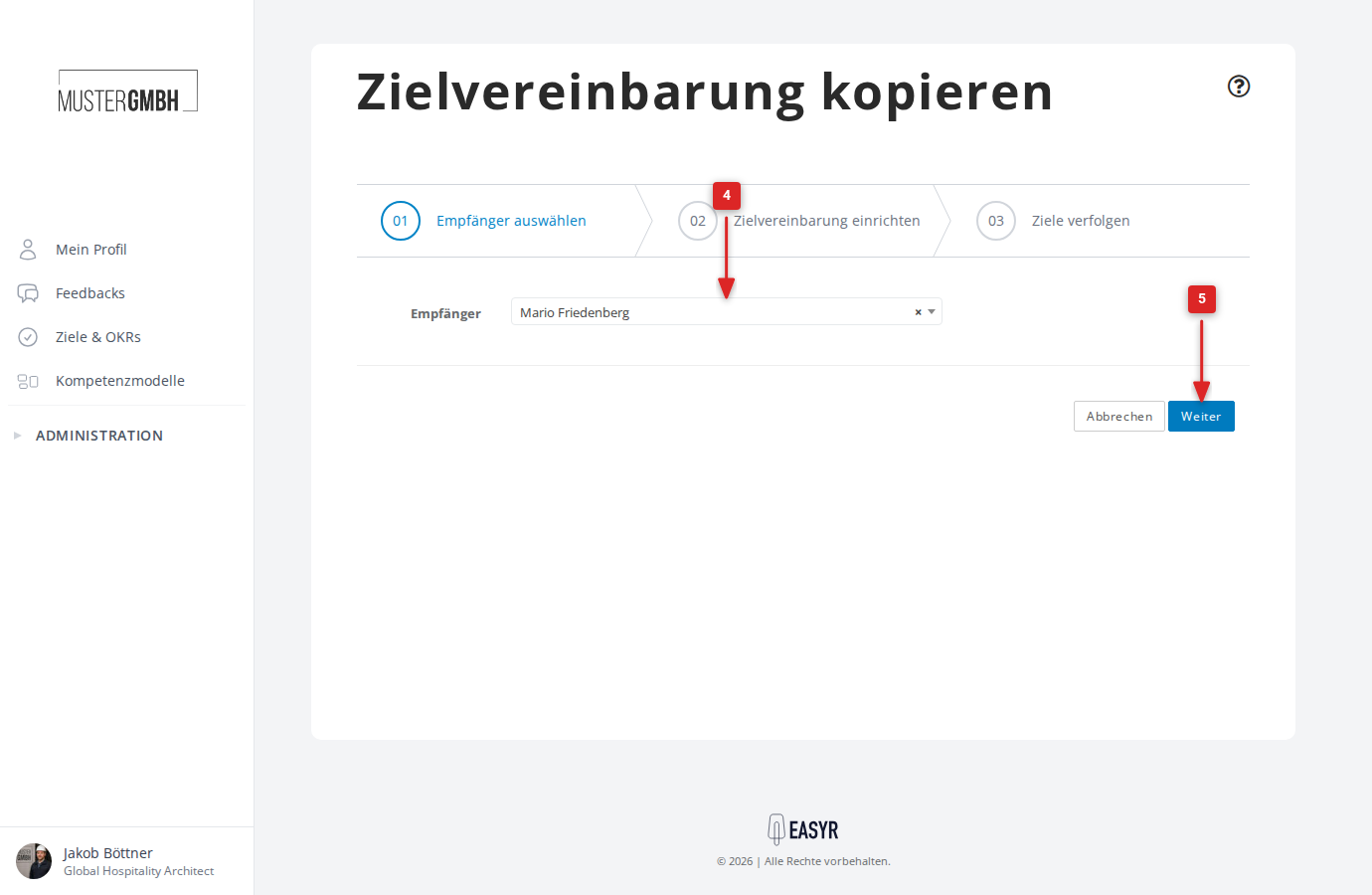
- On the “Choose recipient” page, pick the recipient for the new target agreement from the dropdown.
- Click Continue.
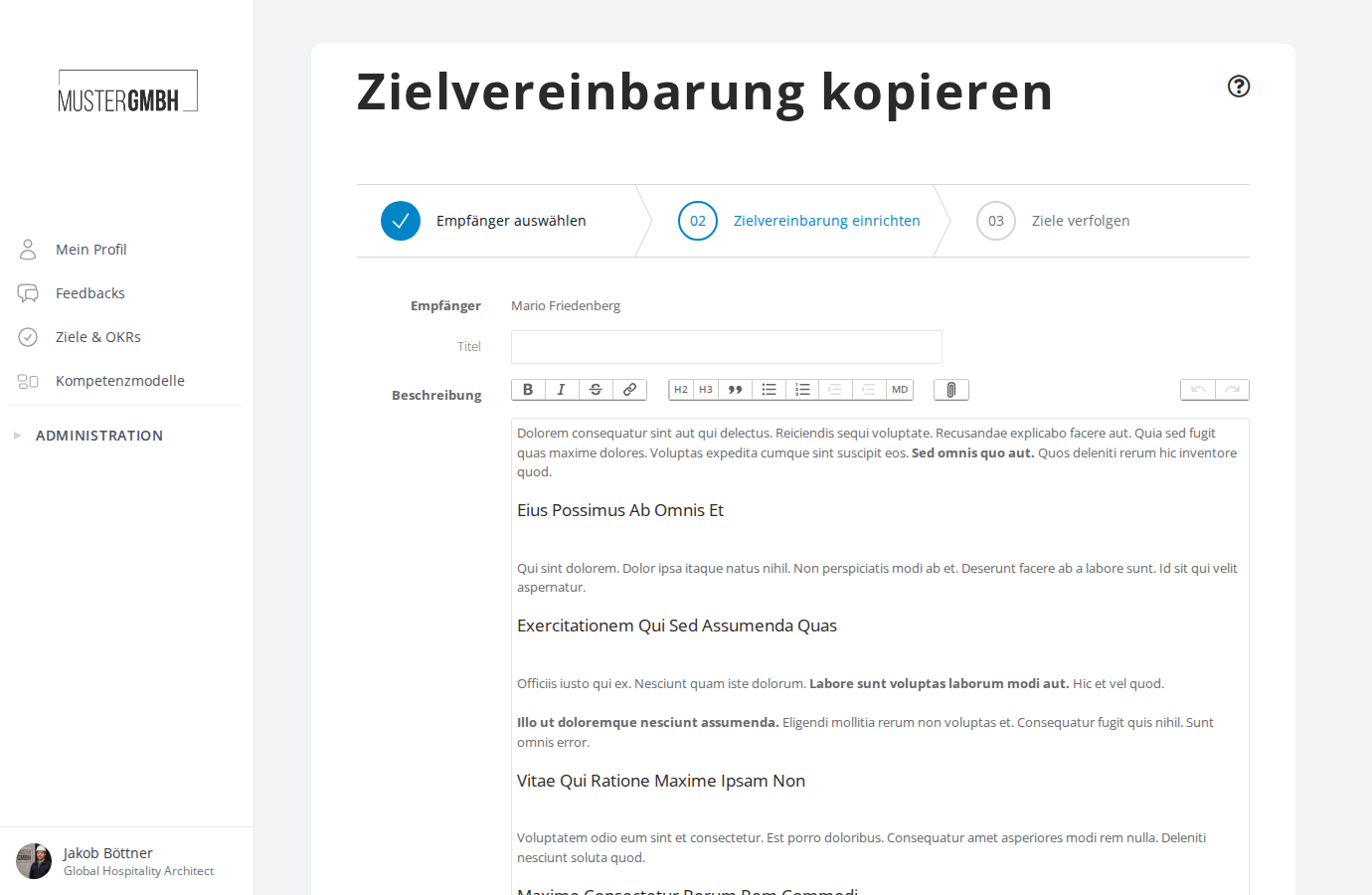
- The form appears pre-filled with the data from the original target agreement. Adjust the title, description, and intermediate goals as needed.
- Click Save at the bottom of the form.
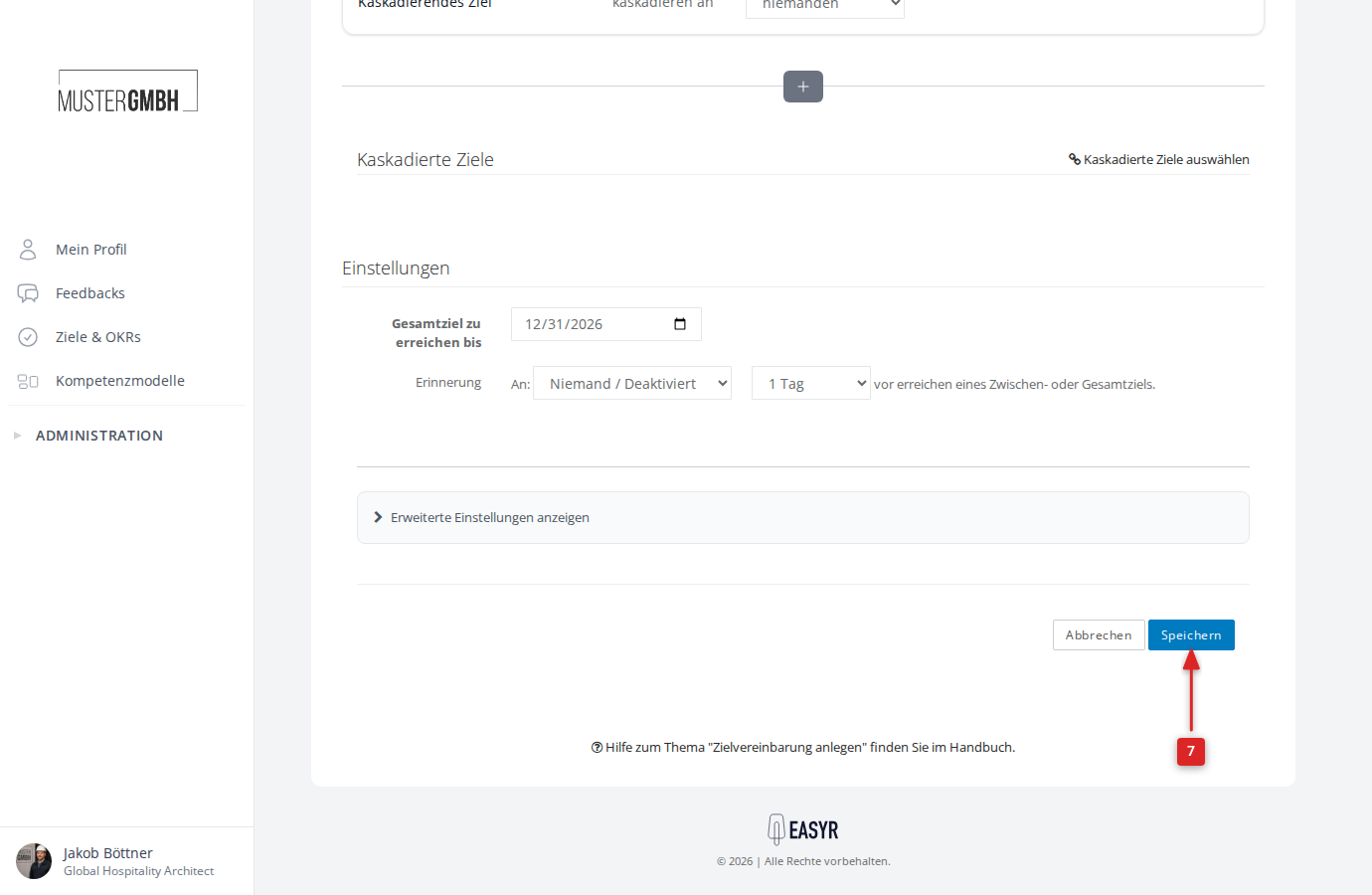
The new target agreement is created and you are taken to its detail view.
What gets copied?
Copying a target agreement carries over:
- Title and description
- All intermediate goals with their label, description, due date, and weighting
- Quantified target values (lower and upper bounds)
- Cascaded goals
- Settings (overall goal date, reminders)
The progress of all intermediate goals is reset to 0%. The copy is always created in the same edition as the original.