Weighting of goal groups
How much each goal group contributes to the overall goal achievement of a target agreement is defined per edition. Without any setup, all groups of a target agreement count equally. If you want professional goals to count twice as much as development goals, for example, choose one of the three weighted modes.
The weighting of the groups comes on top of the weighting of the individual goals: within a group, the goals share the group’s portion according to their own weight, see Weighted intermediate goals.
The four modes at a glance
| Mode | Who sets the factors? | When does it fit? |
|---|---|---|
| Equal weighting | nobody, every group with goals counts equally | you do not want any weighting between groups |
| Fixed weighting | HR, once per edition | all target agreements follow the same distribution |
| By user groups | HR, per user group of the person | managers and employees should be weighted differently |
| Individually per target agreement | the person editing the target agreement | the weighting is agreed individually in the goal meeting |
Choose a mode
- Open the target agreement process, click Settings, and click Settings for edition next to the edition. Scroll to the Weighting of the goal groups section and select the mode.
- Enter the factors depending on the mode (see below).
- Click Save at the end of the page.
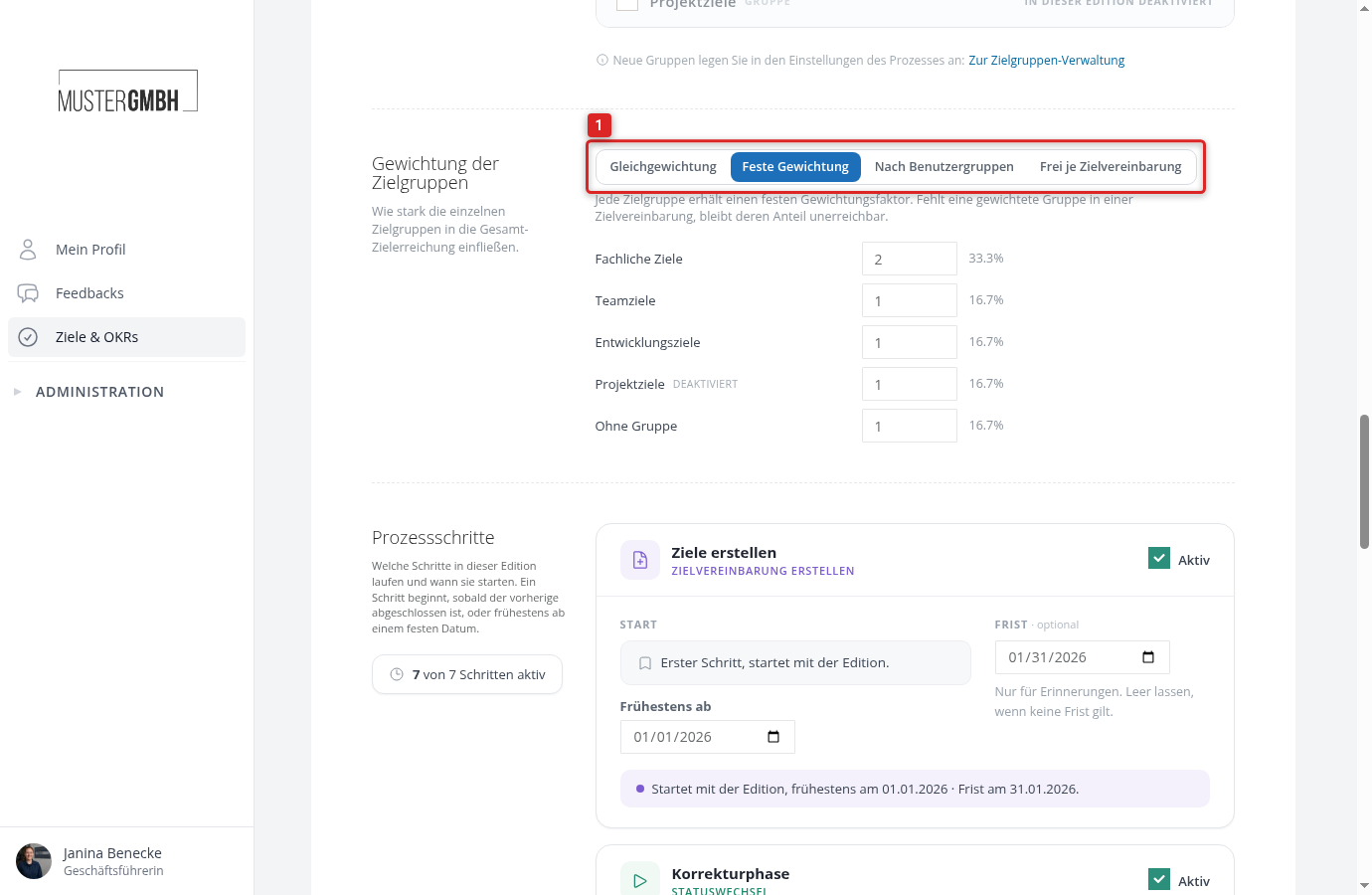
After saving, easyreview recalculates the goal achievement of all target agreements of this edition. The factors are kept when you switch modes, so nothing is lost if you try out a mode.
Equal weighting
Every group in which the target agreement has goals counts equally. A target agreement with goals in two groups weights both at 50 %, one with three groups weights each at a third. Groups without goals play no role. No percentage is shown in the target agreement.
Fixed weighting
You enter a factor per group, for example 2 for professional goals and 1 each for team goals and development goals. Professional goals then count twice as much as each of the other groups. Next to every field you see the share that results when all listed groups occur in a target agreement.
The share of a group applies in every target agreement, even if it has no goals there: if a weighted group is missing, its share remains unattainable and the target agreement can reach at most the rest. This keeps the overall value comparable across people.
Deactivated groups and the Without group entry (goals from the time before goal groups) also appear in the list, because existing goals in them are still weighted. They only count in target agreements that contain such goals.
By user groups
The weighting depends on the user group of the person the target agreement is for. This way managers can get a higher share of team goals than employees without management duties.
- Select the By user groups mode. The Default row holds the factors for everyone without a matching user group.
- Below the table, select a user group and click Add user group.
- Enter the factors per goal group in the new row. Empty fields take over the factor of the default row. Next to every field you see the share that results for this user group.
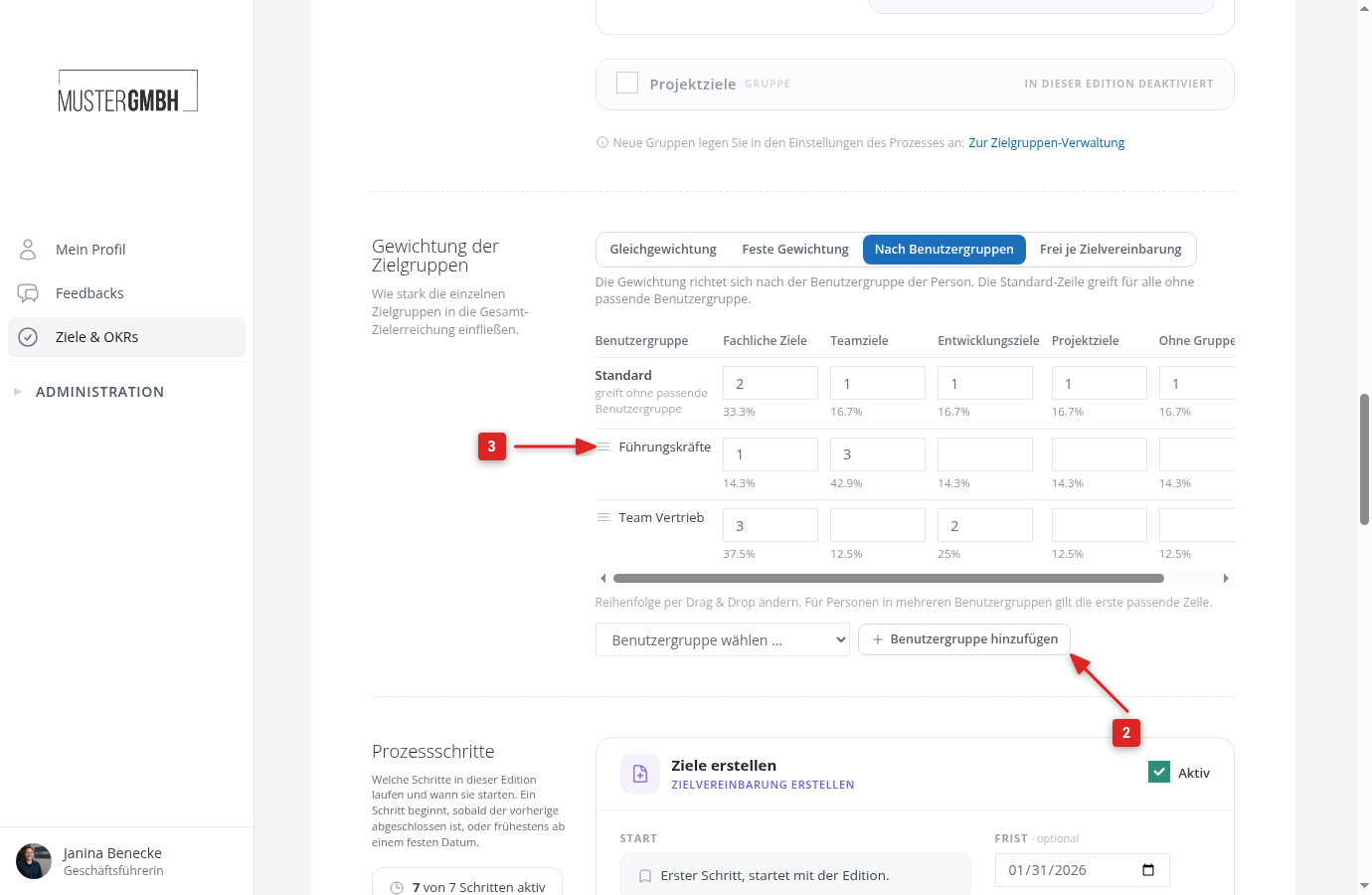
If a person belongs to several user groups, the first matching row from the top applies. Change the order by dragging the handle to the left of the user group name.
For a person without a matching row, the factors of the default row apply, distributed across the groups in which their target agreement has goals.
Which user groups exist and who belongs to them is managed under User groups.
Individually per target agreement
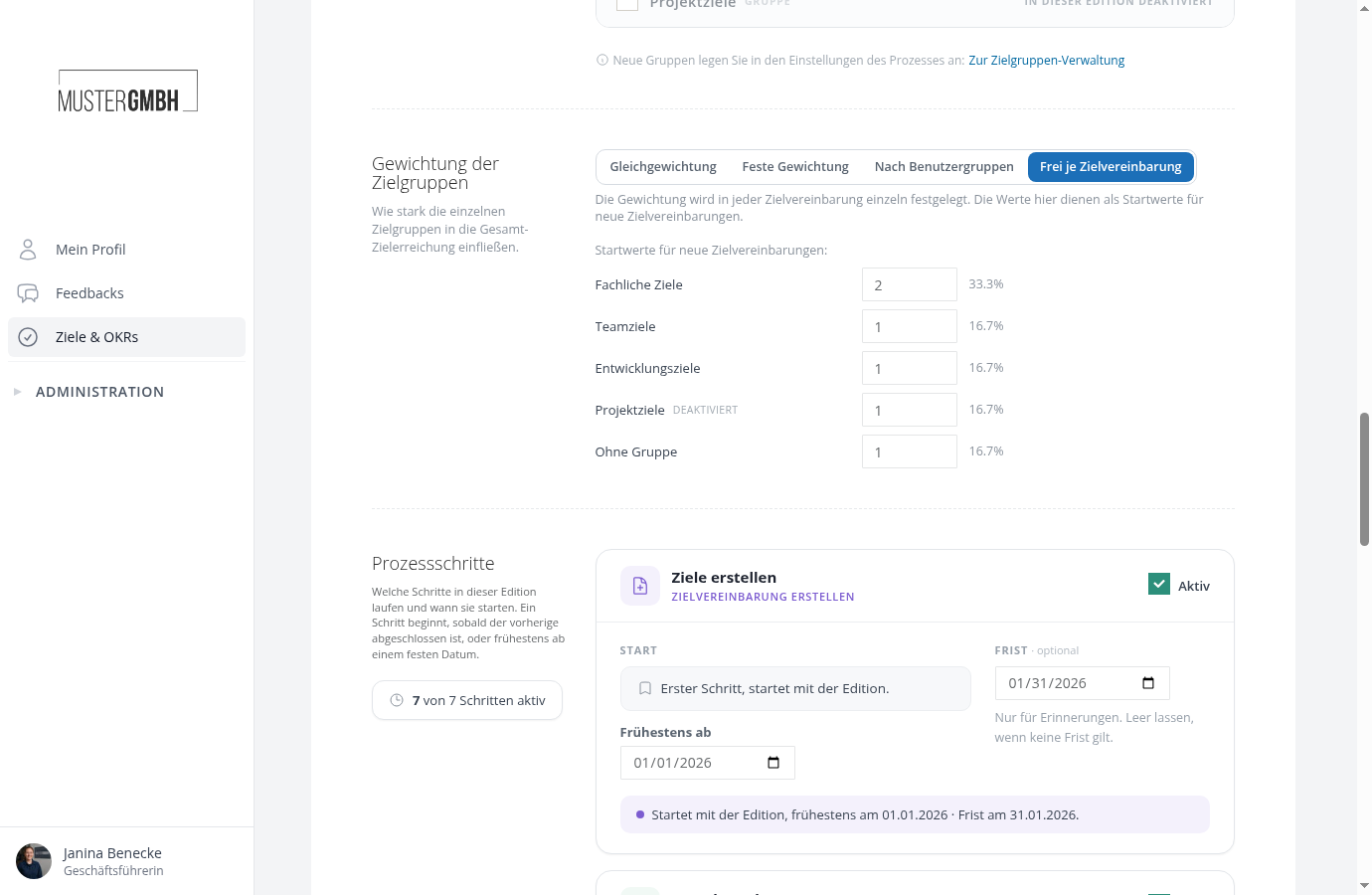
The factors are set individually in every target agreement. The values in the edition settings are only the starting values for new target agreements.
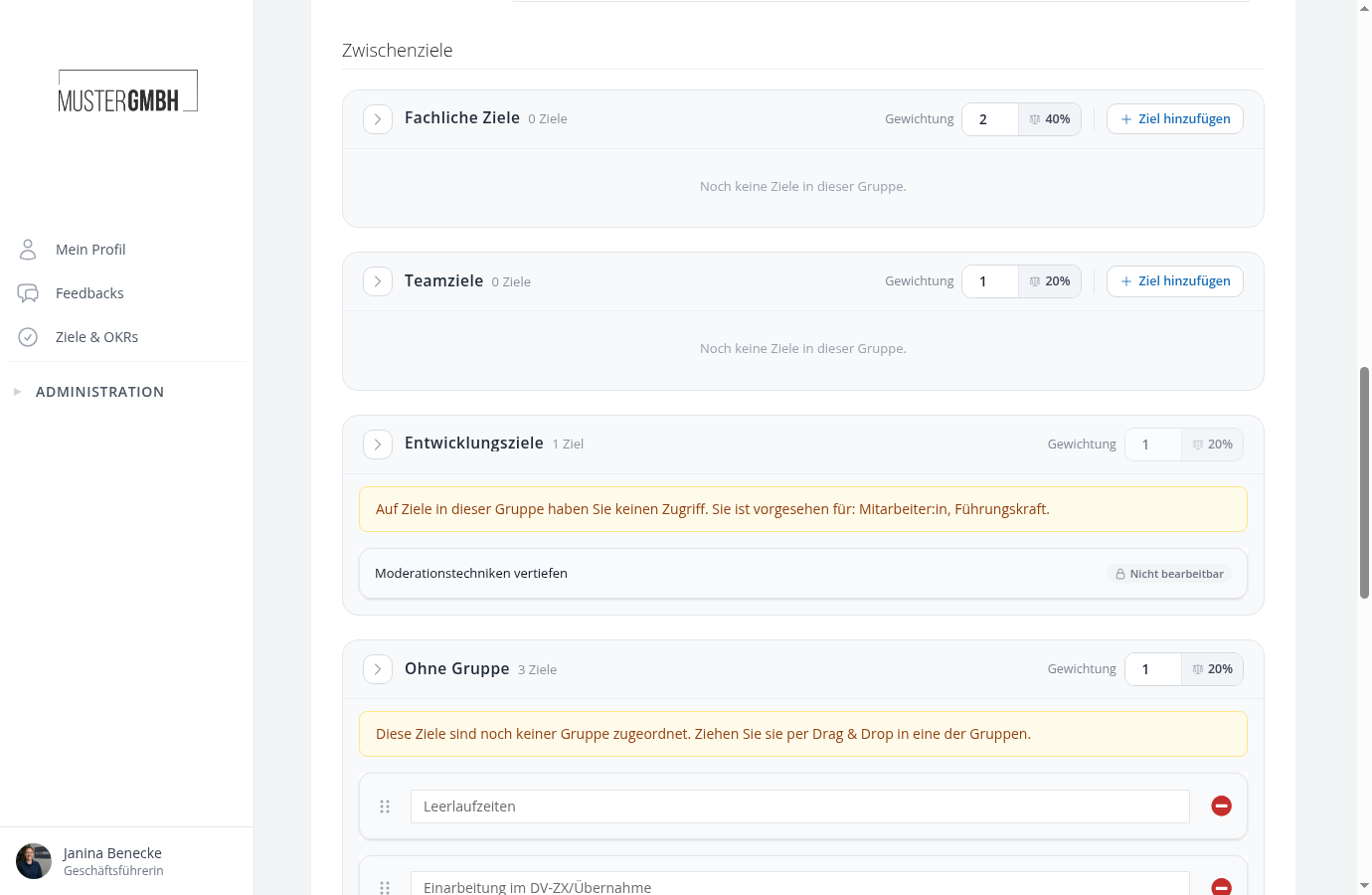
In the target agreement form, every group shows a Weighting field in its header with the factor and the resulting share. Anyone who may select a group can change its factor; for other groups the field is locked, but the factor still counts.
If the target agreement originates from a review, the participants already propose the factors in the questionnaire, see Prepare a target agreement in the questionnaire.
Where the shares are visible
In the three weighted modes, the share of every group appears after its title, in the form as well as in the view of the target agreement, for example “Professional goals (40 %)”. Groups without goals show a note that there are no goals yet, and their share stays open.
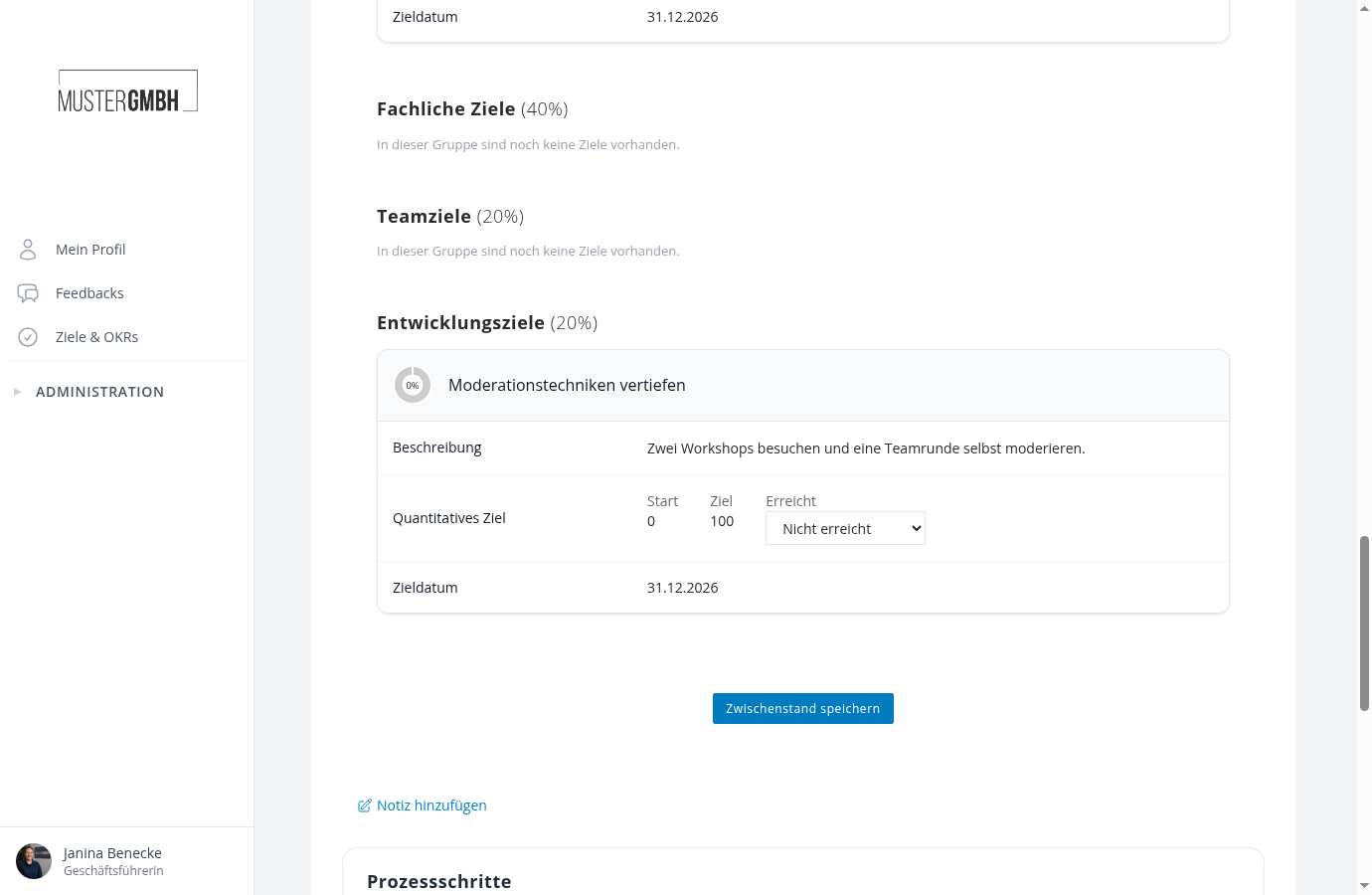
The overall progress of the target agreement results from the shares of the groups and the weights of the goals in them. It also feeds into bonus calculations.
What happens when sealing
As soon as a target agreement is sealed through a process step, easyreview freezes its group shares. Later changes to the factors, to user group rows, or to the person’s user group membership no longer change sealed target agreements. If the sealing is removed, the current settings apply again.