Bonus systems and variable compensation
What is the bonus system?
The bonus system in easyreview calculates variable pay and bonuses based on how goals in target agreements are achieved. An individual bonus amount is stored for each employee. From the current level of goal achievement, the system works out how much bonus the employee is entitled to.
The bonus system is built directly into target agreements. As soon as it is active for a target agreement process, the bonus information appears in the detail view of every target agreement.
Bonus figures at a glance
When the bonus system is active, easyreview shows a bonus table in the detail view of a target agreement, with the following figures:
| Figure | Meaning |
|---|---|
| Achieved | The currently calculated bonus based on the level of goal achievement. |
| Target / 100% | The bonus amount at full achievement of all goals (100%). |
| Upper limit | (Optional) The maximum bonus amount. If an upper limit is set, the achieved bonus is capped at this value, even when goals are over-achieved. |
| Paid out | The sum of all payouts made so far in the current cycle. |
| Outstanding | The open amount not yet paid out (Achieved minus Paid out). |
The calculation runs automatically: when a goal’s level of achievement changes, the bonus figures update immediately.
Where to find the bonus information
In the detail view of a target agreement
- In the sidebar, click “Objectives”.
- Open the process for which the bonus system is active.
- Next to the target agreement you want, click “Show”.
- Below the progress bar you see the bonus table with the current figures.
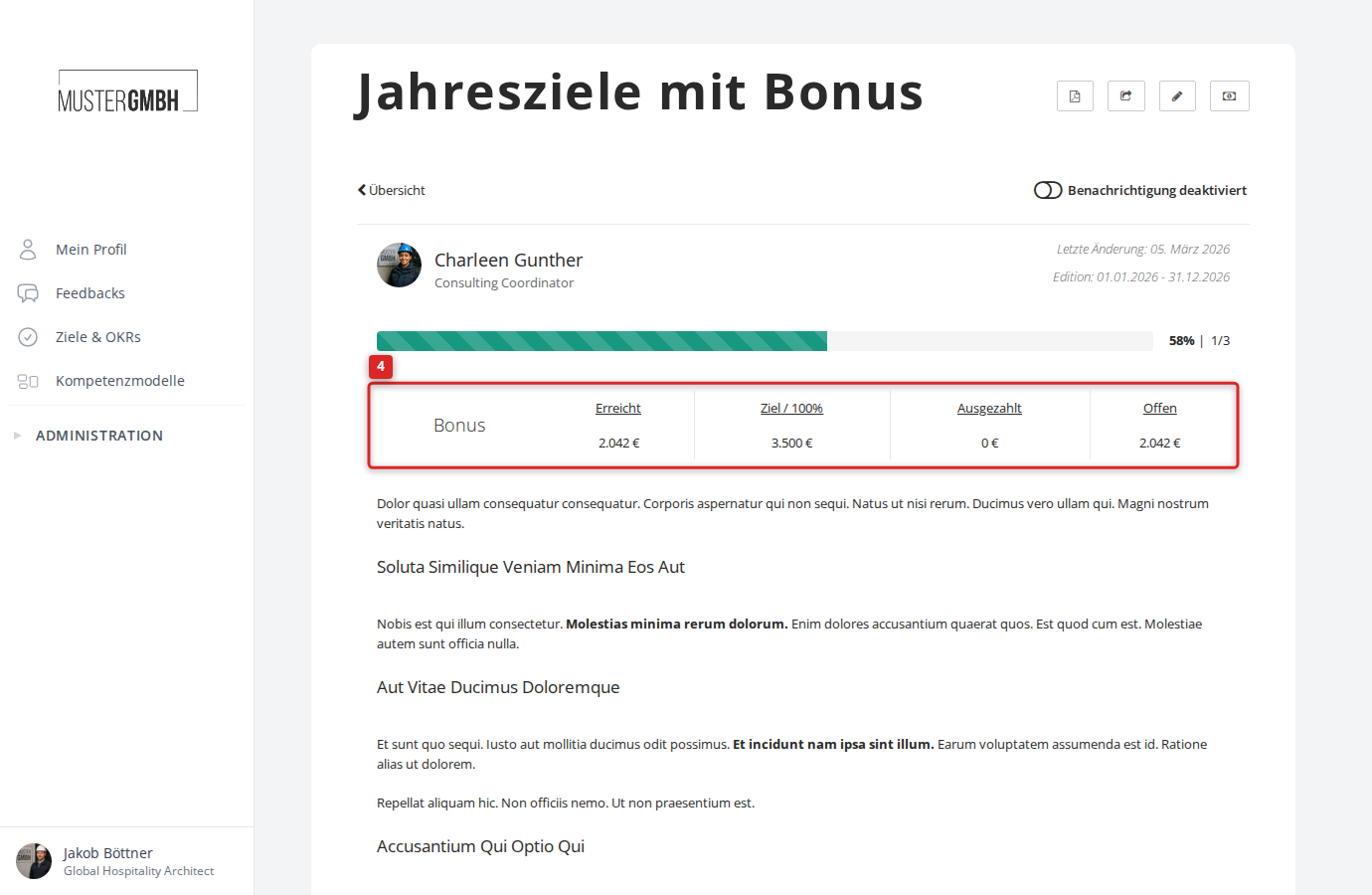
In addition, each individual goal shows its share of the bonus at 100% achievement and the amount paid out so far.
In the “Payouts” tab
When the bonus system is active for a target agreement process, an additional “Payouts” tab appears in the edition overview next to the “Objectives” tab.
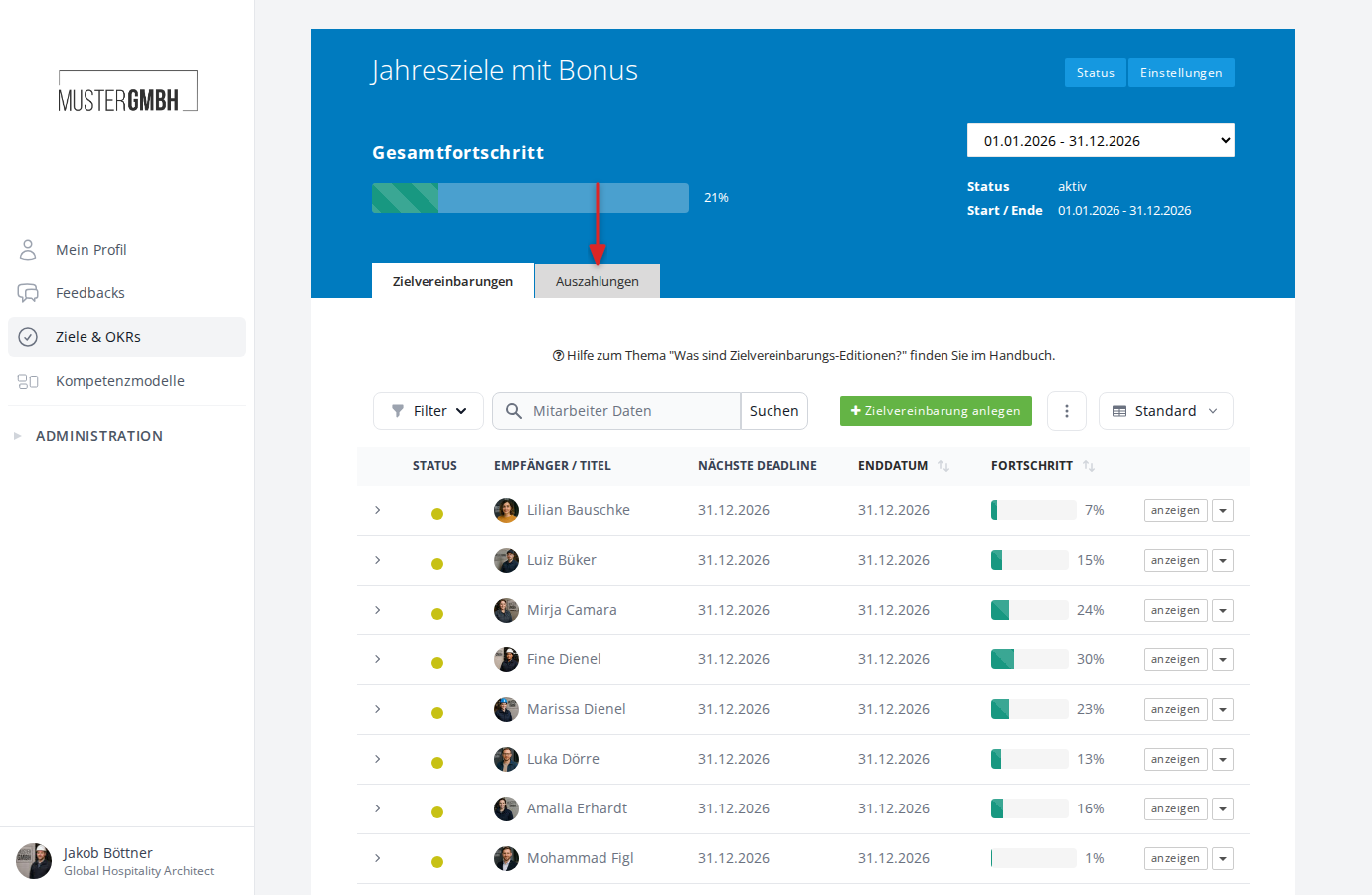
This tab shows a list of all payouts made for the current edition. The table contains the following columns:
- Payout date: Date of the payout
- Recipient: Name of the employee
- Objective: Link to the associated target agreement
- Amount: Payout amount in the respective currency
- Currency: Currency code (for example EUR)
- Bulk payout: Shows whether this is a single payout or part of a bulk payout
You can search the list by recipient, filter it, and rearrange the columns.
Manage payouts
From the “Payouts” tab in the edition overview, you can create and manage bonus payouts for your employees. easyreview stores each payout with its amount, date and an optional note.
For details on the individual actions, see the following articles:
- View bonus information
- Create a bonus payout
- View completed bonus payouts
- Export bonus payout data (XLS)
- Export bonus payment data
Bulk payouts
Besides individual payouts, you can also run bulk payouts. Here you choose a user group and a payout percentage. easyreview then automatically creates individual payouts for all members of the group.
Bulk payouts are useful, for example, for quarterly advance payments on the projected annual bonus.
Create a bulk payout
- Open the “Payouts” tab in the edition overview.
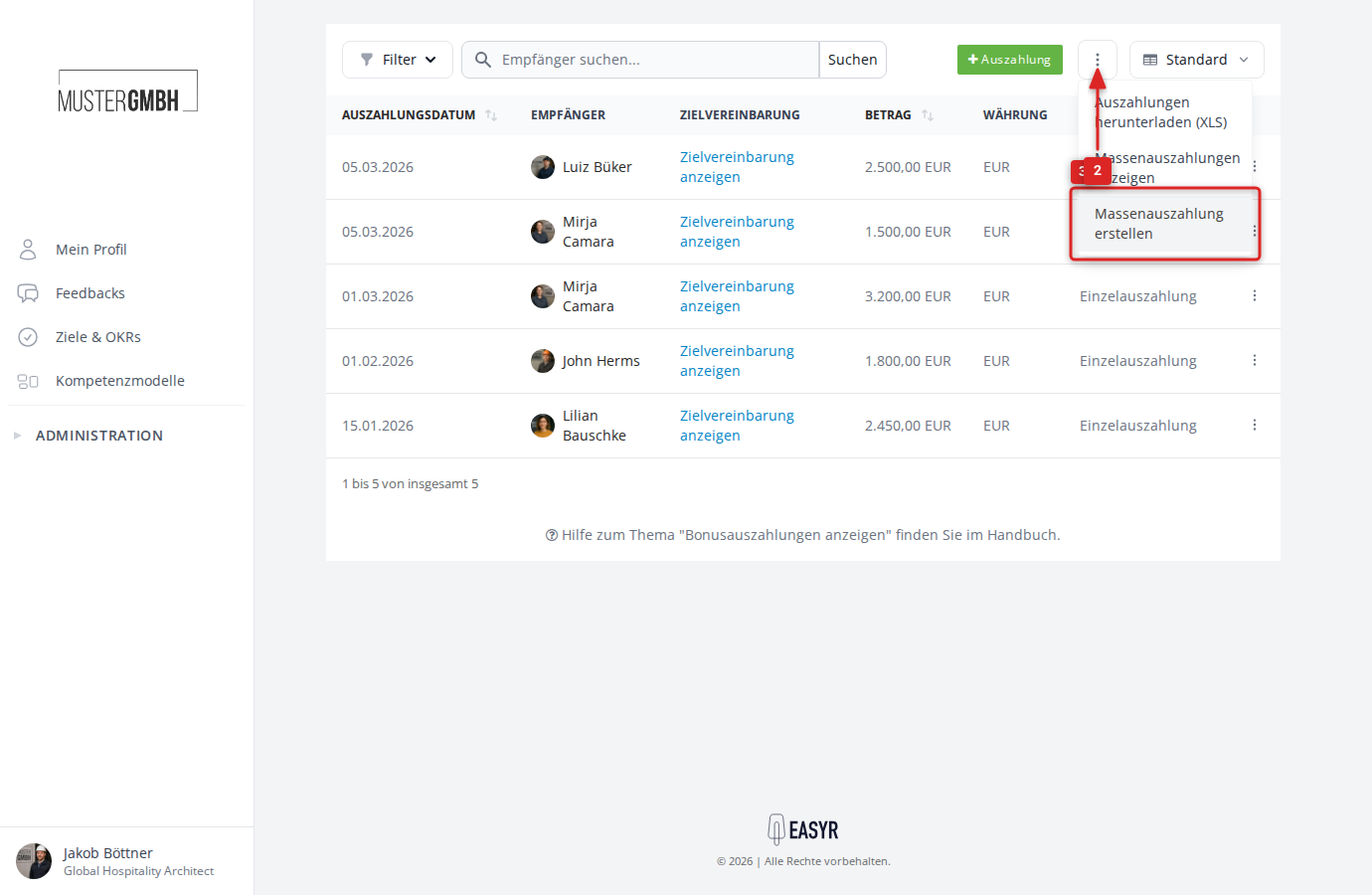
- Click the three-dot menu next to the “Payouts” button.
- Select “Create Bulk Payout”.
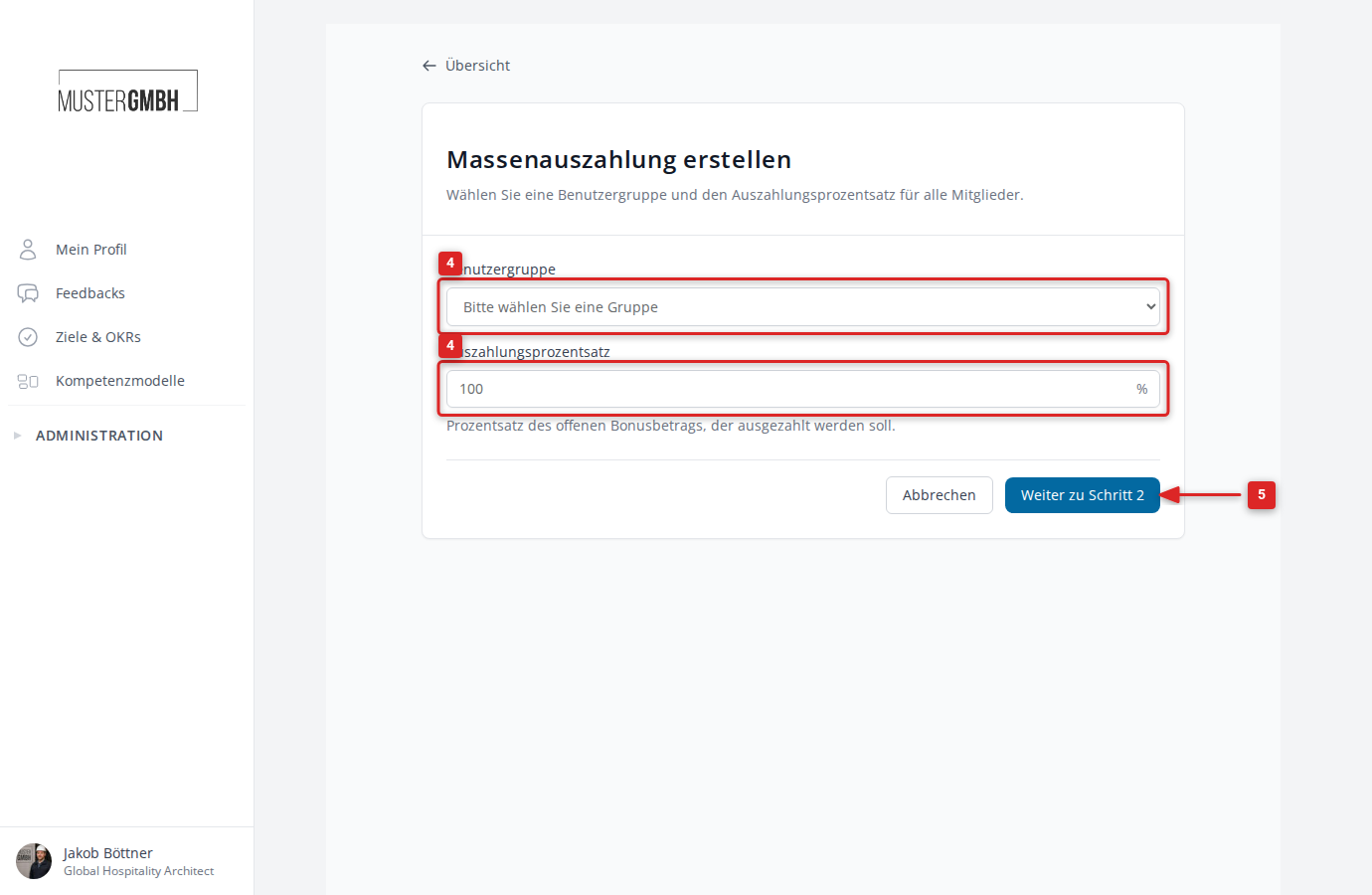
- Choose the user group you want and enter the payout percentage (for example 50% for an advance payment).
- Click “Continue to Step 2” to preview the amounts.
- Review the calculated payout amounts and confirm the bulk payout.
View bulk payouts
To review all previous bulk payouts:
- Open the “Payouts” tab in the edition overview.
- Click the three-dot menu.
- Select “View Bulk Payouts”.
This overview shows all bulk payouts that have been run, with their creator, note, number of payouts, total amount and creation date.
Bonus systems and cascaded goals
To bring in company or department goals, bonus systems can be combined with cascaded goals. The intermediate goals are fully weighted, and the weighting can be reflected in the bonus calculation.
Permissions
Managing bonus payouts is available to the following roles:
- HR and executive management: Can always create and manage payouts.
- Supervisors: Can create payouts for their direct employees, unless this permission has been restricted.
Bulk payouts can only be created by HR and executive management.
The bonus information (figures) in the detail view of a target agreement is visible to the recipient, the supervisors and HR.