Centrally managed goals and templates
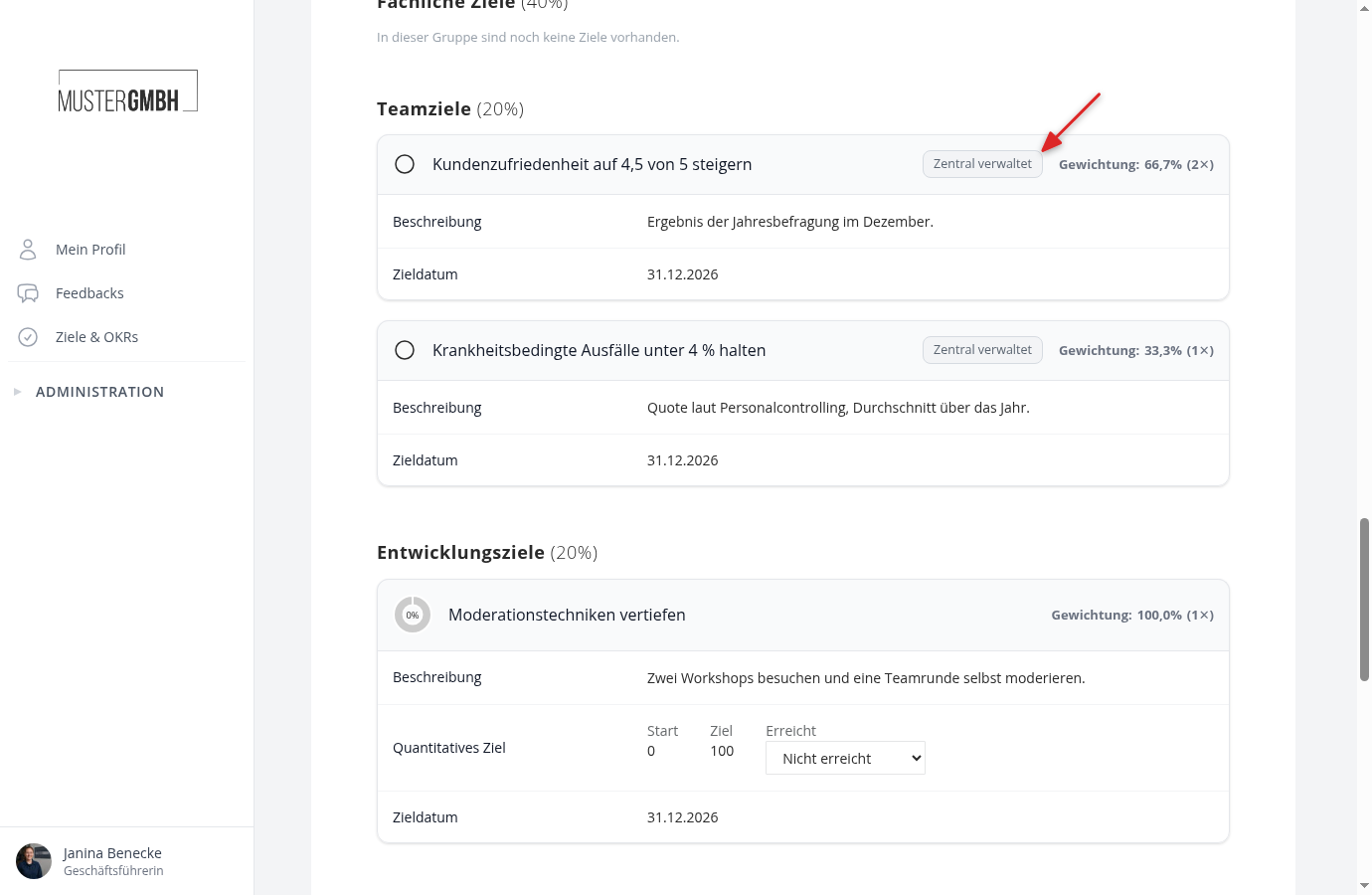
If all employees should have the same company goals in their target agreement, create these goals once in a template. easyreview then enters them automatically into every matching target agreement of the edition, including those created later. In the target agreements they appear with the note “Centrally managed” and cannot be edited there.
Without a template none of this happens: every target agreement only contains the goals entered there.
Create a template
A template is an ordinary target agreement that you mark as a template in the advanced settings. Like every target agreement it needs a recipient; enter yourself.
- Create a target agreement in the edition you want and give it a telling title, for example “Company goals 2026”. The title later appears as the origin of the goals.
- Enter the goals, each in the goal group in which it should appear for the employees.
- At the end of the form, expand Show advanced settings and check Use as template.
- Check Enforce goals for all matching target agreements.
- Define what employees may change on the goals themselves (see below).
- Click Save.
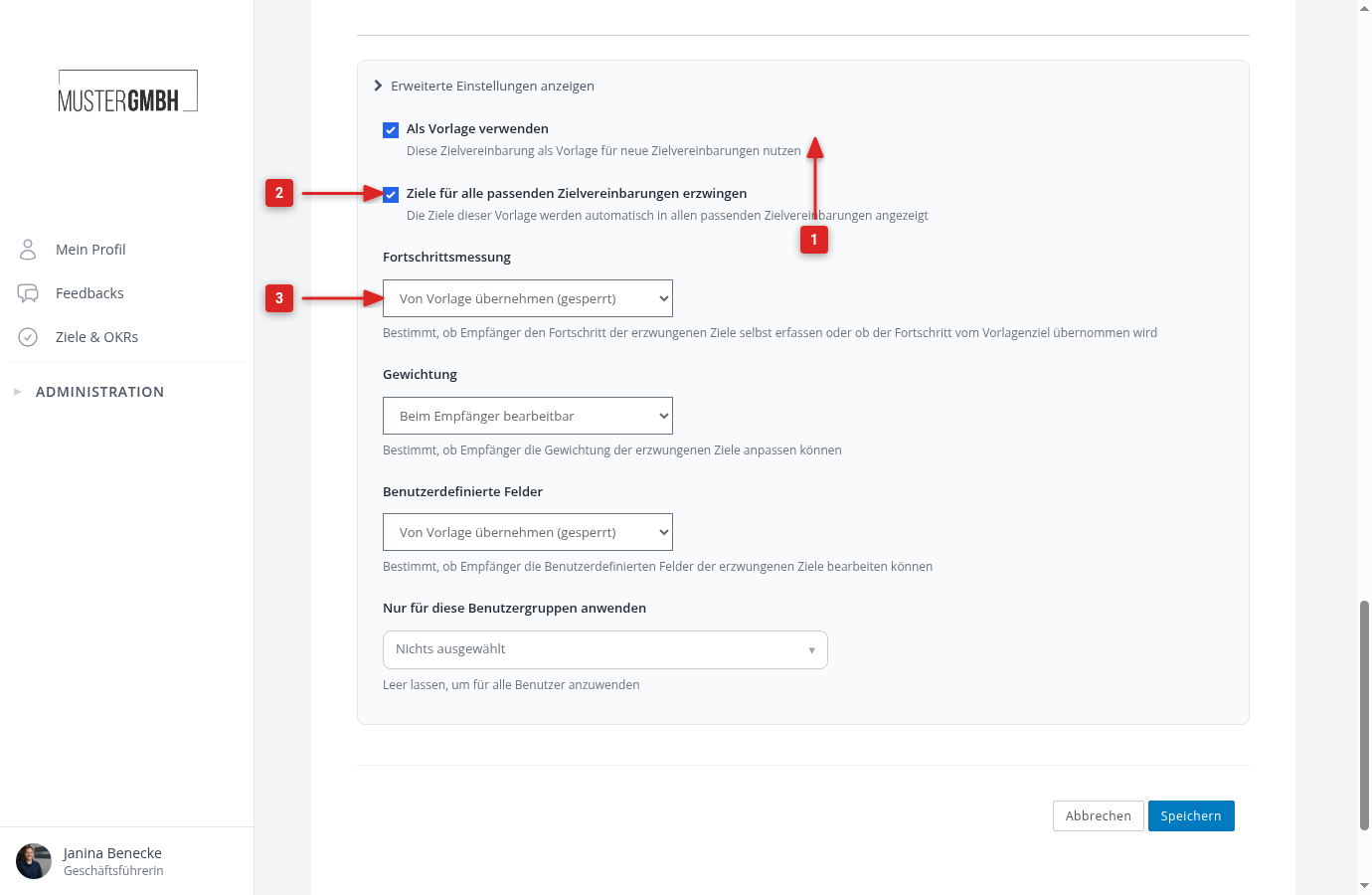
After saving, all target agreements of the edition receive the goals of the template. This happens in the background and can take a moment with many target agreements.
What employees may change on the goals
Three settings of the template control this, each with Editable by recipient or Inherit from template (locked):
- Progress tracking: do the employees record the status of the goal themselves, or does every target agreement take over the status entered in the template? For a company goal such as “Increase customer satisfaction”, HR maintains the status centrally in the template, so choose “Inherit from template”.
- Weighting: may the employees adjust the weight of the goal within its group? Locked, every target agreement takes over the weight from the template, including later changes.
- Custom fields: may the employees fill in the fields of the goal, or do the values from the template apply?
Title and description always come from the template. Change them there and they change everywhere.
Only certain employees
Under Apply only to these user groups you select user groups. Then only people from these groups receive the goals. Empty means: all target agreements of the edition. This way only managers get an additional leadership goal, for example. Which user groups exist is shown under User groups.
Several templates in one edition are possible, for example one for everyone and one only for sales.
How the goals look for employees
In the view of the target agreement, the goals of the template sit at the start of their goal group, with the note Centrally managed. The title of the template appears when you hover over the note.
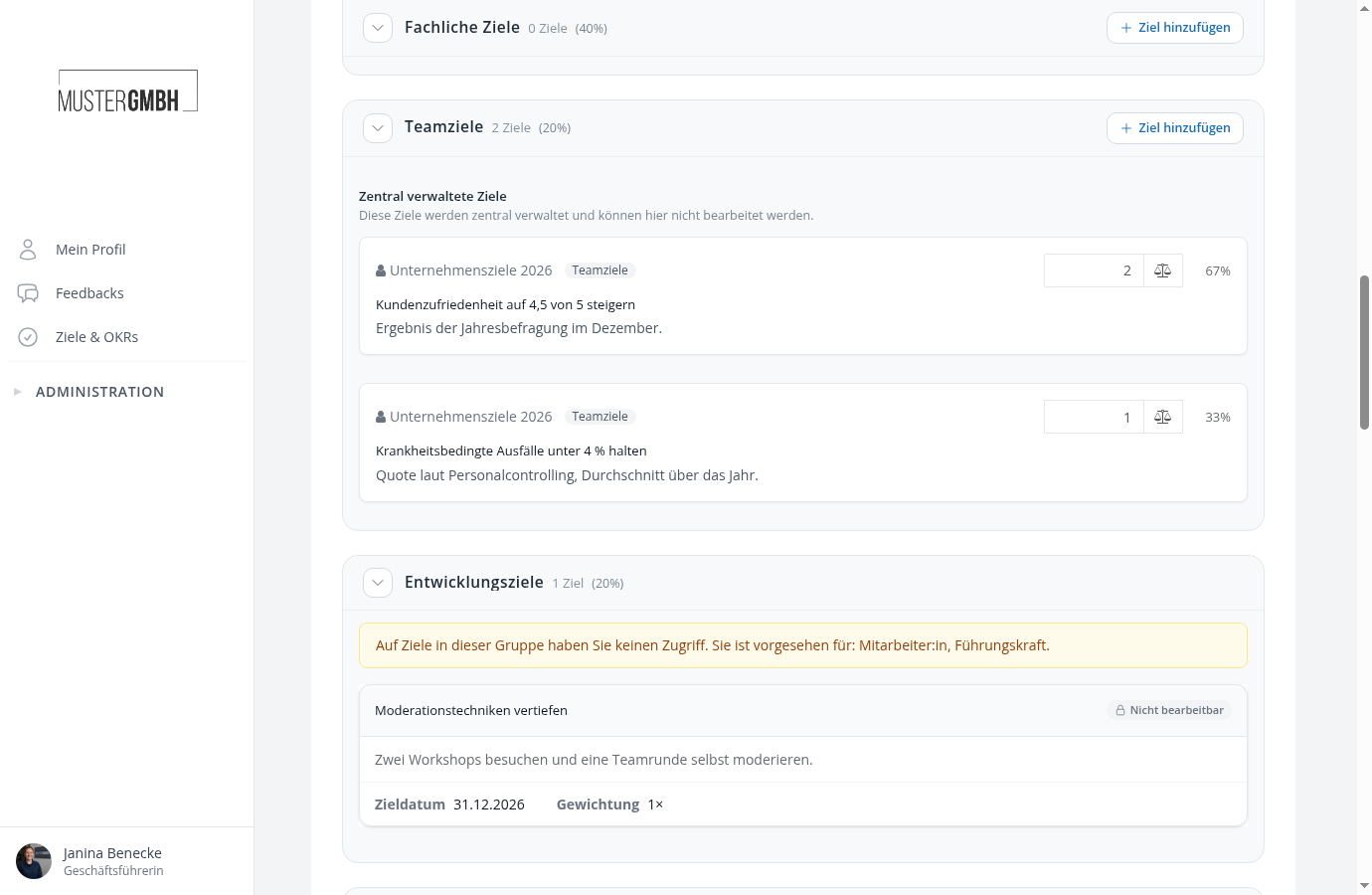
In the edit form they sit in the Centrally managed goals block of their group. Title and description are not editable; the weight and the fields can only be changed if the template allows it.
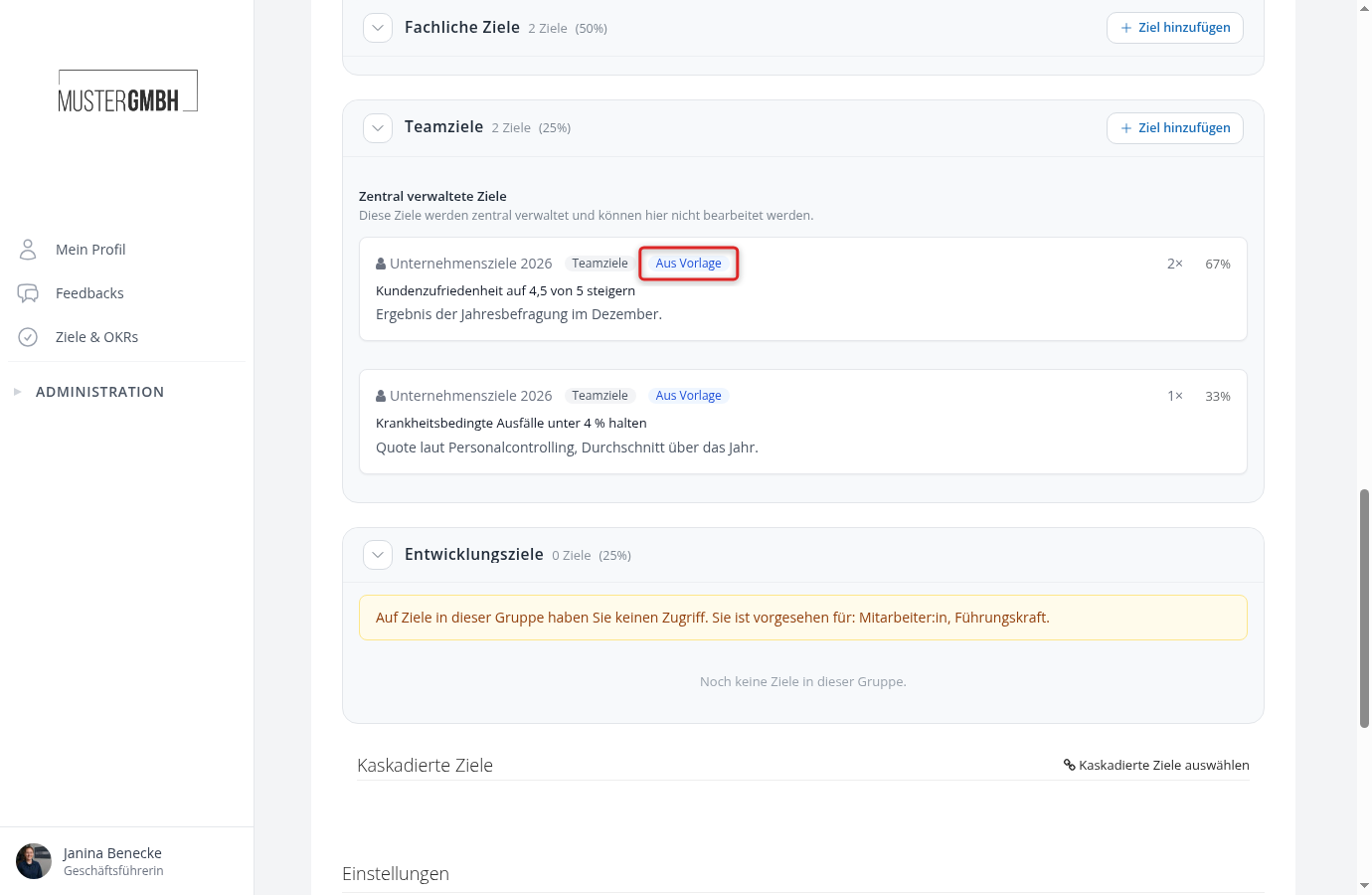
Anyone creating a new target agreement already sees the goals of the template in the form, marked From template. They are linked when saving.
The goals of the template count towards the rules of the group: if a group requires at least one goal and the template provides one, the rule is met. If it allows at most two and the template provides two, no goal of your own fits in anymore.
Change the template later
- New goal in the template: appears in all matching target agreements after saving.
- Remove a goal from the template or switch off enforcing: the goals disappear from the target agreements again. The employees’ own goals stay untouched.
- Change user groups: target agreements whose person no longer matches lose the goals; newly matching ones receive them.
Starting template without enforcing
Without the check mark Enforce goals for all matching target agreements, the template works differently: it is copied instead of linked. When HR or a manager creates a new target agreement for a matching person, easyreview copies the template including its goals, opens the edit form directly, and reports that the target agreement was created from a template. The copied goals are normal goals: they can be changed freely, and later changes to the template do not flow back.
The restriction to user groups applies here as well. Create at most one such starting template per group of people. Employees who create their target agreement themselves via the “Create target agreement” process step do not get a copy but the empty form.
New edition
When creating a new edition with Copy target agreements, templates are copied along and stay templates. Check their goals and target dates for the new period afterwards.