Visibility of target agreements
The visibility of target agreements is set at the level of the target agreement process. The setting you choose applies to every target agreement within that process.
Visibility options
The Visibility dropdown in the target agreement process settings offers these options:
- Private: Only recipient: Only the recipient (the employee the target agreement was created for) can see it.
- Recipient and creator: The recipient and the person who created the target agreement can see it.
- Recipient, direct supervisor and creator: The recipient, the creator and the recipient’s direct supervisor can see the target agreement.
- Recipient, all supervisors, HR and creator: In addition to the recipient and creator, all of the recipient’s supervisors (direct and indirect) and everyone with the HR employee role can see the target agreement.
- Public: Every employee in the company can see the target agreement.
Set the visibility
Visibility is configured in the target agreement process settings. Only employees with the HR employee role have access to these settings.
- In the sidebar, click Objectives.
- On the process you want, click Admin and then Settings.
- Scroll to the Settings section.
- Choose the option you want in the Visibility dropdown.
- Click Save.
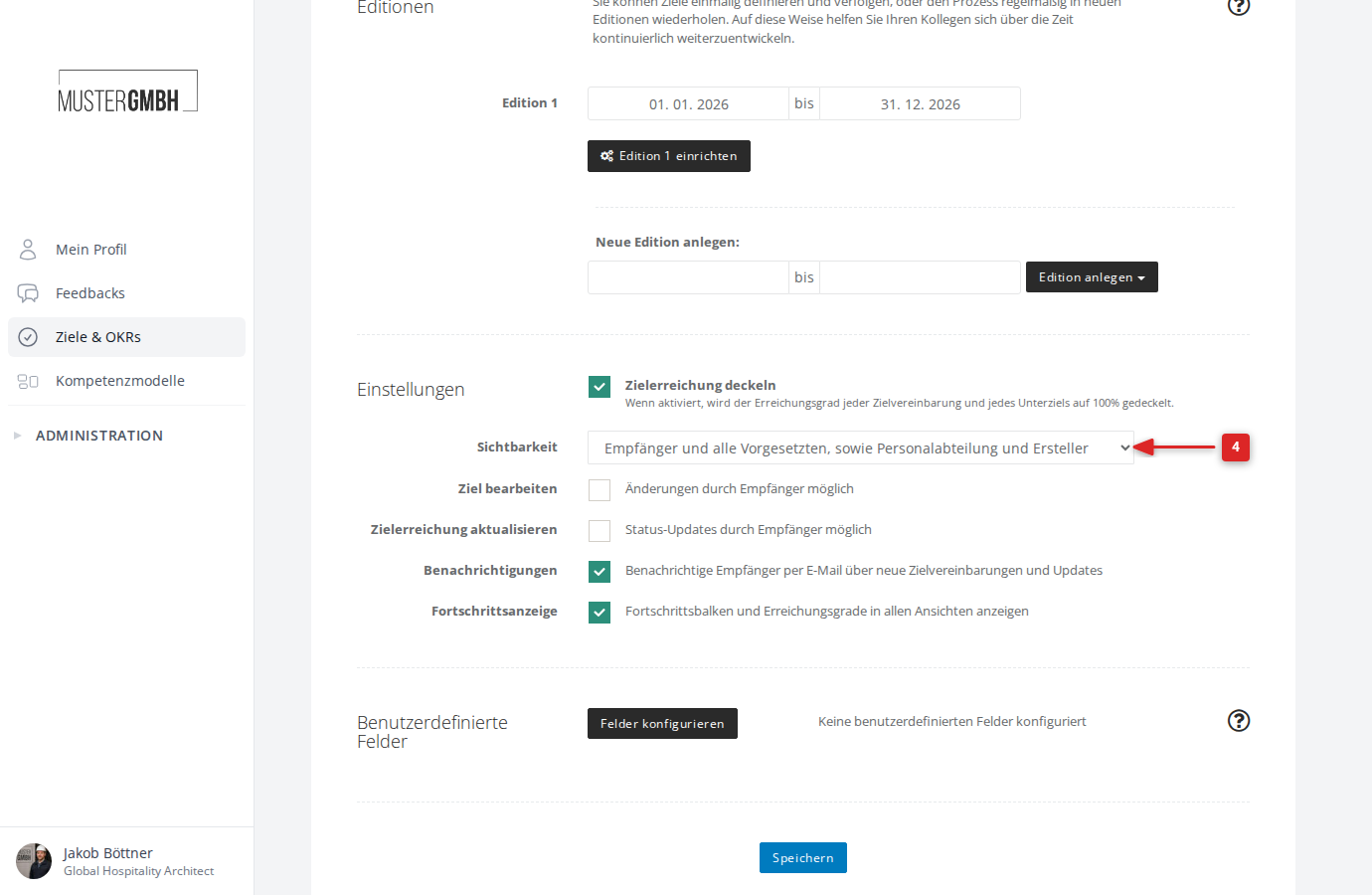
The visibility you choose applies to all target agreements in this process. It can’t be adjusted on individual target agreements.
Hidden drafts with process steps
If the process uses process steps, a target agreement can additionally be hidden from its recipient for a while, typically during the draft phase until it is released. Everyone else who may see it gets the hint “Hidden from recipient”. Once the release step completes, the recipient sees their target agreement too. This hiding comes from the process and is not configured here in the settings.
Visibility hint on target agreements
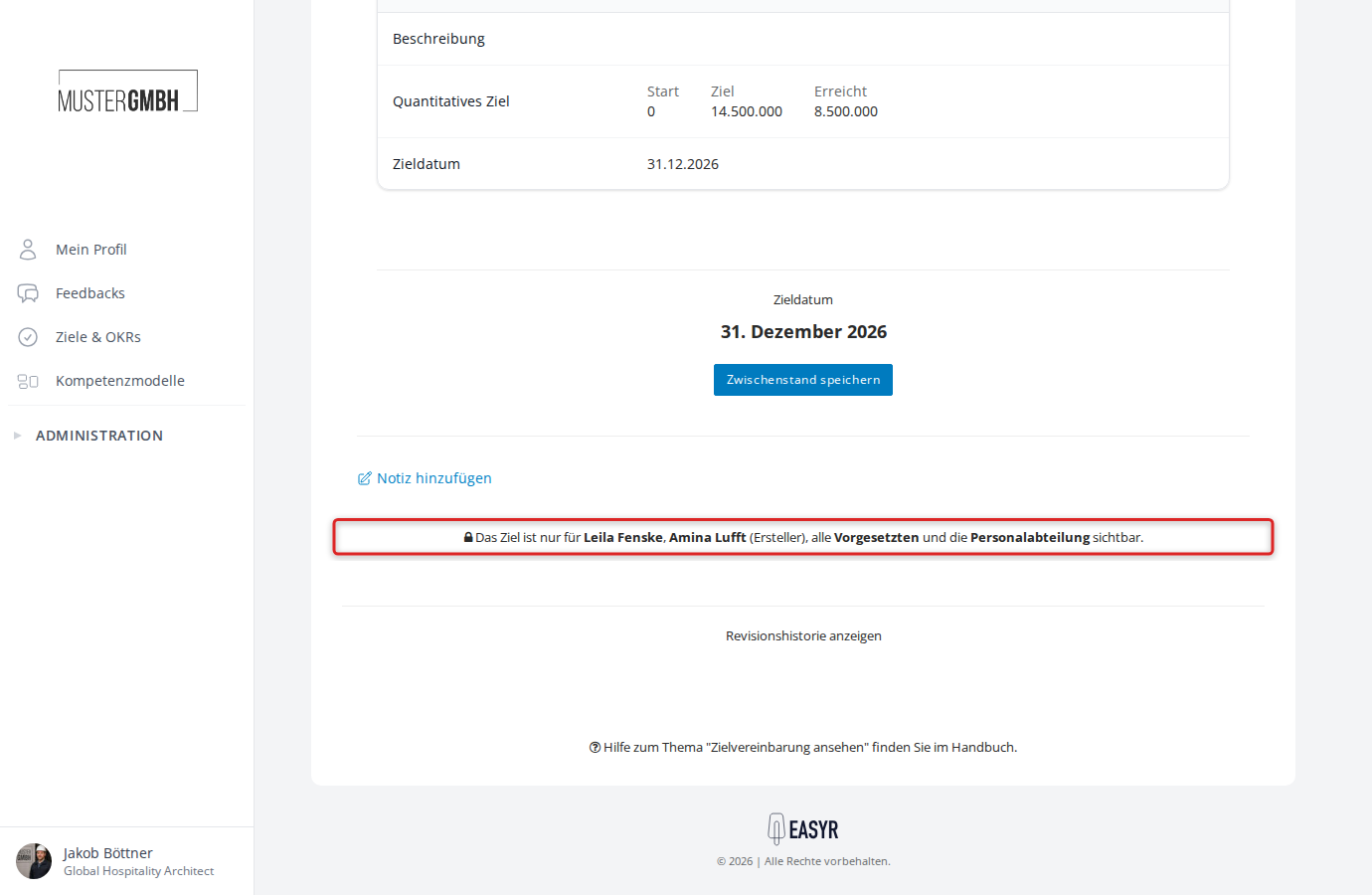
Every target agreement shows a hint at the bottom of the page describing its current visibility. The text names the specific people who have access.
Edit permissions
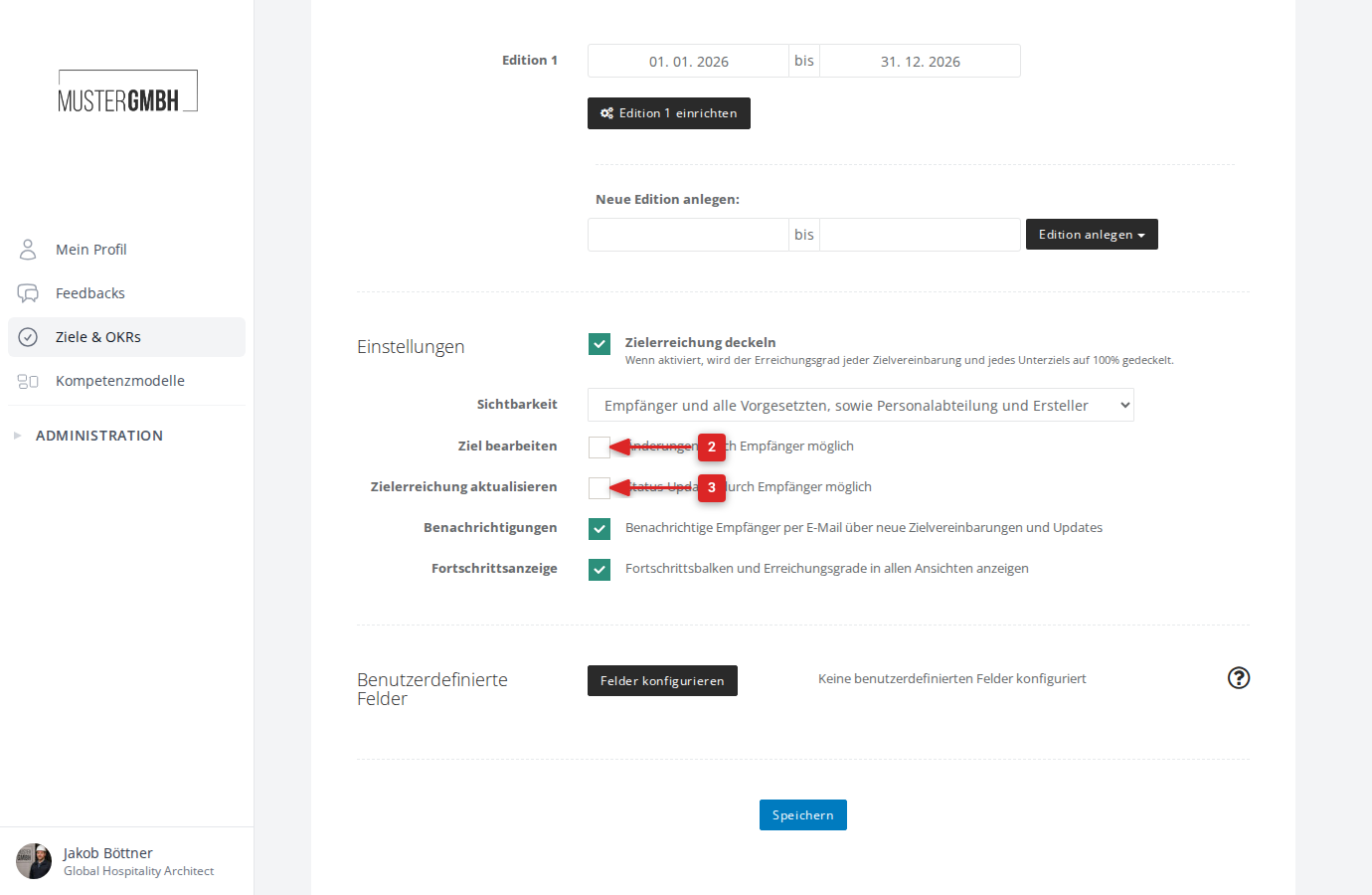
Alongside visibility, the target agreement process settings also let you decide whether the recipient may edit their own target agreement. There are two separate settings for this:
Editable by recipient (“Editable by recipient”): When on, the recipient can edit the target agreement themselves — for example adjust descriptions or add and remove intermediate goals. Without this setting, only supervisors and HR can edit the target agreement.
Update achievement (“Status of objectives can be updated by recipient”): When on, the recipient can update the progress of their own intermediate goals.
To configure the edit permissions:
- Open the target agreement process settings (as described under “Set the visibility”).
- Tick or clear Editable by recipient.
- Tick or clear Status of objectives can be updated by recipient.
- Click Save.