Record an interim update as a process step
In the “Record interim update” step, a responsible person updates the progress of all goals of a target agreement in a guided dialog and confirms it explicitly. Unlike a normal progress save, this creates a documented milestone: the confirmed state is kept as a PDF and shown in the timeline with before/after values.
Who records the update?
The responsible role is defined in the process step, usually the supervisor. As soon as the step is up, that person receives an email and sees the task on the target agreement and in their task hints.
How recording works
- Open the target agreement and click the record button on the active step in the Process steps area.
- The guided dialog lists all goals with their current state. Enter the new value per goal or check off completed ones.
- Optionally leave a short assessment as a comment on individual goals.
- Click the confirm button at the end.
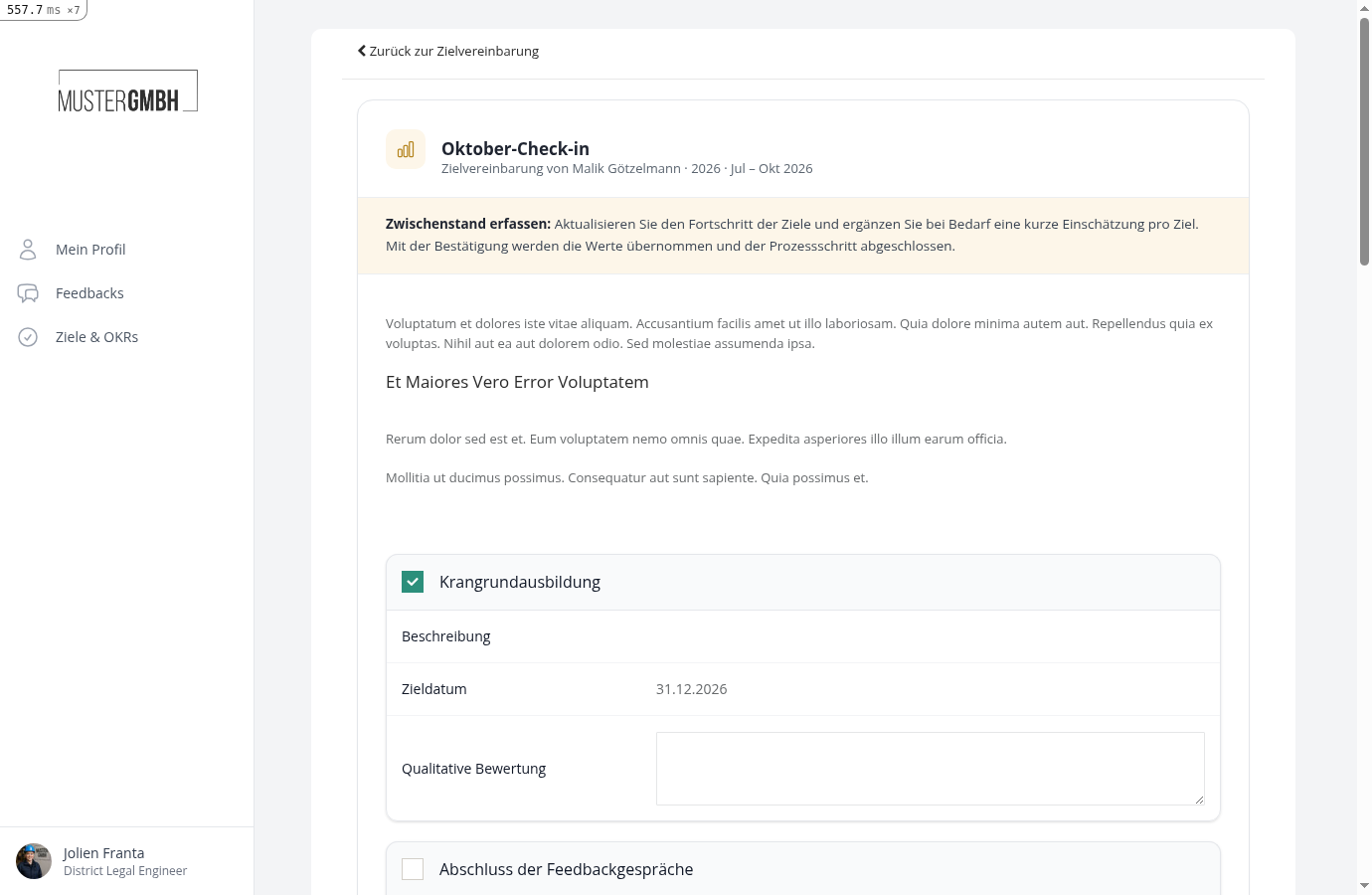
Confirming completes the step:
- The new values are written to the target agreement.
- The confirmed state is frozen as a PDF document.
- The timeline shows the changes as a before/after list, including the comments.
- The next process step begins.
How this differs from normal progress saves
Updating individual goals from the detail view stays possible as usual, as long as progress is not locked. It does not complete the process step, though. The step only counts as done once the responsible person confirms the guided dialog. See Complete or update an intermediate goal for the normal path.