Export bonus payment data
When the bonus system is active for a target agreement process, you have two export options:
- Target agreements export (XLS): Adds bonus figures such as target bonus, achieved bonus and remaining bonus as extra columns to the target agreements export.
- Payout export (XLS): Contains a detailed list of all payouts made, with amounts, recipients and dates.
Bonus data in the target agreements export
When the bonus system is active, the target agreements export (XLS) includes extra columns with the bonus figures of each target agreement.
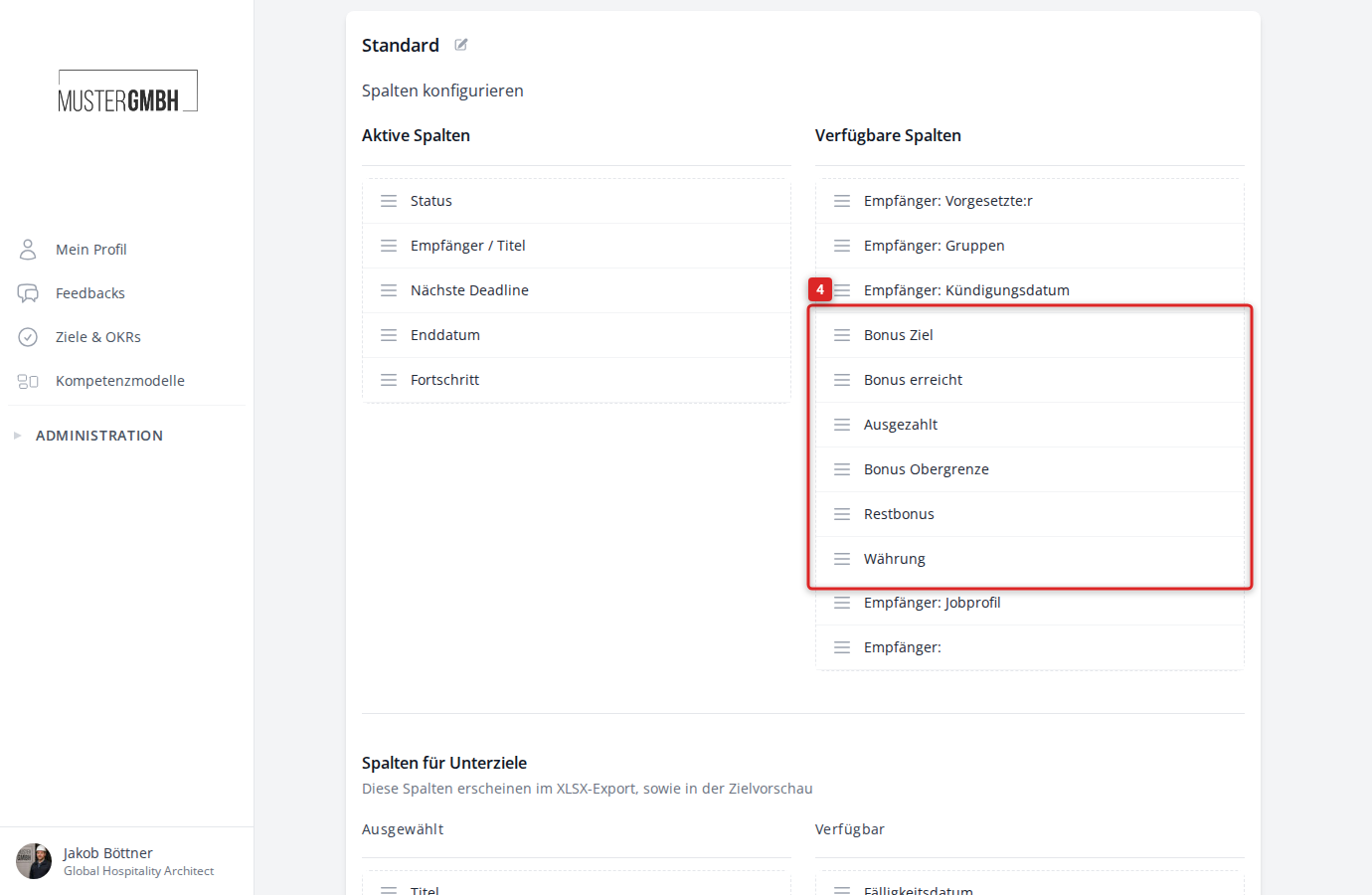
Available bonus columns
| Column | Meaning |
|---|---|
| Target bonus | The bonus amount at 100% goal achievement |
| Bonus achieved | The currently calculated bonus based on the level of achievement |
| Paid out | The sum of all payouts made so far |
| Bonus upper limit | The maximum bonus amount (if configured) |
| Remaining bonus | The open amount (achieved minus paid out) |
| Currency | The currency of the bonus |
Bonus values are also exported per intermediate goal: target bonus, bonus achieved, paid out and remaining bonus. The columns bonus upper limit and currency apply only at target agreement level.
Show bonus columns in the list view
The bonus columns are not visible by default. To show them:
- Open the target agreements overview of the process for which the bonus system is active.
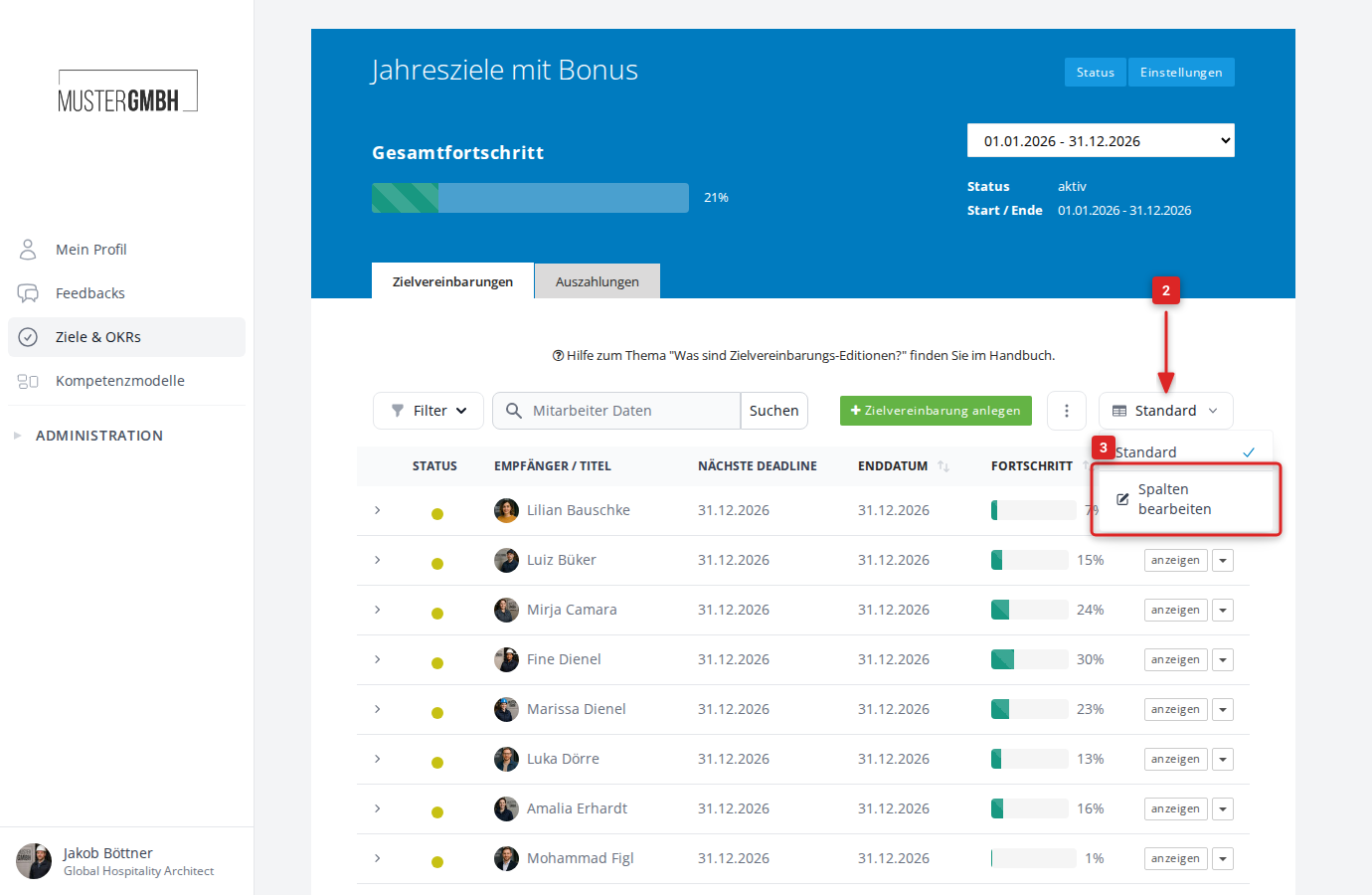
- Click the view selector (for example “Standard”) on the right of the toolbar.
- Click “Edit columns”.
- Drag the bonus columns you want (for example “Target bonus”, “Bonus achieved”) from “Available columns” into the “Active columns” list.
- Optional: Under “Columns for sub-goals” you can additionally activate bonus columns for the intermediate goals. These appear in the XLSX export and in the goal preview.
- Click “Save”.
The chosen columns are shown in the list view and are included in the XLS export.
Start the export
- Open the target agreements overview.
- Click the three-dot menu (⋮) in the toolbar.
- Click “Download objectives (XLS)”.
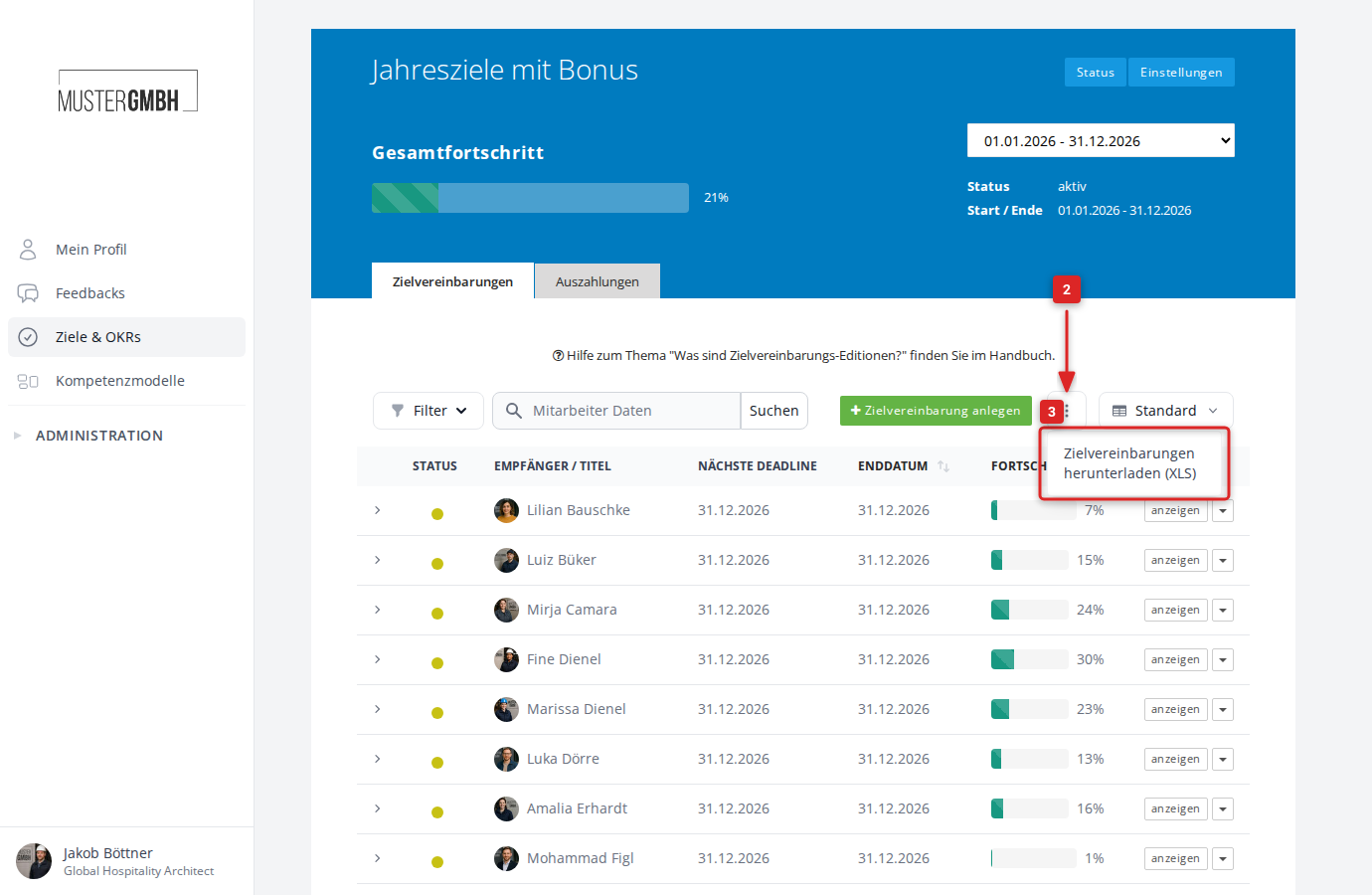
The export takes your current list view: active filters, search terms and the chosen column configuration.
Payout export
Besides the bonus figures in the target agreements export, you can also export a separate list of the payouts made. This export contains all payout details such as amounts, payout dates and recipients.
For a step-by-step guide, see Export bonus payout data (XLS).