What are process steps?
Process steps model the path every target agreement of a process should follow: create it, release it, sign it, record an interim update along the way. easyreview walks everyone through that path automatically, reminds them by email and freezes each completion in a PDF document. You do not need to chase deadlines or send follow-up mails.
Process steps are optional. A target agreement process without them works exactly as before.
An example
A typical annual process looks like this:
- The supervisor creates a target agreement for each team member. The draft starts out hidden from the employee.
- The supervisor releases the draft with a status change. From now on the employee sees their objectives.
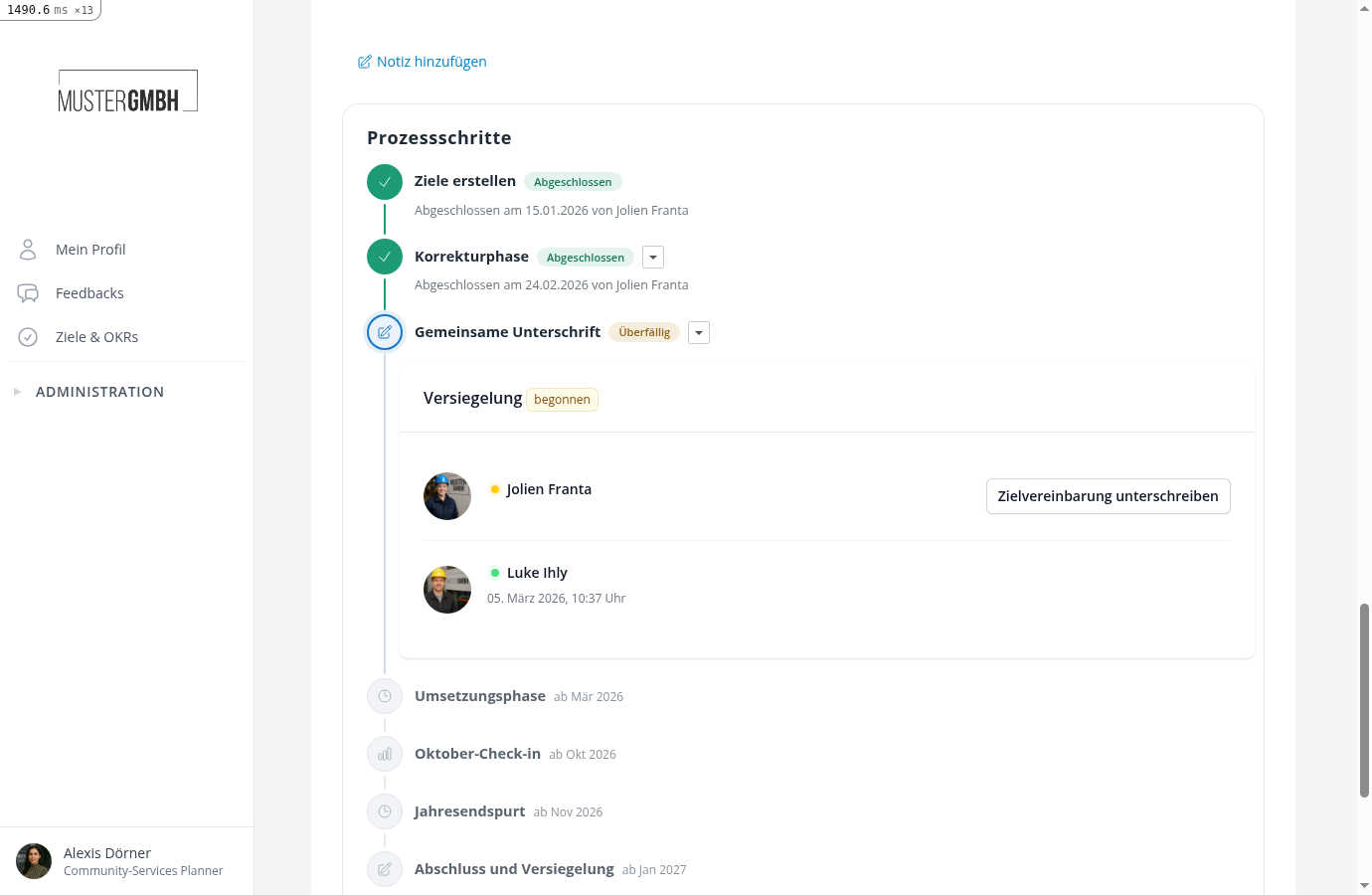
- Supervisor and employee seal the agreement with a digital signature. The signed state is frozen as a PDF.
- During the working phase the employee works on their objectives.
- Mid-year, the supervisor records an interim update through a guided dialog.
- At year end, a second sealing signs off the final state.
Each target agreement moves through the steps individually and in the configured order. A step only becomes active once the previous one is completed.
On every target agreement’s detail view, the Process steps area shows where it currently stands:
The five step types
| Type | What happens |
|---|---|
| Create objective | Defines who should receive a target agreement (the audience) and who creates it. While some are missing, the responsible people see a task list. |
| Status change | An authorized person completes the step with one click. Visibility and editing rights can change with it, for example to release a hidden draft. |
| Sealing | A defined group signs the target agreement digitally, in one or several consecutive stages. The signed state is kept as a PDF. |
| Record interim update | A responsible person updates the progress of all goals in a guided dialog and confirms it explicitly. |
| Working phase | A time window with no task. It ends automatically on its end date, then the next step begins. |
What process steps control on the target agreement
Steps can switch three properties of the target agreement when they complete:
- Visibility for the recipient: a target agreement can start as a hidden draft. Everyone else who may see it gets the hint “Hidden from recipient”; only the recipient cannot see it yet.
- Editing content: title, description and goals can be locked, for example after signing.
- Updating progress: recording goal progress can also be locked temporarily, for example until the objectives are signed.
These locks apply to everyone, including HR. If a sealed state does need to change, HR removes the sealing. That reopens the step and the locks fall back to the previous state. A completed status change can be taken back the same way, by its authorized triggerers or HR.
Who has to act, and how do they know?
For every step you pick a role, for example “the supervisor”, a specific person or a user group. easyreview resolves the role per target agreement: on Jane Doe’s agreement, “the supervisor” automatically is Jane Doe’s supervisor.
As soon as a step waits for someone, that person receives an email and sees the task in easyreview, among other places on the edition’s overview page. HR users can additionally always initiate sealings and trigger status changes themselves if someone is unavailable.
Every PDF document, every signature and every completion is recorded with person and time.
Setting up process steps
You configure the steps once per process and the schedule per edition:
For day-to-day operation: