Delete a target agreement
Before you start
You can delete a target agreement if you are entered as the supervisor of the person concerned. If the process allows editing by the recipient, the recipient can also delete their own target agreement.
Delete a target agreement
-
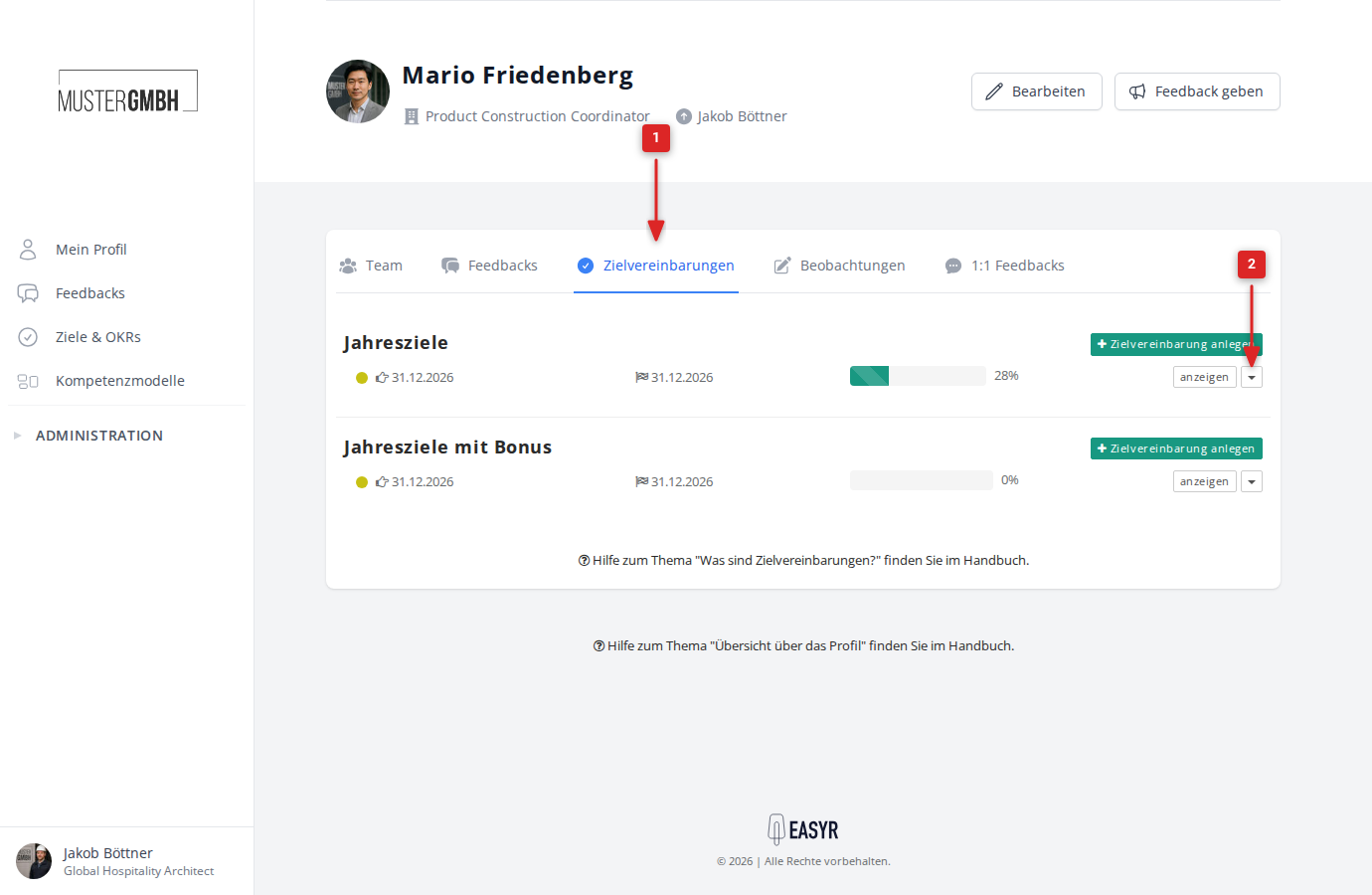
Open the list of target agreements. You find it either via the “Objectives” tab in the employee profile or via “Objectives” in the sidebar.
-
Click the small arrow (▼) next to the “show” button in the row of the target agreement you want.
-
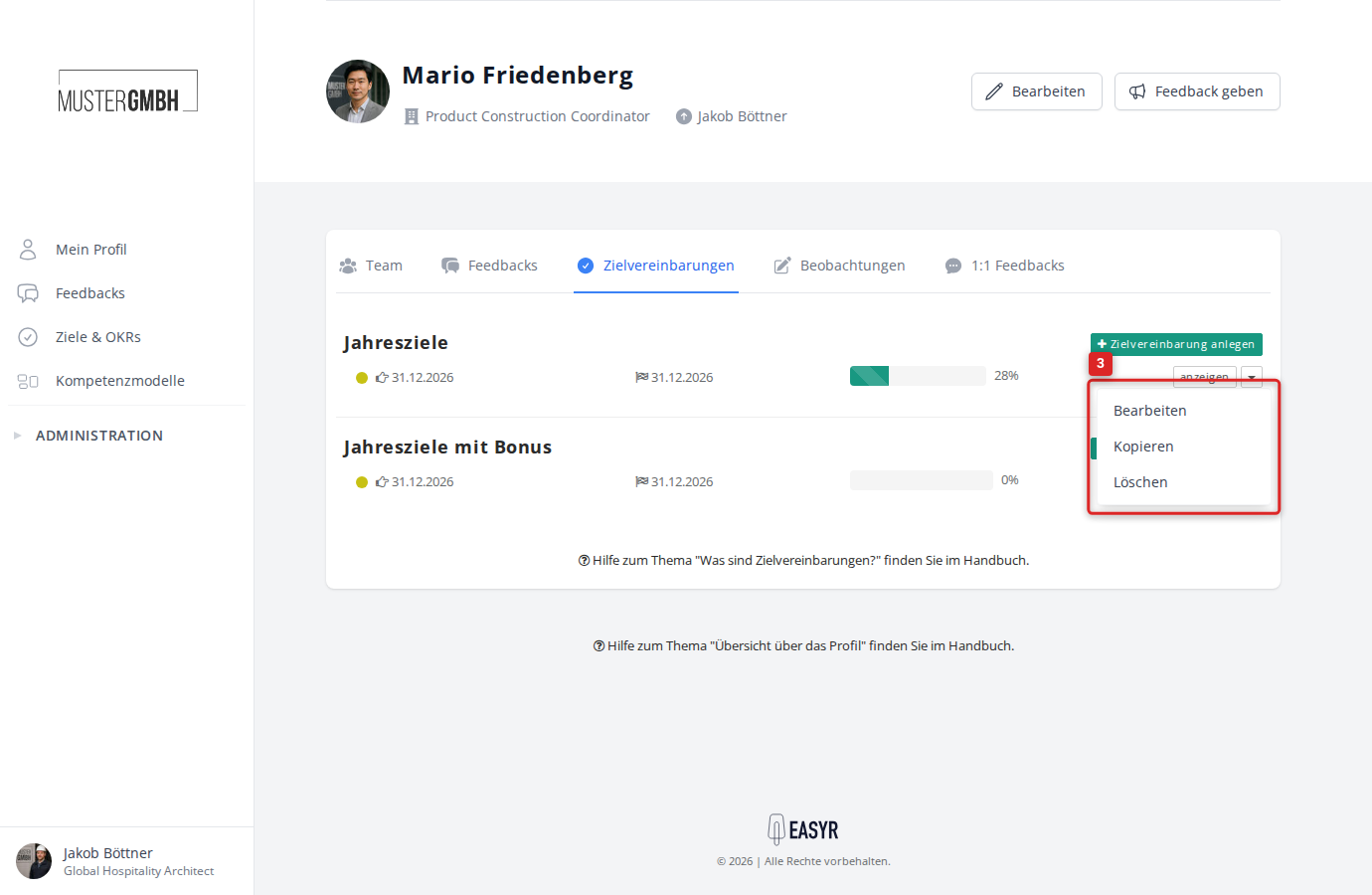
Click “Delete” in the dropdown menu.
-
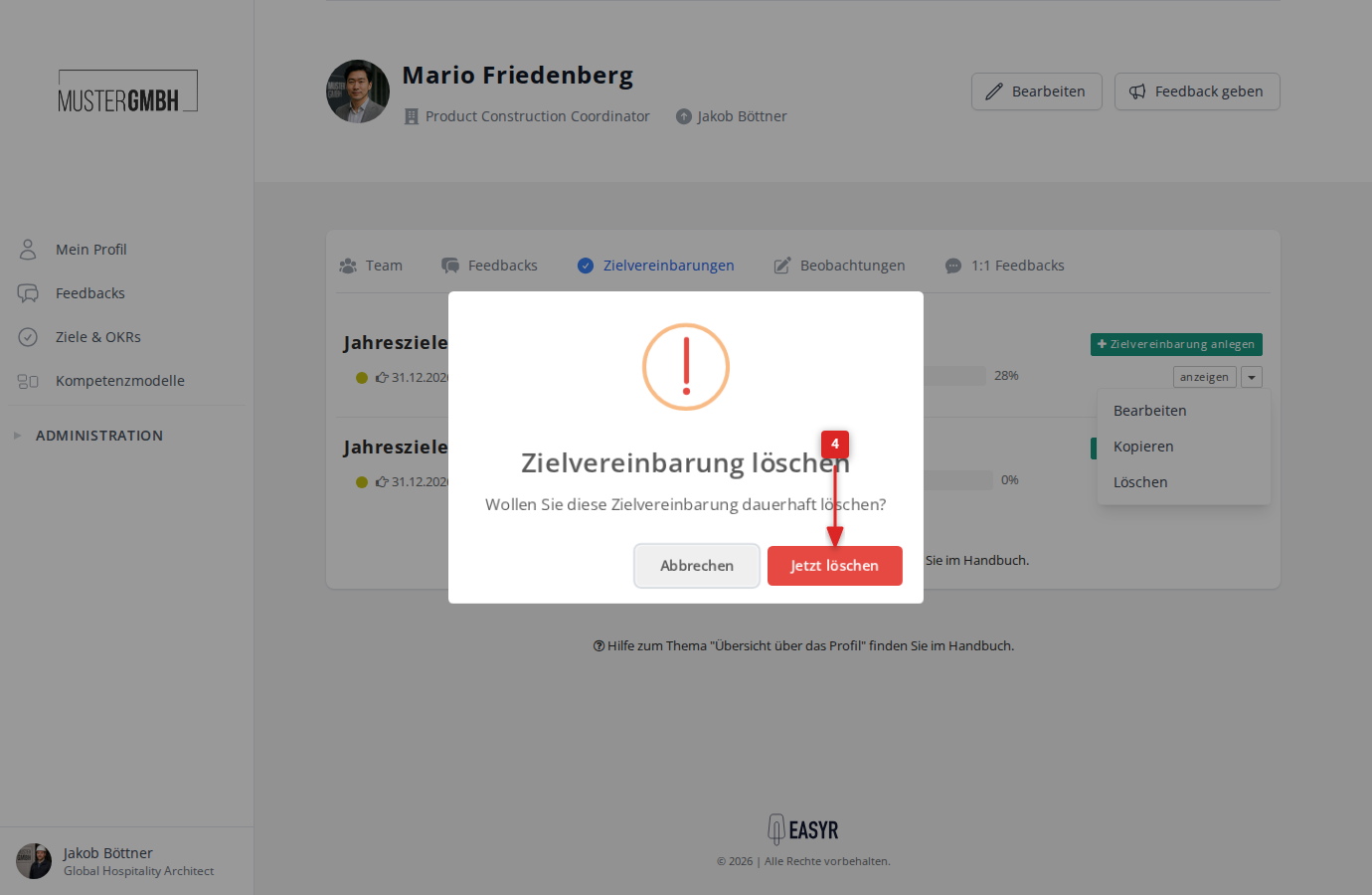
Confirm in the confirmation dialog by clicking “Delete now”.
-
A message at the top of the screen confirms the successful deletion.