Quantified intermediate goals
By default, every intermediate goal in a target agreement is simply checked off once it’s done. That only lets you measure progress very coarsely — “reached” or “not reached”.
To capture progress in finer steps, you can use quantified intermediate goals. A quantified intermediate goal has a starting value and a target value. Progress is expressed as a number and calculated as a percentage, instead of just being ticked off.
Examples
Revenue or profit goal
You want to set a revenue goal of €500,000 for the quarter.
- Starting value: 0, since the quarter begins with €0 in revenue
- Target value: 500,000, the revenue you’re aiming for
If the employee reaches €420,000 in revenue by the end of the quarter, you can record that exactly. The intermediate goal then counts as 84% achieved.
Customer growth
In Q4 you want to add 50 new customers to your 2,000 existing ones. To account for customers who leave, you always want to look at your total number of customers.
- Starting value: 2,000, the number of customers at the start of Q4
- Target value: 2,050, the total customer count you’re aiming for by the end of Q4
If you’re working with 2,025 customers in total at the end of December, that’s what you record. The intermediate goal then counts as 50% achieved.
Inverted goals (call-center wait times)
At the start of the year your customers wait an average of 180 seconds in your support queue. You want to cut that wait to 30 seconds by the end of the year.
- Starting value: 180, the initial wait time in seconds
- Target value: 30, the wait time you want by year-end
If you reach an average wait of 45 seconds at the end of the year, you record that as progress on the intermediate goal. easyreview automatically recognizes this as an inverted goal. Bringing the measured value down from 180 to 45 is positive progress. In this example the intermediate goal counts as 90% achieved (planned reduction: 150 seconds, achieved reduction: 135 seconds).
Create quantified intermediate goals
-
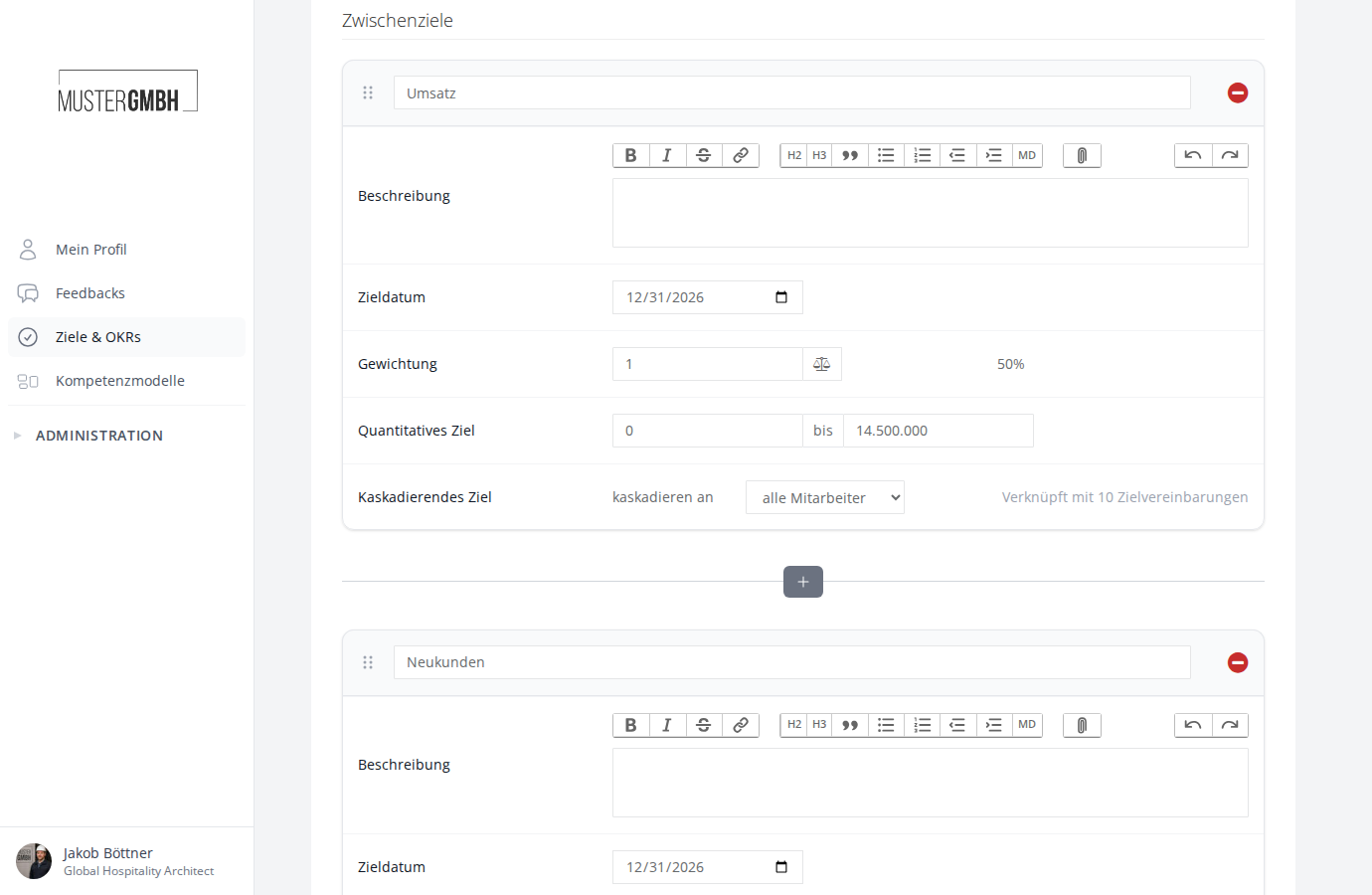
Scroll to the Intermediate Goals section, where the intermediate goals are shown as cards.
-
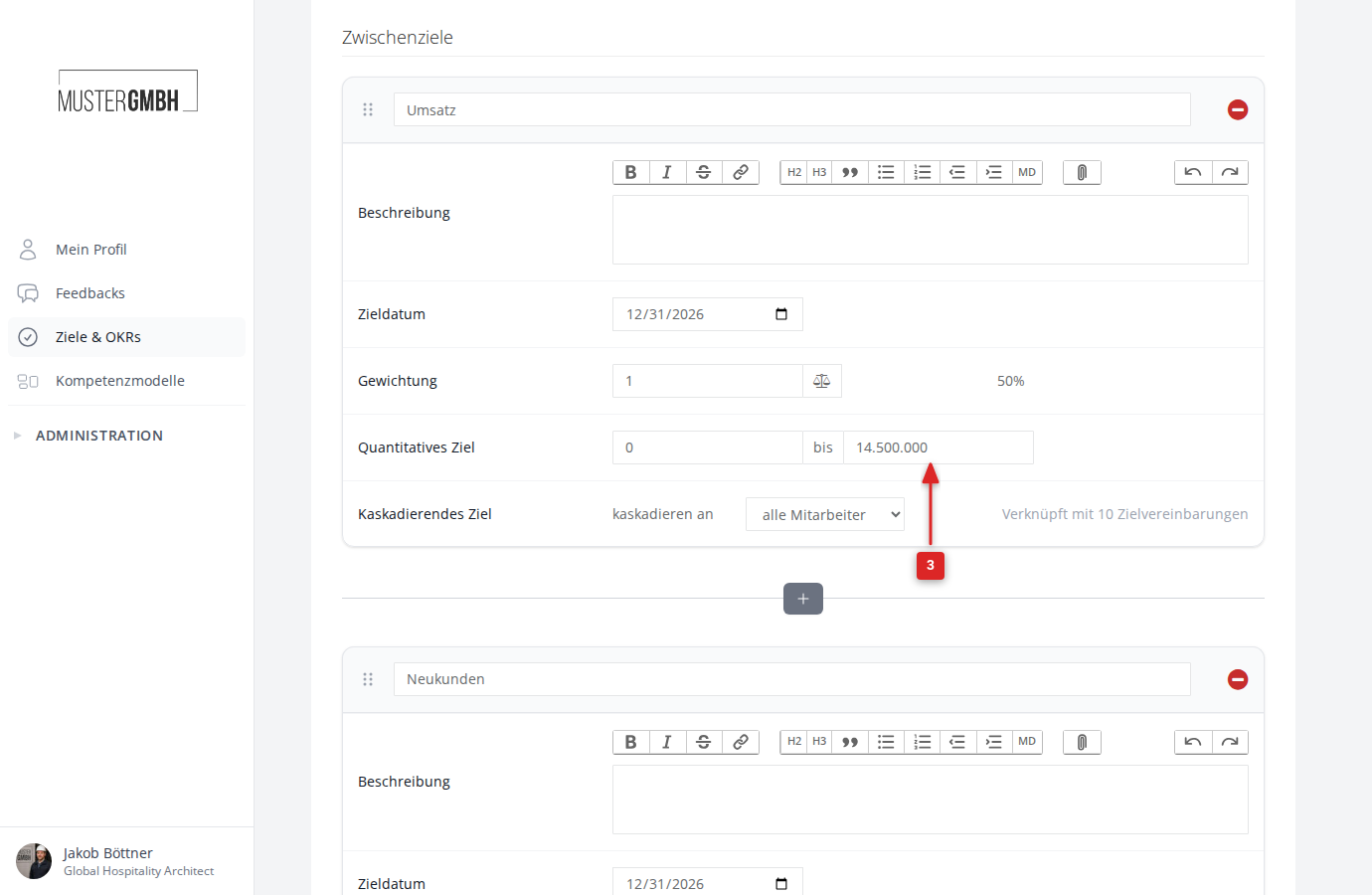
In the Quantified Target row, enter the starting value in the left field and the target value in the right field. The word “to” sits between the two fields.
-
Repeat step 3 for every intermediate goal you want.
-
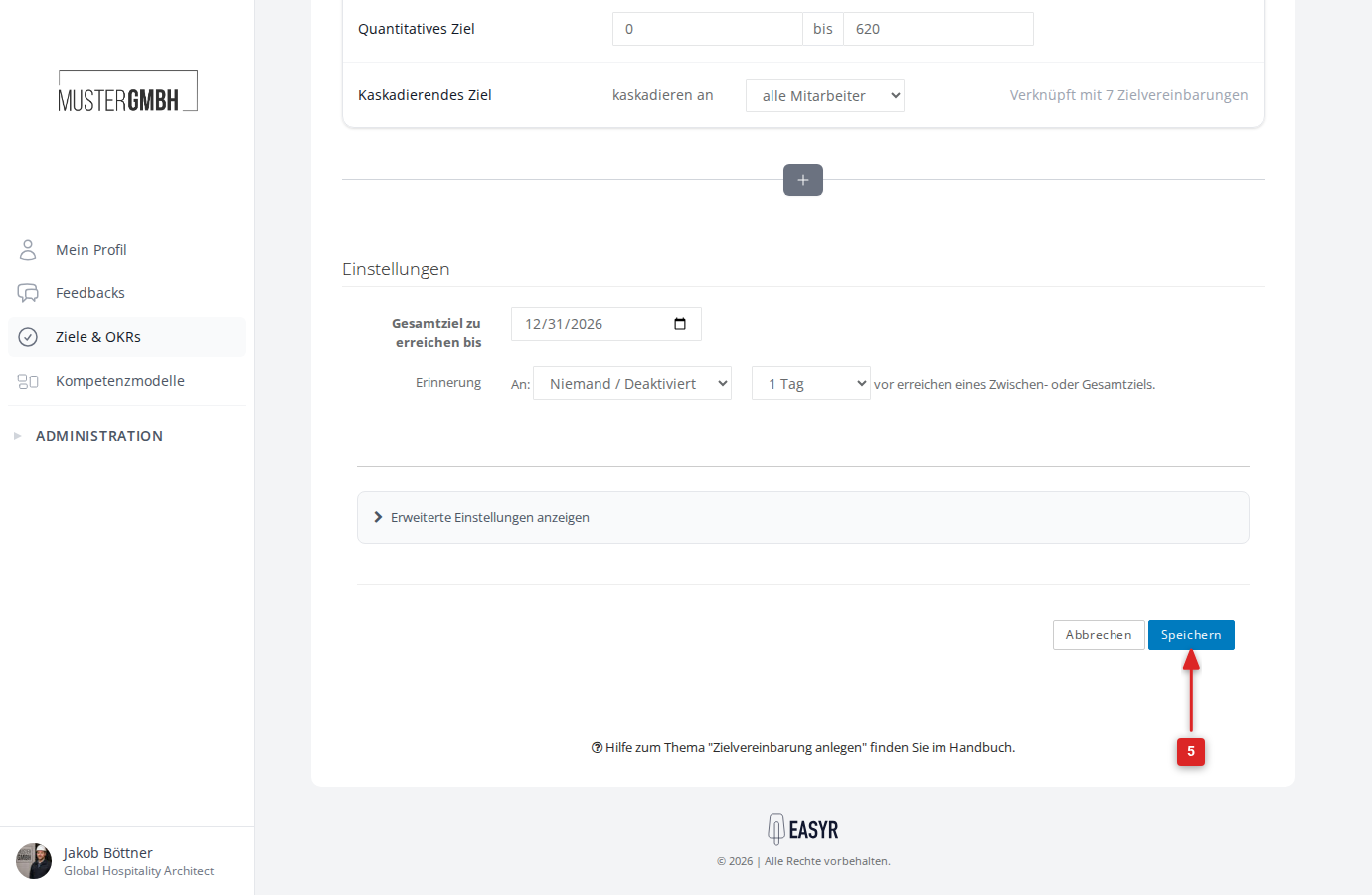
Click Save at the bottom of the form.
Record progress on quantified intermediate goals
-
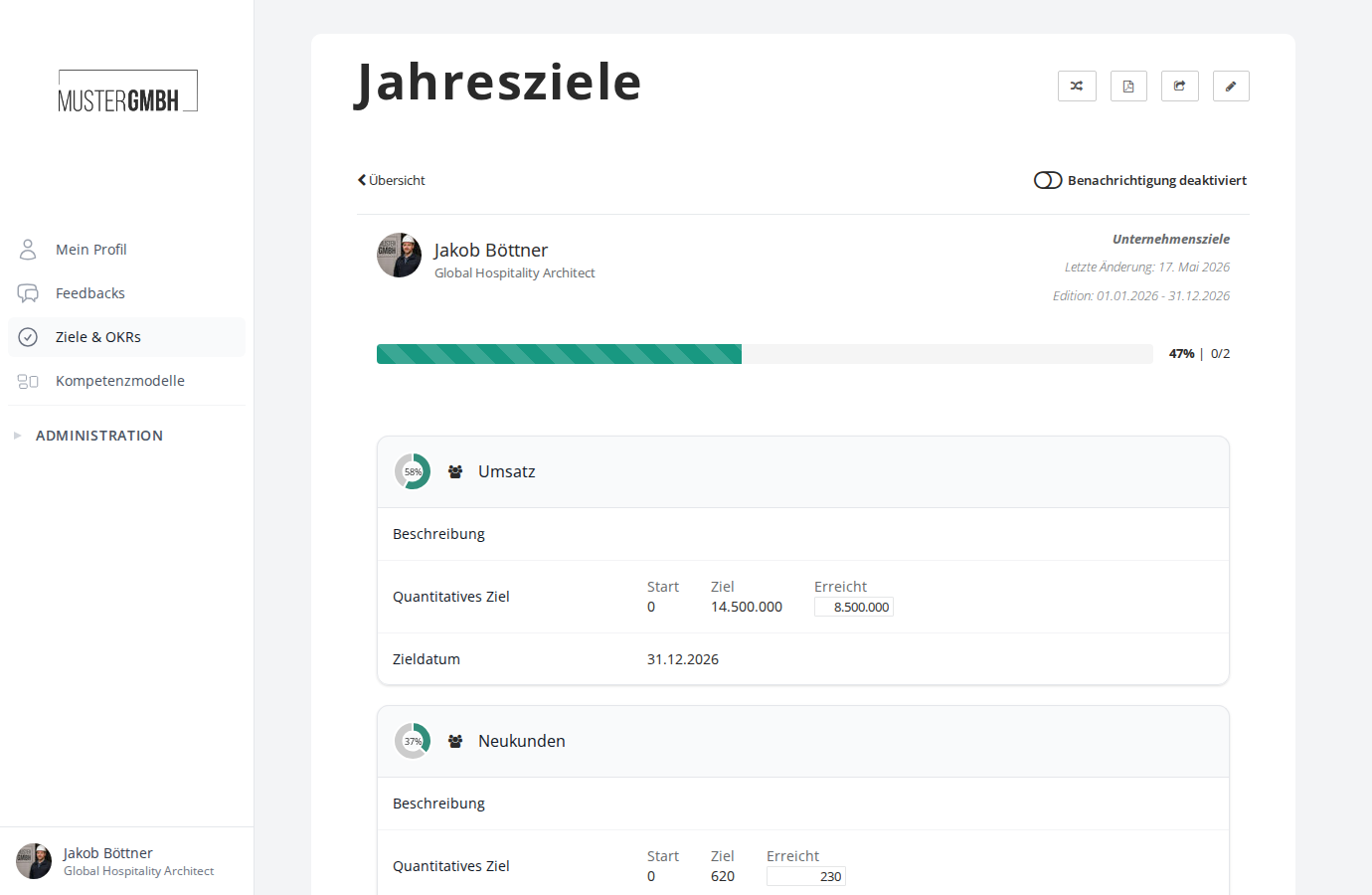
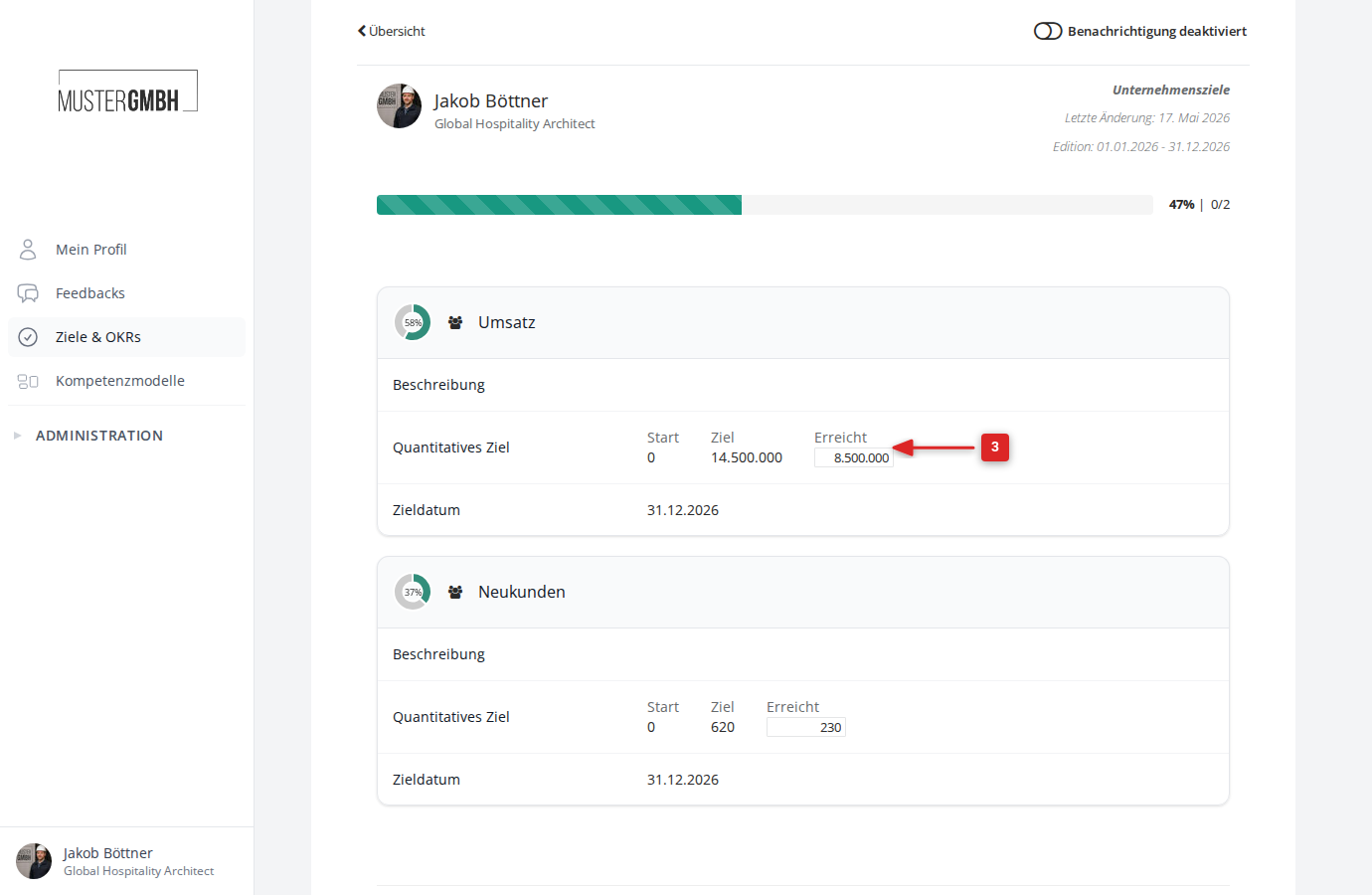
Each quantified intermediate goal shows the columns Min., Goal and Achieved. Next to them, progress is shown as a circular chart.
-
Enter the current actual value in the Achieved field.
-
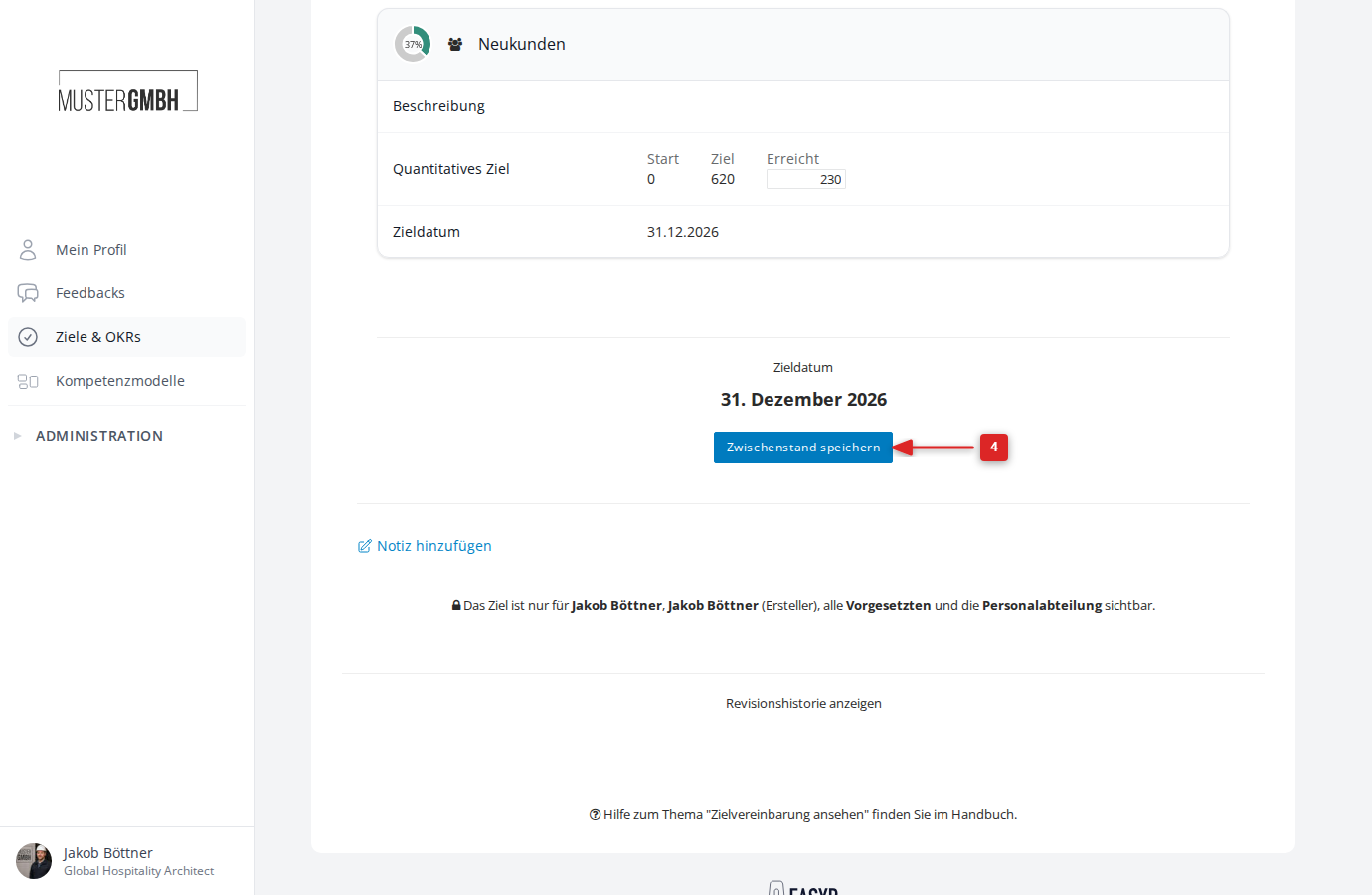
Click Save results.
-
The system confirms the save in the top-right corner of the screen.