What are target agreement processes?
A target agreement process is the top organizational level for target agreements in easyreview. It groups all target agreements of a particular type — for example “Annual goals”, “Quarterly goals” or “Project goals”. Each process has its own settings for visibility, permissions and notifications.
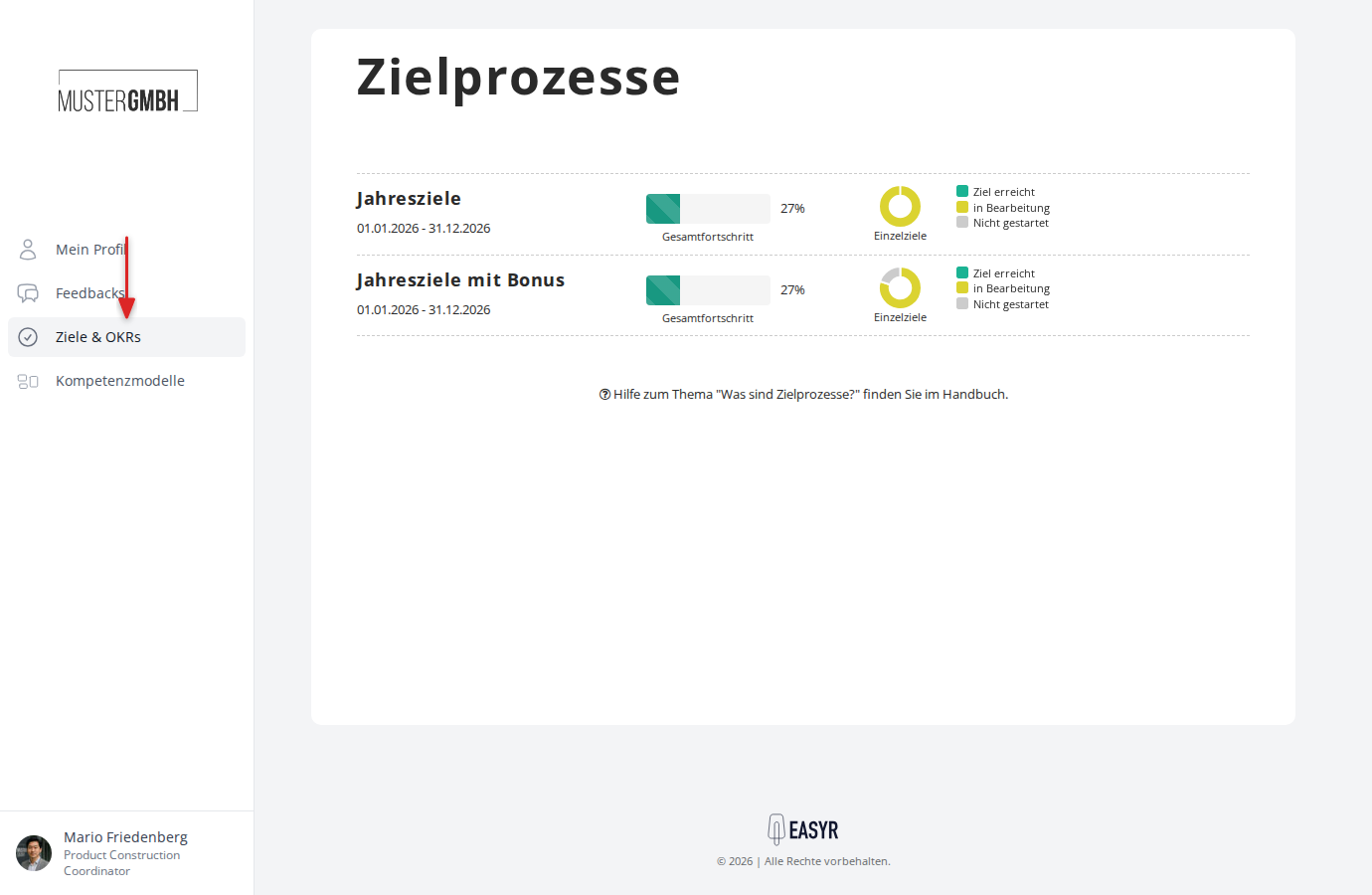
You’ll find the overview of all target agreement processes under Objectives in the sidebar.
How the hierarchy is built
Target agreements in easyreview are organized hierarchically:
- Process: The top level, for example “Annual goals”. Here you set the title, visibility and permissions, and optionally process steps such as releases and digital signatures.
- Edition: A concrete period within the process, for example “01/01/2026 to 12/31/2026”. Editions let you repeat the process regularly.
- Target agreement: One target agreement is created per employee and edition.
- Intermediate goals: The individual, measurable goals within a target agreement.
The process overview
The overview page shows every target agreement process you have access to. Each process is shown as its own row.
Information shown
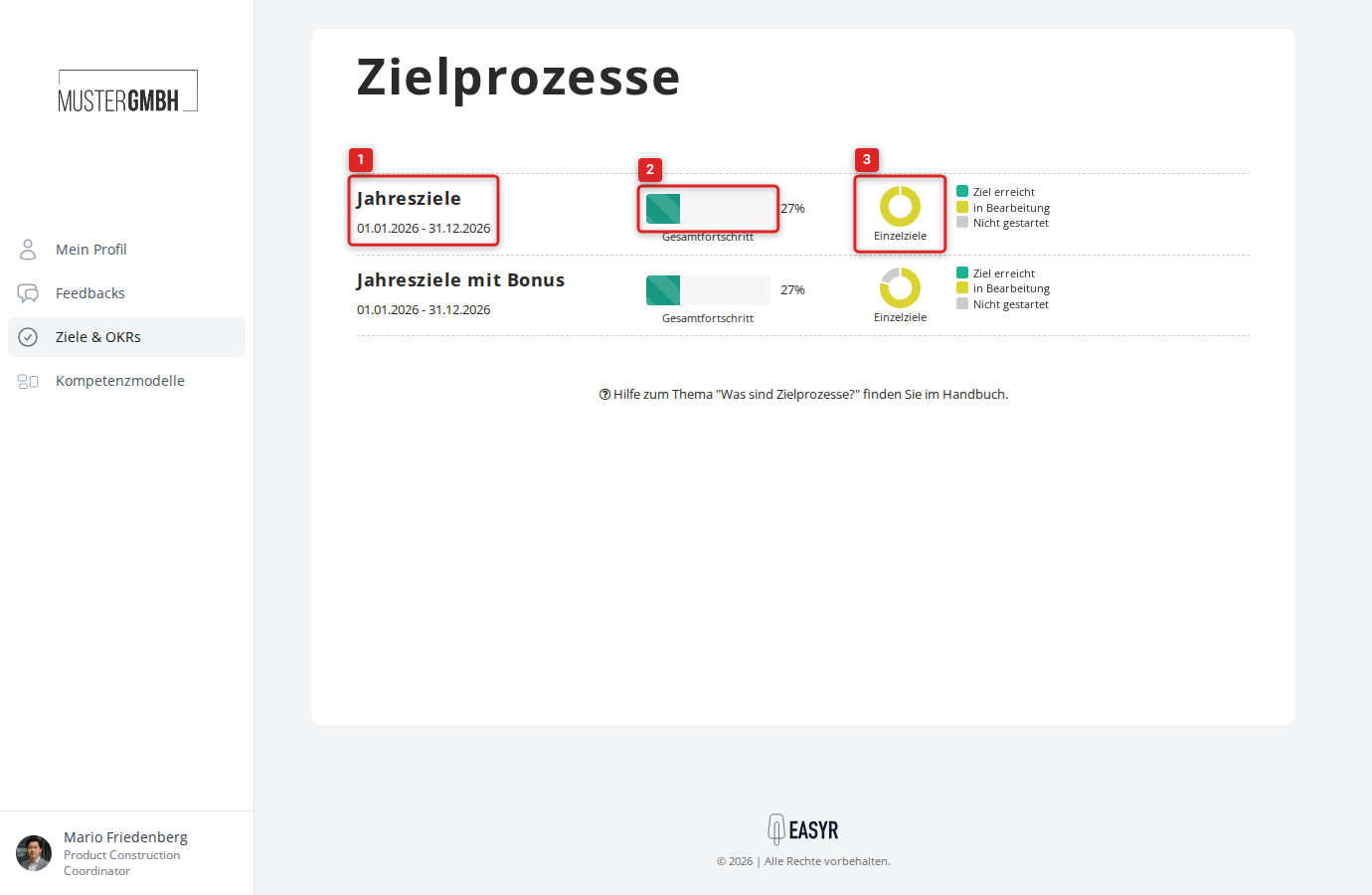
For each process the overview shows:
- Title: The name of the process (for example “Annual goals”). Clicking the title opens the status page of the current edition.
- Period: The start and end date of the edition currently running (for example “01/01/2025 – 12/31/2025”).
- Overall progress: A progress bar with a percentage. It shows the average progress of all target agreements in the current edition.
- Individual goals: A doughnut chart with the distribution of target agreements by status:
- Goal reached (green): progress at 100% or higher
- In progress (yellow): progress between 0% and 100%
- Not started (gray): no progress recorded yet
Admin dropdown
Users with HR access see the Admin button to the right of each process. It gives you:
- Settings: Opens the process configuration page (title, editions, visibility, permissions and custom fields).
- Delete: Removes the process along with all its editions and target agreements.
Create a new process
Users with HR access can create a new process via the Create category button in the top right. For a full walkthrough, see Create a target agreement process.
Open a process
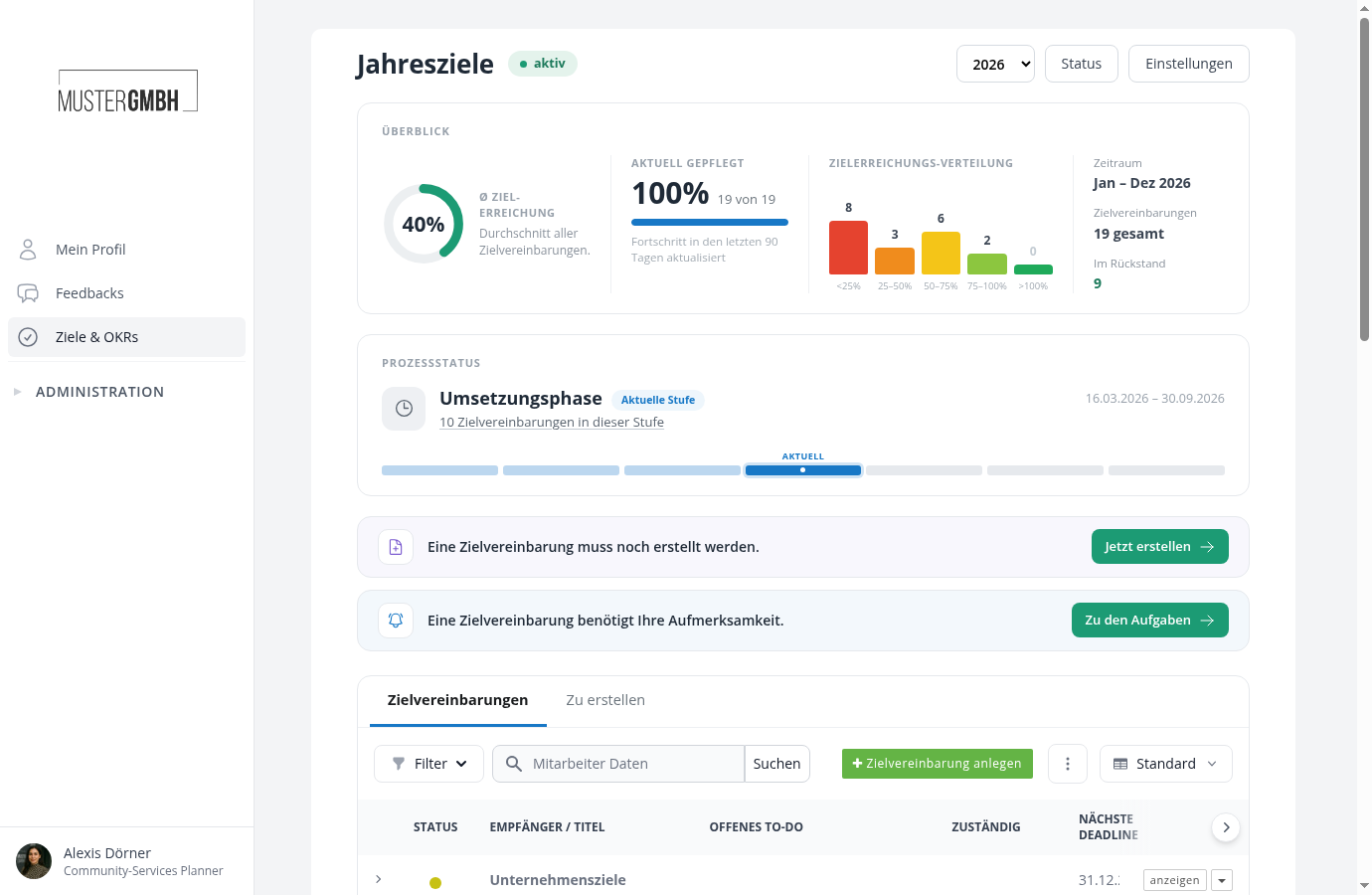
Click a process title to open the status page of the current edition. There you see:
- The overall progress of the edition
- The status of the edition (active, not yet started or ended)
- The list of all target agreements with progress, recipient and deadlines
- A dropdown for switching between editions
For more on the status page, see Target agreements overview.
Who sees which processes?
Visibility depends on your role:
- HR employees: See all processes in the company.
- Executive Management (CEO): See all processes in the company, but can’t create or edit them.
- Supervisors: See processes in which their employees have target agreements.
- Employees: See only processes in which they themselves have a target agreement.
Processes without any target agreements are visible only to HR employees and Executive Management.