Weighted intermediate goals
Not every intermediate goal matters equally to an employee’s overall success. To reflect that in a target agreement, you can weight the intermediate goals and pin down priorities exactly.
Weighting works with a numeric factor. By default every intermediate goal has a factor of 1 and so counts equally. A single goal’s influence is its weighting factor as a share of the sum of all weighting factors in its goal group.
A weighting example
A target agreement has 3 intermediate goals:
- Goal A is weighted with a factor of 1
- Goal B is weighted with a factor of 2
- Goal C is weighted with a factor of 7
The sum of all weighting factors is 10 (1 + 2 + 7 = 10).
So the intermediate goals contribute to overall achievement as follows:
- Goal A: 10% (
1 / 10 = 0.1 → 10%) - Goal B: 20% (
2 / 10 = 0.2 → 20%) - Goal C: 70% (
7 / 10 = 0.7 → 70%)
Set the weighting
To set the weighting of the intermediate goals:
- Create a target agreement or edit an existing one.
- Scroll to the Intermediate Goals section. There you see every intermediate goal as a card, one below the other.
- Each card has a Weight row with an input field and a scales icon. To the right of the field, the goal’s current share within its group is shown.
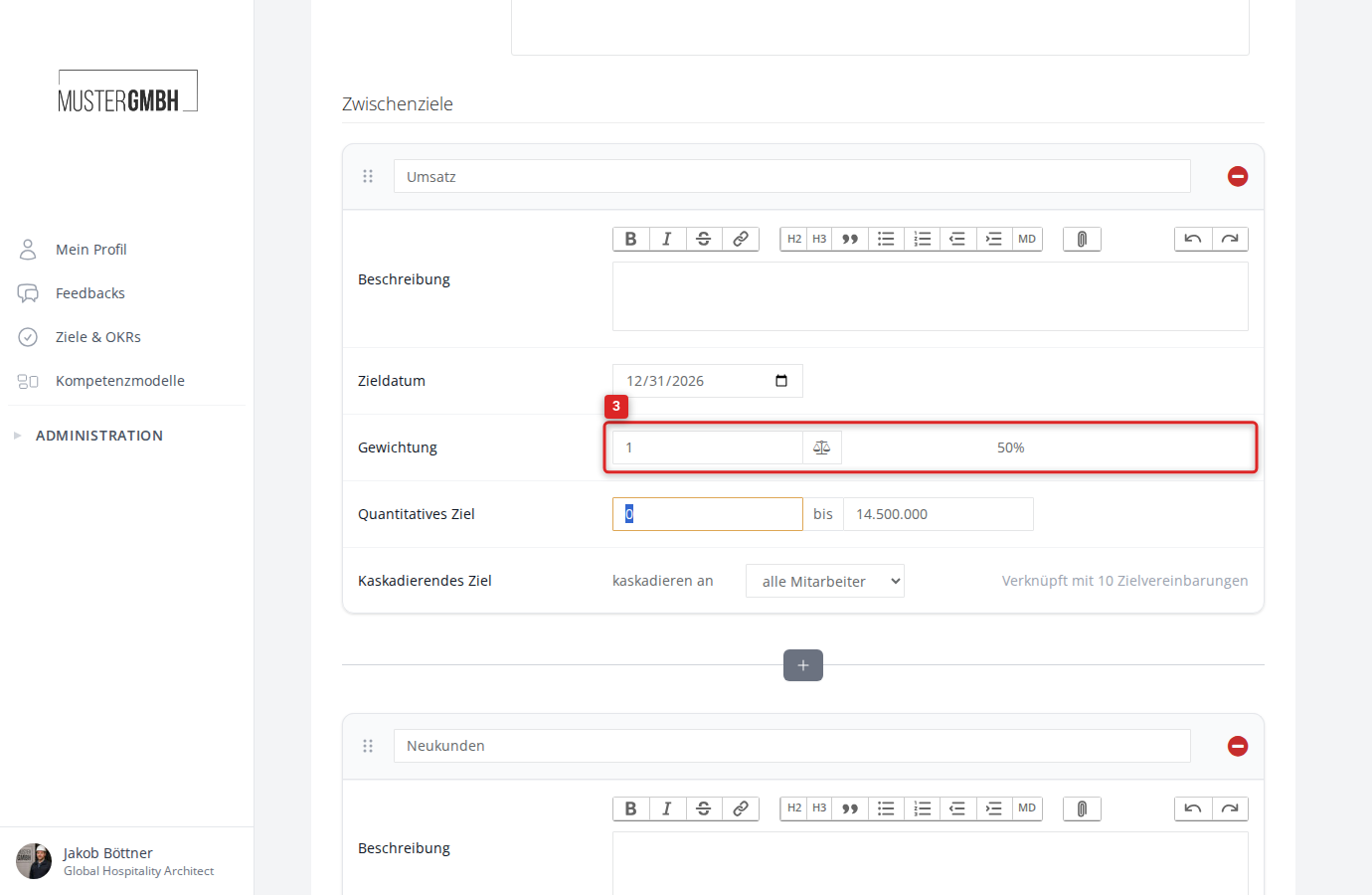
- Enter the weighting factor you want as a whole number. The percentage next to the field updates immediately.
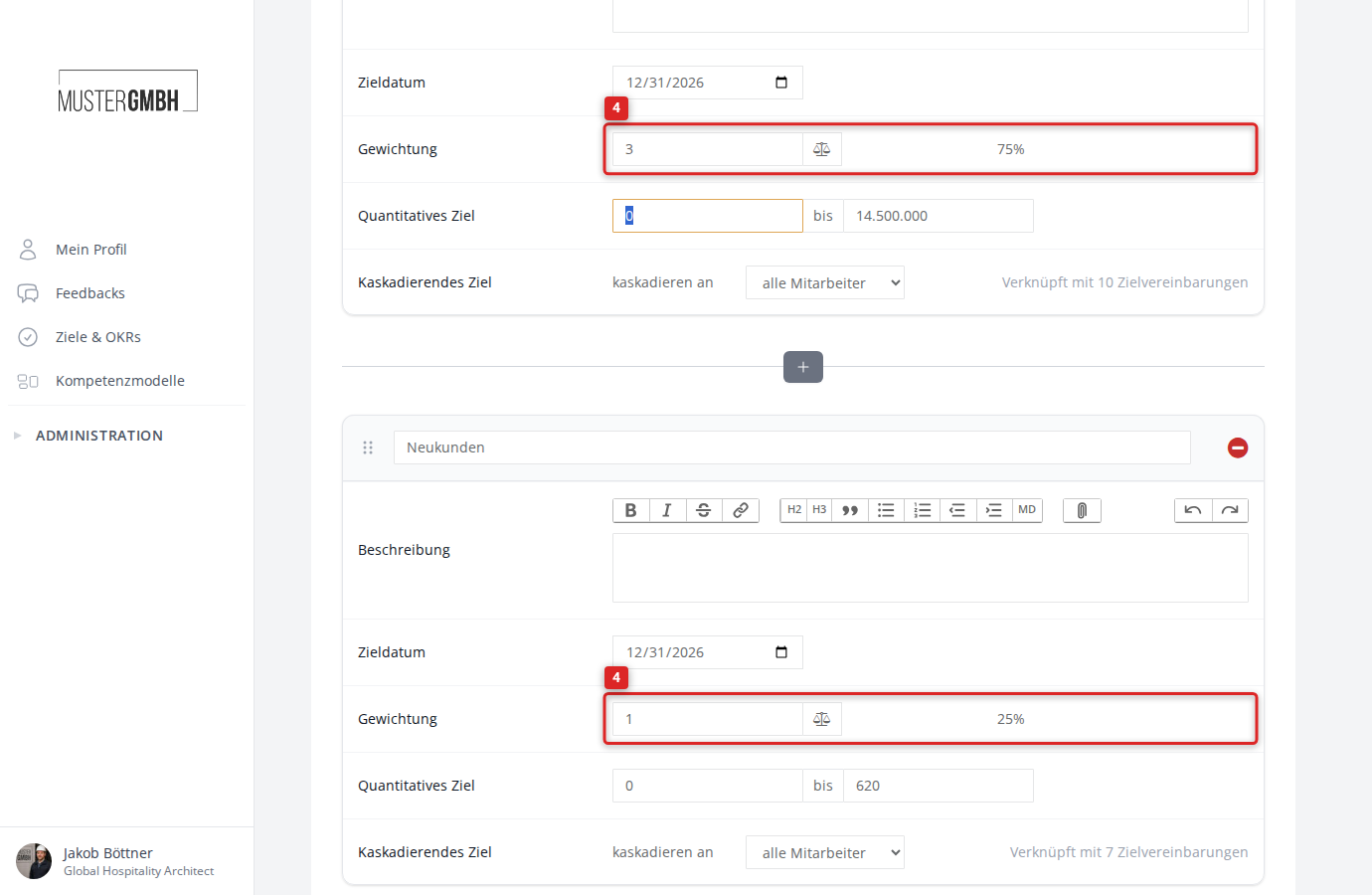
- Repeat step 4 for every intermediate goal.
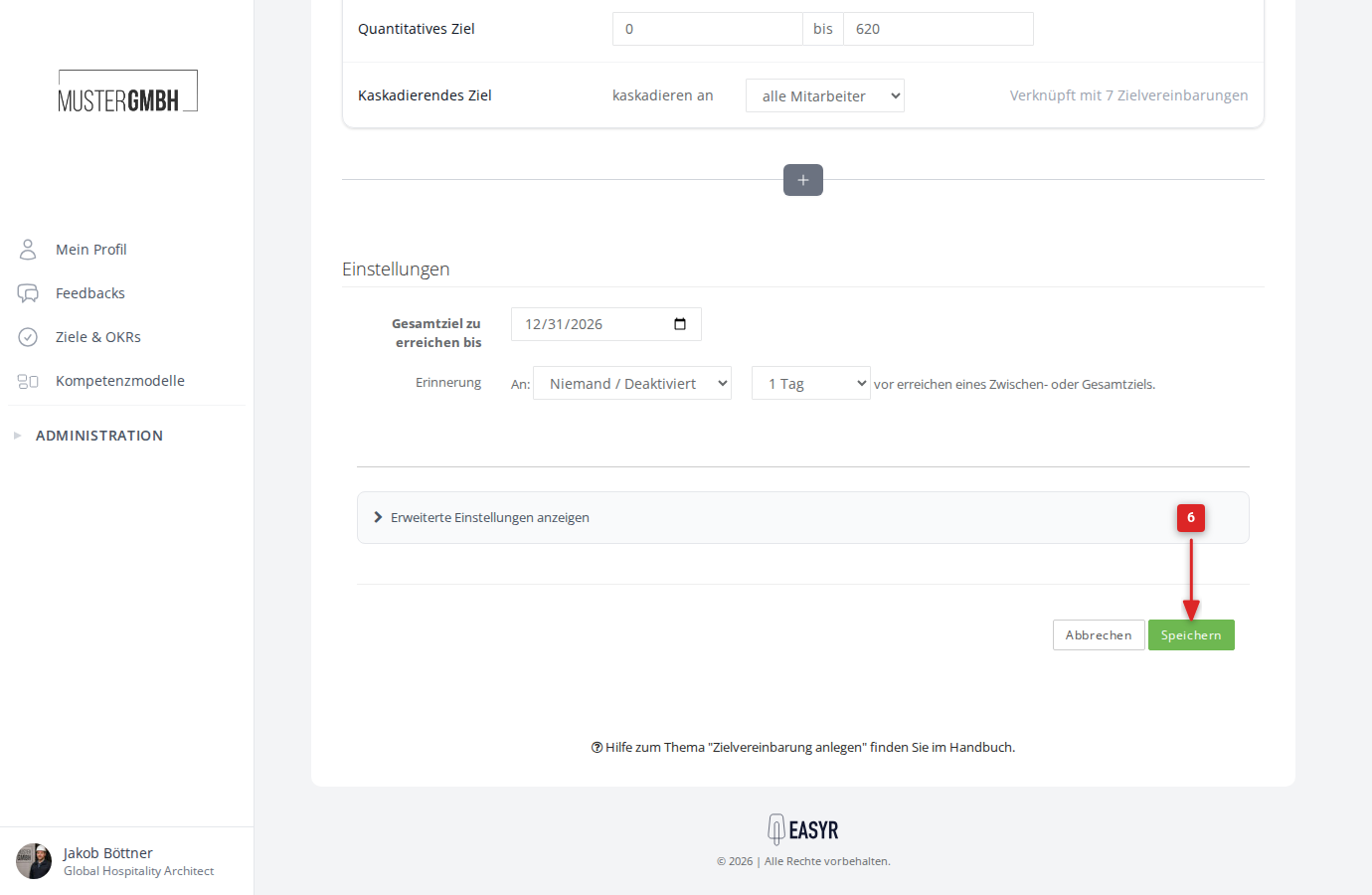
- Click Save at the bottom of the form.
How the weighting is shown
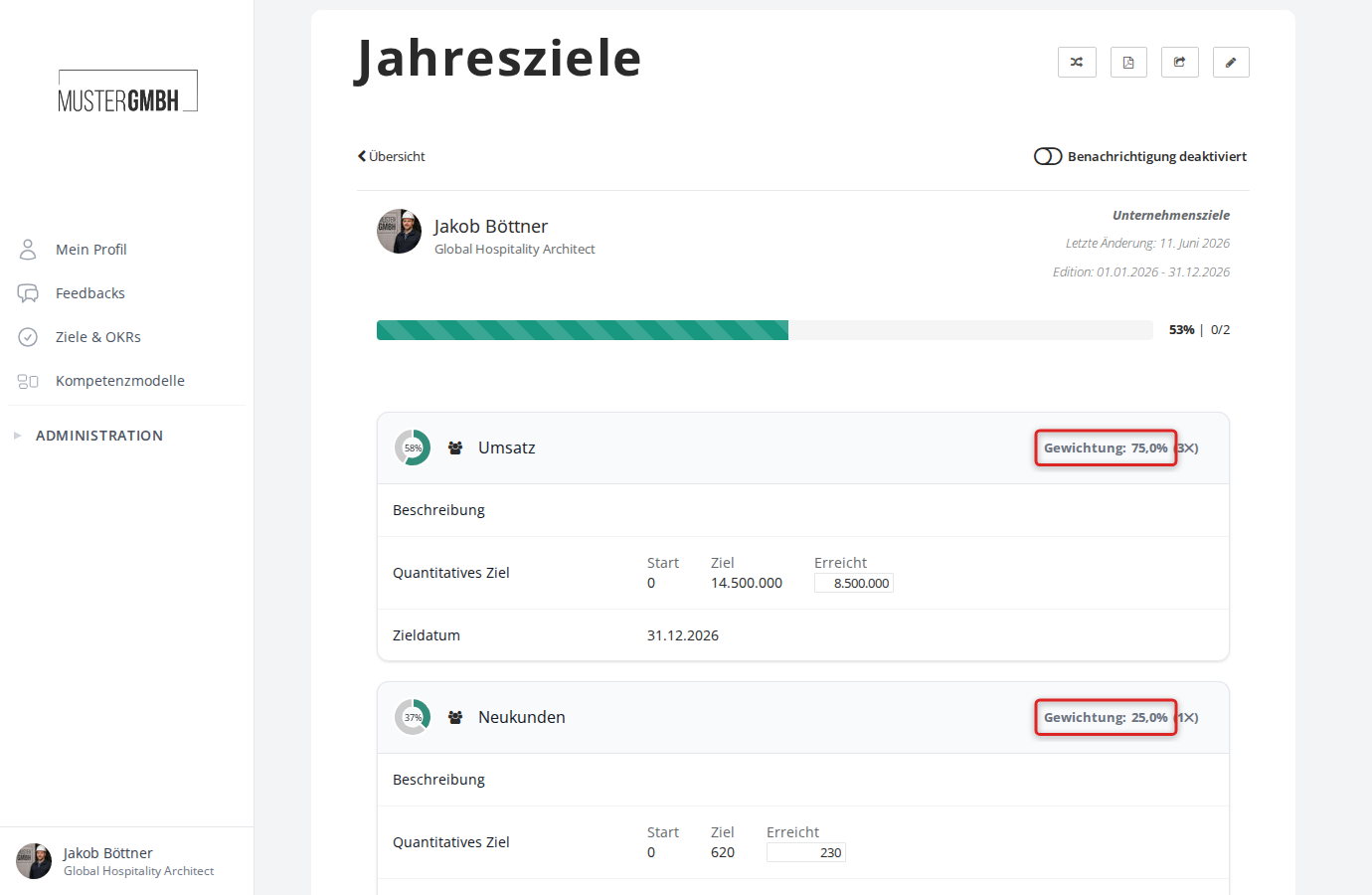
After you save, the weighting appears on the right of every goal card header in the format Weight: XX% (Y✕): the share within the group and the factor.
Cascaded and centrally managed goals also carry a weight in the target agreement they are linked to. They count in the group of their original goal.
Effect on overall progress
The weighting feeds straight into the target agreement’s overall progress. easyreview calculates progress as a weighted average of all intermediate goals. With goal groups, the progress per group is calculated first and then combined with the group’s share.
Example with two quantified intermediate goals:
- Revenue (weight 3, i.e. 75%): 60% achieved
- New customers (weight 1, i.e. 25%): 40% achieved
Overall progress works out as: (60% × 0.75) + (40% × 0.25) = 45% + 10% = 55%
Without weighting (both factor 1) it would be: (60% + 40%) / 2 = 50%