Prepare a target agreement in the questionnaire
With the “Objectives preparation” question, employees and supervisors propose the goals for the next cycle right inside the questionnaire. As soon as the review is sealed, easyreview creates a target agreement from the proposals in the linked target agreement process. Nobody has to type the goals in again afterwards.
The question shows the goal groups of the linked edition as sections. Which groups appear and which fields participants fill in is configured in the question. The rules per group (number of goals, quantification, option lists) come from the goal settings of the edition.
When the target agreement is created
The target agreement is only created once the sealing of the review is confirmed. Until the review is sealed, the proposals remain answers in the questionnaire. If sealing is not enabled in the review process, no target agreement is created.
At sealing, the following happens:
- easyreview creates a new target agreement for the reviewee in the linked edition. The reviewee is both recipient and creator, and the target date is the end date of the edition.
- Every proposed goal becomes an intermediate goal in its goal group, with the weight, quantification, and enabled fields from the questionnaire.
- Without “Selection and approval by moderator”, easyreview takes over the proposals of all completed participations. With the selection, only the proposals the moderator checked end up in the target agreement.
- The descriptions of all participations taken over are joined into the description of the target agreement.
- If the edition is weighted per target agreement, the proposed group factors are taken over as well: without the moderator selection the proposal of the first participation, with it the proposal chosen per group.
- Centrally managed goals of the edition are linked just as for any other target agreement.
If the questionnaire contains several preparation questions for the same target agreement process, all proposals end up in one shared target agreement.
Add the question
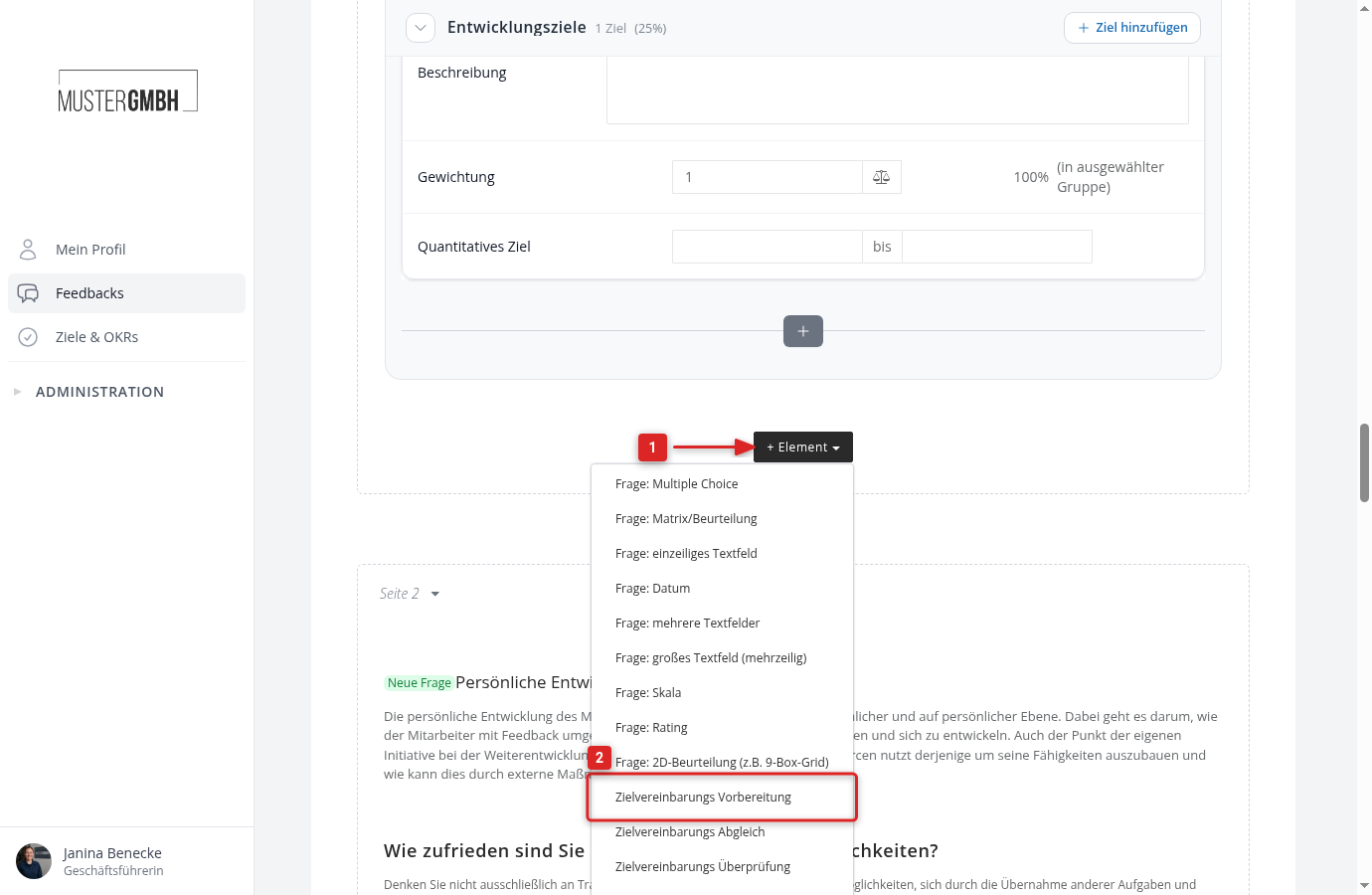
- In the questionnaire editor, click ”+ Element”.
- Click “Objectives preparation”.
Configure the question
Besides the title, the configuration form has three areas.
Form elements
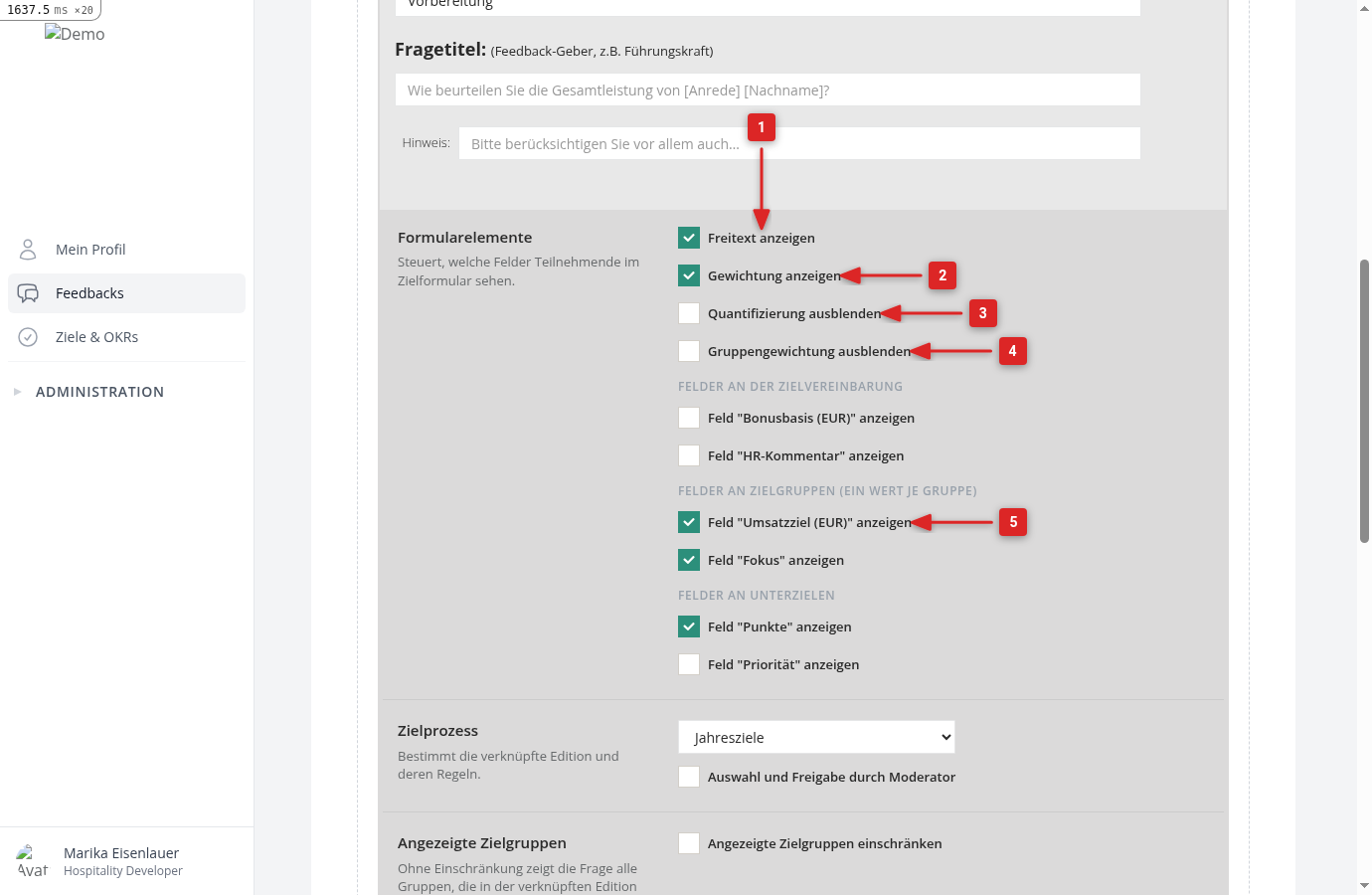
Here you define which fields participants see per goal.
- Show description: a text field above the goals, for example for a preface or an assessment. The text becomes the description of the target agreement.
- Show weights: participants enter a weighting factor per goal, see Weighted intermediate goals.
- Hide quantification: hides the starting and target value even if the goal settings of the group allow quantification.
- Hide group weights: only appears if the target agreement process has an edition weighted per target agreement. In such editions, participants propose the group factors along with their goals. With the checkbox, the factor fields stay hidden and the target agreement starts with the edition’s default factors.
- Display field ”…”: one checkbox per custom field of the selected target agreement process, grouped by level: fields on the target agreement, fields on goal groups, and fields on intermediate goals. Enabled fields appear in the questionnaire and are taken over into the target agreement; a field on a goal group sits at the top of that group’s section and gets one value per group. Fields that only HR may edit stay locked for other participants.
Objective’s category
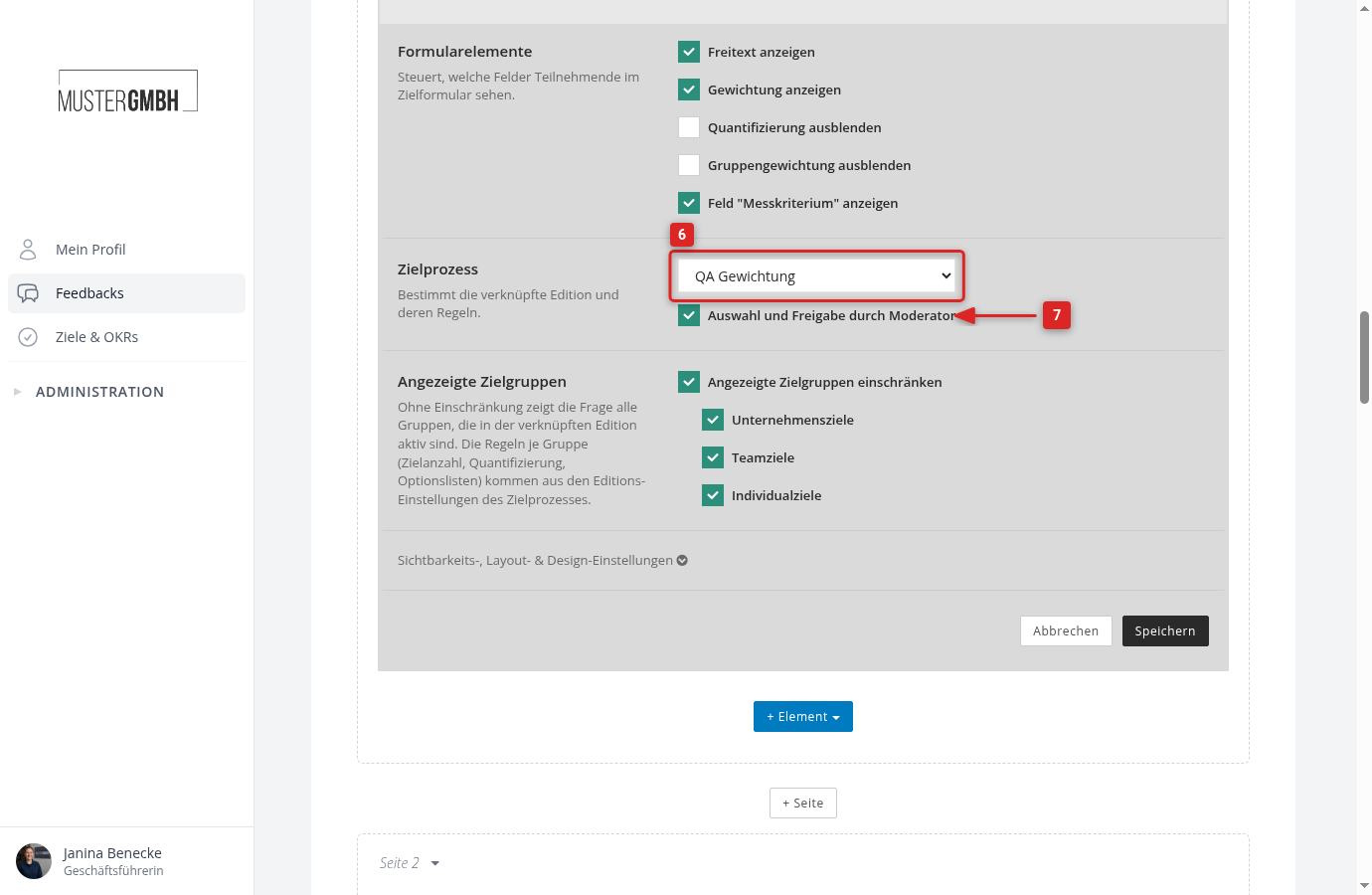
- Objective’s category: choose the target agreement process in which the target agreements should be created. The process determines the linked edition and with it all rules per goal group.
- Selection and approval by moderator: when enabled, the moderator decides on the results page which proposals go into the target agreement. Without this setting, all proposals are taken over.
Displayed goal groups
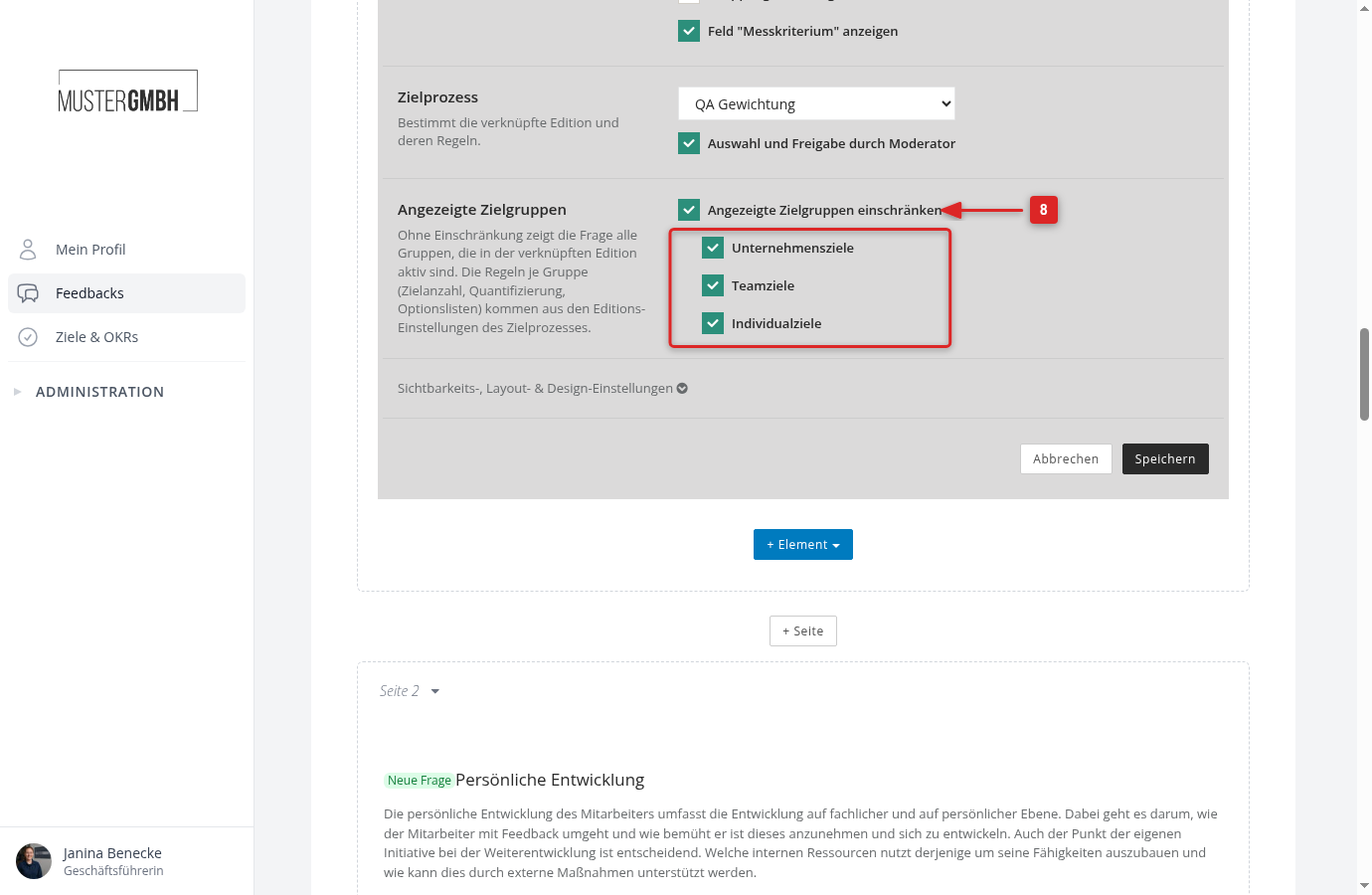
This area only appears if the selected target agreement process has goal groups. Without a restriction, the question shows every group that is active in the linked edition.
- Enable Restrict the displayed goal groups and check the groups that should appear in the questionnaire. At least one group must be selected.
Click “Save” to apply the question.
Link the edition
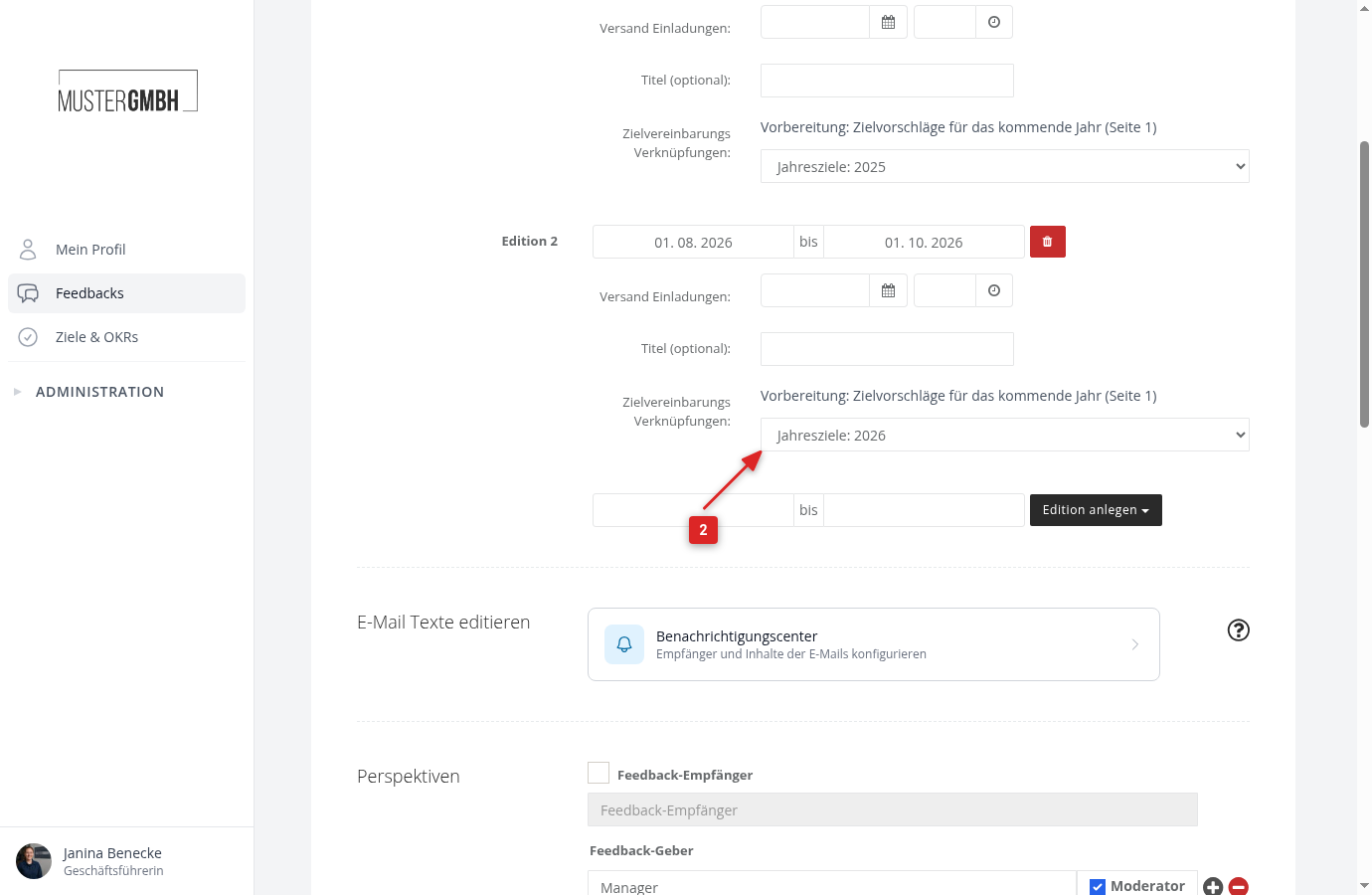
Every review edition is linked to an edition of the target agreement process. Without your own selection, easyreview uses the next upcoming edition of the process, otherwise the current one. Check the link before the review starts:
- Open the settings of the review process, click the ⋮ menu next to the edition in the “Editions” card and then “Edit”. You find further editions under “All editions”.
- In the dialog, under “Linked target agreement”, select the edition of the target agreement process next to “Preparation: …”.
- Click “Save”.
What participants see
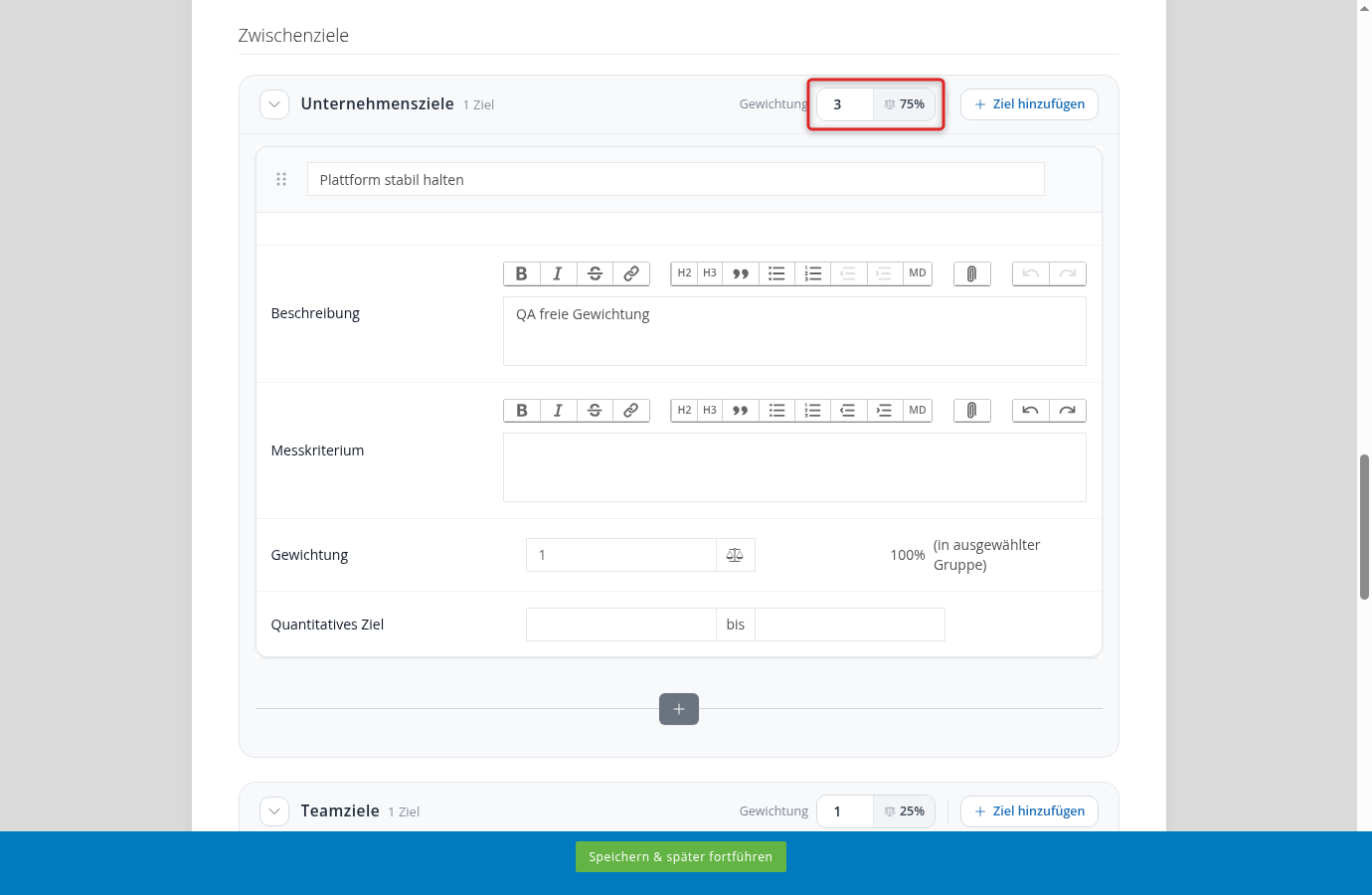
Participants see one section per displayed goal group, with the goal counter and the “Add goal” button. Each group starts with as many empty goal cards as the goal settings of the edition define as the default. Every goal has a title and a description, plus, depending on the settings, the weight, the starting and target value, and the enabled fields.
If the edition is weighted per target agreement, the header of every section carries the “Weighting” field with the group’s factor and the share it yields. Participants use it to propose how much each group should count.
Every participation makes its own proposals. In a 360° feedback, reviewers do not see each other’s proposals in the questionnaire, only on the results page.
View results and select proposals
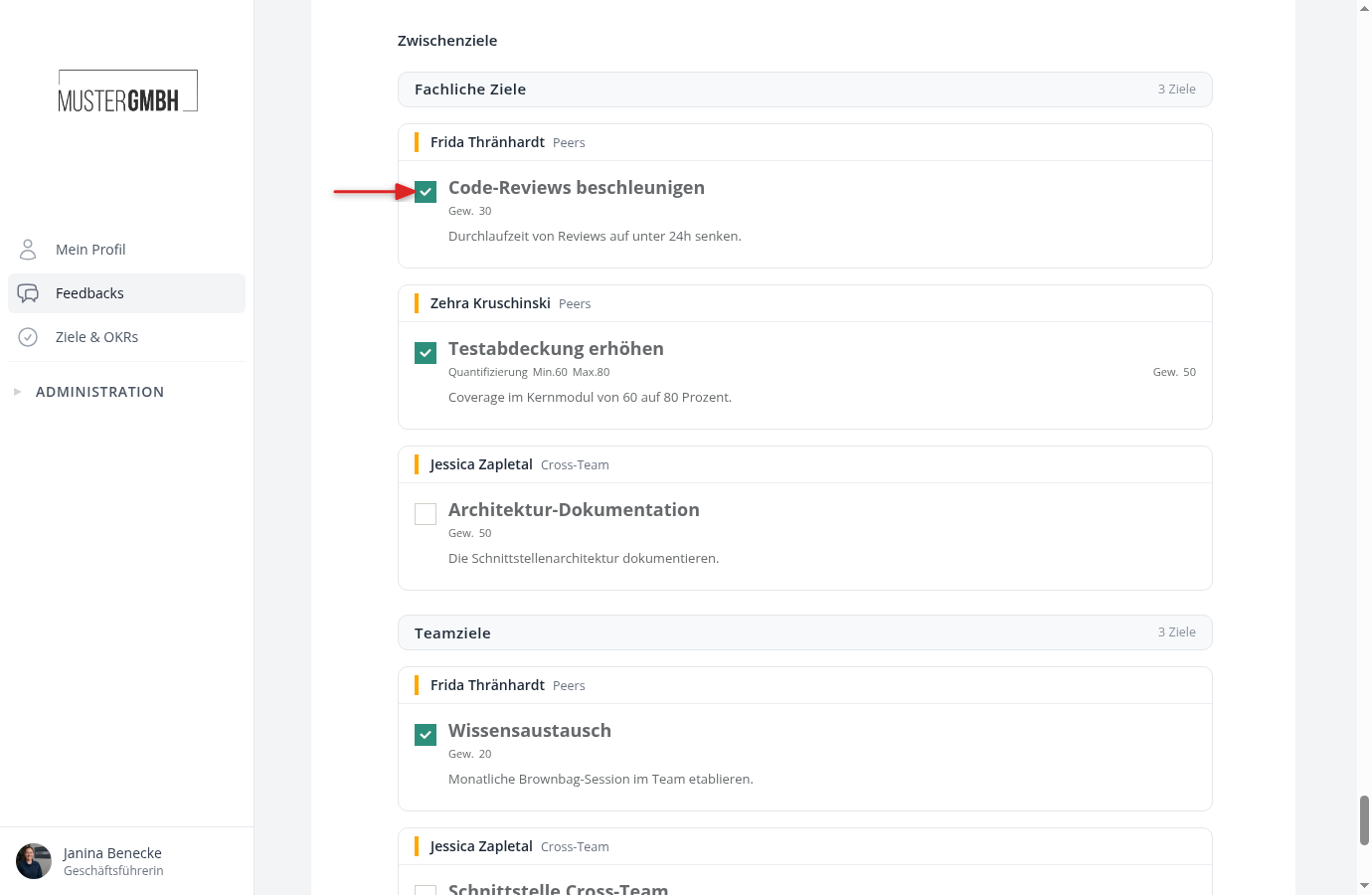
On the results page, the proposals of each participation sit side by side, or one below the other with more than two participations. The goals are grouped by goal group, and each group shows the number of proposals. Above them are the descriptions and the agreement fields.
If “Selection and approval by moderator” is enabled, every proposal has a checkbox. Check what should be taken over into the target agreement. The selection covers descriptions, fields, and individual goals and is saved immediately.
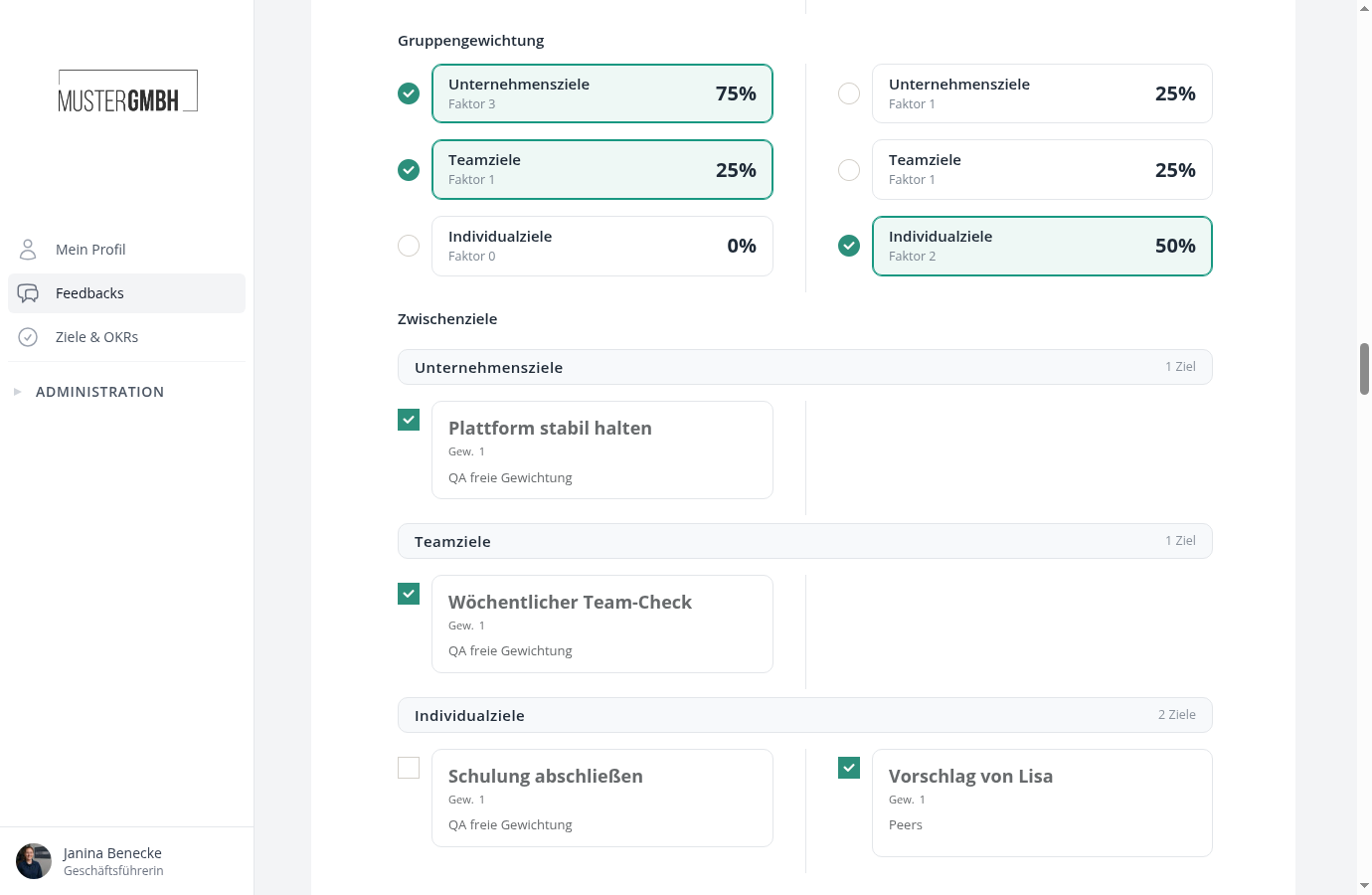
In an edition weighted per target agreement, the “Group weights” block shows the factors each participation proposed, with the share they yield. Per goal group you choose exactly one proposal; the chosen card is marked green. Without a choice, the proposal of the first participation applies.
Moderators, the reviewee’s supervisor, and HR may select, as long as the review is not sealed. If several people have selected, all checked proposals are taken over.
After sealing
You find the new target agreement in the overview of the target agreement process and on the reviewee’s profile. It can be edited like any other target agreement, provided the process allows it.