Remove a participant from a 360° feedback
Removing participants from a 360° feedback permanently deletes all of the affected participants’ answers so far.
Remove individual participants
To remove individual feedback givers from a review group:
- In the sidebar, click Feedbacks.
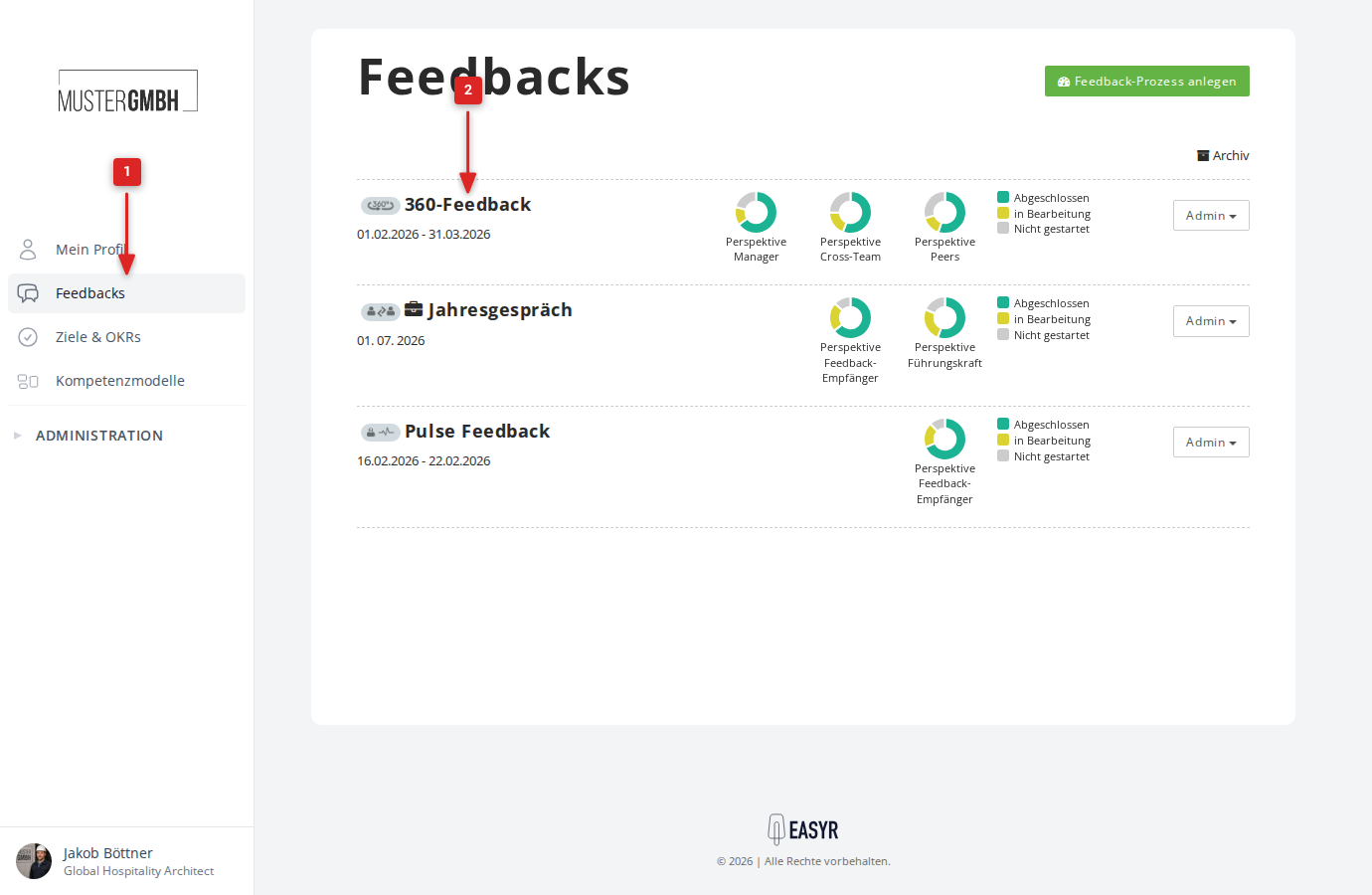
- Click the 360° feedback you want to open the edition.
- Switch to the Invitations tab. You see the list of all feedback recipients with their feedback givers.
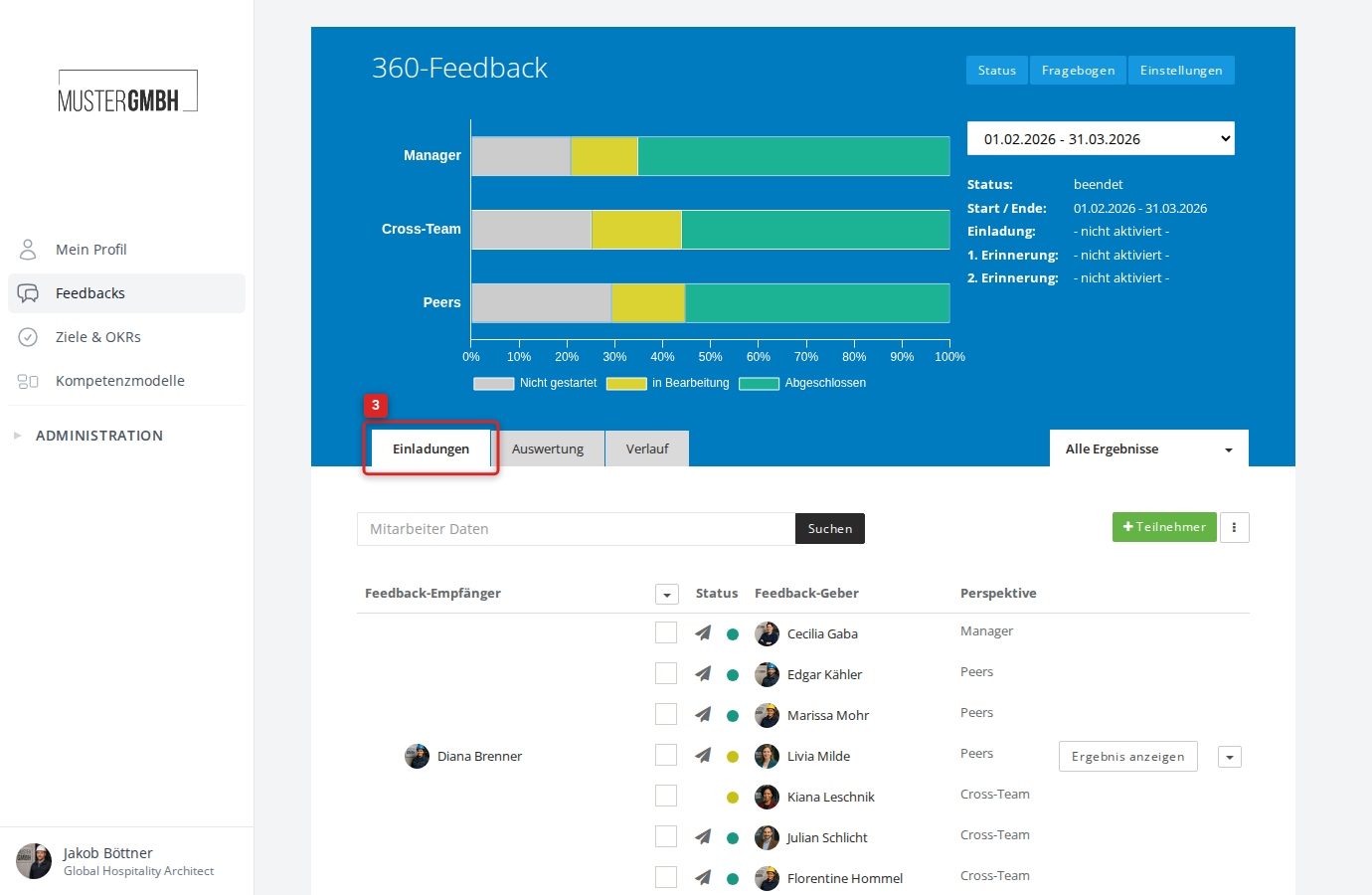
- Tick the checkboxes for the participants you want to remove.
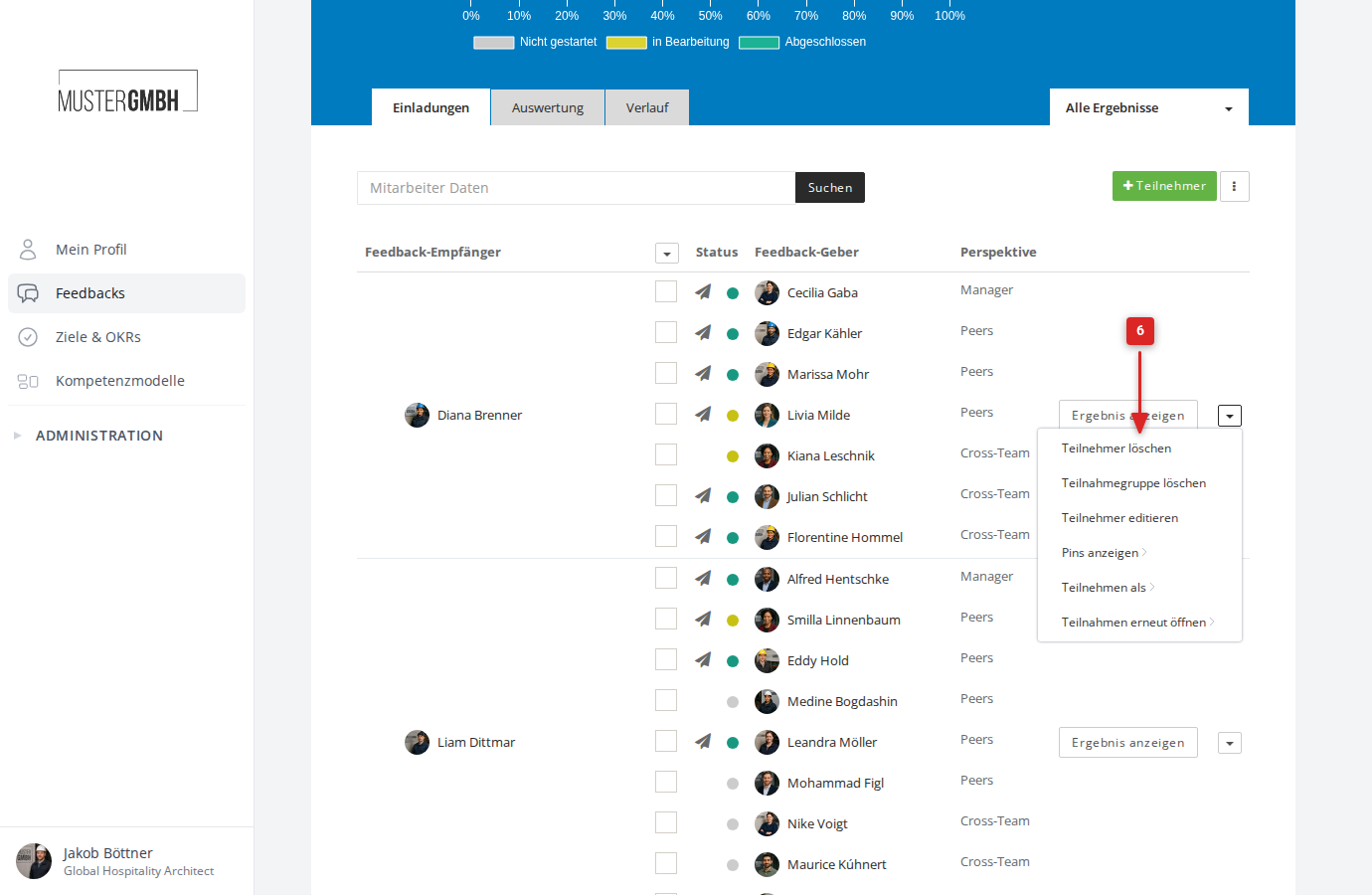
- Click the small arrow next to Show review on the matching feedback recipient. A dropdown menu opens.
- Click Remove participants.
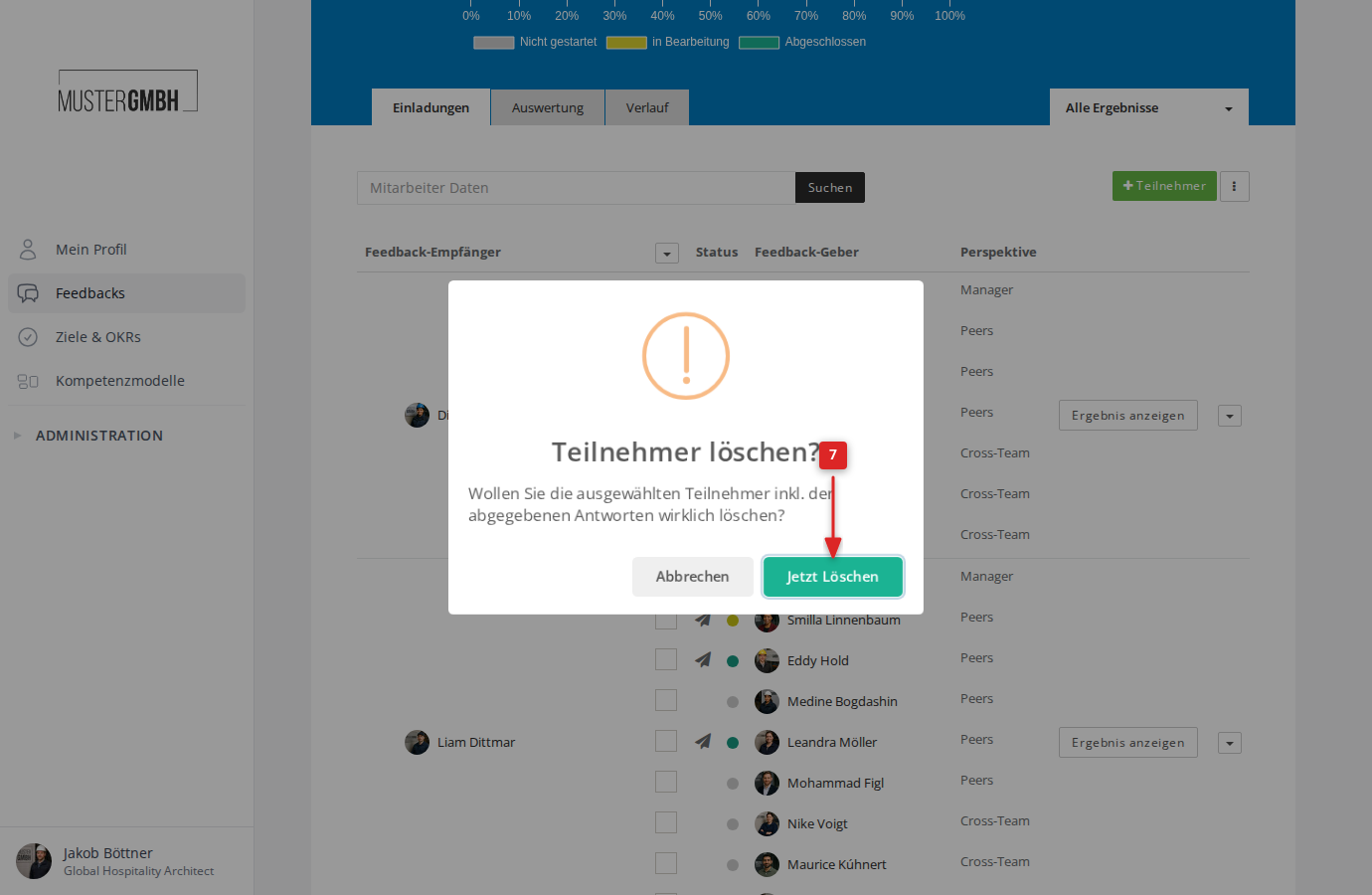
- A confirmation dialog appears. Click Remove now to confirm.
A message at the top of the screen confirms the removal.
Remove a whole review group
You can also remove a complete review group (the feedback recipient with all their feedback givers) at once. In the same dropdown menu, click Remove review group instead of “Remove participants”.