What are participation PINs?
Participation PINs let employees without an email address take part in feedbacks in easyreview. This is especially helpful in areas like production, workshops or logistics, where many colleagues have no access to their own email inbox.
With participation PINs, you make sure these employees can give feedback and receive a fair assessment too.
How participation PINs are structured
Every participation in a feedback edition is protected by two four-digit numeric codes:
- PIN 1 (four digits)
- PIN 2 (four digits)
The combination of both PINs uniquely identifies one specific participation. If an employee takes part in an edition more than once (for example as the supervisor for several employees), each participation gets its own PIN pair.
Signing in with PINs
Employees without an email address sign in through a dedicated login page reachable at your easyreview address (for example https://company.easy-review.de/pin).
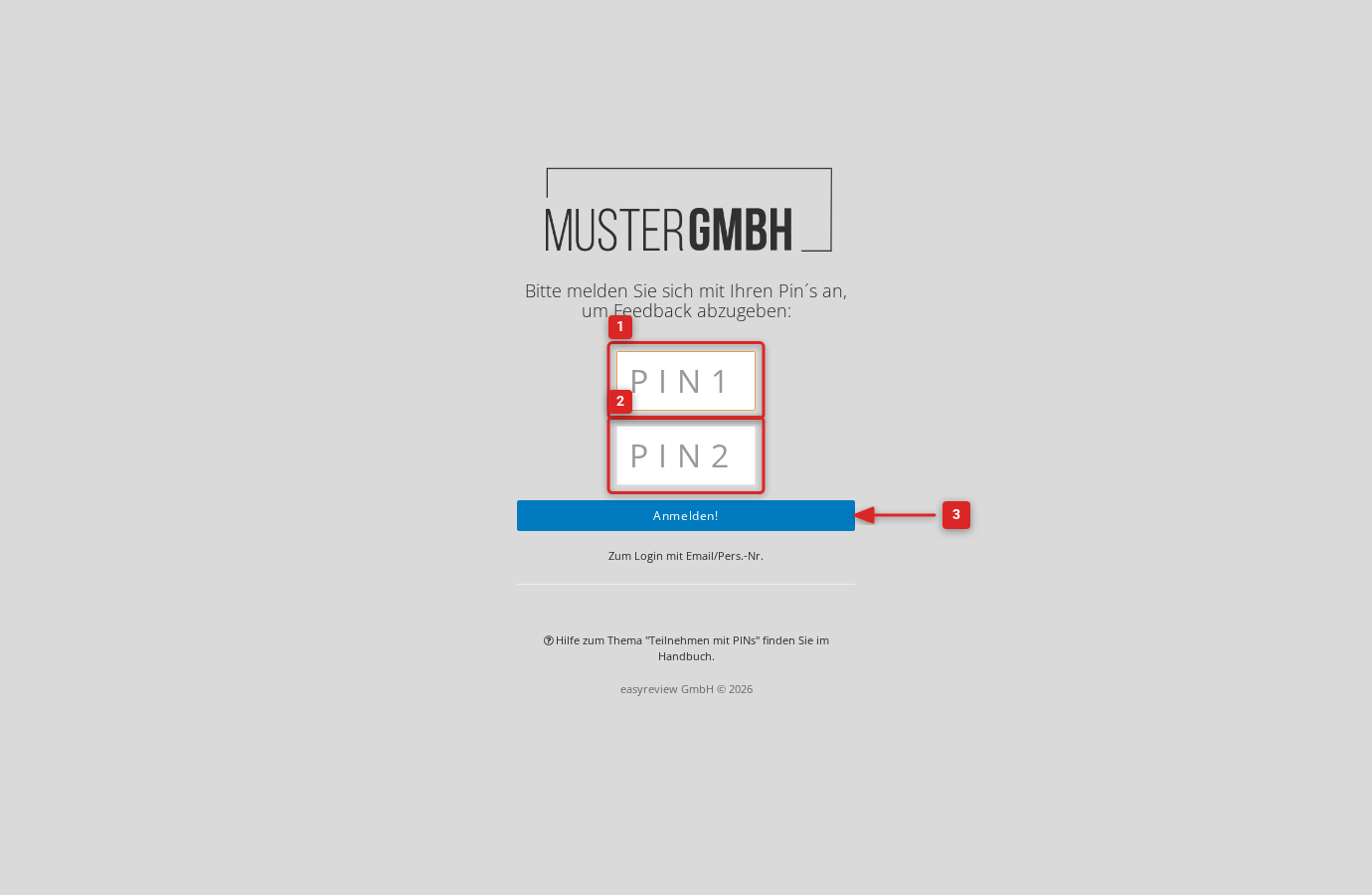
On this page the employee enters PIN 1 and PIN 2 and clicks Submit!. They then go straight to the feedback.
Distributing PINs to employees
HR passes the PINs on to the employees. easyreview offers two download formats for this:
- Mail merge (PDF): one A4 page per participant with all the details, ready to print and hand out.
- List (XLS): all PINs and participation data in table form, for your own mail merges or further digital processing.
You can download either format for all participants, or only for employees without an email address.
You find the download in the feedback edition’s participant list, in the three-dot menu (⋮) to the right of the + Participant button.
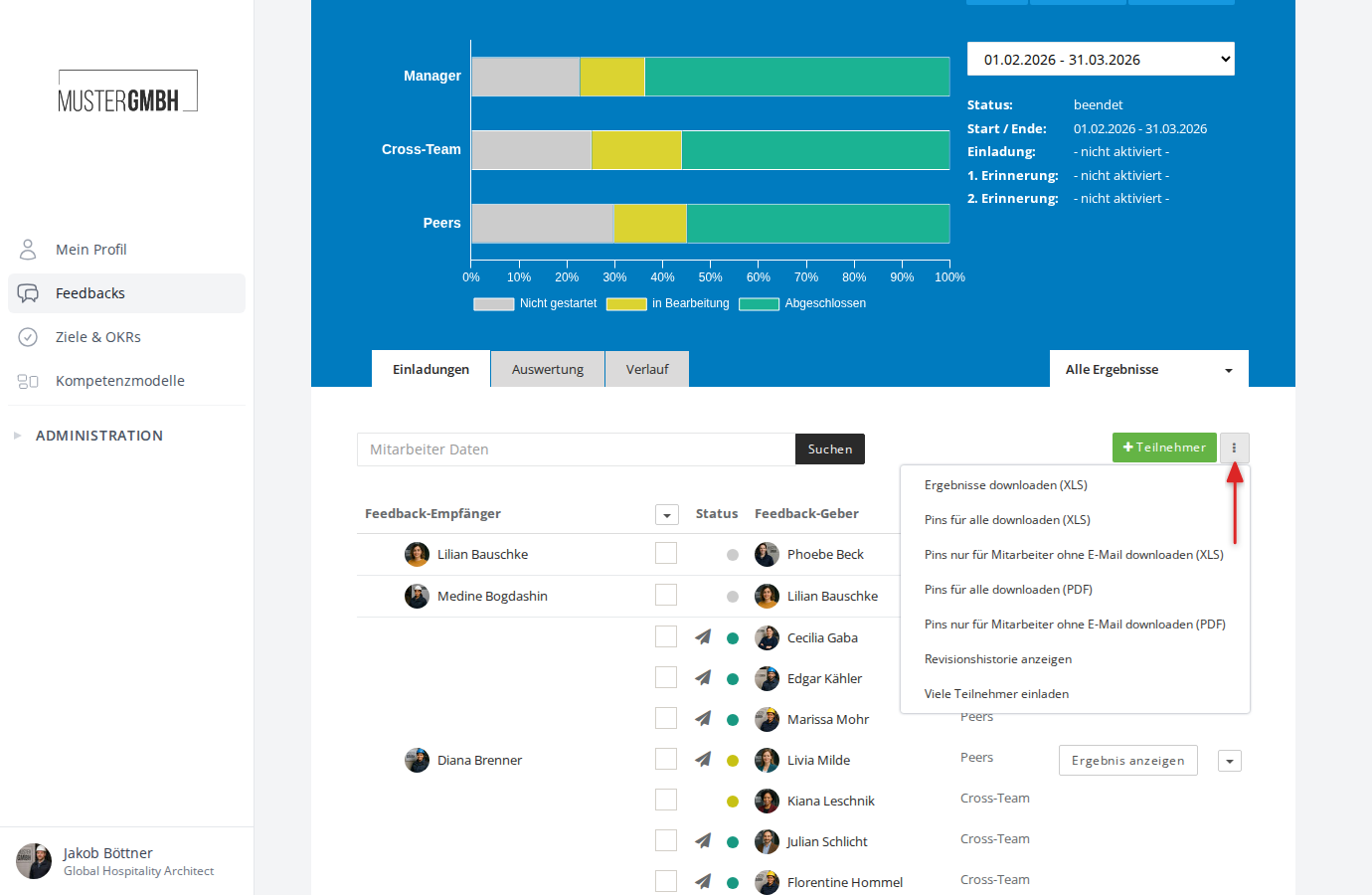
For more detail, see Download participation PINs.
Viewing an individual participant’s PINs
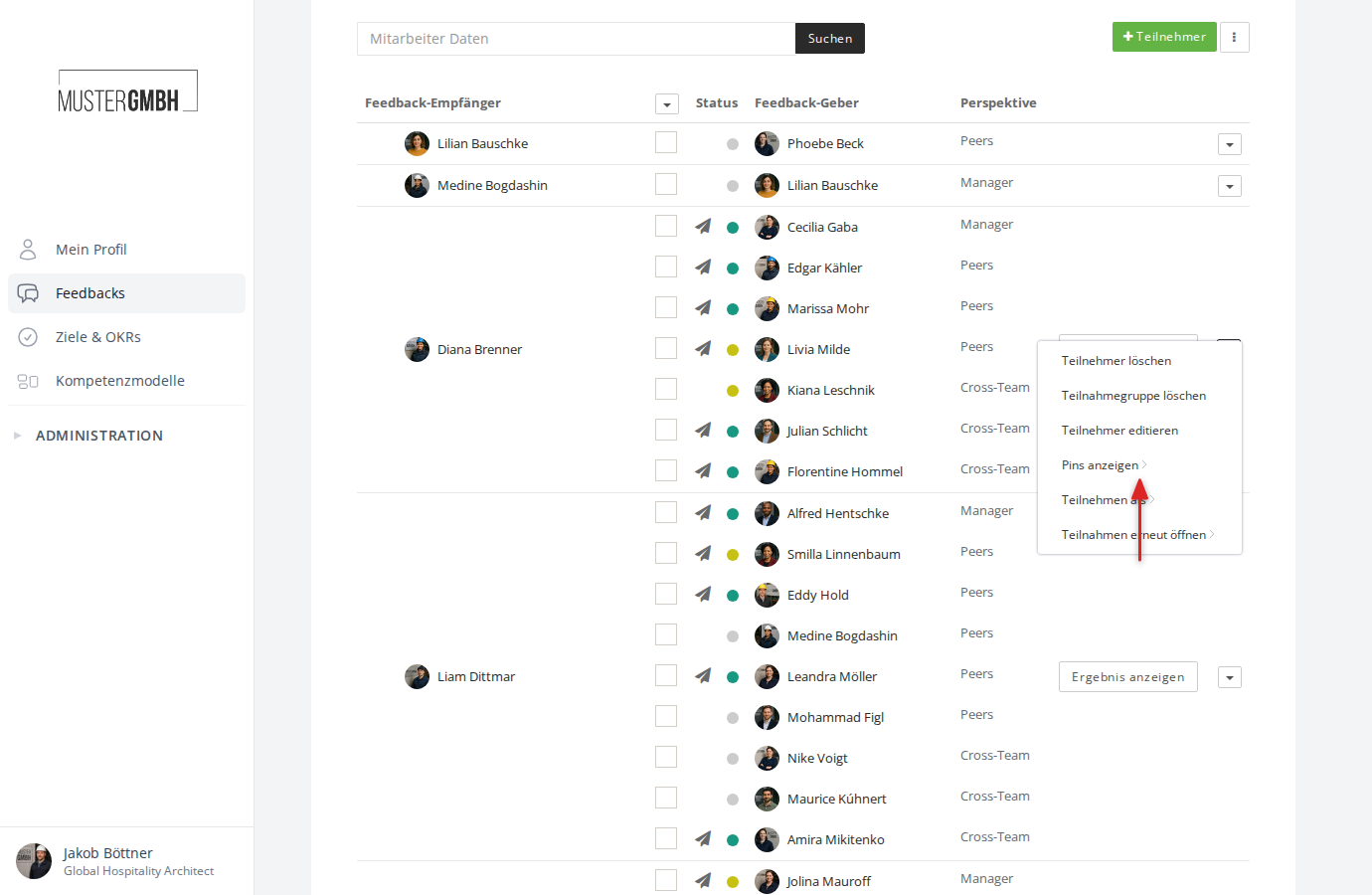
You can view an individual participant’s PINs directly in the participant list. Click the dropdown arrow (▼) at the right edge of a participation group and choose Show Pins. In the submenu, pick the participant you want. A dialog opens showing PIN 1 and PIN 2.
PINs during sealing
Participation PINs can also serve as a confirmation method when sealing a feedback. When a participant confirms sealing by PIN, they enter PIN 1 and PIN 2 instead of a password.
Requirements
Participation PINs are available only when the PIN feature is switched on. Activation happens at two levels:
- Company level: the PIN feature must be enabled for your company.
- Feedback level: the PIN feature must be enabled for the individual feedback process.
Both settings are active by default. If the PIN options do not appear, contact your easyreview representative.