Configure the potential analysis
The potential analysis lets you assign strength values to the closed questions in your questionnaire and turn them into a quantitative evaluation. This page gives you an overview of the configuration options and links to the individual how-tos.
Background: For what the potential analysis is and how the evaluation works, see What is the potential analysis?.
Open the configuration page
- Open the review settings.
- In the “Additional functions” card, click “Set up” in the “Potential analysis” row. If the potential analysis is already set up, the button reads “Edit”.

Overview of the configuration page
The configuration page has four areas:
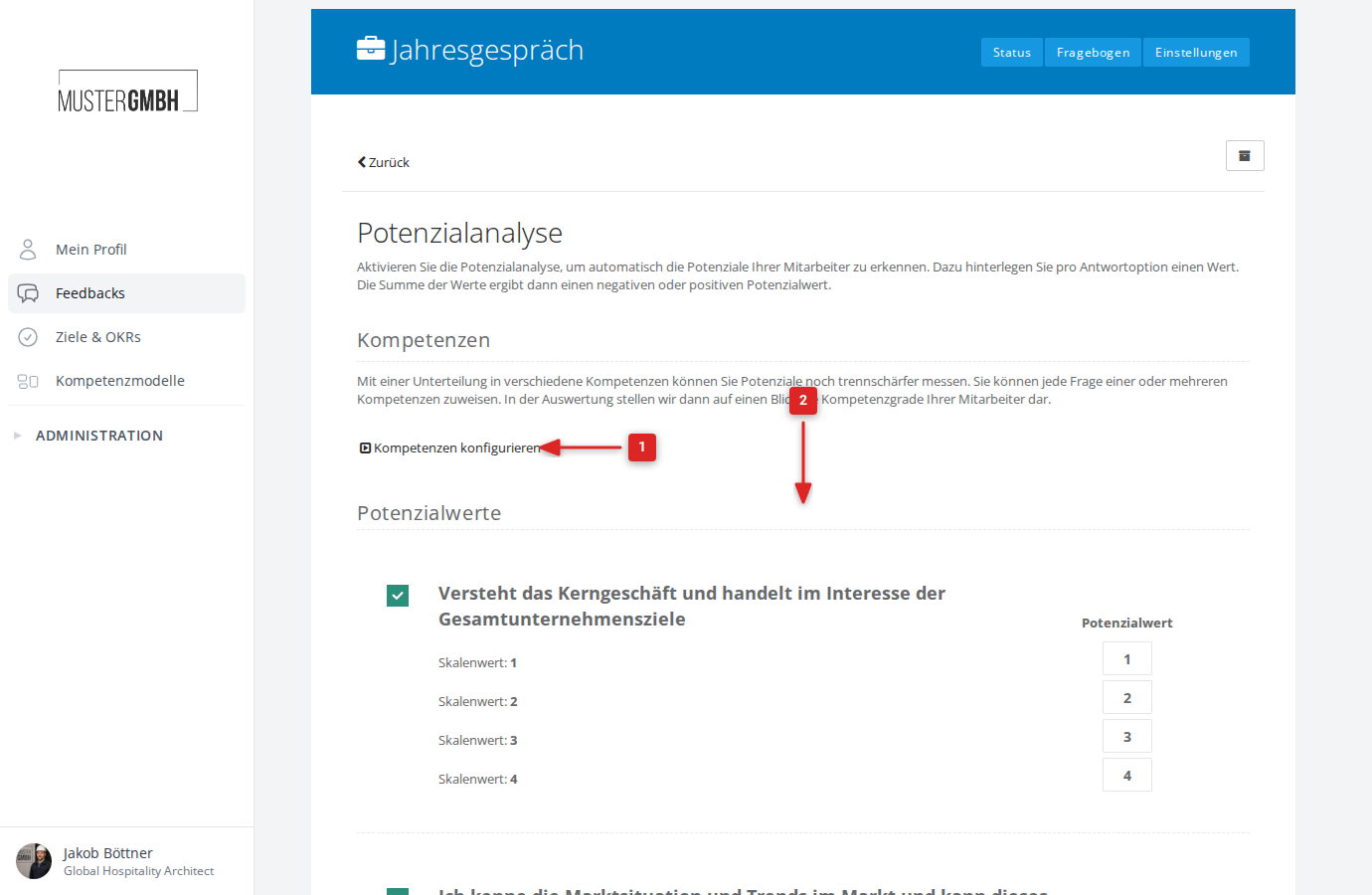
1. Competencies
The competency evaluation lets you sort questions into thematic groups. The results are then shown per competency in the evaluation — for example as a radar chart. Click Show configuration to expand this area.
More information: Add a competency evaluation
2. Potential values
Here you see every closed question in the questionnaire. For each question you can:
- Include or exclude the question from the potential analysis with a checkbox
- Assign a numeric strength value (potential value) to each answer option
The strength values determine how many points a participant earns for a given answer.
New dashboards can also analyze these configured strength values. To analyze a whole feedback round, see Analyze the whole feedback round.
More information:
- Include and exclude questions in the potential analysis
- Configure potential values / strength values
3. Potential rating
At the bottom of the page, under the Potential rating heading, you find five color-coded levels (from red to green). For each level you set:
- A label (for example “Meets expectations”)
- A point range (from … to … points)
The Maximum points in the top right shows the highest total value achievable, so you can spread the levels sensibly across the point range.
More information: Configure potential levels
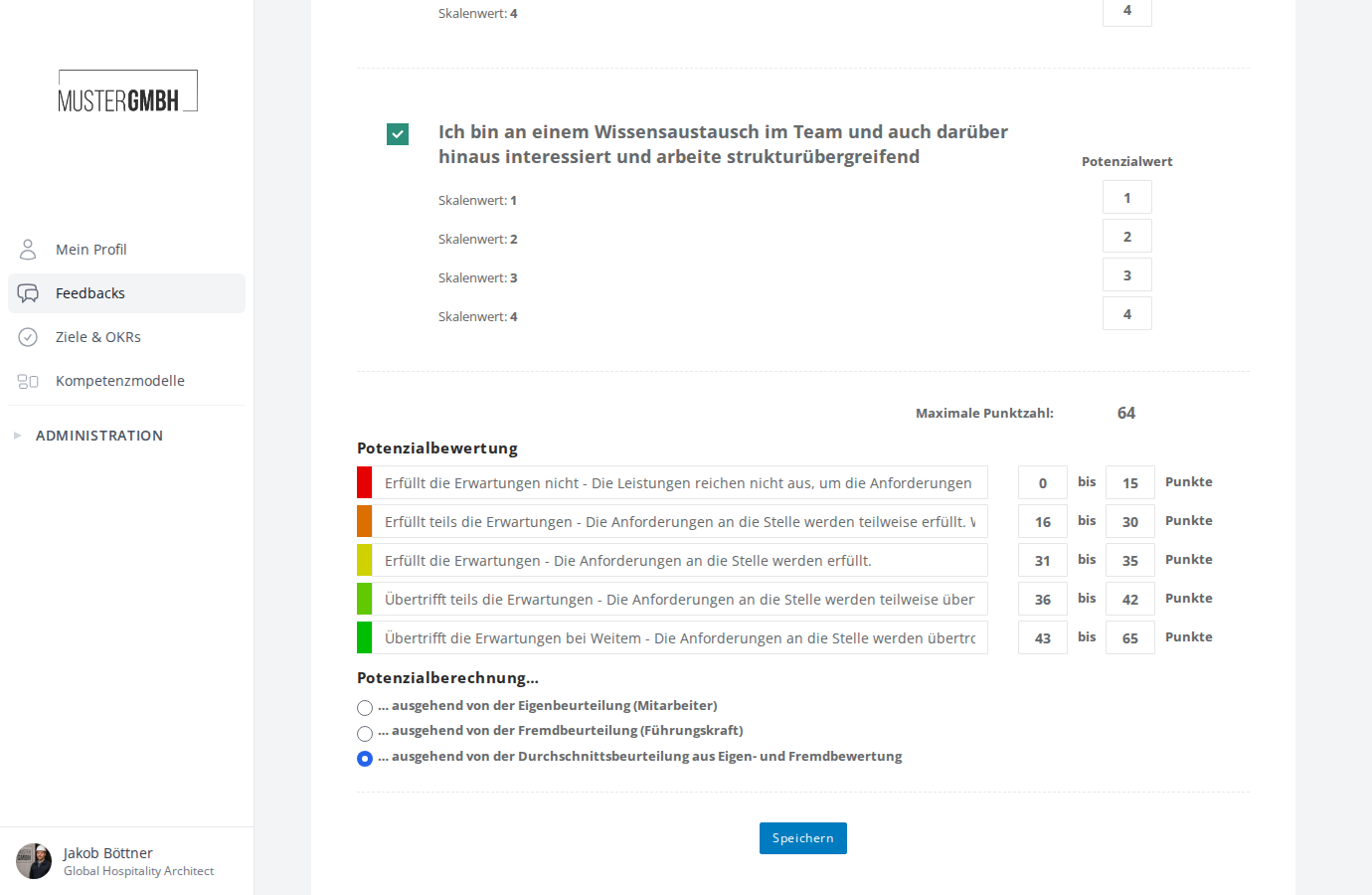
4. Potential calculation
Under the potential rating, you choose the basis for the overall strength value:
- Self-assessment (employee): only the points from the self-assessment
- External assessment (supervisor): only the points from the supervisor’s assessment
- Average assessment: the average of the self- and external assessment
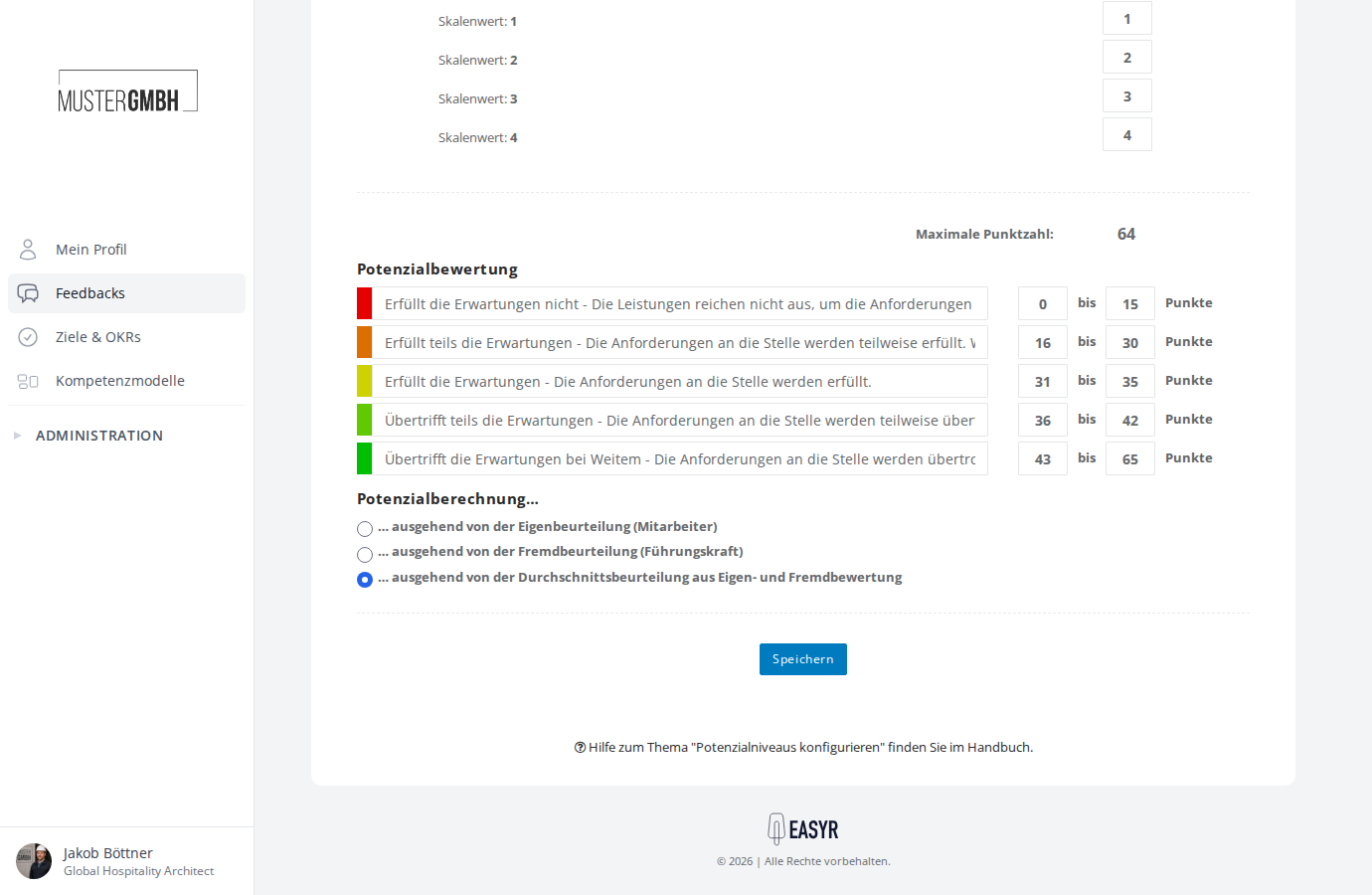
Save changes
After adjusting all settings, click Save at the bottom of the page. easyreview then automatically recalculates the strength values for all existing participations.
Further reading
- What is the potential analysis? — explains the concept and how the potential analysis works
- View the potential analysis — shows where to find the results of the potential analysis after configuration