Ask external people for feedback
A 360º feedback can also include people who don’t work for you: a supplier, a customer, an external coach. They need no easyreview account. They receive an email with a personal link, answer the same questionnaire as everyone else, and see nothing else of the system.
Who you can invite
- Anyone with an email address, regardless of the company they work for.
- You can invite the same person in several participation groups — every invitation is a separate entry.
- An employee’s address is allowed as well. That person then answers as an external feedback provider on top of their own participation, and the two responses stay separate. This only applies when you invite them yourself: through a nomination path, easyreview does not accept the address of an active person with an account.
External people don’t count towards your licensed employees and never show up in any employee list.
Invite an external person
- Open the status page of the review. The participant list is already open there.
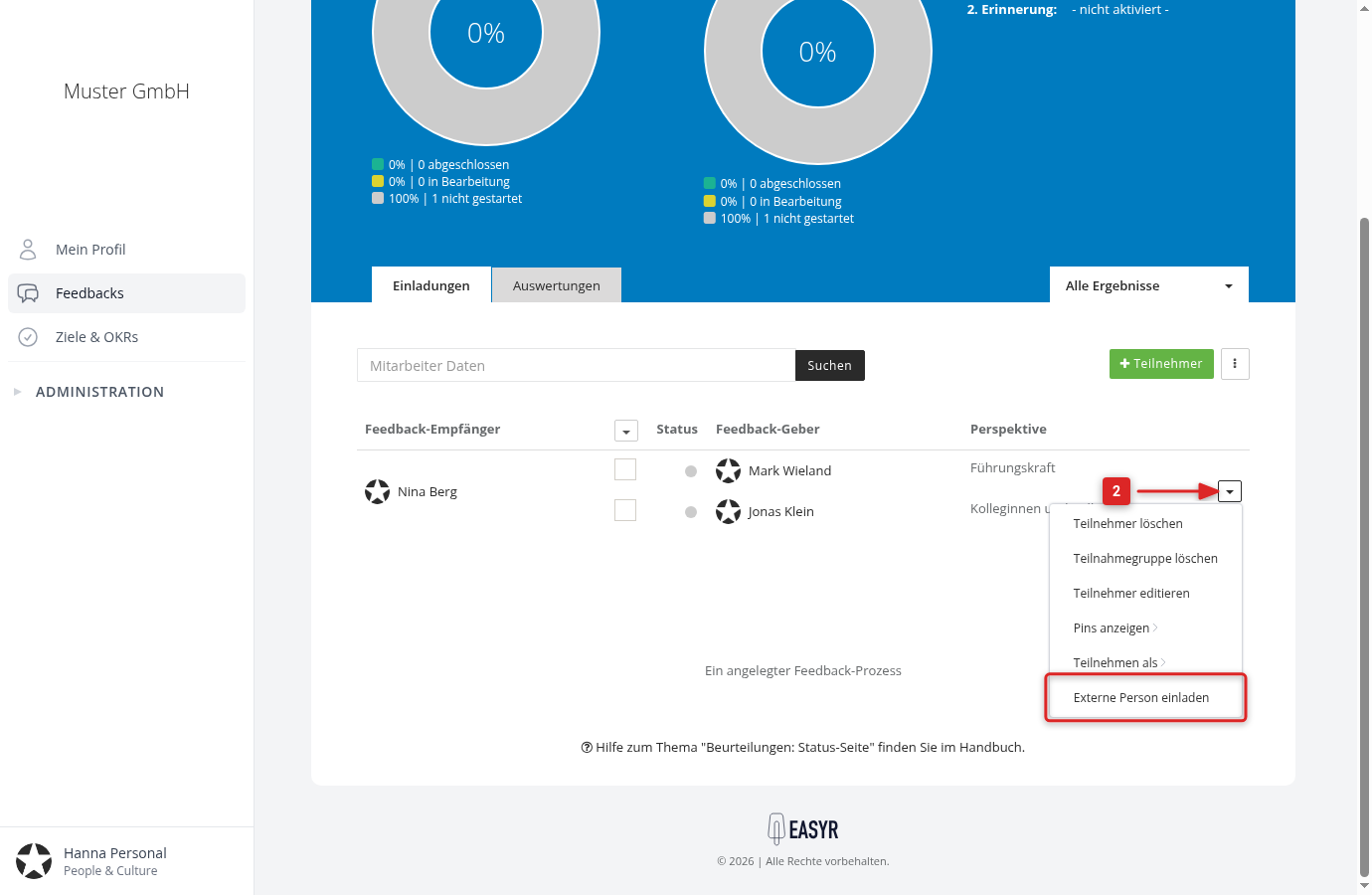
- In the row of the feedback recipient, open the menu on the right and choose Invite external person.
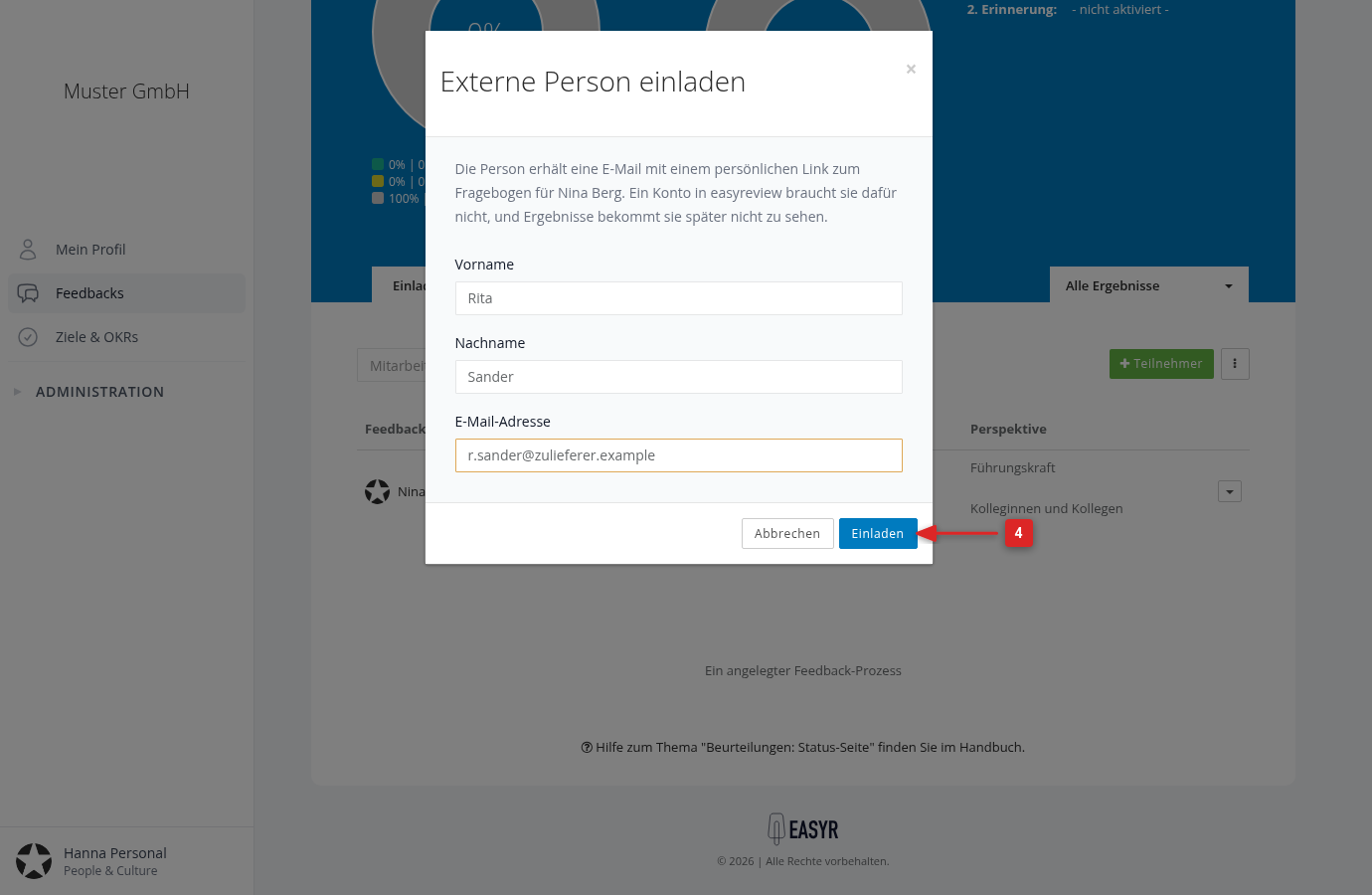
- Enter first name, last name and email address. If several perspectives are open to external people, pick the right perspective as well.
- Click Invite.
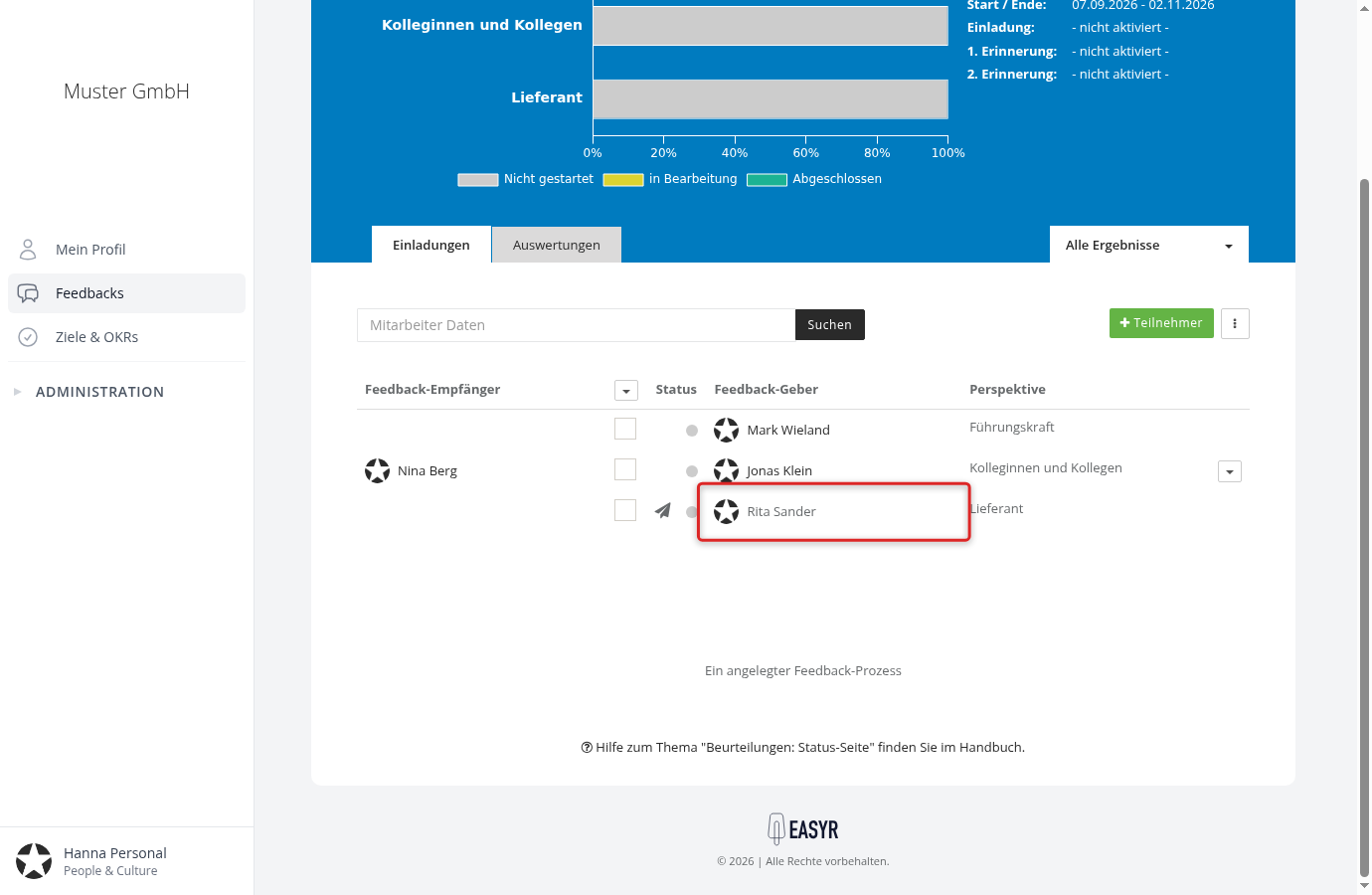
The invitation goes out right away — unlike adding employees, you don’t have to send anything separately. The person then appears in the participant list with their perspective, and the paper plane icon marks the invitation as sent.
Let external people be nominated
If nominations are switched on for this feedback, you don’t have to invite external people yourself. In the nomination path of the perspective, tick “External people” under “Who can be proposed?”. The nominating person, for example the feedback recipient themselves, then enters the first name, last name and email address. If the path asks for acceptance, easyreview first asks the external person by email whether they will take part. After the list has been approved, they receive the same invitation as a person you invited yourself, on the automatic invitation date of the edition or, if none is pending any more, right away. How to set up the path is described in Set up nomination paths.
What the invited person receives
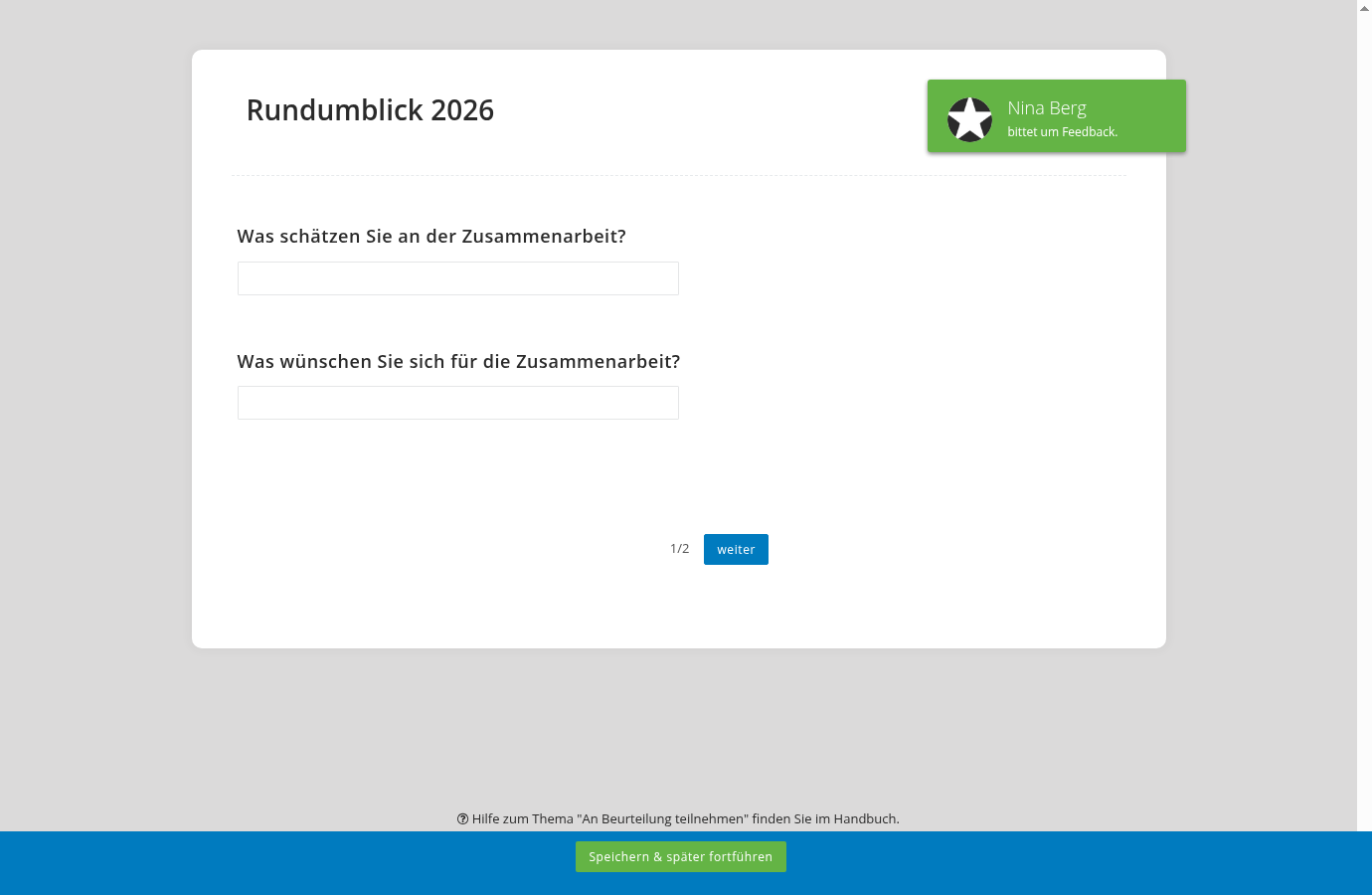
The email contains a personal link. One click opens the questionnaire — no sign-in, no password, no PIN. The link belongs to that one invitation.
In the questionnaire, the person sees the name of the feedback recipient and the questions of the perspective you invited them into. Staff number, supervisor and other employee data stay hidden — only people with an account in your company see those.
Reminders reach them like every other feedback provider, as long as the matching rules are active.
What external people cannot do
- See results — neither during the process nor after it closes, not even after sealing.
- Moderate or seal — a perspective that moderates or belongs to the sealing committee cannot be opened up for external people in the first place.
- Sign in with a PIN — the link from the email is the only way into the questionnaire.
They do count, though: the participation group only counts as complete once the external response is in. In the evaluation, their answers appear like those of every other feedback provider.
Remove an external person again
Use Remove participants in the same row menu to remove the participation, exactly as you would for an employee (see Remove participants). The person’s name and email address are then removed from the system automatically, because without a participation they serve no purpose. The same applies to nominated external people who do not take part, for example because they declined: easyreview removes their data once their nomination list has ended. The list then shows “Deleted external person”.
If you want feedback from the same person later on, simply invite them again.