Download as a list (XLS)
You can download the participation PINs and all the information needed to take part as a list in Microsoft Excel format. This lets you create your own mail merge to hand out the PINs, or distribute the PINs electronically (for example by email).
What’s in the Excel file
The downloaded Excel file contains one row per participation, with the following columns:
| Column | Description |
|---|---|
| Staff no. | The participant’s staff number |
| Salutation | The participant’s salutation |
| First name | The participant’s first name |
| Last name | The participant’s last name |
| Review for | The name of the person the feedback is given for |
| URL | The link to the PIN sign-in page |
| PIN 1 | The participant’s first PIN |
| PIN 2 | The participant’s second PIN |
Download for employees without an email address
- Open the participant list of the review edition
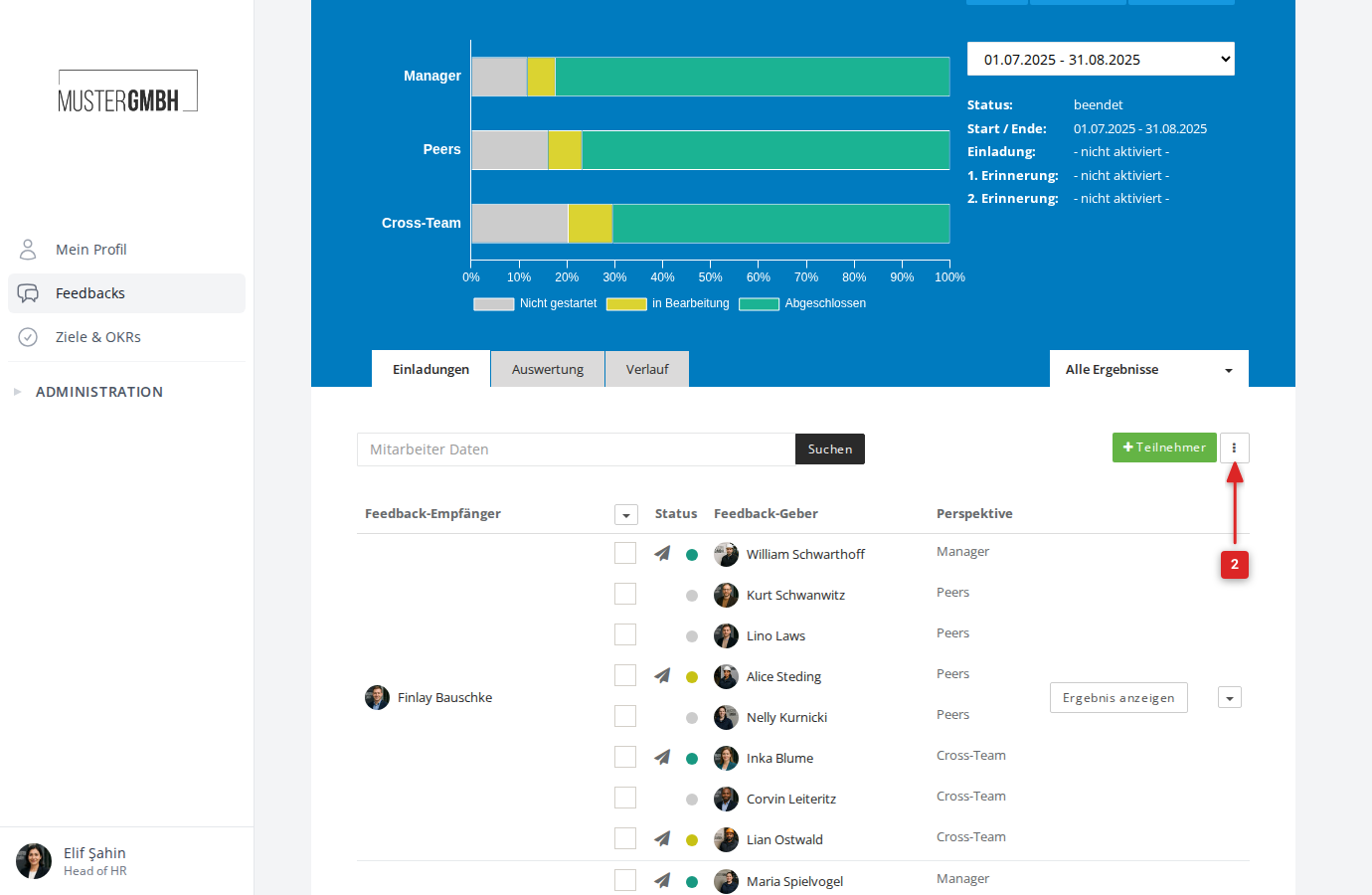
- Click the vertical three dots to the right of the + Participant button
- Click Download pins for employees without email (XLS)
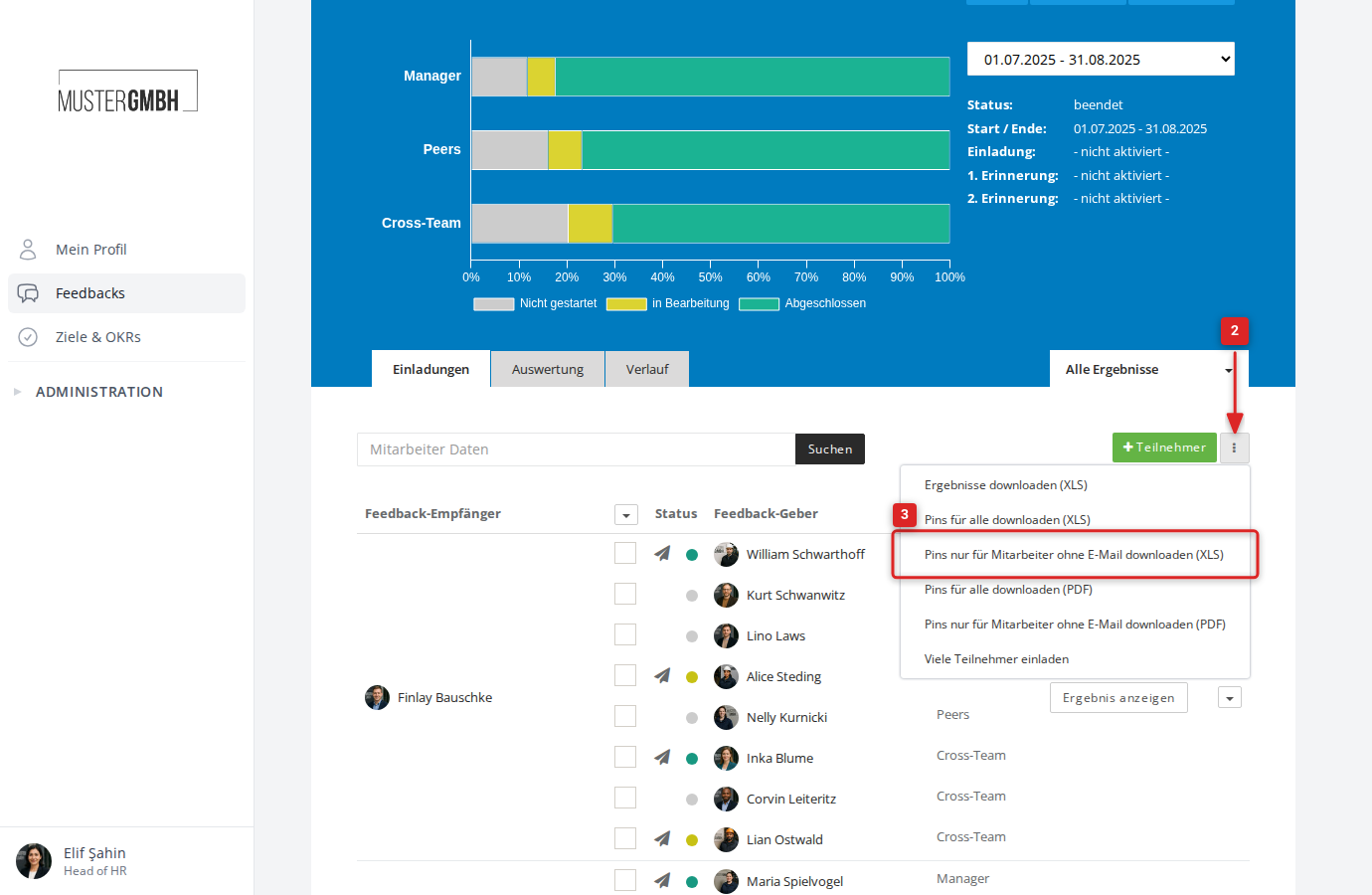
- The download starts in a few moments
Download for all employees
- Open the participant list of the review edition
- Click the vertical three dots to the right of the + Participant button
- Click Download pins for all (XLS)
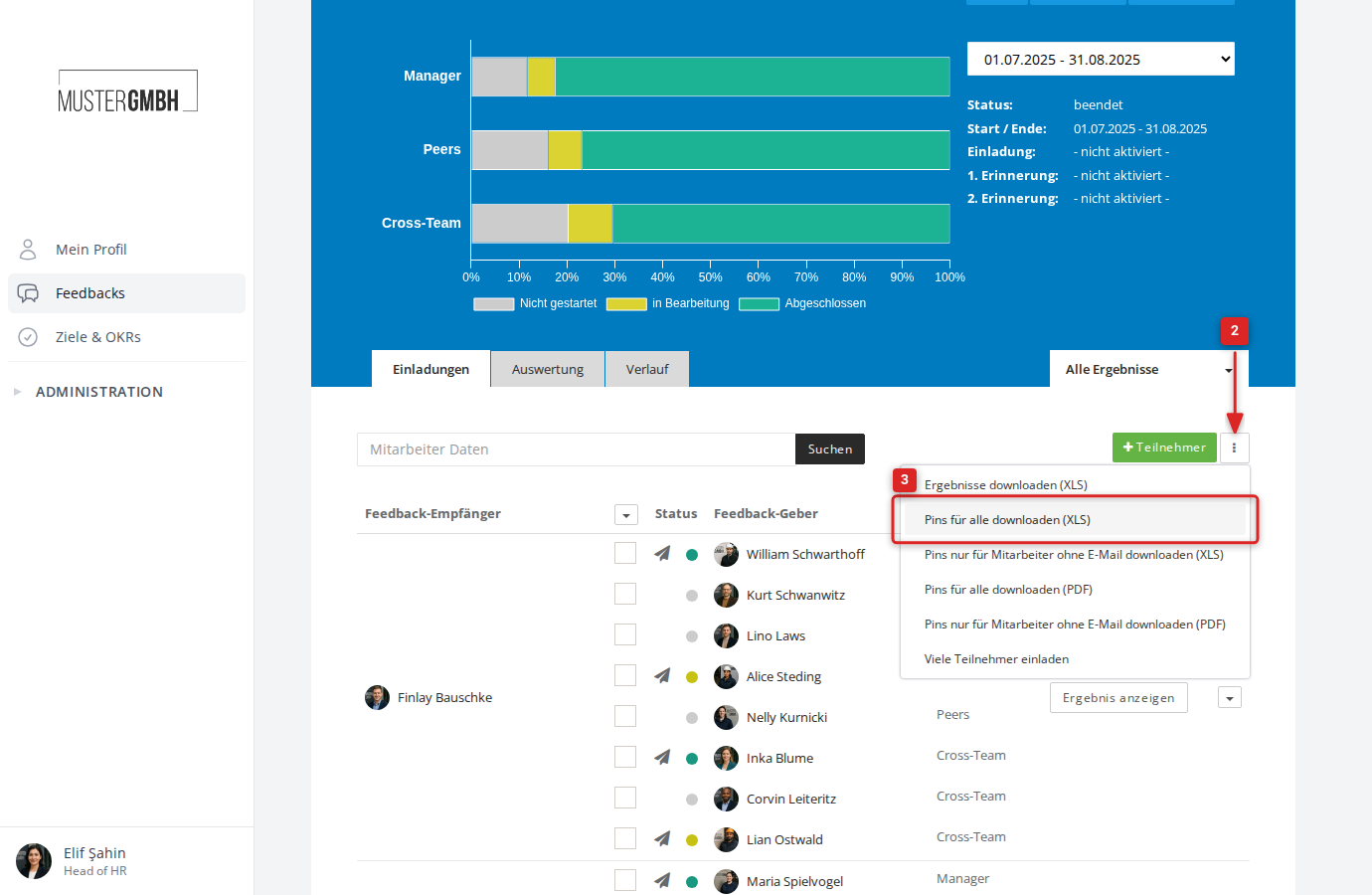
- The download starts in a few moments