Set up automatic email invitations for editions
Want the invitations to your feedback to go out right on the deadline, without you having to do anything that day? Set a date and time on the edition, and easyreview sends the email invitations automatically to everyone in that edition.
The sending time is independent of the edition’s start date and can be adjusted at any point before the scheduled moment.
Set up the sending
-
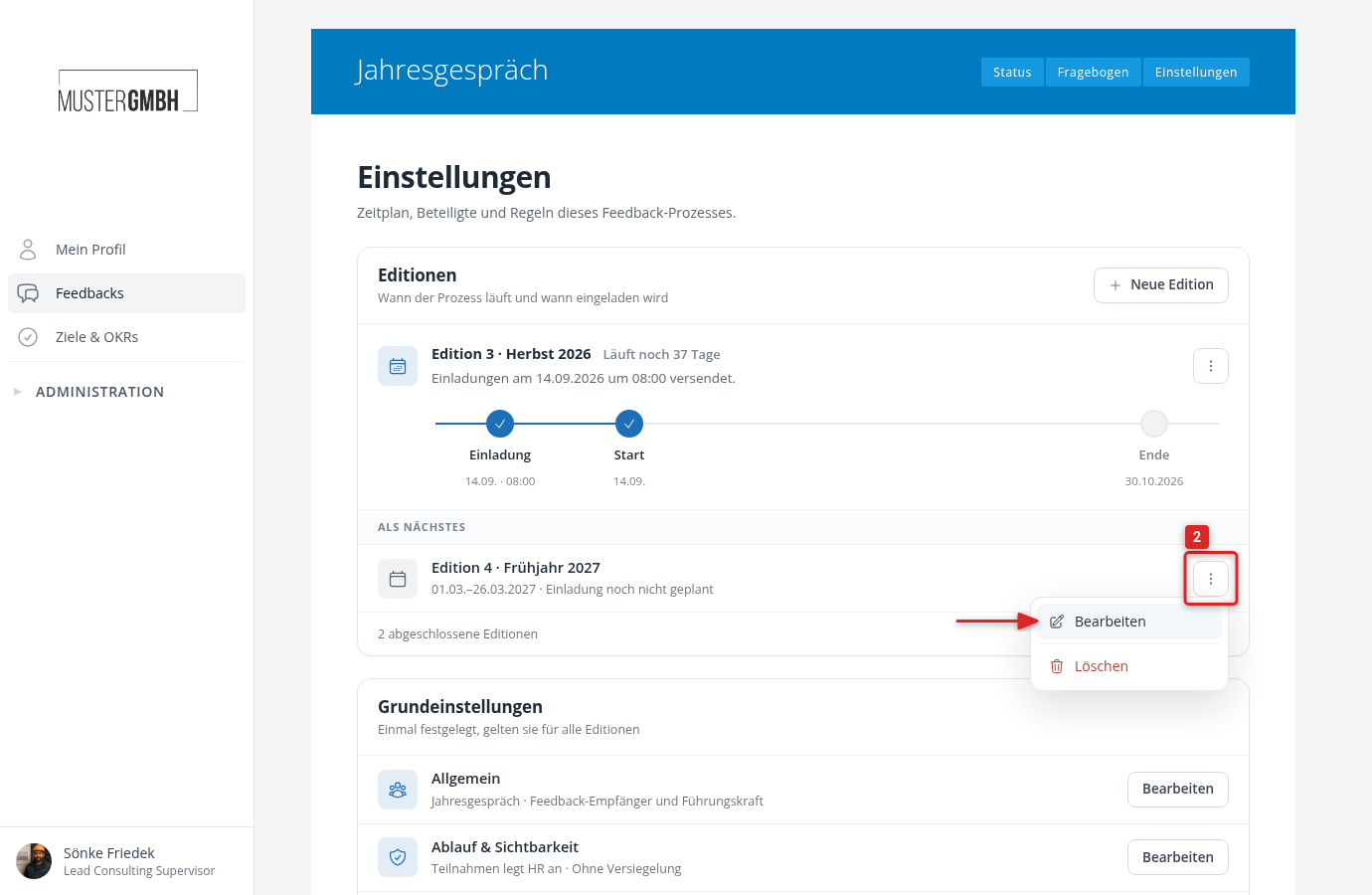
In the “Editions” card, click the ⋮ menu next to the edition you want and choose “Edit”. You find all other editions under “All editions”.
-
In the dialog, under “Send invitations”, choose the date and time of the sending.
-
Click “Save”.
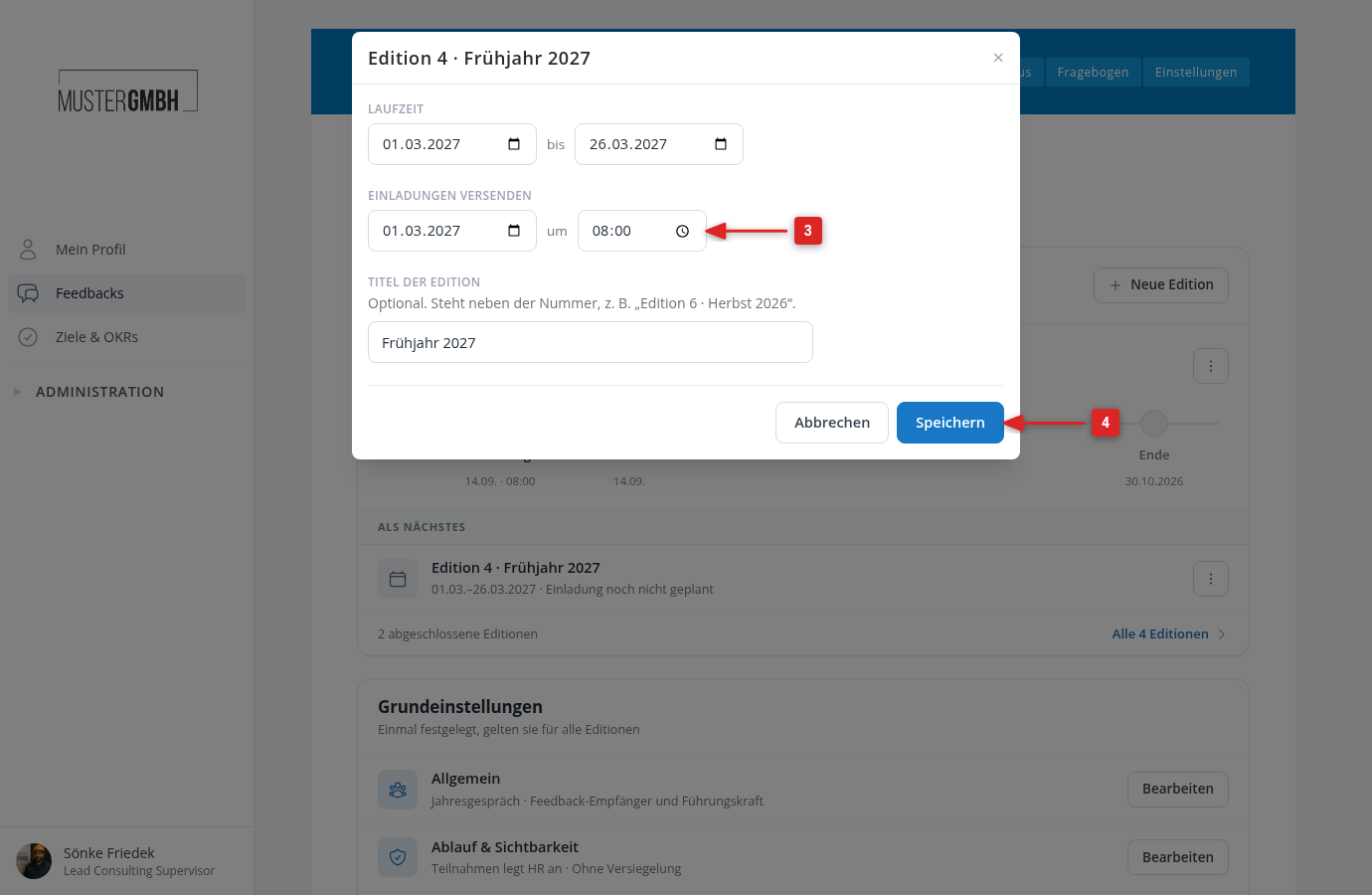
The page reloads and reports “Dates saved.” For a planned edition, the time then appears in its row, for example “Invitation on 03.01. at 08:00”. For the running edition, the card shows the sentence “Invitations go out on … at ….” and a timeline with invitation, start and end.
After the sending
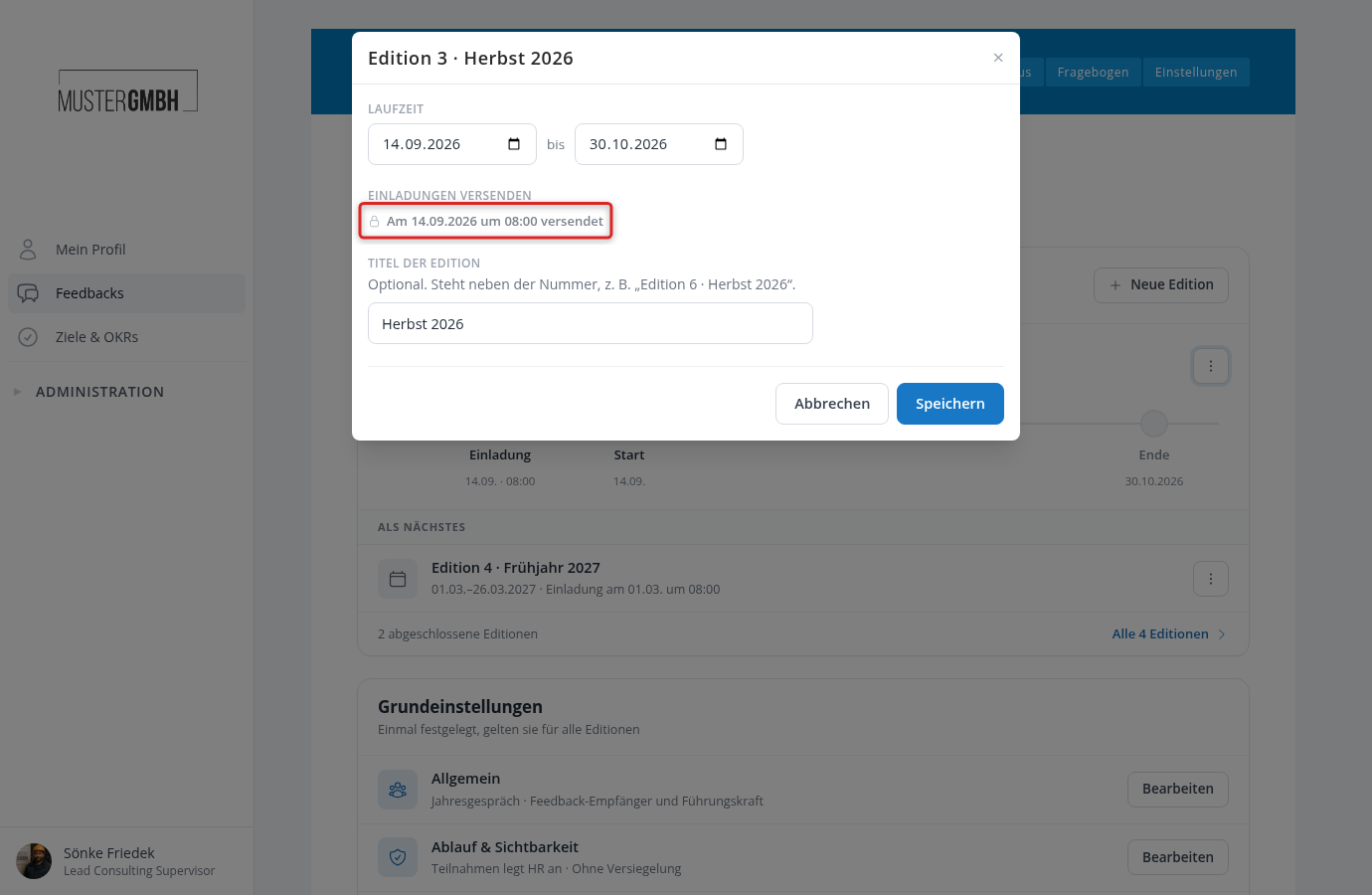
Once the invitations are sent, the dialog shows “Sent on 09.14.2026 at 08:00” instead of the fields. The sending time can then no longer be changed. The period and title of the edition stay editable.
If no time is set, the card reads “No automatic sending of invitations scheduled.” and the timeline shows the invitation grayed out as “not scheduled”.