Activate a filter
Activate a filter
-
Click the All results dropdown to the right of the tabs
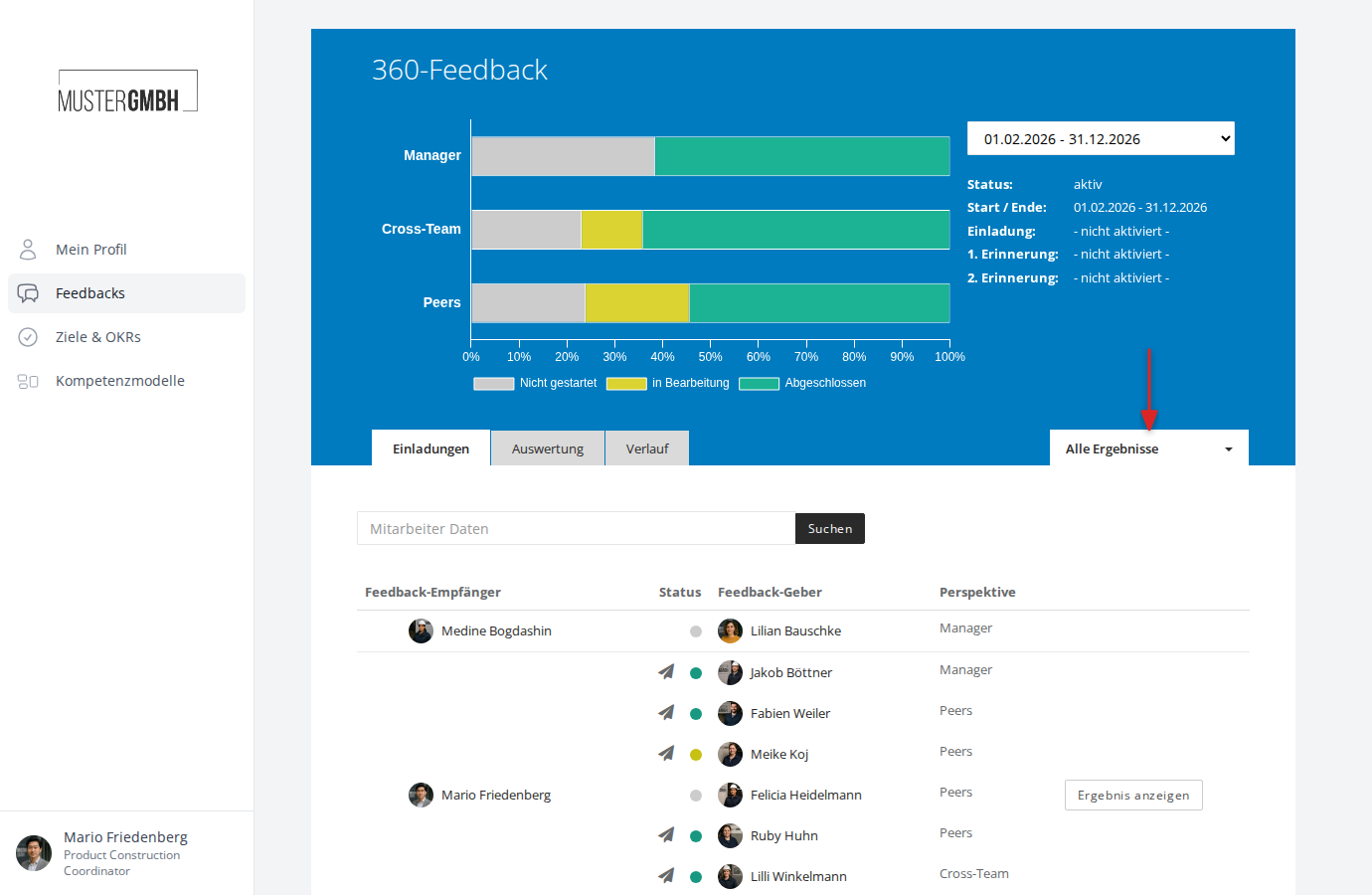
-
In the dropdown, click the name of the filter you want
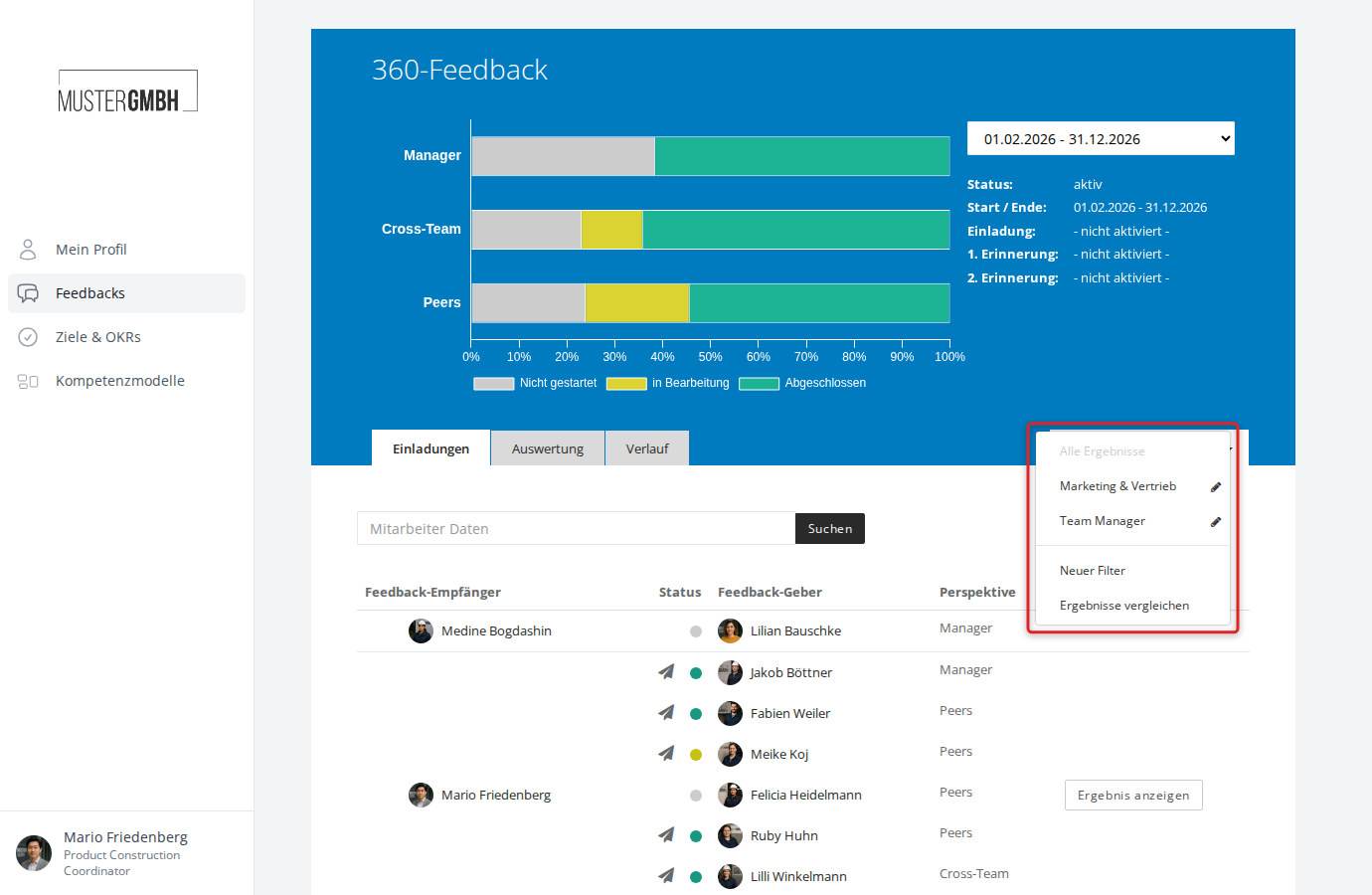
-
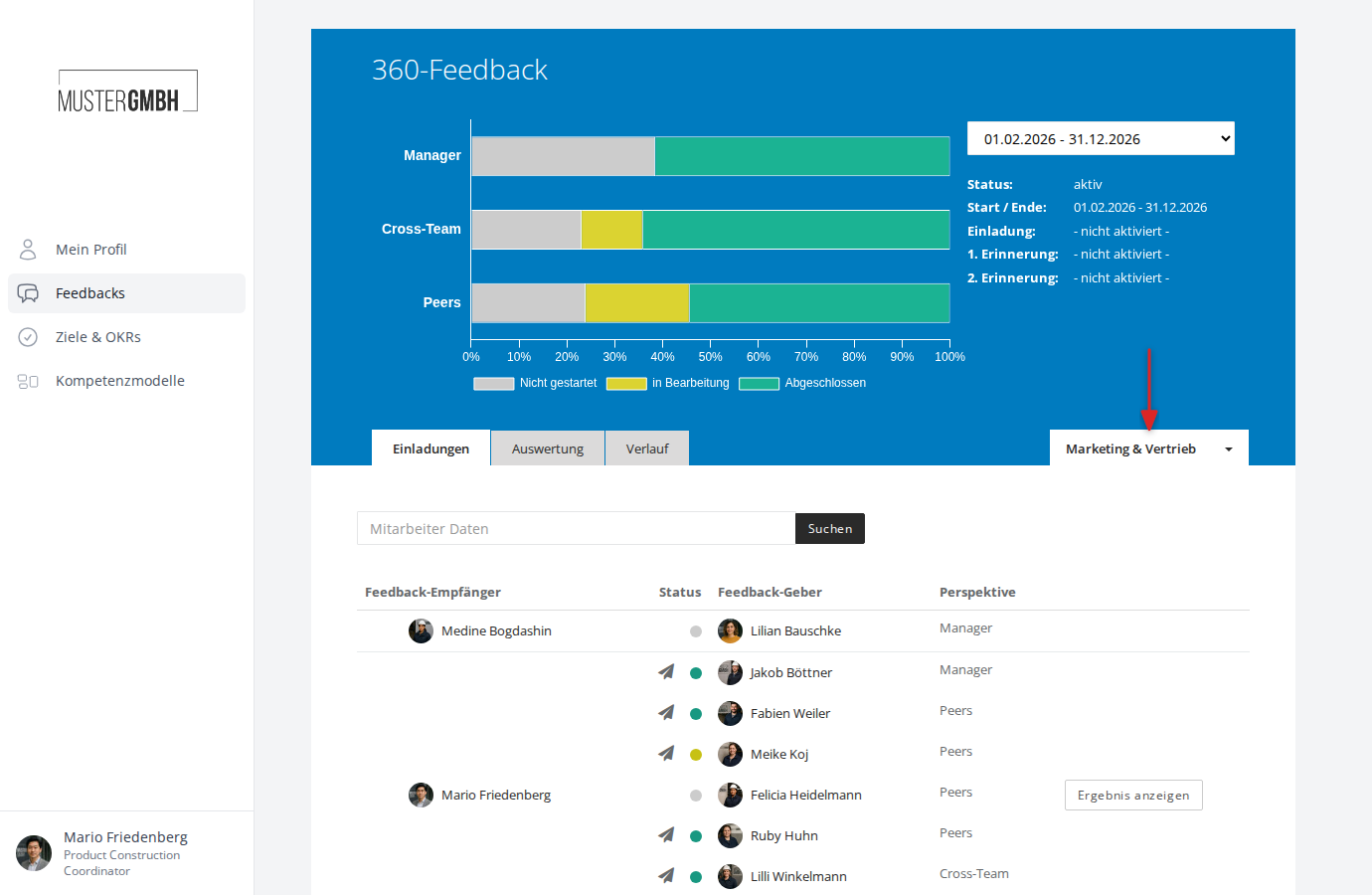
The page reloads. The selected filter is now active. The dropdown shows the filter name instead of “All results”.
Deactivate a filter
-
Click the dropdown showing the name of the active filter
-
Click All results
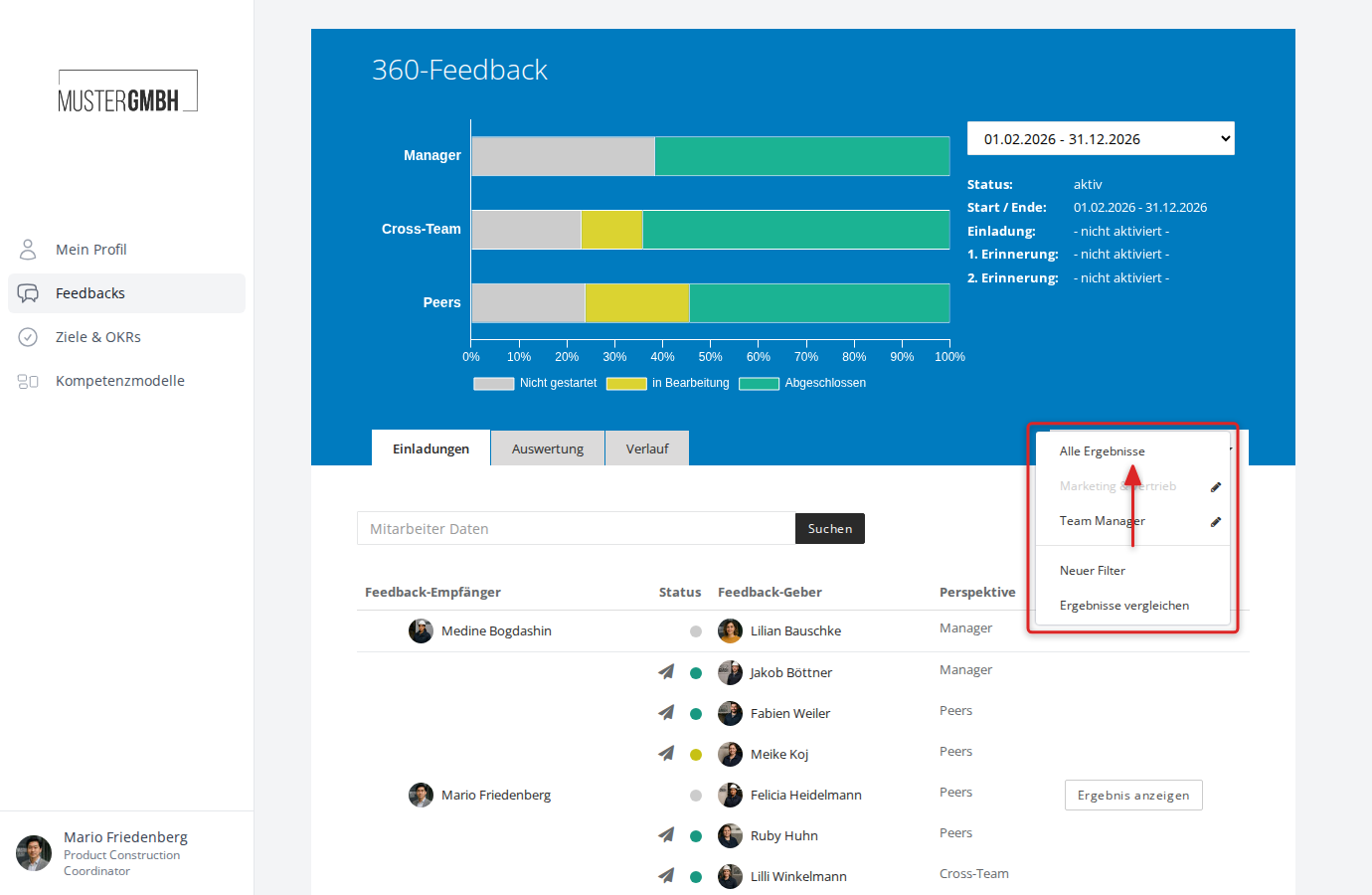
The page reloads and again shows every participation with no restriction.