What are email invitations?
Your colleagues can take part in any active feedback at any time from their easyreview account. Email invitations make getting started even easier: every invitation email carries a personal link that takes the recipient straight into the feedback, with no separate sign-in.
How email invitations work
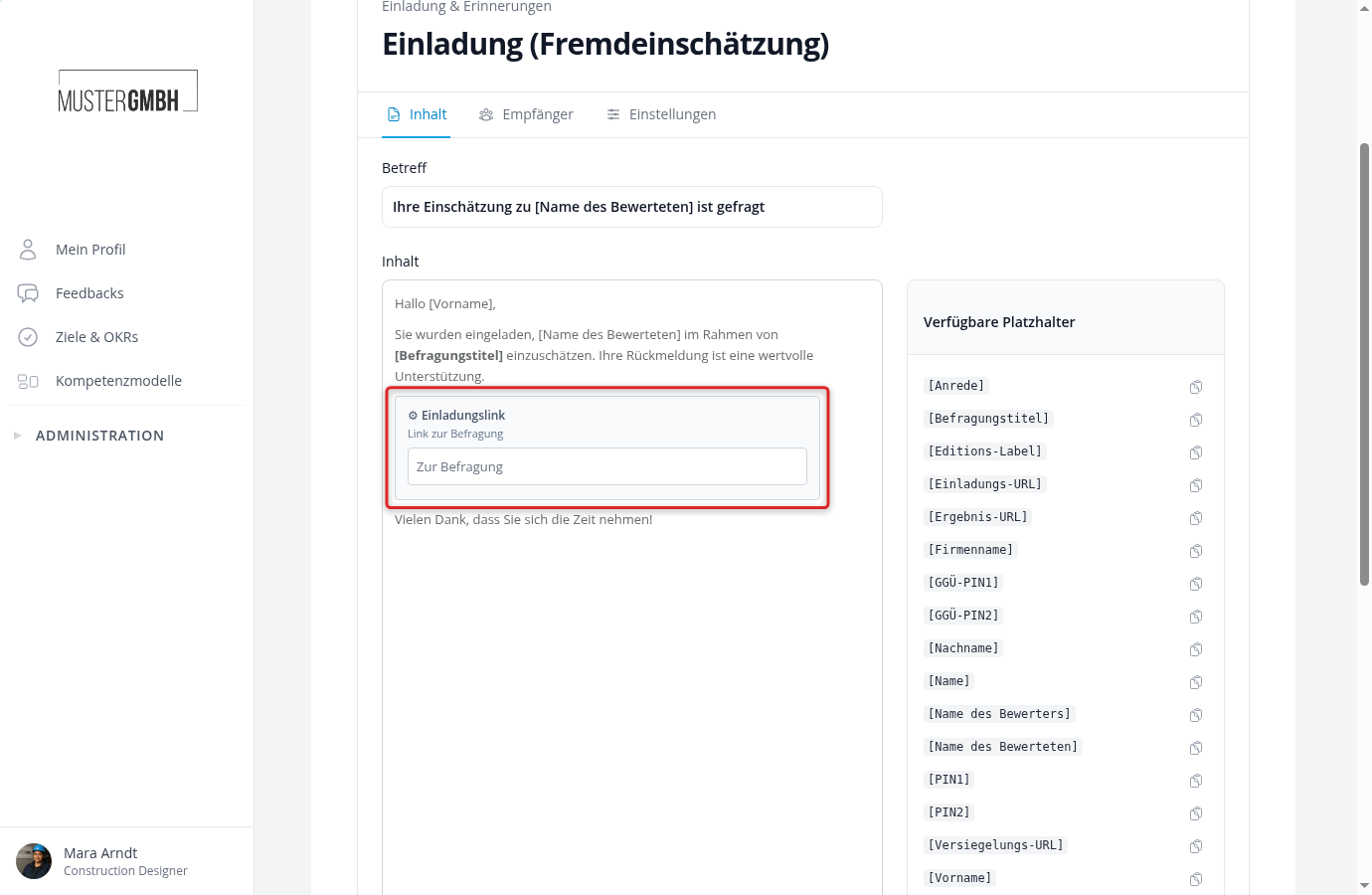
For each participant in a feedback edition, easyreview automatically generates a unique participation link and embeds it in the invitation email. When the recipient clicks the link, the feedback opens directly, without any sign-in.
You write the subject and body of the invitation yourself, in the feedback process’s Notification Center. The [Link] placeholder in the email body is swapped for each recipient’s personal participation link when the email is sent, and placeholders such as [First Name] or [Reviewee] are filled in automatically with that recipient’s data.
Automatic and manual invitations
You can send invitations in two ways.
Automatic sending
For automatic sending, you set a date and time per edition in the feedback process settings (“Sending invitations”). At the chosen moment, easyreview sends the invitations to every participant in that edition on its own, and you have nothing else to do.
Step-by-step guide: Set up automatic email invitations for editions
Manual sending
Alternatively, you can send invitations by hand from the edition’s participant list. Select the participants you want with the checkbox and trigger the send. This is how you invite participants added later, or re-send an invitation.
Step-by-step guide: Invite participants by email
Automatic reminders
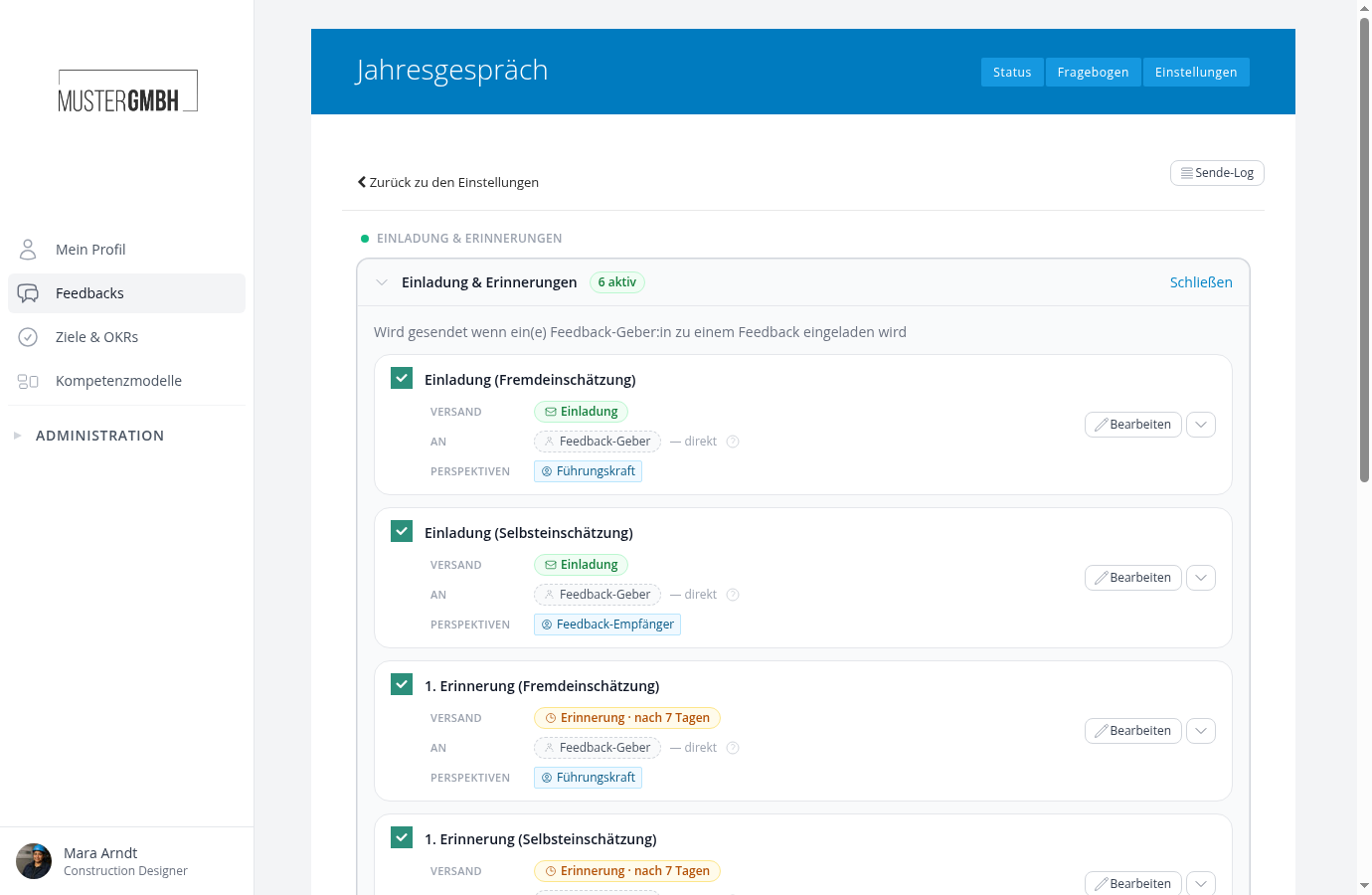
Besides the invitation, easyreview automatically reminds participants about open participations. By default, a first reminder goes out after 7 days and a second after 14 days, separately for self-assessment and external assessment. In the Notification Center you can change the intervals, turn reminders off, or add more.
Step-by-step guide: Set up feedback reminders
Adapting the email text
You can freely edit the subject and body of every invitation and reminder rule, separately per perspective (for example self-assessment and external assessment). A preview shows the finished email before you save.
Step-by-step guide: Notifications for feedbacks
Participants without an email address
Not every employee has an email address in the system, for example colleagues in production or logistics. For them, there are participation PINs: each participant receives two four-digit PINs and uses them to join the feedback directly through a dedicated sign-in page. You can download the PINs as a PDF mail merge or an Excel list and distribute them internally.