Reviews overview
The reviews overview shows all active feedback processes in your company at a glance. From here you can create new processes, manage existing ones and track the progress of running surveys.
Navigate to the overview
Click “Feedbacks” in the sidebar.
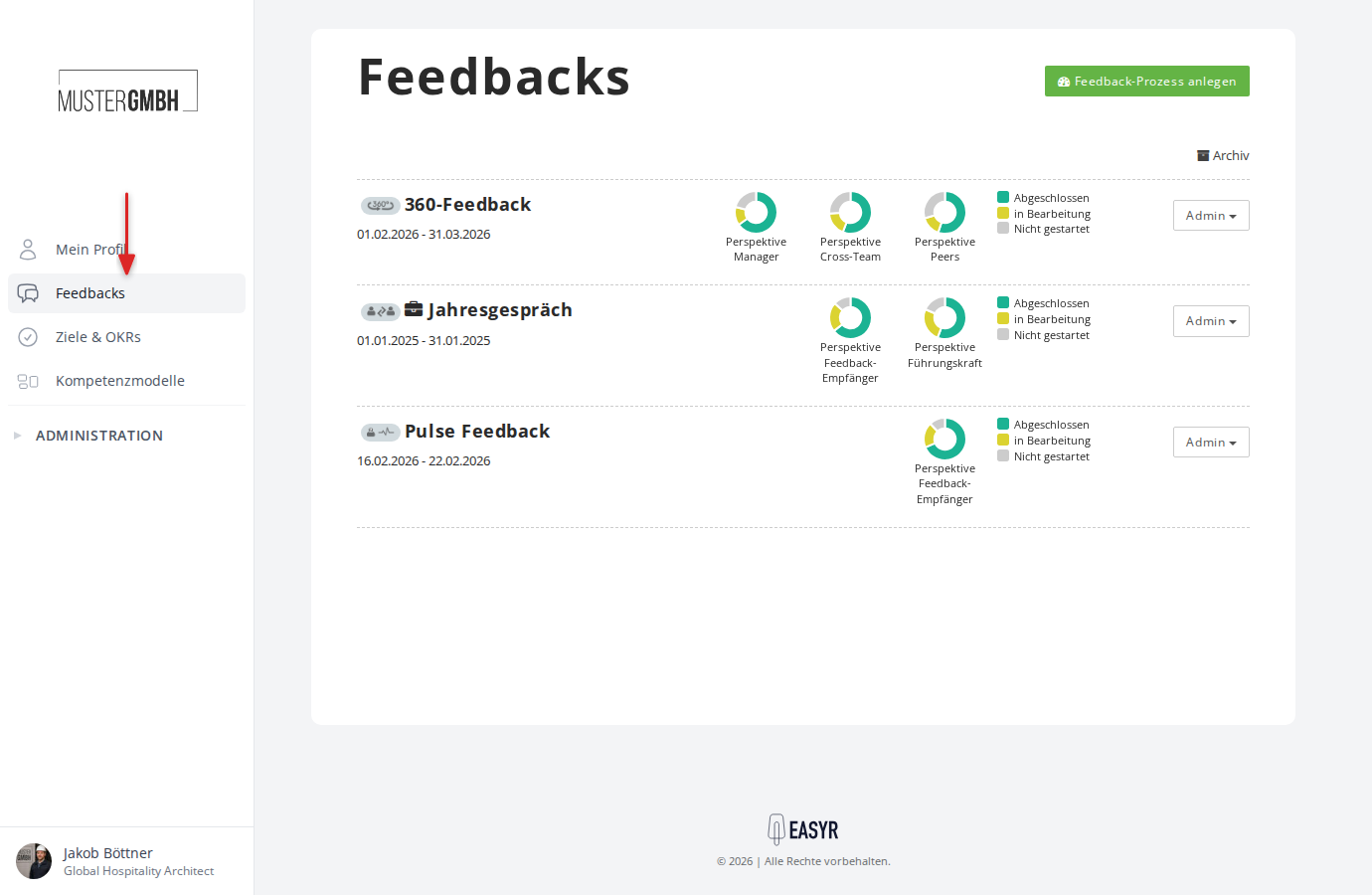
How the overview page is laid out
The overview page lists all active reviews. At the top right you find the “Add review” button, which creates a new review. Next to it is the link to the archive.
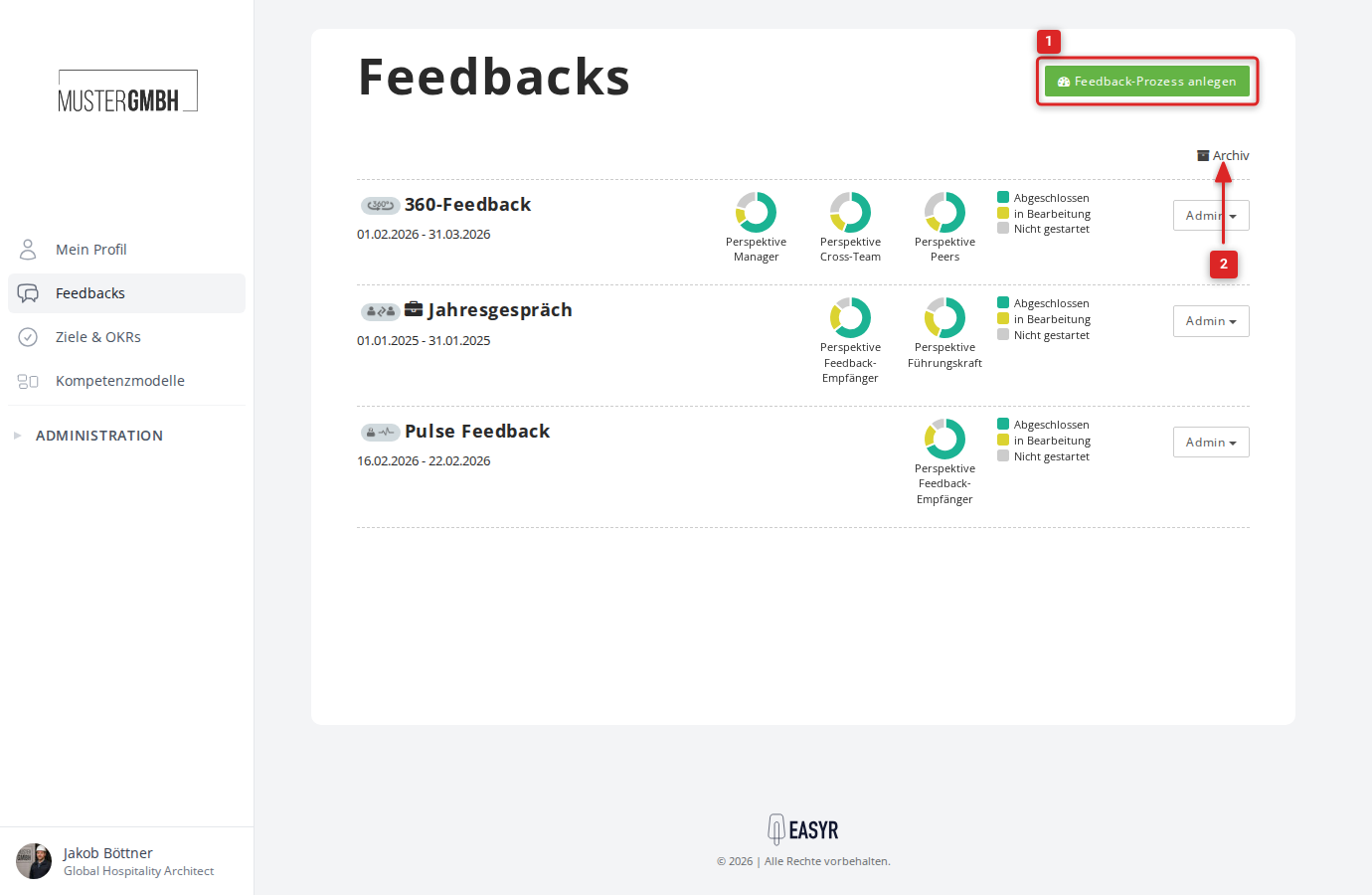
Each review is shown with the following information:
- Process type icon: a small icon to the left of the title indicates the type of review (e.g. 360° feedback, two-sided feedback, pulse survey).
- Title: the name of the review. Clicking the title opens the status page of the current edition.
- Time period: start and end date of the current edition.
- Response rates: donut charts show the progress per perspective (e.g. “Feedback recipient”, “Supervisor”). The three colors mean:
- Green: completed
- Yellow: in progress
- Grey: not started
- Admin menu: the “Admin” button on the right of the row gives you all management actions.
You can read more about response rates in Overview of response rates.
The Admin menu
The “Admin” button in each row offers the following actions:
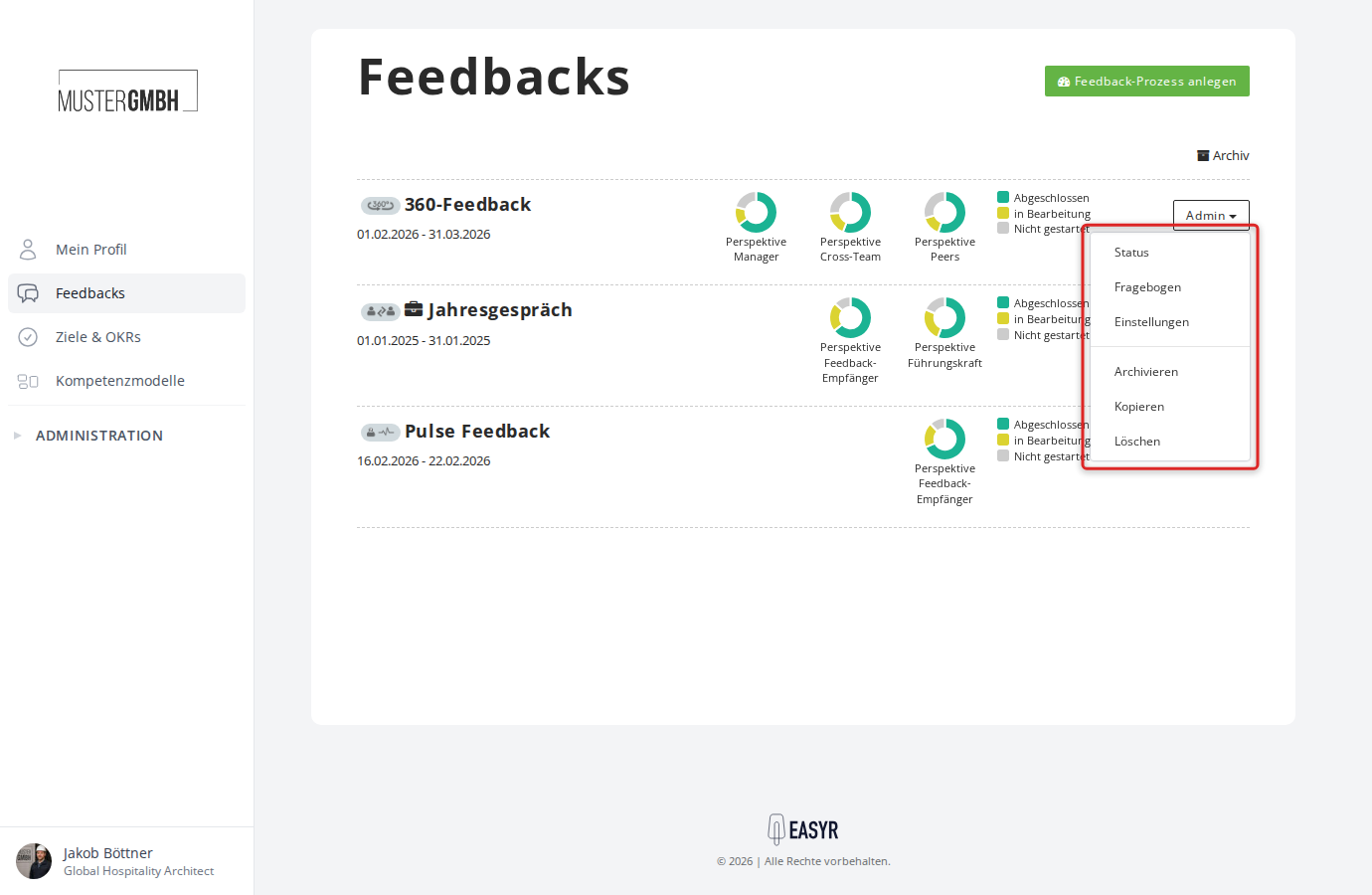
- Status: opens the status page of the current edition.
- Questionnaire: opens the questionnaire editor of the review.
- Settings: opens the review’s settings (title, editions, perspectives, email texts, etc.).
- Archive: moves the review to the archive. Archived processes no longer appear in the active overview but are kept with all their results.
- Move: moves the review into a folder (if the folder feature is enabled).
- Copy: creates a copy of the review with its questionnaire and settings, but without participant lists or results.
- Delete: deletes the review. Deleted processes are kept for 90 days and can be restored during that time. After that they are removed permanently.
Archive
The “Archive” link at the top right takes you to the feedback archive. There you find archived reviews and recently deleted processes. Use “Back” to return to the active overview.