Feedback archive
When feedback processes are no longer actively used, you can archive them. Archived feedback processes are removed from the active feedback overview and moved to the feedback archive. The results of all archived feedback processes are kept in full.
Open the archive
- Click “Feedbacks” in the sidebar.
- Click “Archive” at the top right.
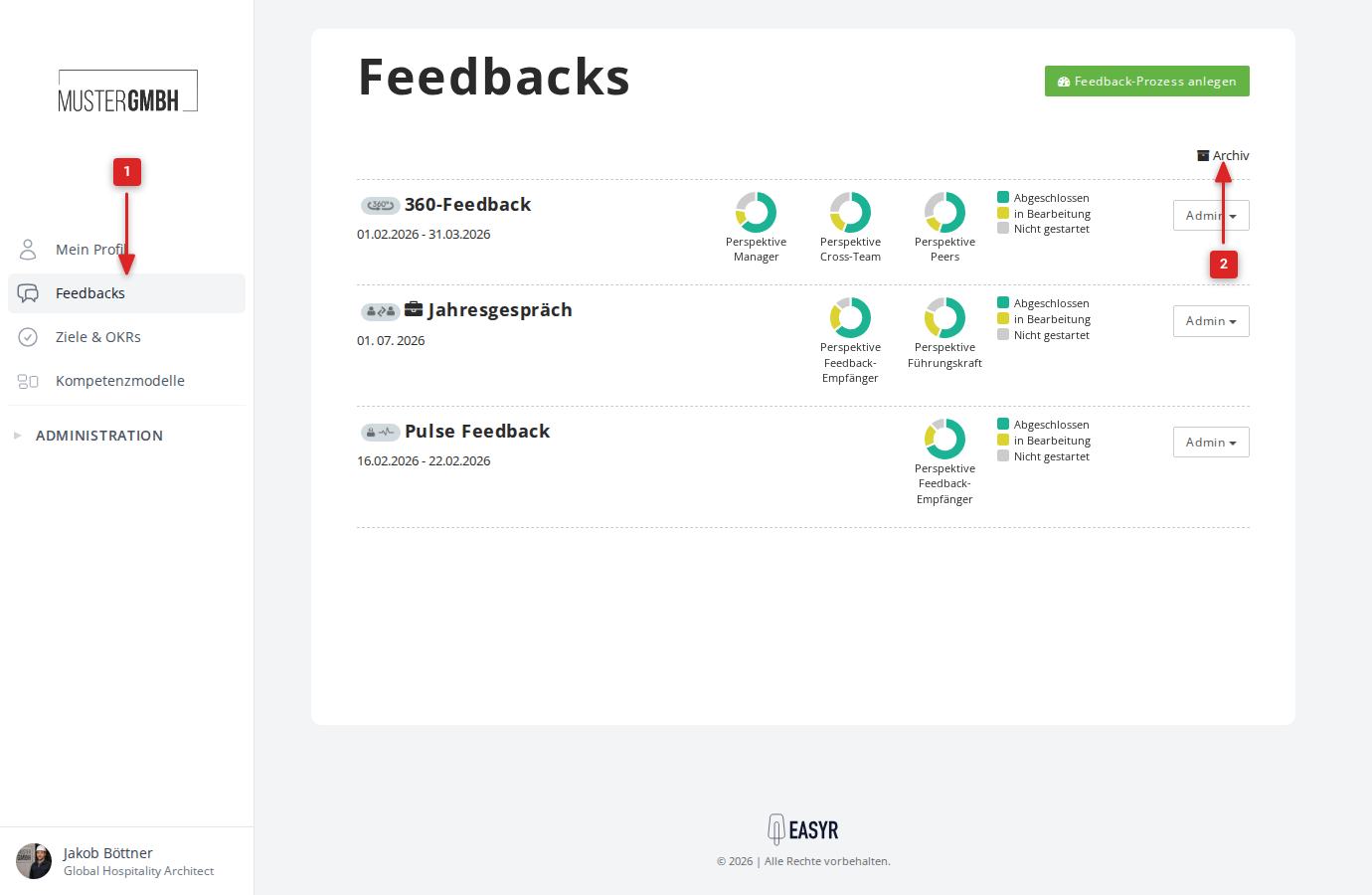
- You now see the list of all archived and recently deleted feedback processes.
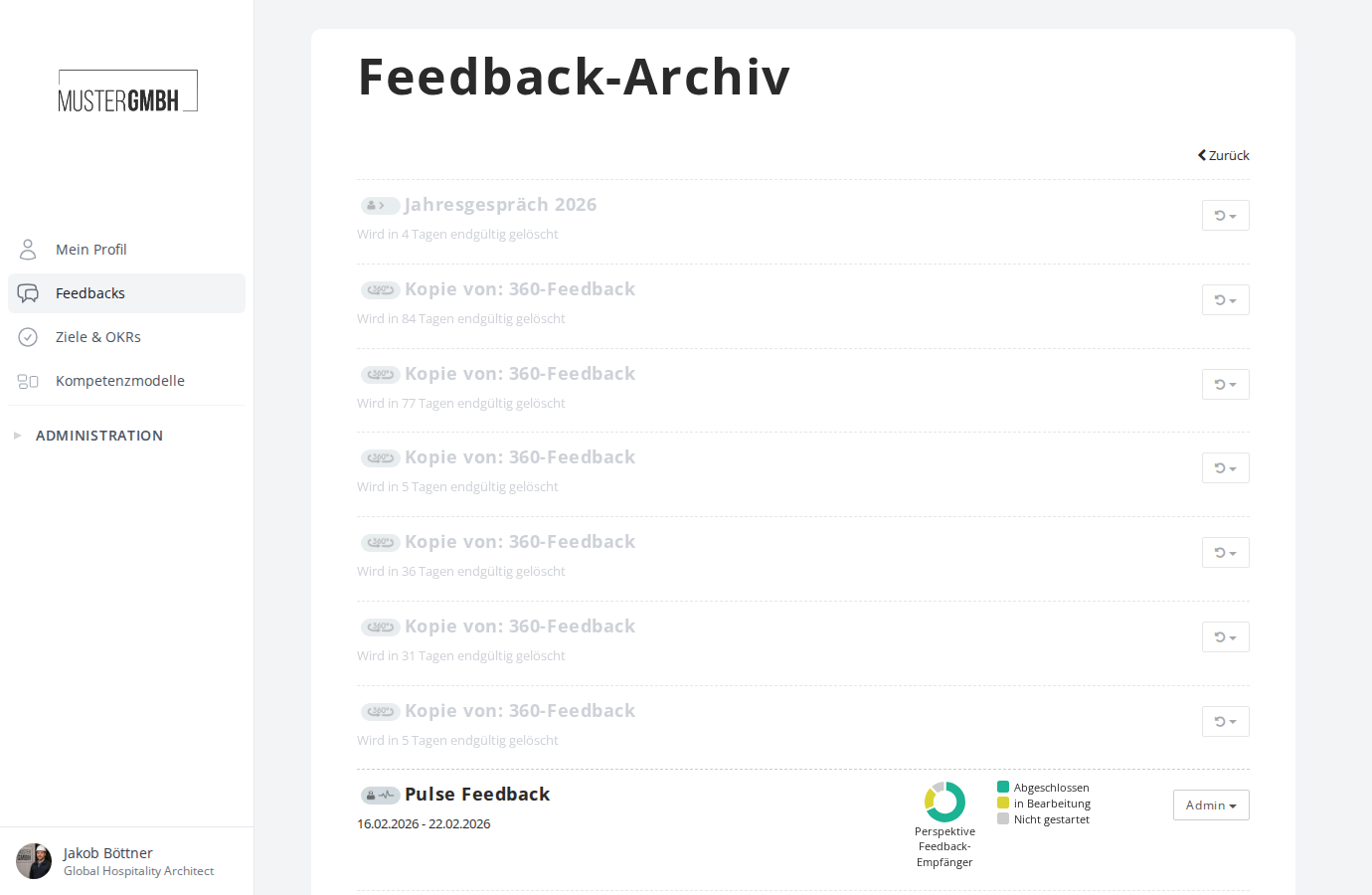
- Click “Back” to return to the active feedback overview.
Archived and deleted processes
The feedback archive shows two kinds of entries:
- Archived feedback processes appear as usual, with participation charts and an “Admin” menu. They can be reactivated at any time.
- Recently deleted feedback processes appear greyed out with the note “Will be permanently deleted in X days”. These can be restored within 90 days of deletion. For more information, see Delete a feedback process.
Reactivate a feedback process
To move an archived feedback process back into the active overview:
- Open the feedback archive.
- Click “Admin” on the feedback process you want.
- Choose “Reactivate”.
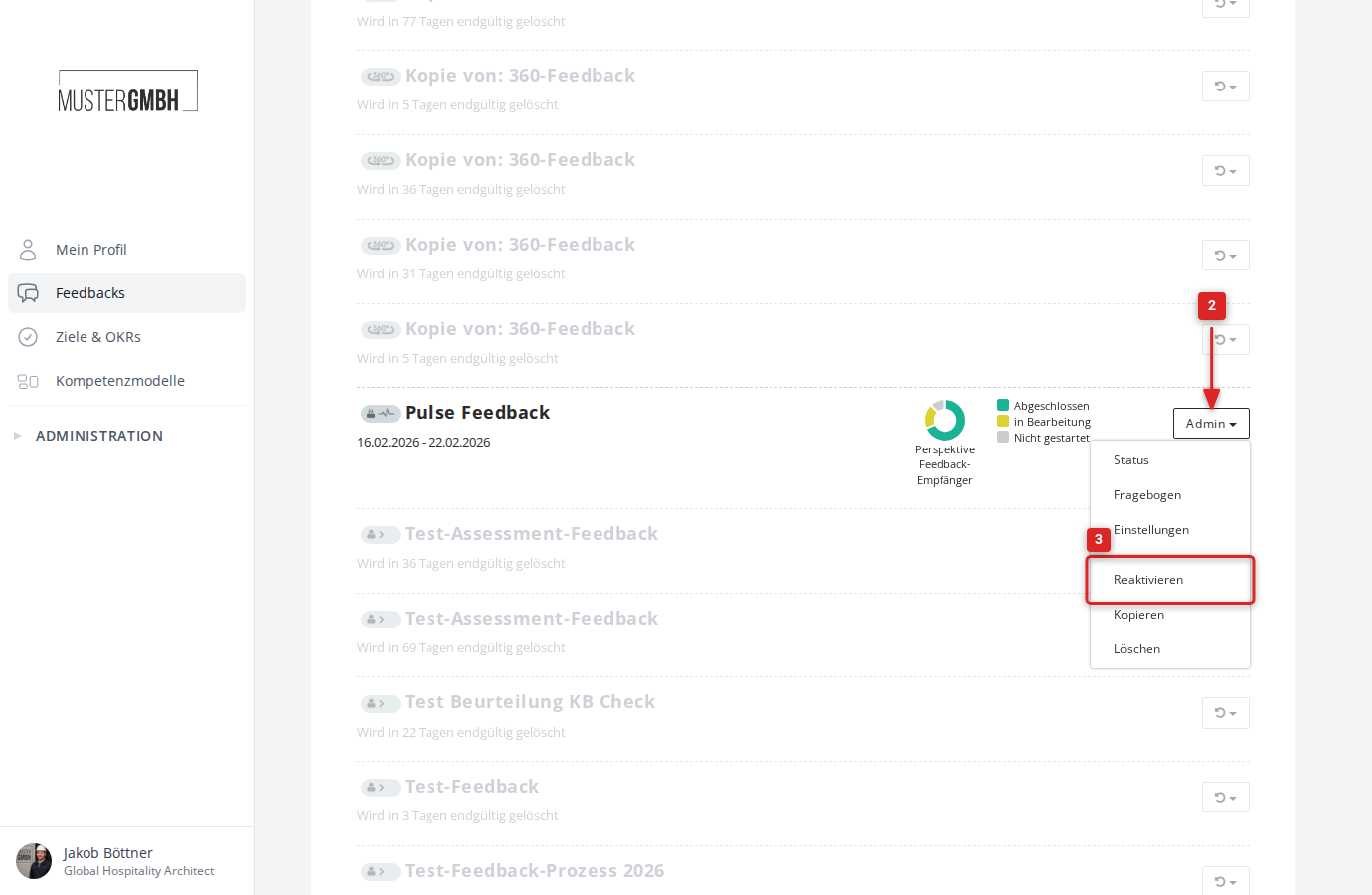
The feedback process then reappears in the active feedback overview.