Copy a feedback process
You can copy an existing feedback process. The questionnaire, all perspectives and the settings of the feedback process are carried over (for example the email texts for the participant invitations).
The nomination paths come along, with their stages and roles and with the minimum and maximum number per perspective. The nomination period does not, so the new edition needs one of its own.
Not copied:
- Editions (a new, empty edition is created automatically)
- Participant lists and participation groups
- Results and answers
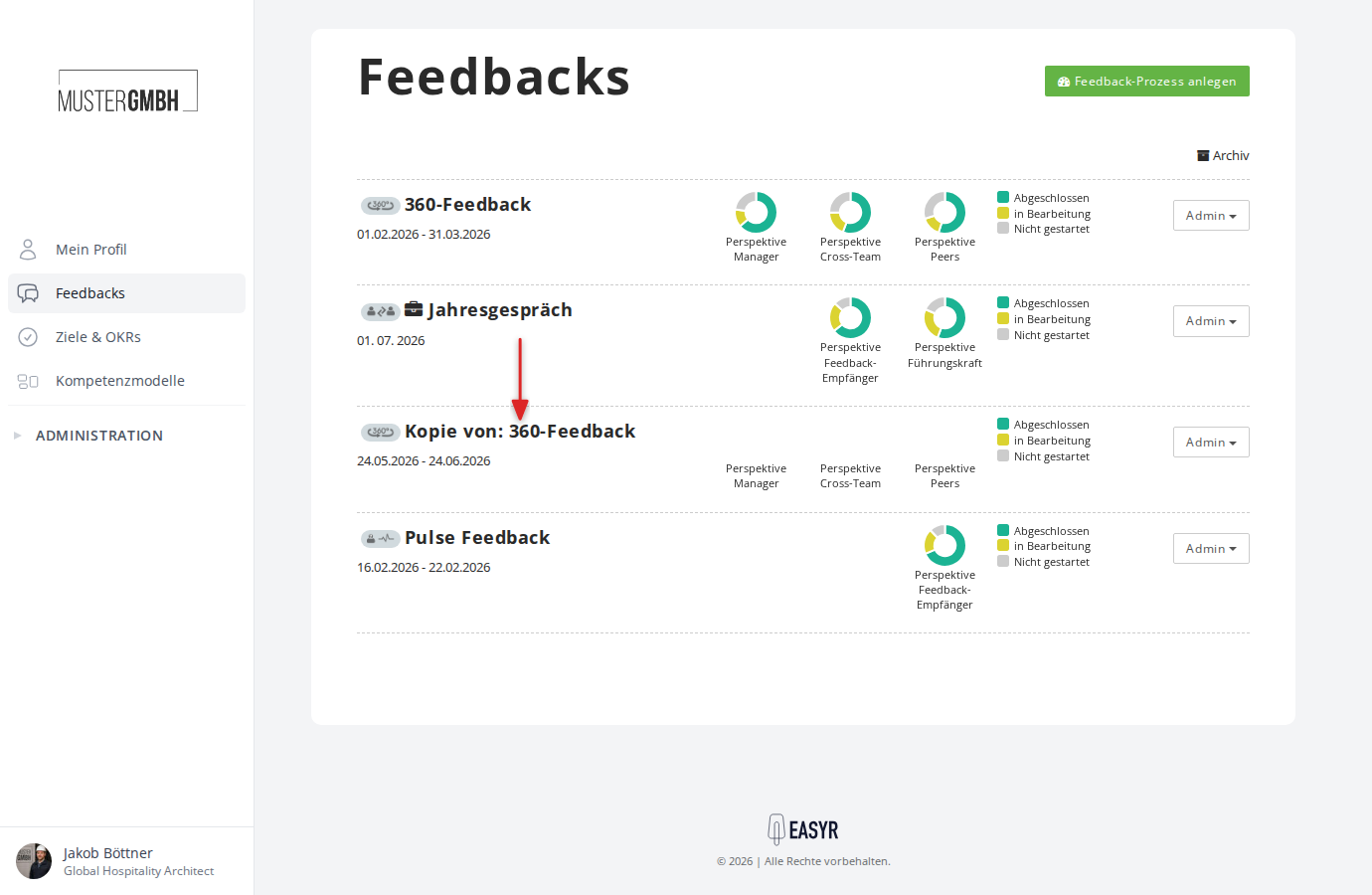
The copy is named “Copy of: [original name]” and appears directly in the feedback overview.
How to copy a feedback process
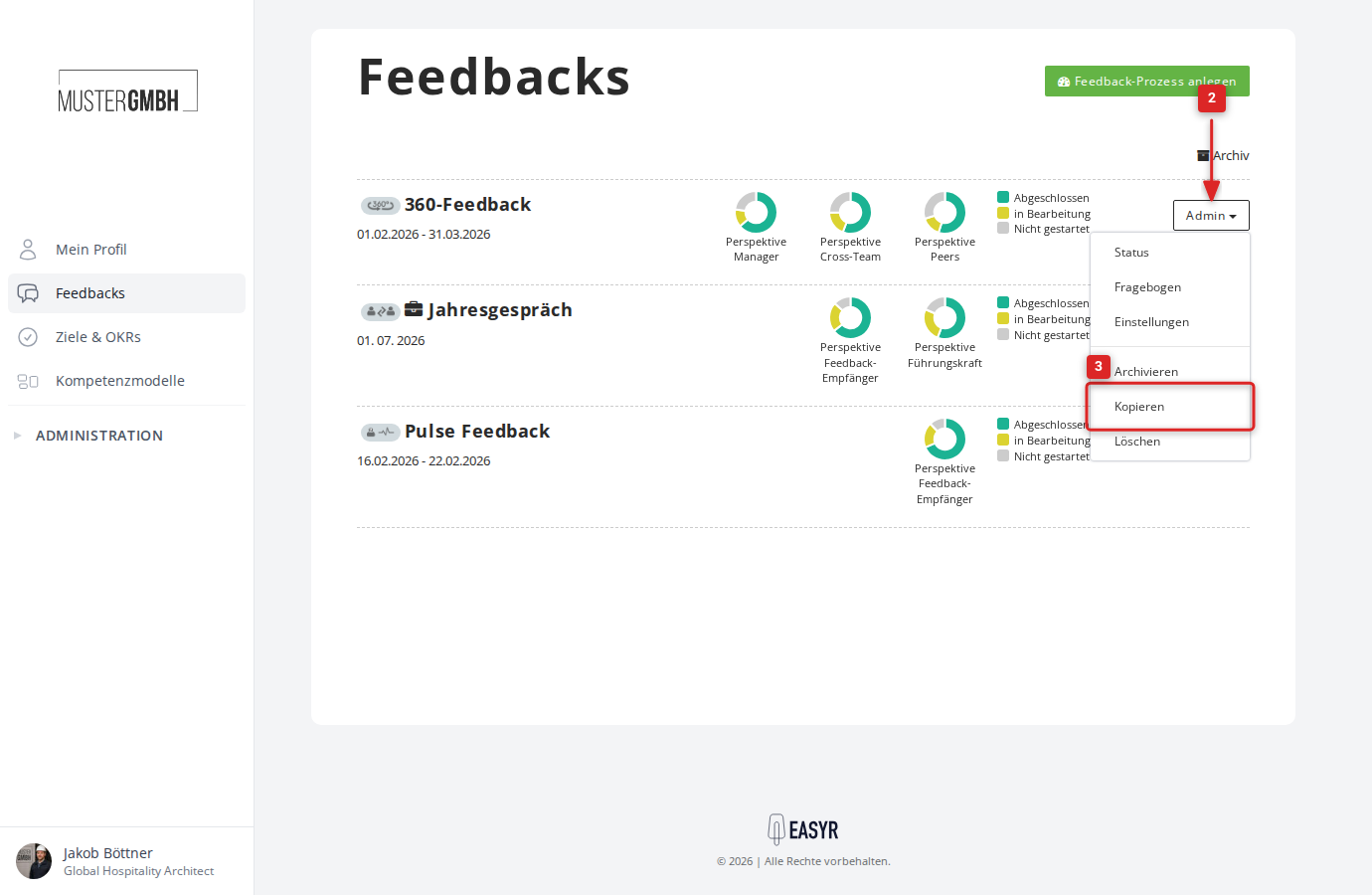
- Open the feedback overview or the feedback archive.
- Click the “Admin” button in the row of the feedback process you want.
- Click “Copy” in the dropdown menu.
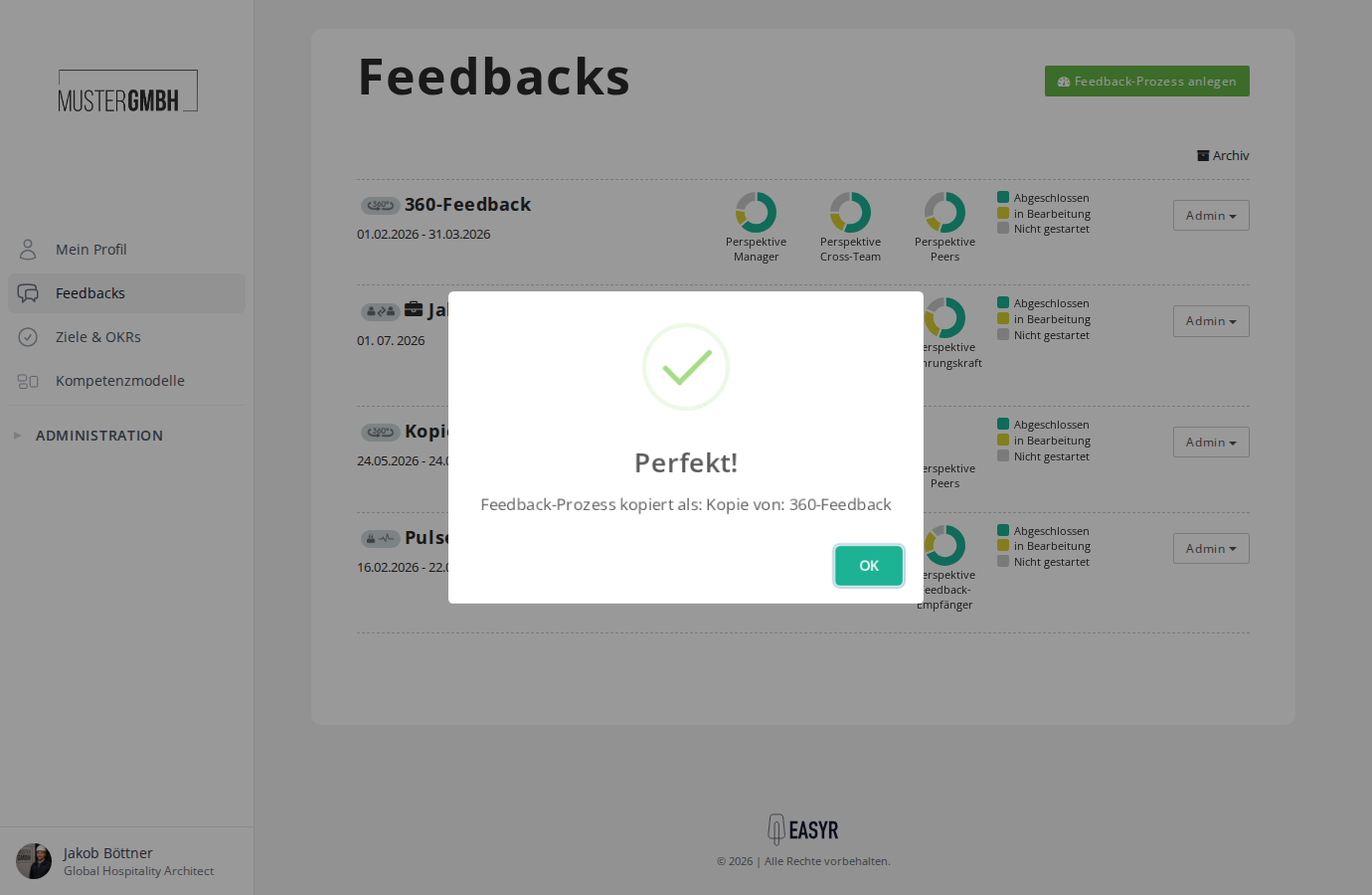
- The system confirms the copy with a message. Click “OK”.
- The copy appears in the feedback overview with a new edition that runs from today for one month.
After copying, you can adjust the new feedback process through the review settings, for example to change the title, configure the edition or add participants.