Remove participants
You can remove participants from a feedback edition one at a time or several at once.
Remove a single participation
- Open the participant list of the feedback edition.
- In the row of the participation you want, click the dropdown arrow at the right edge.
- Click “Remove participants”.
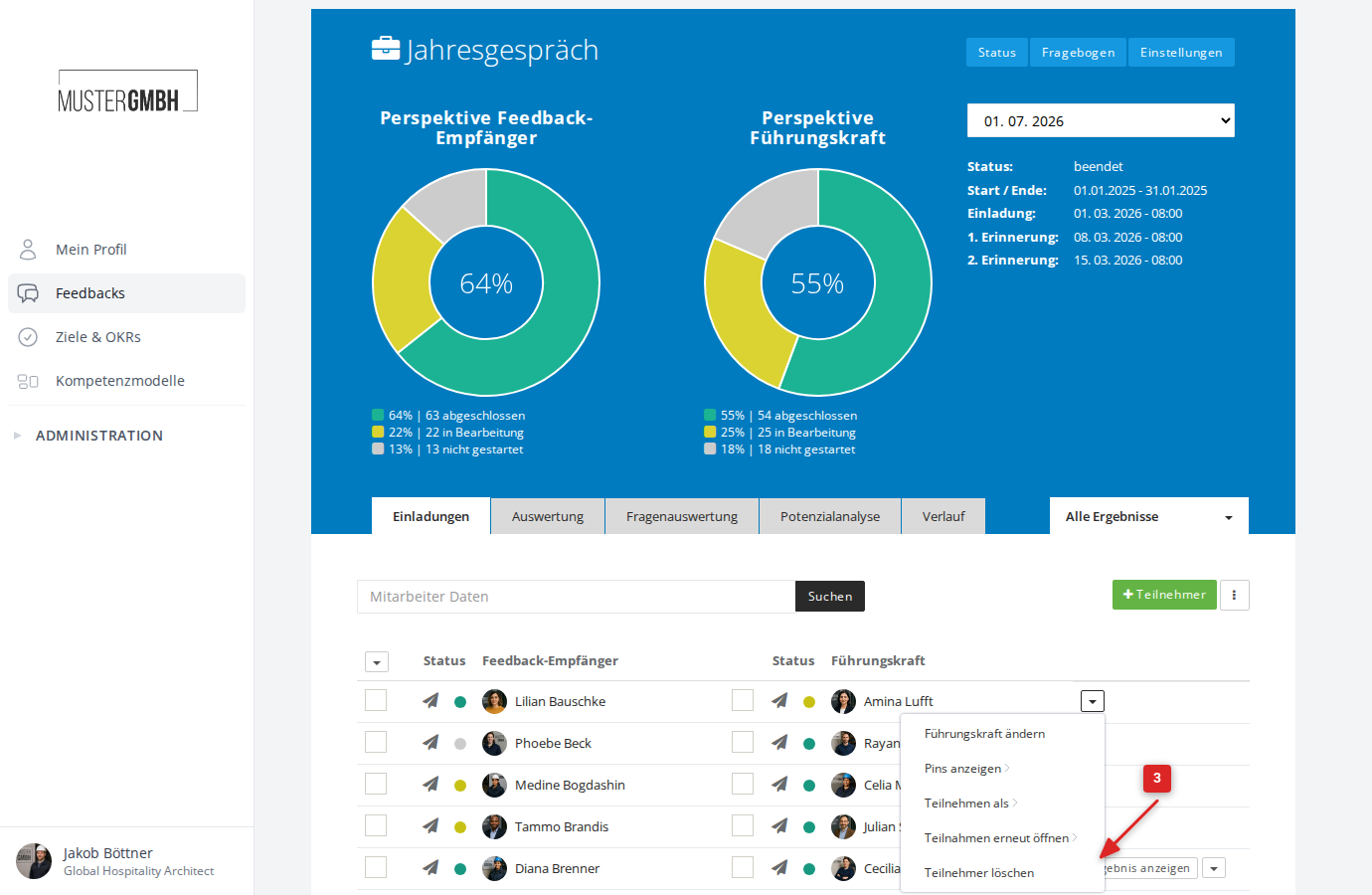
- Confirm in the dialog with “Remove now”.
Remove several participations at once
- Open the participant list of the feedback edition.
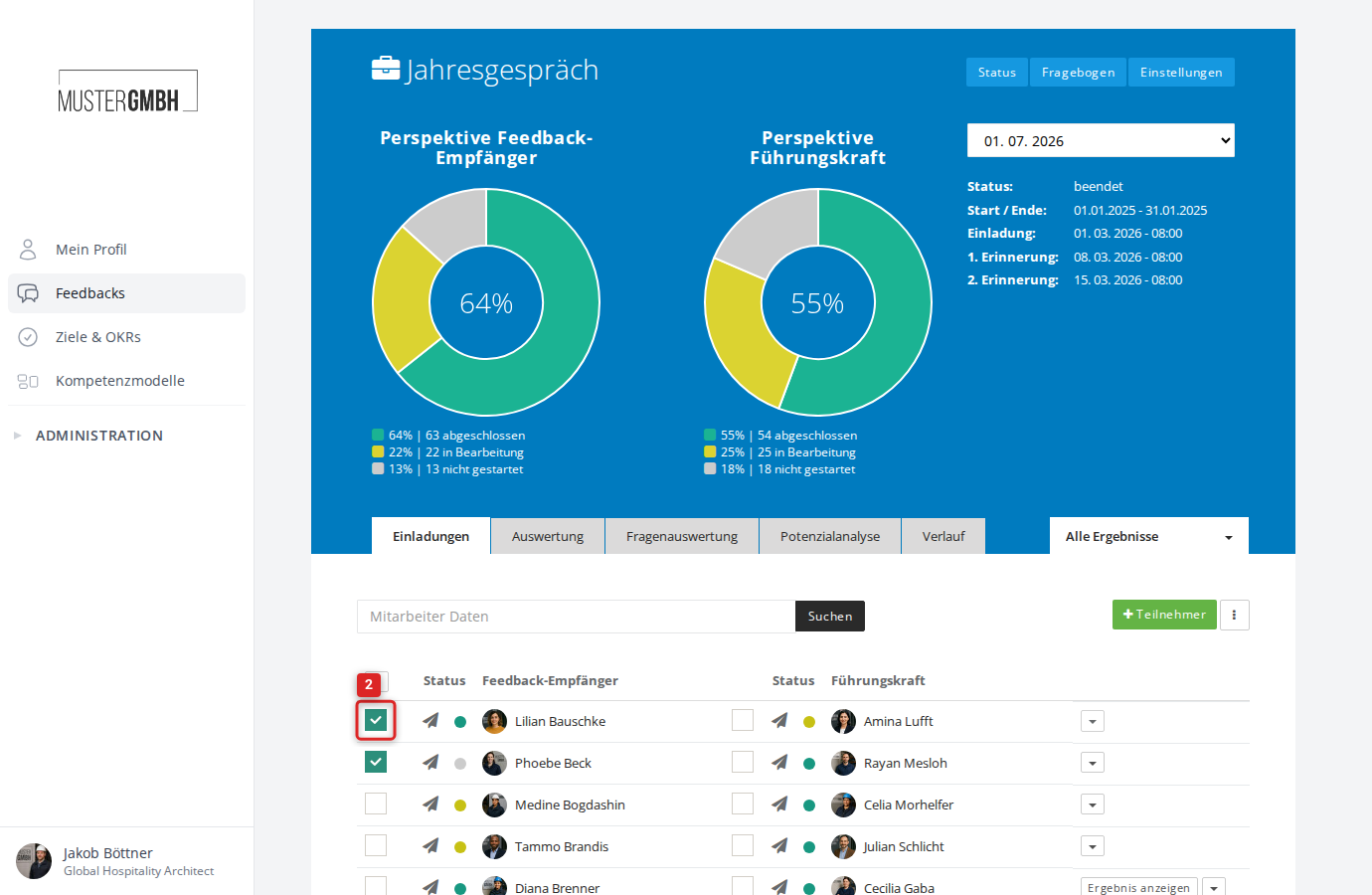
- Mark the participations you want by clicking the checkbox in each row.
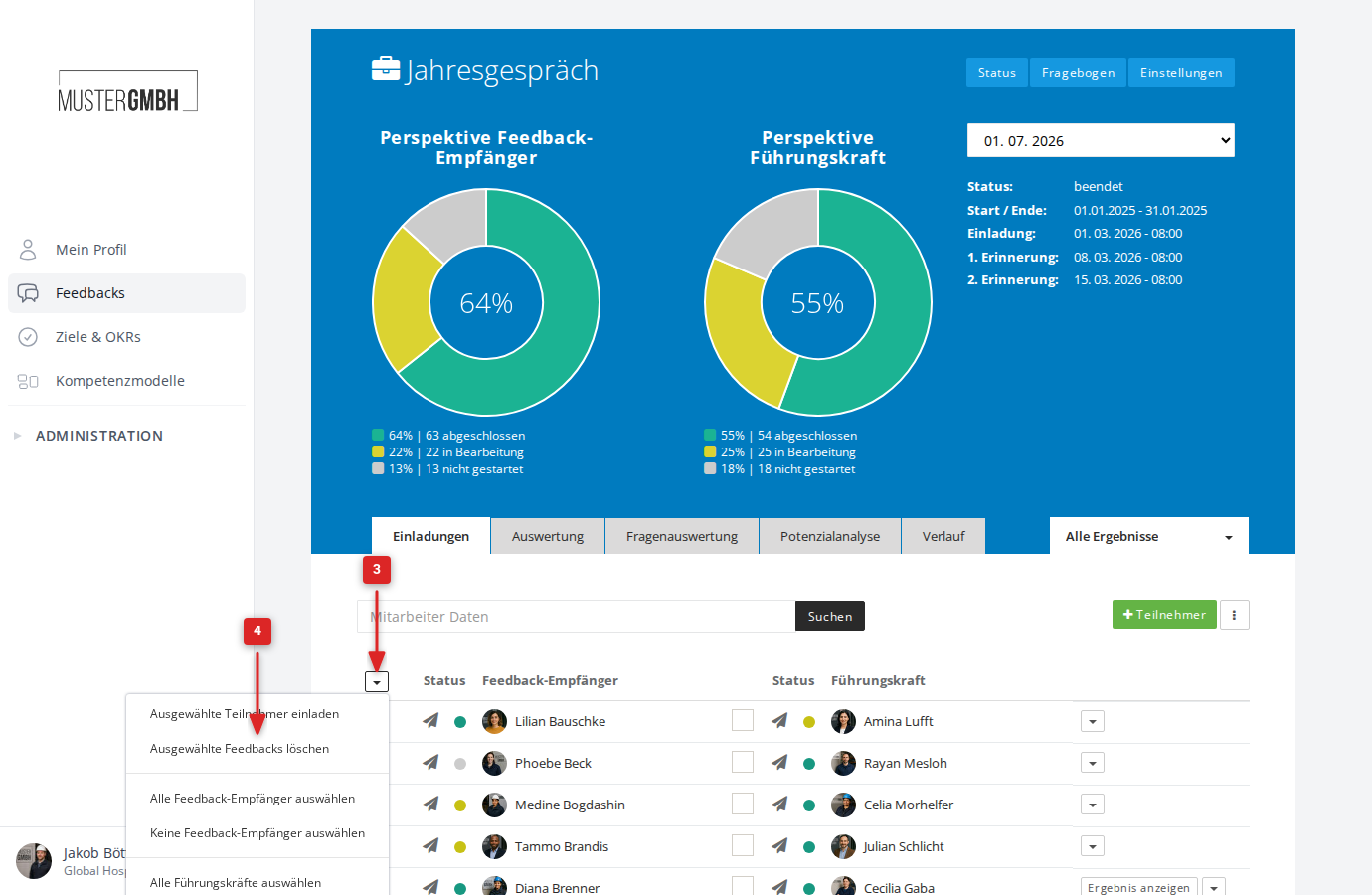
- Click the dropdown arrow at the top left of the participant list.
- Click “Delete selected reviews”.
- Confirm in the dialog with “Remove now”.
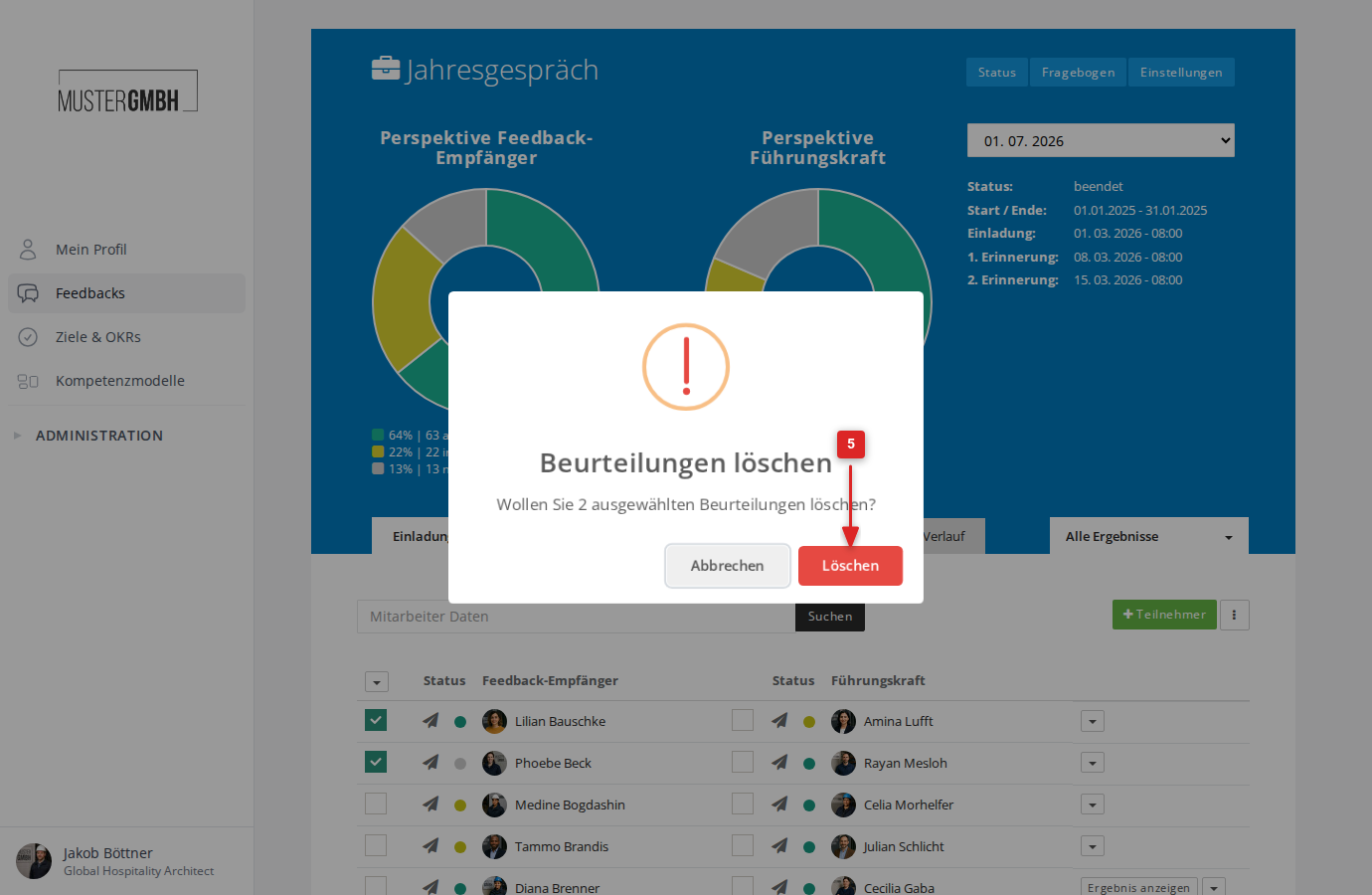
The page reloads and the selected participations are gone.