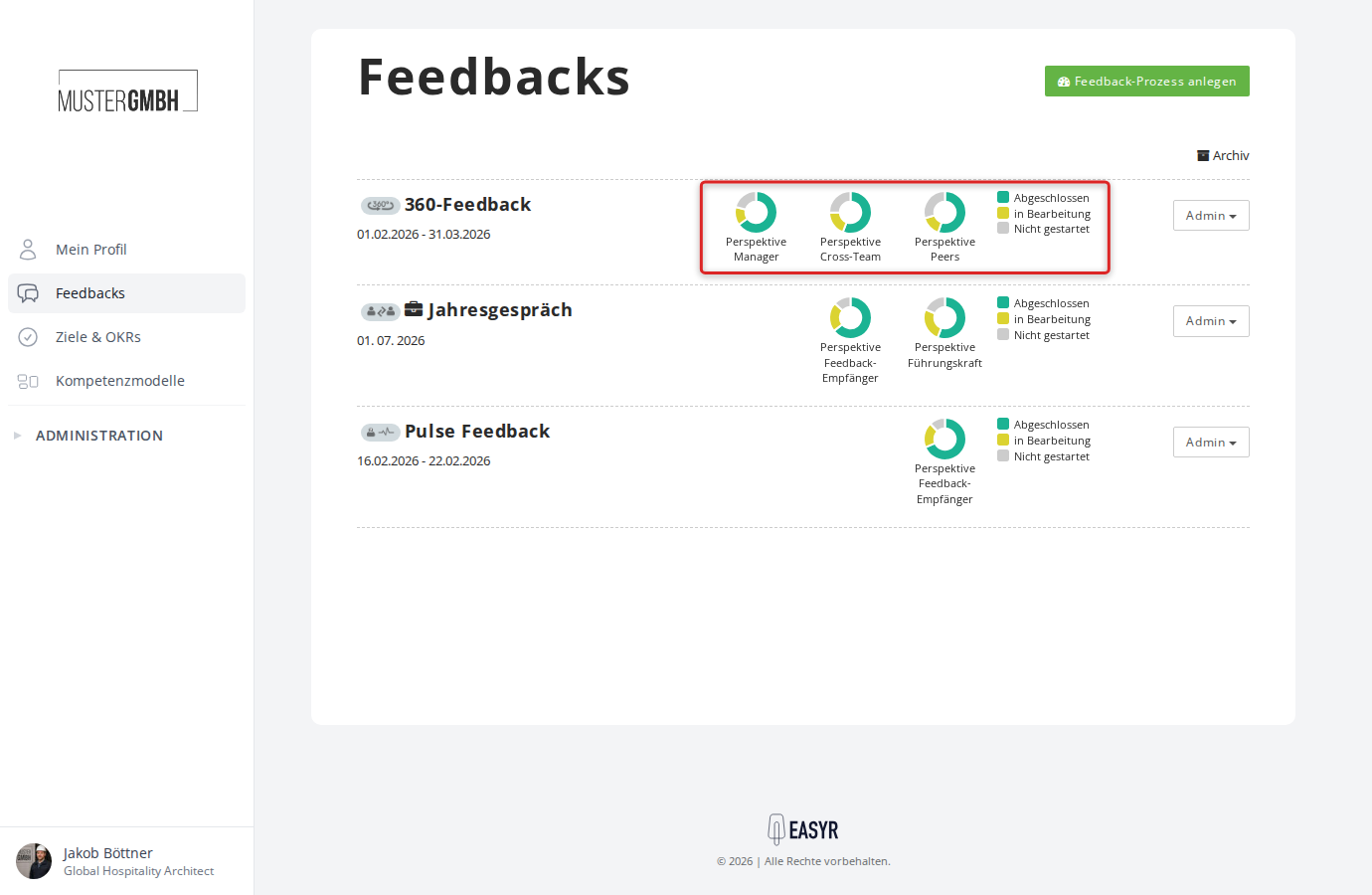
Review perspectives
Perspectives define the role a person takes part in a feedback from. Every feedback process has at least one perspective. On the “General” page of a feedback process’s settings you can rename the perspectives and set which perspective takes on the moderator role.
What are perspectives?
Each perspective represents a role in the feedback process. There are two basic kinds:
- Feedback recipient: the person being assessed (e.g. the employee in an annual review). Not every feedback type has a feedback-recipient perspective. External feedback and anonymous external feedback have none; in a 360° feedback it’s optional.
- Feedback giver: the people who give the feedback (e.g. the supervisor, colleagues). Depending on the feedback type there are one or several feedback-giver perspectives.
You can name each perspective freely. Examples: “Employee”, “Supervisor”, “Peers”, “Manager”, “Cross-team”.
Among other things, perspectives control:
- which questions in the questionnaire are visible for which role
- who may start the sealing process (moderator)
- how results are grouped and color-coded by role
- from how many completed participations a perspective’s answers become visible (quorum per perspective, 360° feedbacks only)
Perspectives by feedback type
The available perspectives depend on the type of feedback process:
| Feedback type | Perspectives | Adjustable? |
|---|---|---|
| General feedback | Feedback recipient | Rename only |
| General, anonymous feedback | Feedback recipient | Rename only |
| Two-sided feedback (e.g. annual review) | Feedback recipient + supervisor | Rename only |
| External feedback | Feedback giver | Rename only |
| Anonymous external feedback | Feedback giver | Rename only |
| Pulse survey | Feedback recipient | Rename only |
| 360° feedback | Feedback recipient (optional) + any number of feedback givers | Rename, add/remove perspectives |
You can only add or remove perspectives in 360° feedbacks. For all other types the perspectives are fixed.
A feedback provider perspective can also be opened up for people without an easyreview account, for example suppliers or customers. Your contact at easyreview sets that up; how you invite such people afterwards is described in Ask external people for feedback. With nominations switched on, a nomination path can also have them nominated. This is not possible for the feedback recipient’s perspective, for moderator perspectives, or for perspectives in the sealing committee. The perspective can only be closed to them again once no external person takes part in it or is nominated there any more and no nomination path allows external people.
Edit perspectives
To change the names of a feedback process’s perspectives:
- Open the settings of the feedback process.
- In the “General” row, click “Edit”.
- In the “Perspectives” card, change the name of a perspective.
- Click “Save” at the bottom of the page.
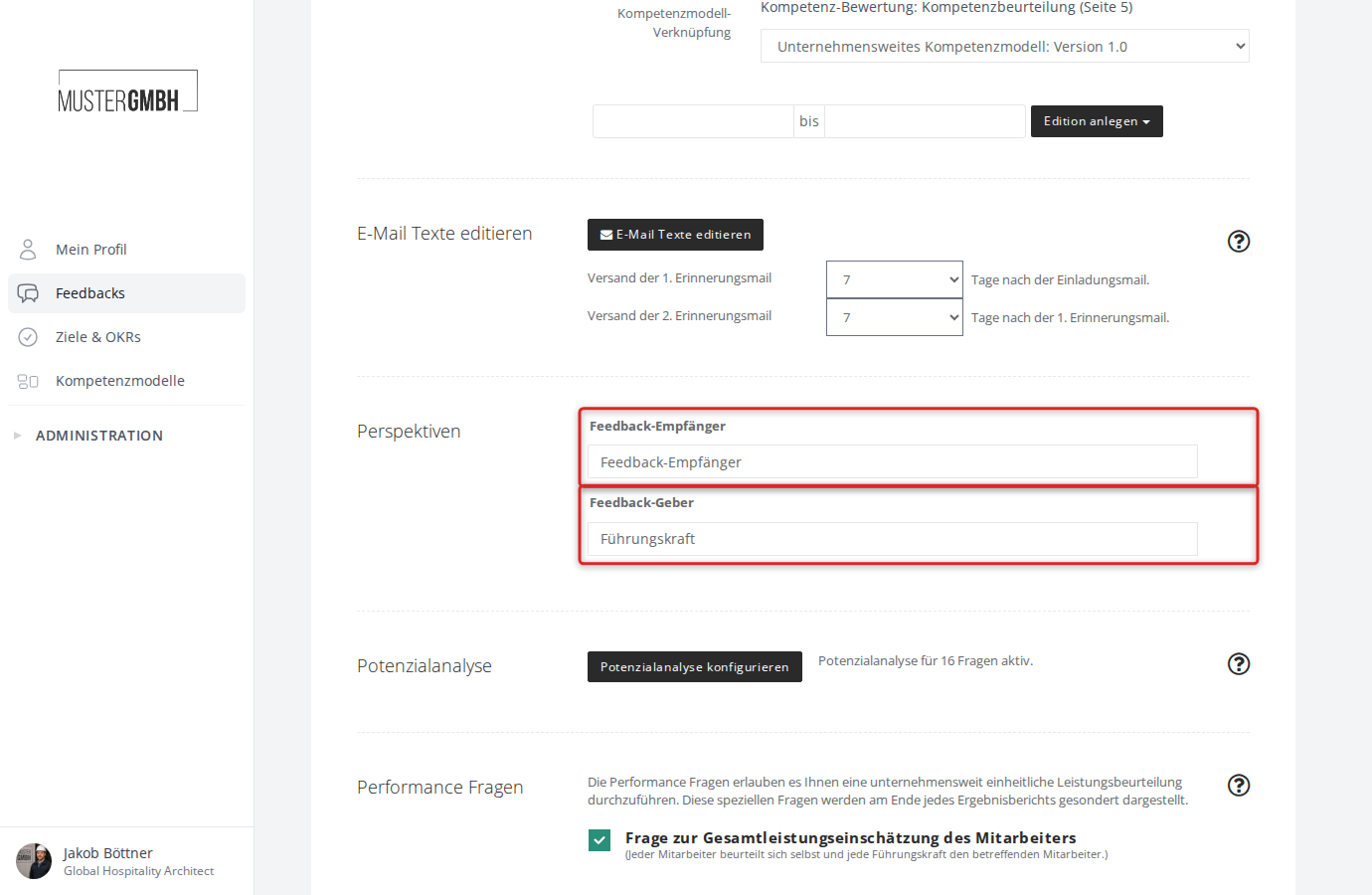
Perspectives in a 360° feedback
In 360° feedbacks you have extra options:
Add a perspective
- In the “Perspectives” card, click “Add perspective” below the feedback provider perspectives.
- Enter the name of the new perspective in the new field (e.g. “Peers”, “Cross-team”).
- Click “Save” at the bottom of the page.
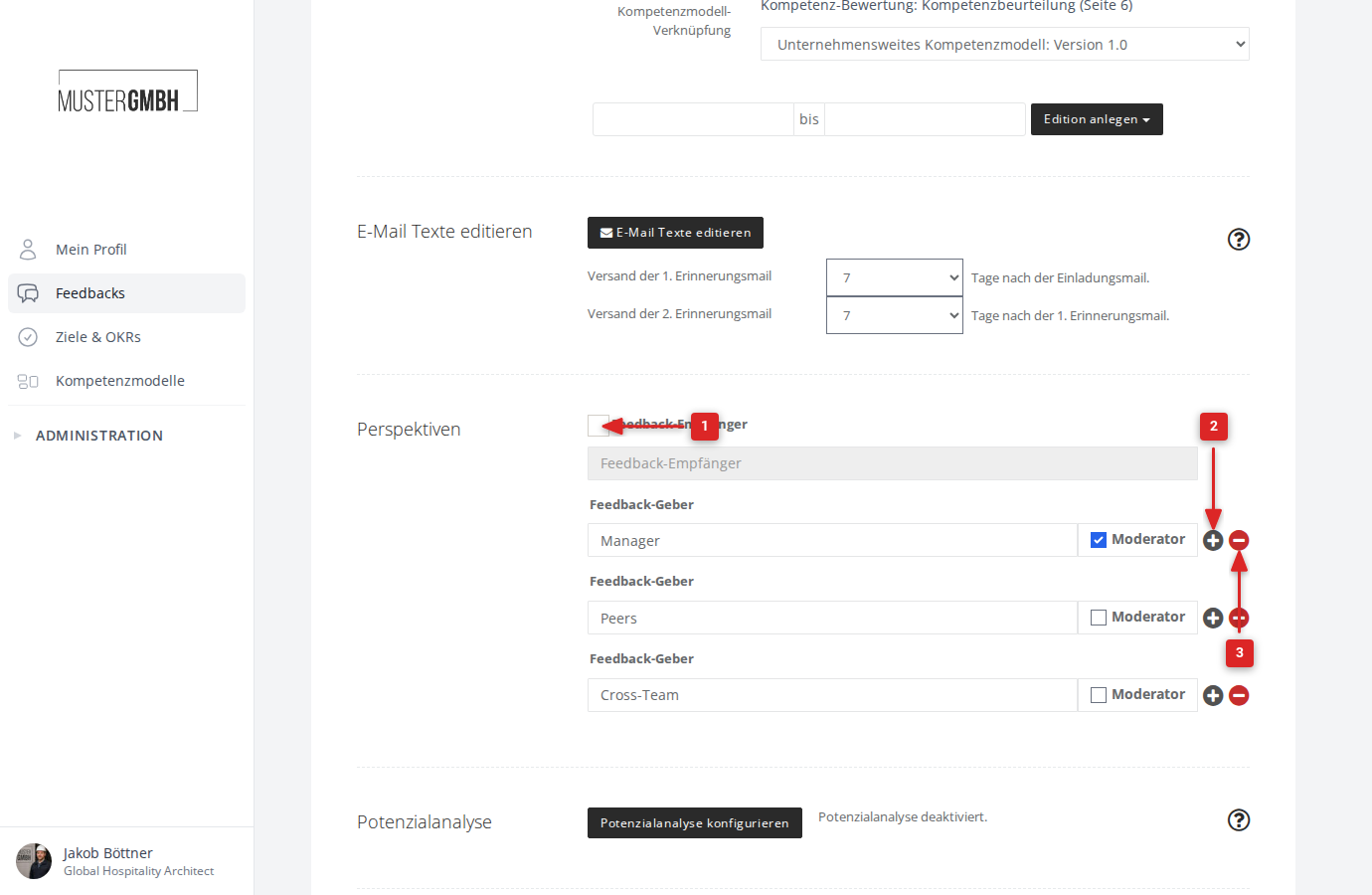
Remove a perspective
- Click the trash icon (“Remove perspective”) next to the perspective.
- Click “Save” at the bottom of the page.
Feedback-recipient perspective in a 360° feedback
In 360° feedbacks the feedback-recipient perspective is optional. Use the “Assesses themselves” checkbox next to the “Feedback recipient” field to turn it on or off. When it’s off, only the feedback providers fill in the questionnaire. If the perspective is already used in participations, “Used in participations” is shown instead of the checkbox.
The moderator role
The “Moderator” checkbox sets which perspective gets special permissions. Moderators can:
- start the sealing process
- view results before sealing is complete
- reopen feedbacks after completion (if that option is turned on)
On the “General” page, tick “Moderator” next to the feedback provider perspective you want and click “Save”.
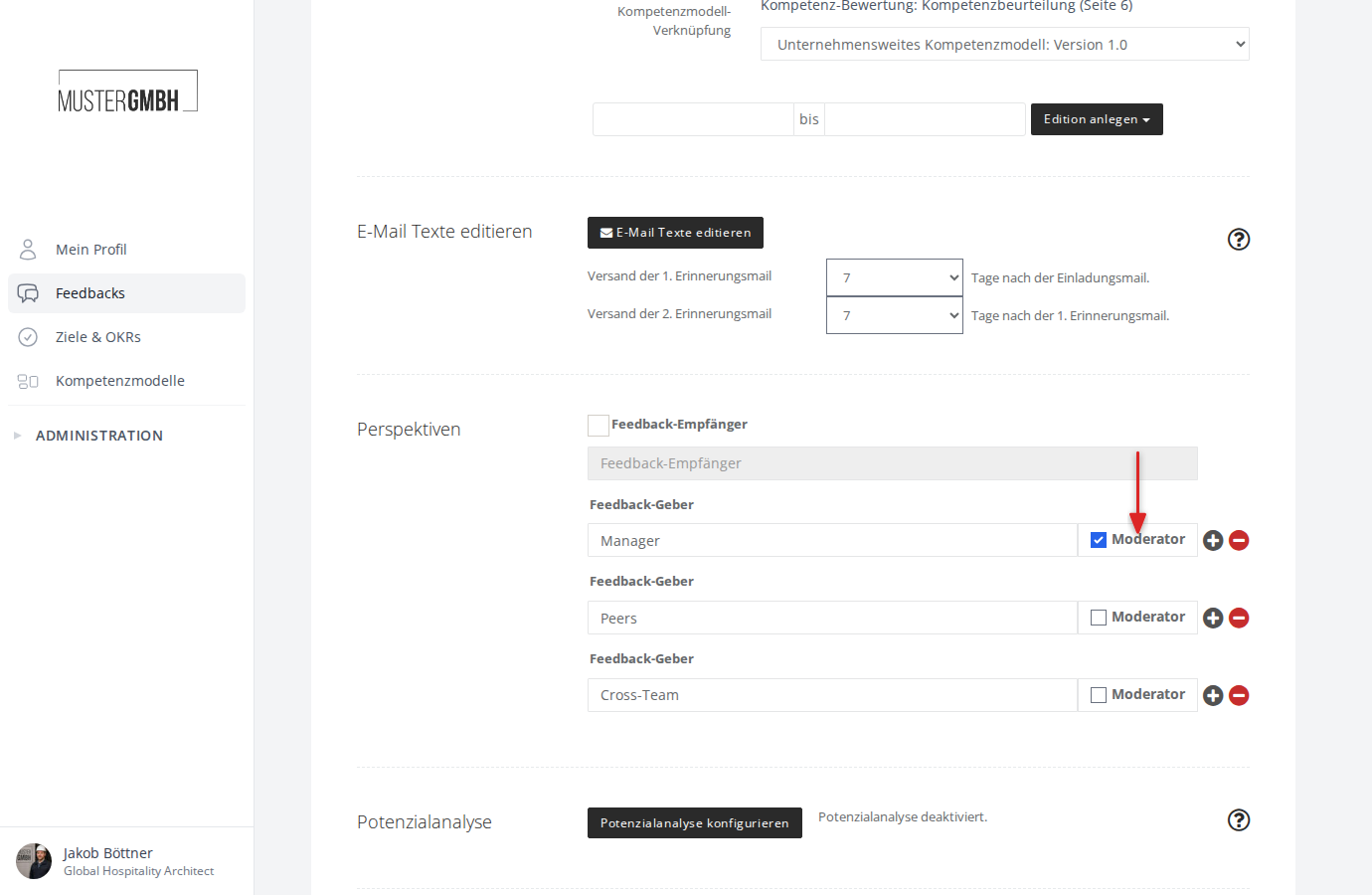
Color coding
Each perspective is automatically given a color. These colors appear in the feedback overview as colored rings and in the result displays (e.g. radar charts). The colors are assigned automatically when the feedback process is created.