Export a review result (PDF)
You can download the result of a review as a PDF file. The PDF contains all questions and answers of the participation, exactly as shown in the result view — including free-text answers, rating scales, and, where applicable, competency evaluations.
Requirements
To download a review result as a PDF, you need access to the result view of the participation. Anyone who can open the result view can also download the PDF.
Download the result as a PDF
- Open the result view of the participation you want
- Click the PDF icon at the top right of the result view header
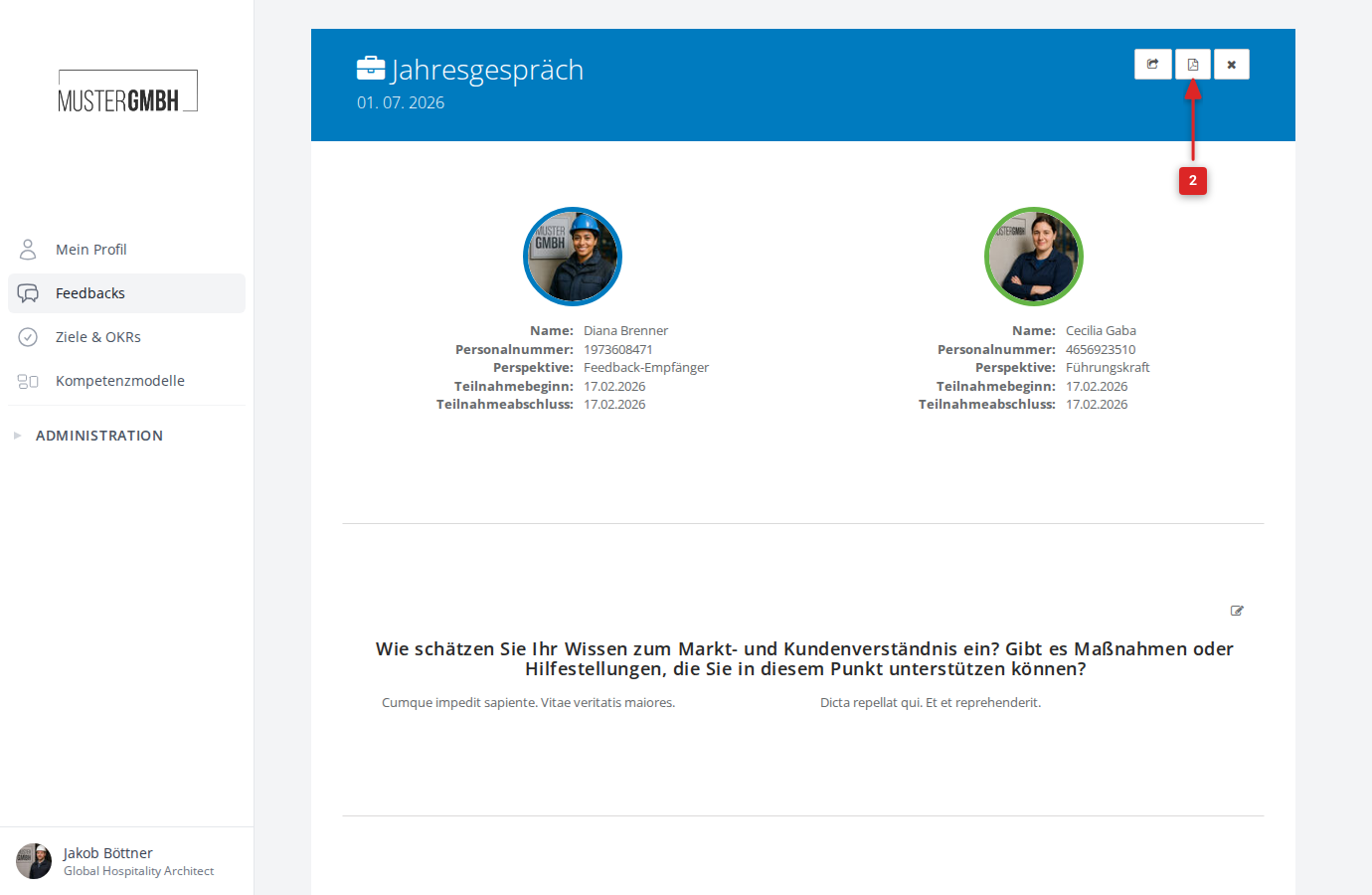
- The PDF opens in a new browser tab, where you can save or print it.
Perspectives in the PDF (360° feedback)
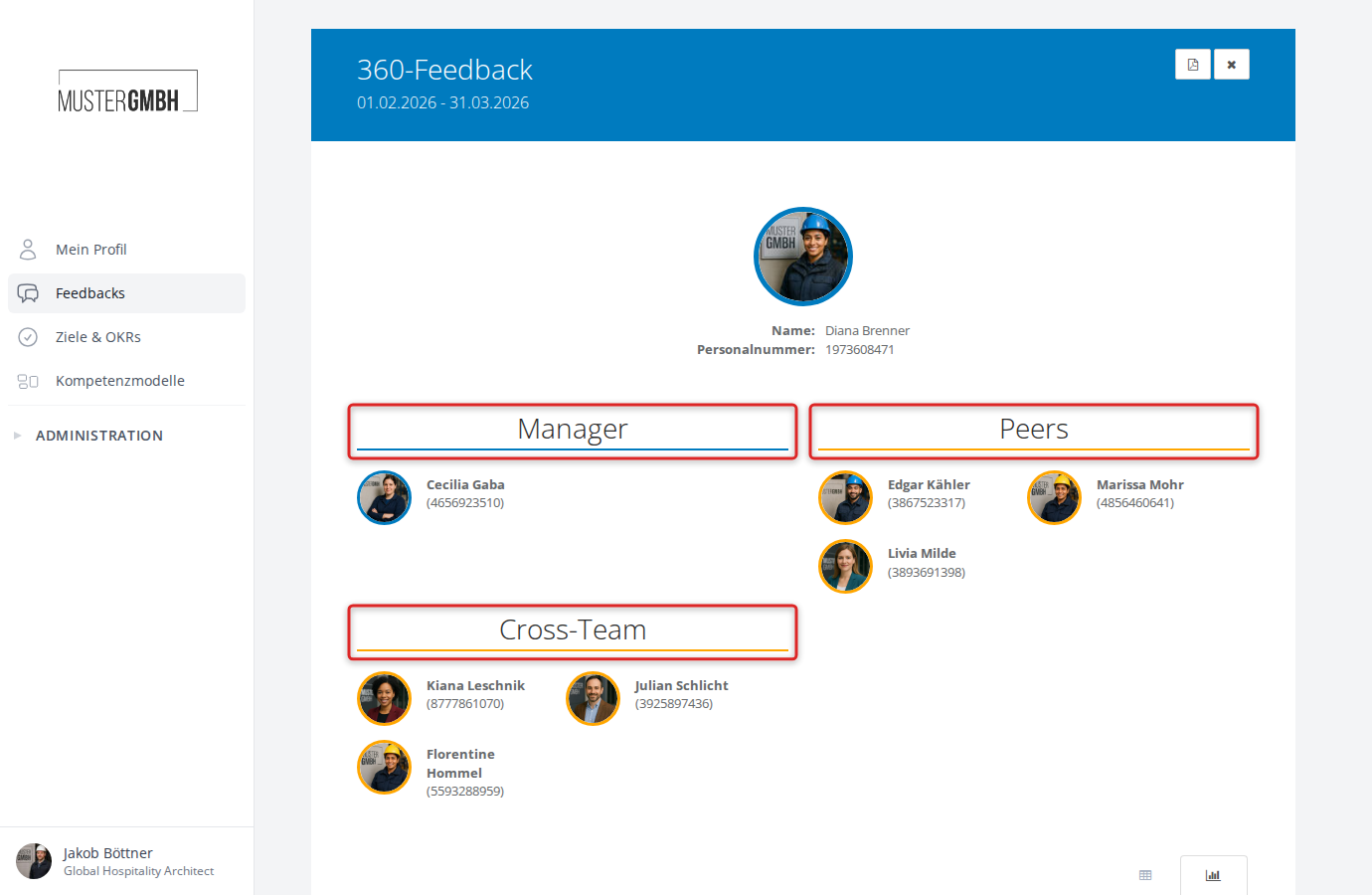
For 360° feedbacks, the result view groups the results by perspective (for example, manager, peers, cross-team). You can show or hide individual perspectives by clicking the respective perspective heading.
This selection is respected in the PDF export: the PDF contains only the results of the currently visible perspectives.
Related articles
- View a review result — open and navigate the result view
- Export review results (XLS) — export all results of an edition as an Excel file
- Download results as PDF — export the aggregated evaluation of an edition as a PDF