Element and question types
The easyreview questionnaire editor gives you a set of building blocks to assemble your questionnaire. They fall into two groups: question types and element types.
Question types
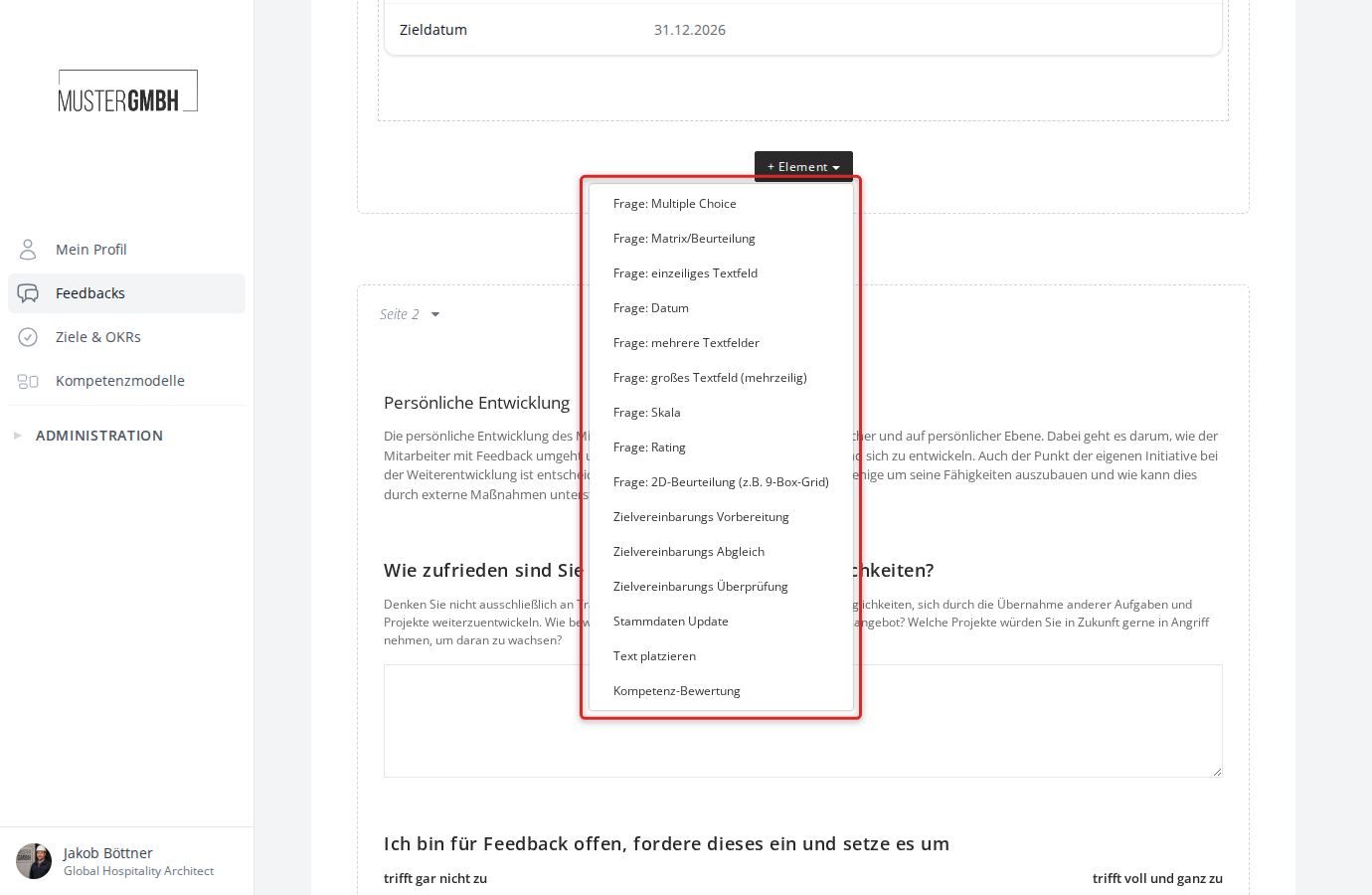
Question types are building blocks that require an answer from participants. They are the core of every questionnaire. In the dropdown you recognize them by the “Question:” prefix.
The following question types are available:
| Question type | Description |
|---|---|
| Question: Multiple choice | Closed questions with predefined answer options. Can be shown as a dropdown, radio buttons, or checkboxes. |
| Question: Matrix | Rating of several aspects in a grid of rows and columns. |
| Question: single-line text field | Short free-text field for brief answers. |
| Question: date | Input field for picking a date. |
| Question: multiple text fields | Several labeled text fields under one shared question. |
| Question: large text box (multi-line) | Multi-line text field for longer answers. |
| Question: Scale | Rating on an integer scale with labeled endpoints. |
| Question: Rating | Visual rating with stars or points. |
| Question: 2D Assessment (e.g., 9-Box Grid) | Two-dimensional grid for positioning along two axes. |
| Question: File-Uploads | Participants can upload files. Must be enabled separately. |
For a detailed description of every question type, see Question types.
Element types
Element types are building blocks that require no answer from participants. They structure the questionnaire or display information. In the dropdown they appear without the “Question:” prefix.
The following element types are available:
| Element type | Description |
|---|---|
| Place text | Formatted text anywhere in the questionnaire, for example notes or section headings. |
| Add page break | Splits the questionnaire into several pages. Added via the ”+ Page” button. |
| Objectives review | Shows an existing target agreement read-only inside the questionnaire. Only available with the Objectives module. |
For a detailed description of every element type, see Element types.
Special types
Beyond the standard question and element types, there are special types that embed specific easyreview features into the questionnaire:
| Type | Description |
|---|---|
| Objectives preparation | Participants propose goals directly in the questionnaire; at sealing, the target agreement is created from them. Only available with the Objectives module. |
| Objectives update | Lets participants update the progress of existing target agreements. Only available with the Objectives module. |
| Master Data Update | Lets participants update certain master data fields directly in the questionnaire. |
| Competency assessment | Assesses competencies based on a competency model. Must be enabled separately. |
Add an element
To add an element or question to the questionnaire:
- Open the questionnaire editor of the review you want.
- Click ”+ Element” at the bottom of the page where the element should appear.
- Choose the type you want from the dropdown.
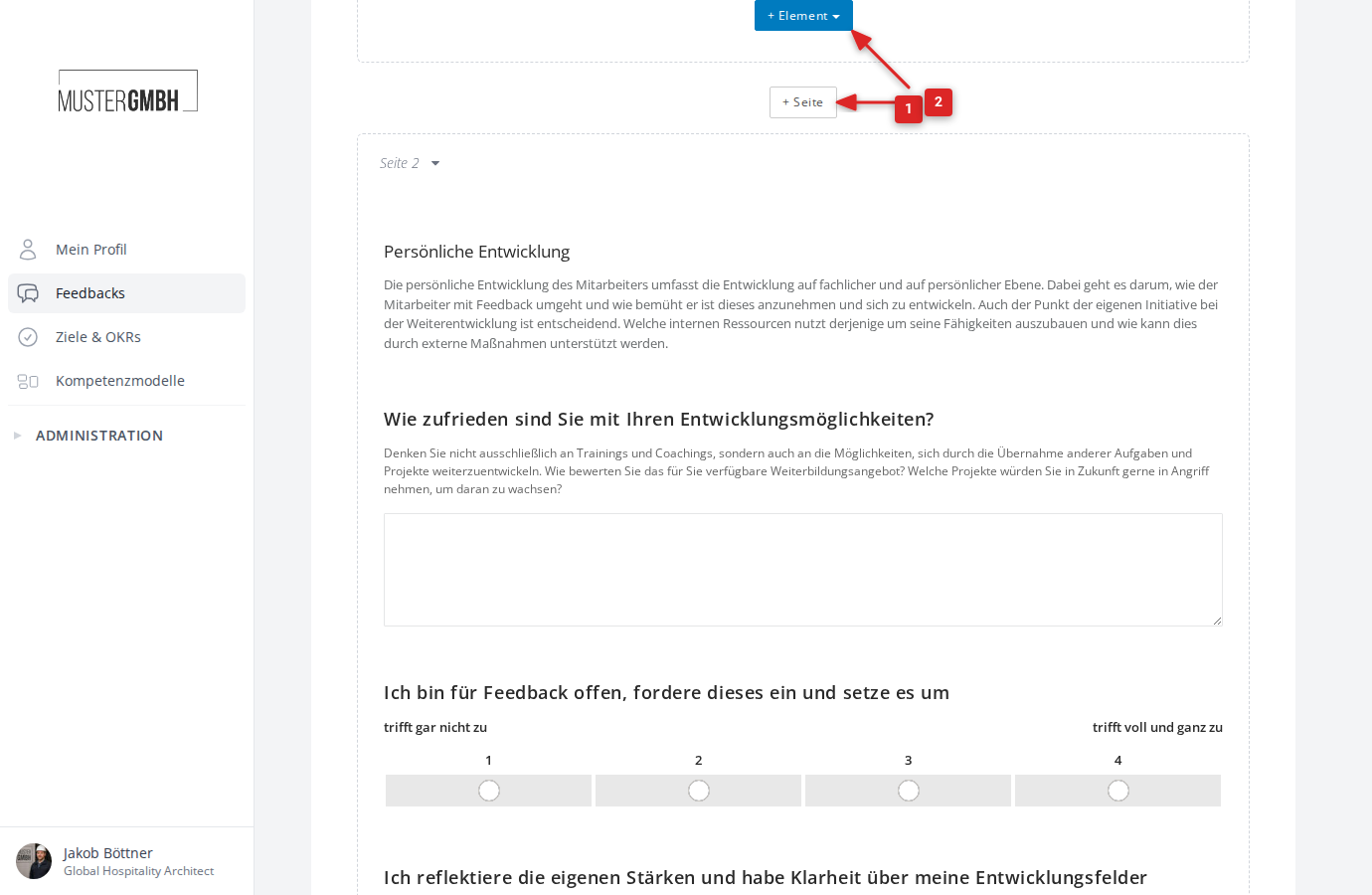
You add page breaks with the separate ”+ Page” button shown between questionnaire pages.
For a step-by-step walkthrough, see Add an element.
Common settings
All question types share a set of settings:
- Required question: Sets whether the question must be answered.
- Enable notes: Lets participants add a note to their answer.
- Visibility: You decide which perspectives, user groups, and editions see the question. This lets you show a question only to the supervisor, or only to the feedback recipient, for example.
To learn more about visibility, see Dynamic visibility.