Download results as PDF
On the evaluation pages of a feedback edition you can download the results as a PDF file. The PDF matches the on-screen view and is well suited for archiving or printing.
The PDF download is available on the following evaluation tabs:
- Evaluation (overview of all questions and answers)
- Question evaluation (detailed evaluation per question)
- Time series (comparison across several editions over time)
Depending on how the feedback process is configured, not all tabs are visible.
Download the PDF
- Open the status page of the feedback edition (sidebar: Reviews, then select the feedback process).
- Switch to the Evaluation, Question evaluation, or Time series tab.
- Click the three-dot menu (⋮) to the right of the evaluation heading.
- Click Download PDF.
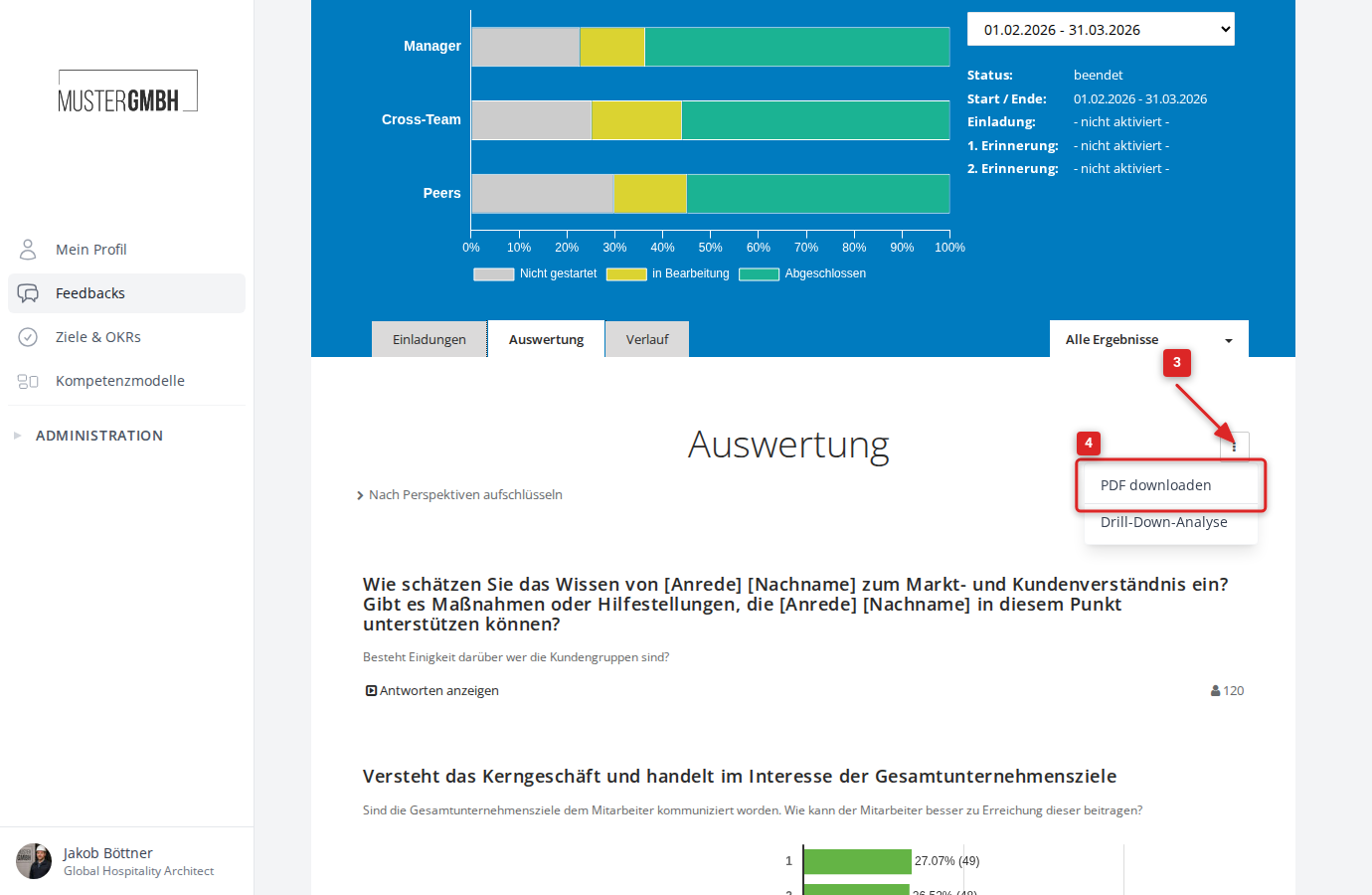
The PDF file is generated and downloaded directly in your browser. Depending on the size of the evaluation, generating it can take a moment.
To export a dashboard or an individual dashboard element, use its dashboard export. See Export dashboards as PDF or Excel.