Objectives review
With the “Objectives review” element, you embed the current state of a target agreement directly into a questionnaire. This lets you, for example, show last year’s target agreement when preparing for the annual review and then ask questions about goal achievement.
The target agreement is shown read-only. Participants cannot make any changes to the target agreement in the questionnaire (for example, complete or edit goals).
If several target agreements exist for an employee in the same category, the element shows the most recent one.
Add an objectives review
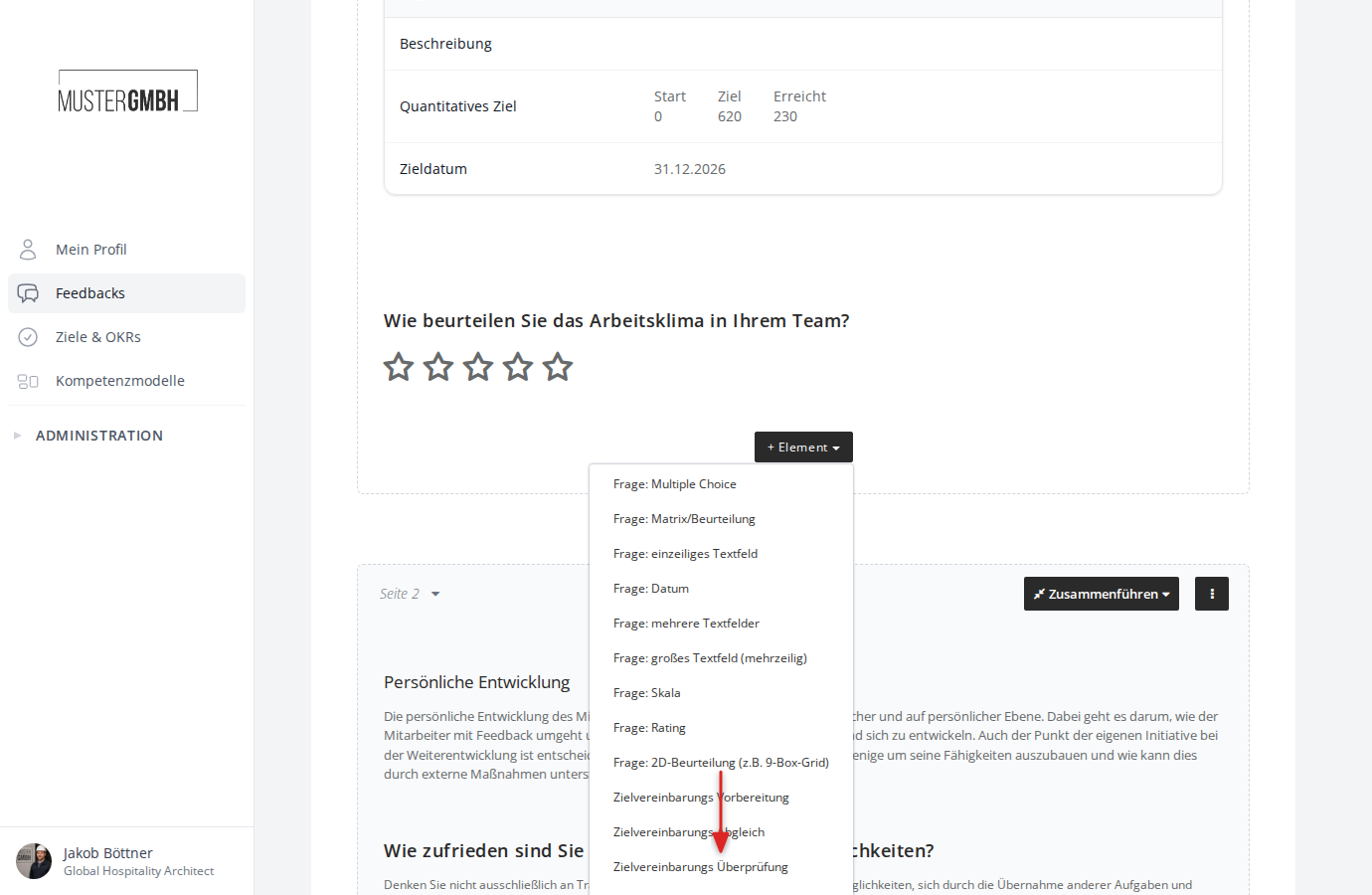
- In the questionnaire editor, click ”+ Element”.
- Click “Objectives review”.
Configure an objectives review
After adding it, the configuration form opens with the following settings:
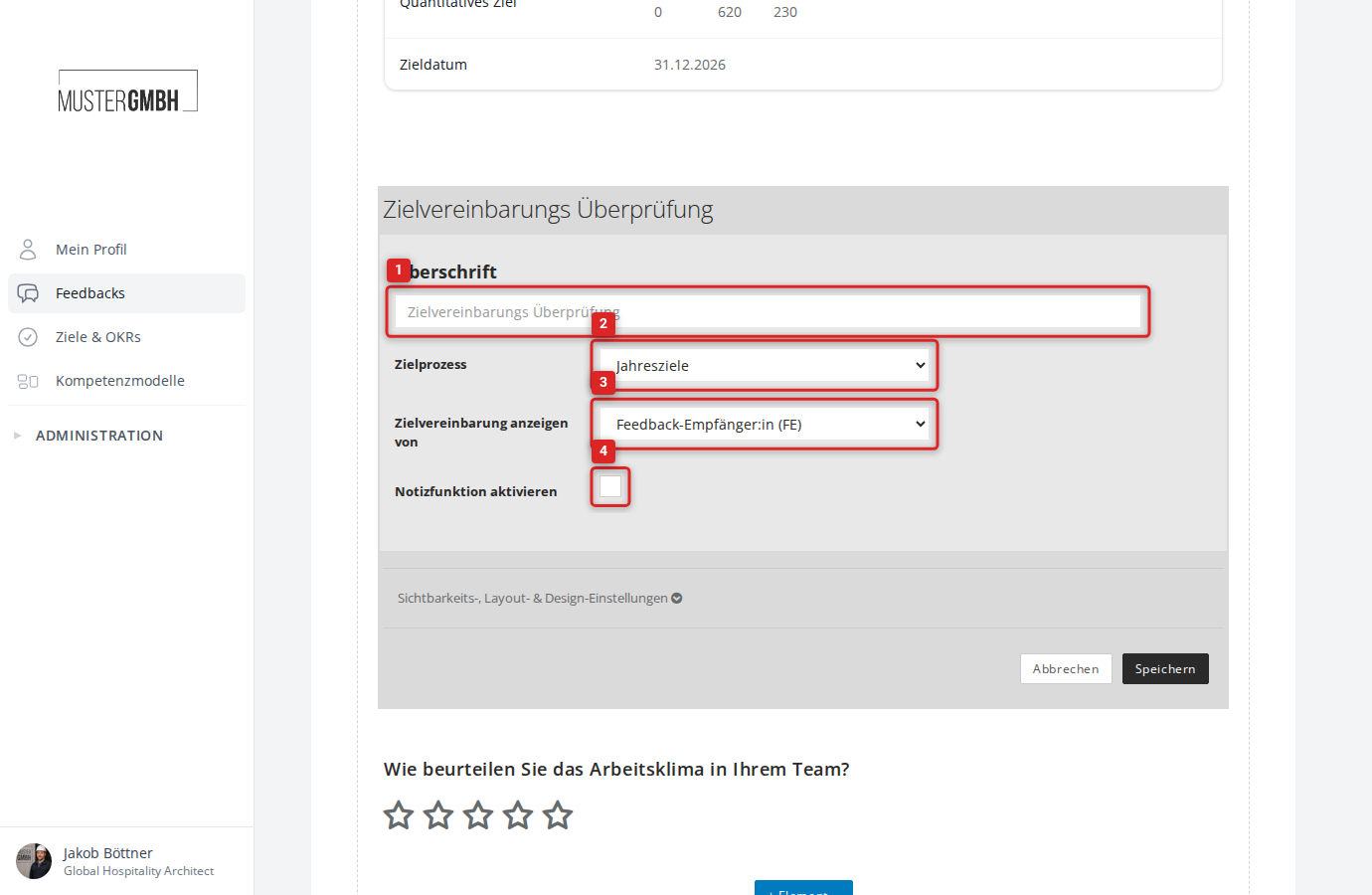
- Title: Enter a title for the element. It is shown to participants in the questionnaire.
- Objective’s category: Choose the target agreement process (the target agreement category) whose target agreement should be displayed.
- View target agreement from: Set whose target agreement is displayed. The following options are available:
- Reviewee: Shows the target agreement of the person being assessed (default).
- Supervisor of reviewee: Shows the target agreement of the feedback recipient’s direct supervisor.
- Skip level supervisor of reviewee: Shows the target agreement of the next-level supervisor.
- Chief supervisor of reviewee: Shows the target agreement of the top supervisor in the hierarchy.
- Enable notes: When enabled, participants can leave comments on the displayed target agreement.
Click “Save” to apply the element.
Preview in the questionnaire editor
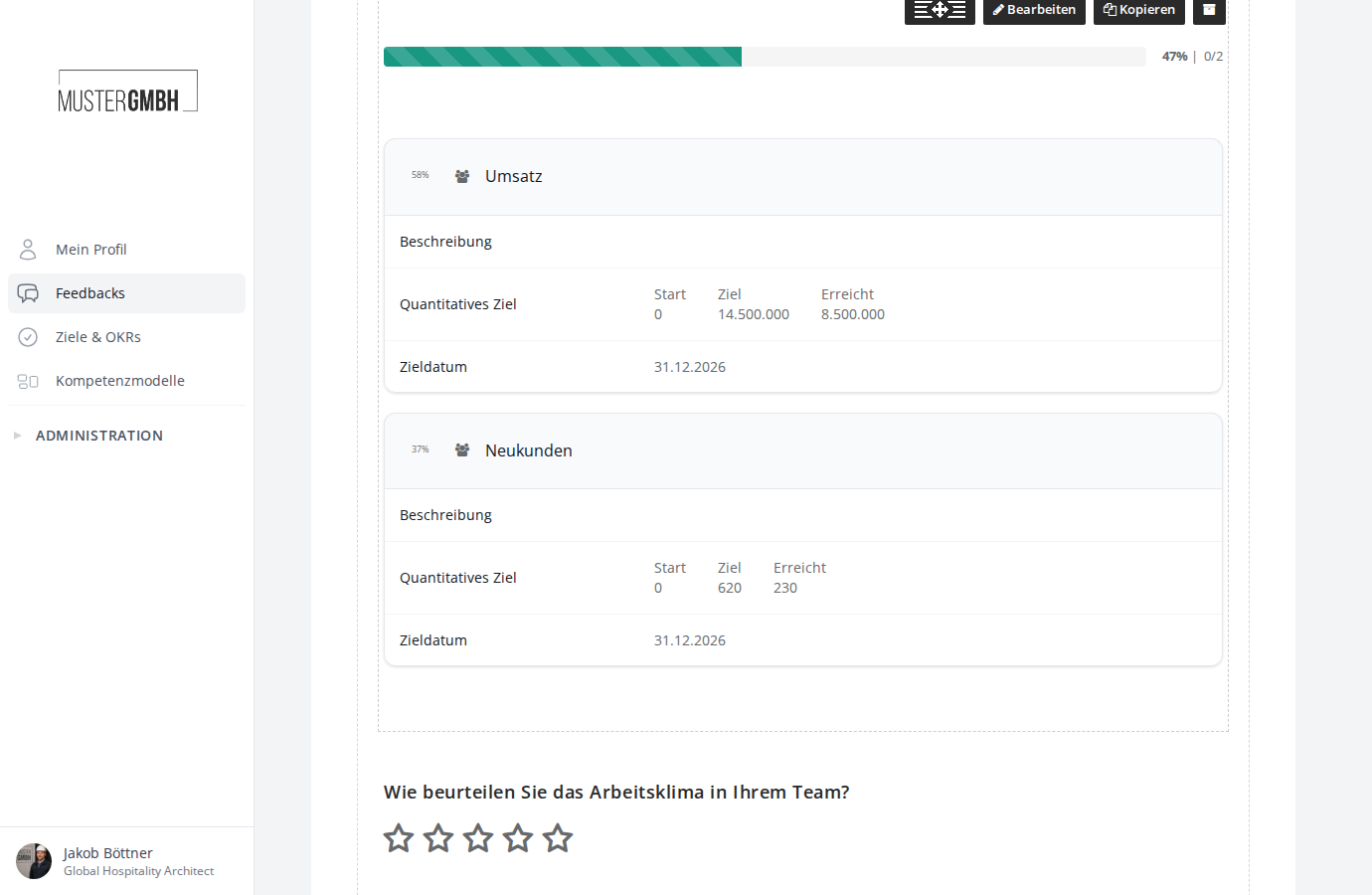
After saving, the questionnaire editor shows a preview of the element. The preview shows a random target agreement that you have access to.
No matching target agreement available
If no target agreement exists for the respective person in the selected process, the element shows the note “No matching objectives found for [Name].” in the questionnaire.