Getting started with target agreements
With target agreements in easyreview, every employee knows what is expected of them. Whether yearly, quarterly or monthly goals: you define measurable goals together with your colleagues and track progress in real time.
How target agreements are structured
Target agreements in easyreview are organized hierarchically:
- Target agreement process: the top level, e.g. “Annual goals” or “Quarterly goals”. Here you define what kind of goals you agree on.
- Edition: a concrete period within a target agreement process, e.g. “01/01/2026 to 12/31/2026”. Editions can be repeated and copied.
- Target agreement: one target agreement is created per employee and edition. It contains all key results and shows the overall progress.
- Key results: the individual goals within an agreement. Each key result has its own target date and can be marked as achieved or measured with a numeric value.
Optionally, goal groups split the key results into sections such as company goals, individual goals, and development goals. Per group, HR defines who may select it, how many goals it requires, and how much it counts towards the overall goal achievement.
Defining SMART goals
Target agreements in easyreview help you formulate SMART goals:
- Specific: you define the success criterion for each key result
- Measurable: key results can be quantified, so that progress is shown as a percentage
- Achievable: collaborating on setting goals contributes to motivation
- Realistic: breaking things down into smaller key results quickly reveals when a target agreement becomes too large
- Time-bound: all key results and the overall goal are given a target date
Viewing your own target agreements
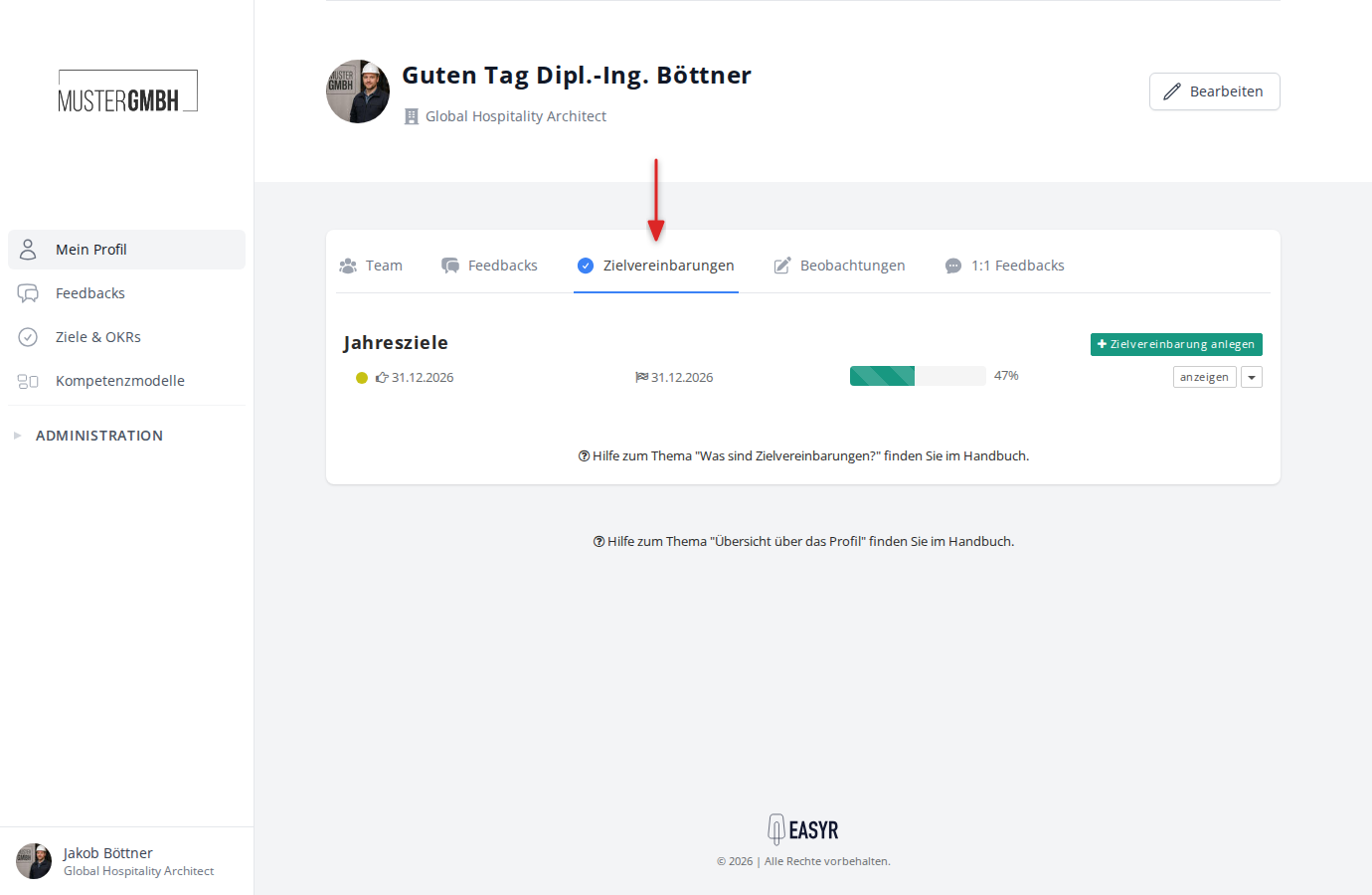
Every employee can view their own target agreements in their profile. To do so, click “Profile” in the sidebar navigation and then the “Objectives” tab.
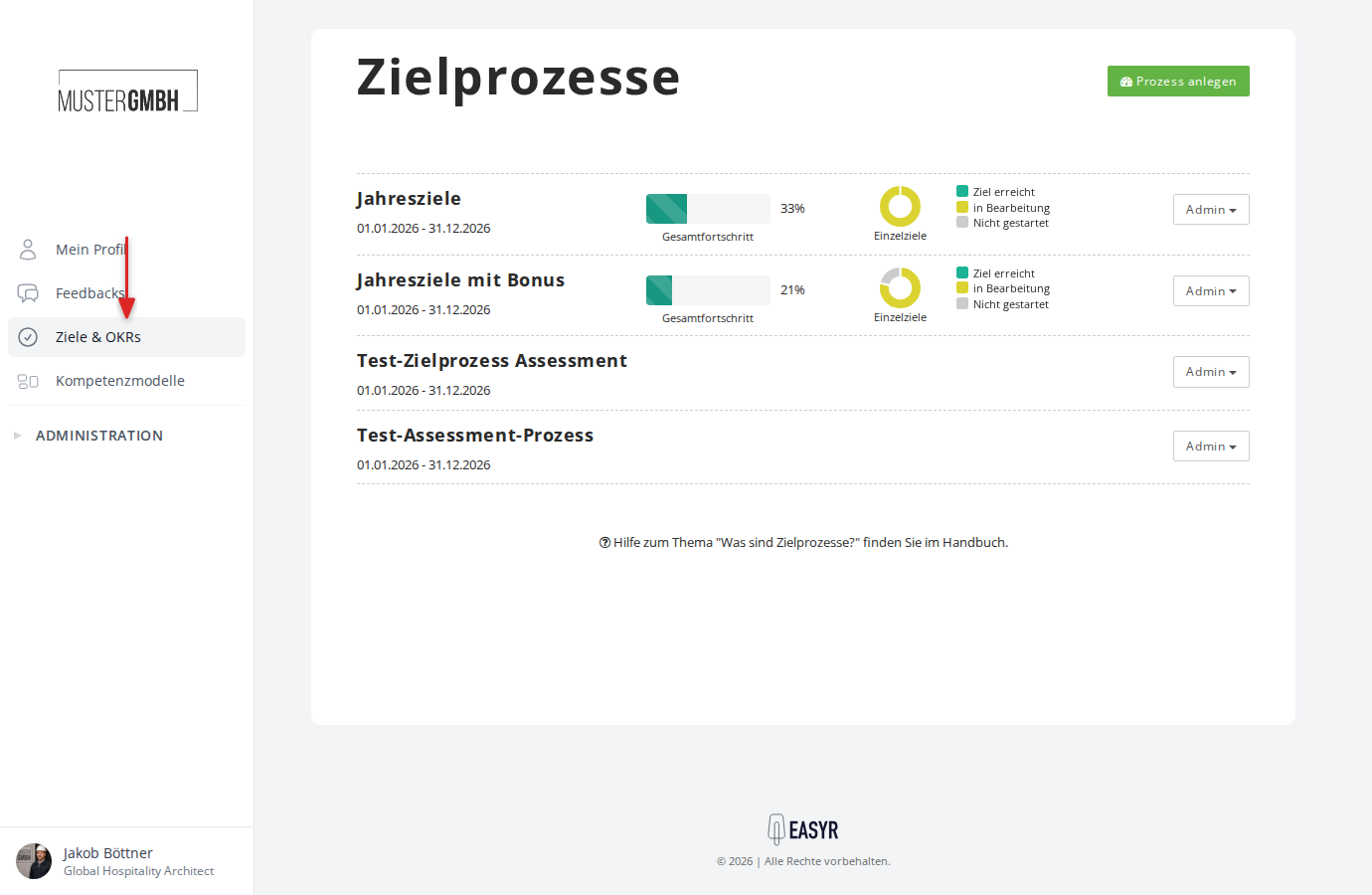
Supervisors and HR staff find the company-wide overview of all target agreements under “Objectives” in the sidebar navigation. There you see all target agreement processes with their respective overall progress.
For detailed information, see the article Target agreements overview.
Detail view of a target agreement
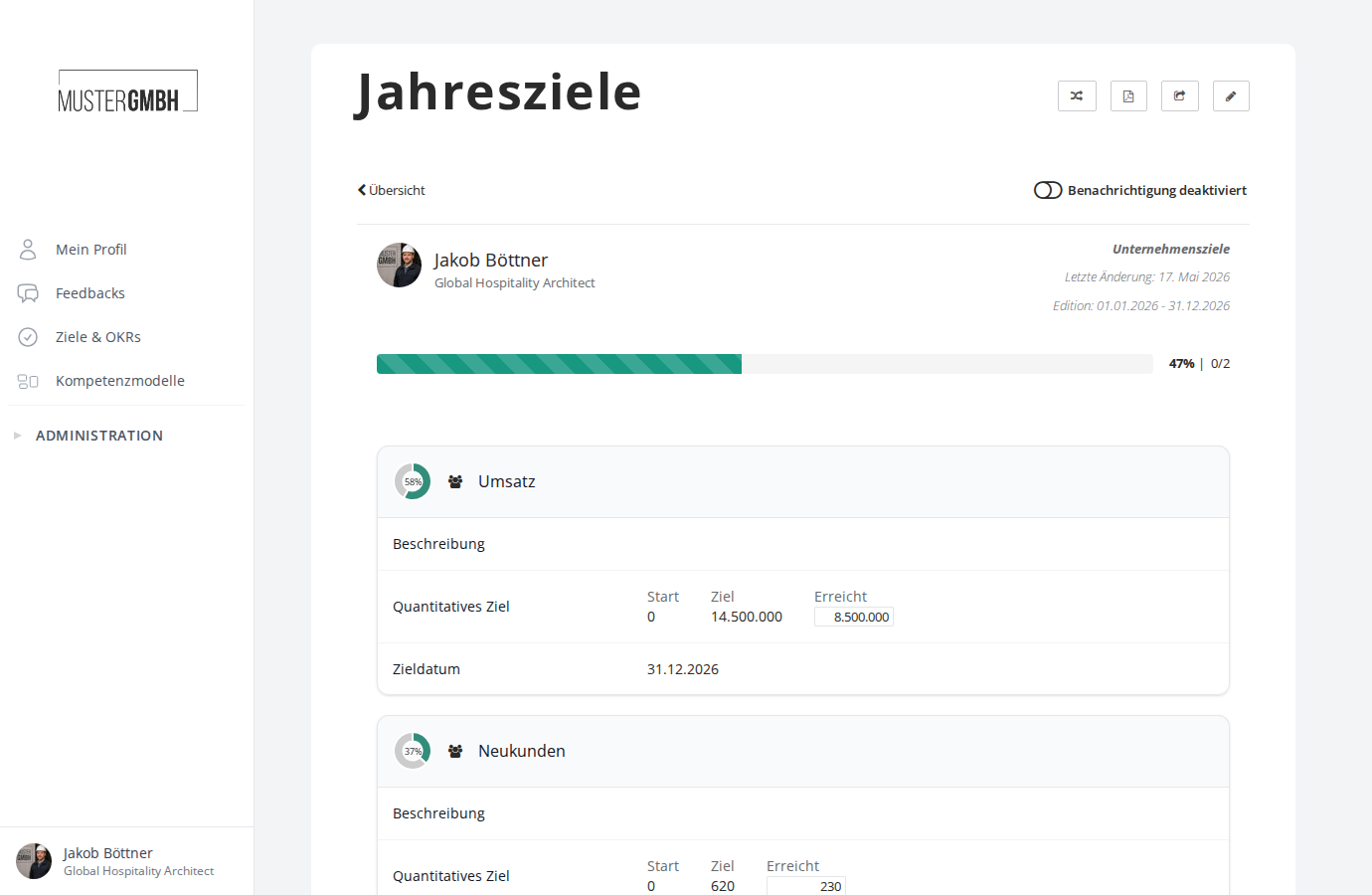
In the detail view you see all the information about a target agreement: the recipient, the progress, the individual key results with their status, and the target date. From here you can update the progress, leave notes and export the agreement as a PDF.
Target agreement concepts
easyreview lets you cover different scenarios:
- Classic goal-setting: supervisors set the goals for their employees
- Collaborative target agreement: goals emerge from a dialogue between supervisor and employee
- Self-set goals: employees set their own goals and share their progress across the company
The access rights for editing and viewing can be set individually per target agreement process.
Key results and progress
Key results are the heart of a target agreement. For each key result you can define how progress is measured:
- Simple key results: can be checked off as “achieved” or “not achieved”
- Quantified key results: with a start and target value, so that progress is calculated as a percentage (e.g. revenue goal: start 0, target 500,000, achieved 420,000 = 84%)
- Weighted key results: individual key results can be weighted differently to reflect priorities
How to update progress is explained in Complete or update a key result.
Cascaded goals
With cascaded goals you can pass company-wide or department goals on to several employees. The goal is integrated into the target agreement of everyone affected, and progress is tracked centrally.
If all employees should receive the same goals, HR creates them once in a template. They then appear as centrally managed goals in every target agreement of the edition.
Notifications and reminders
Through notifications for target agreements you always stay up to date. Automatic emails inform you before a target date runs out and when a target agreement changes. This applies to employees, supervisors and the HR department.
Integration with reviews
In the questionnaire of a review, the target agreement review element lets you display the current state of a target agreement directly. This gives you an ideal starting point for working out the goals for the next cycle.