Delete editions
You can delete editions of a feedback process as long as at least one active edition remains. Deleted editions are not removed immediately. They are first marked for deletion, and you then have 90 days to restore an edition before it is permanently deleted.
Delete an edition
-
Open the settings of the feedback process. You find completed editions on the “Editions” page, which you open with “All editions” in the “Editions” card.
-
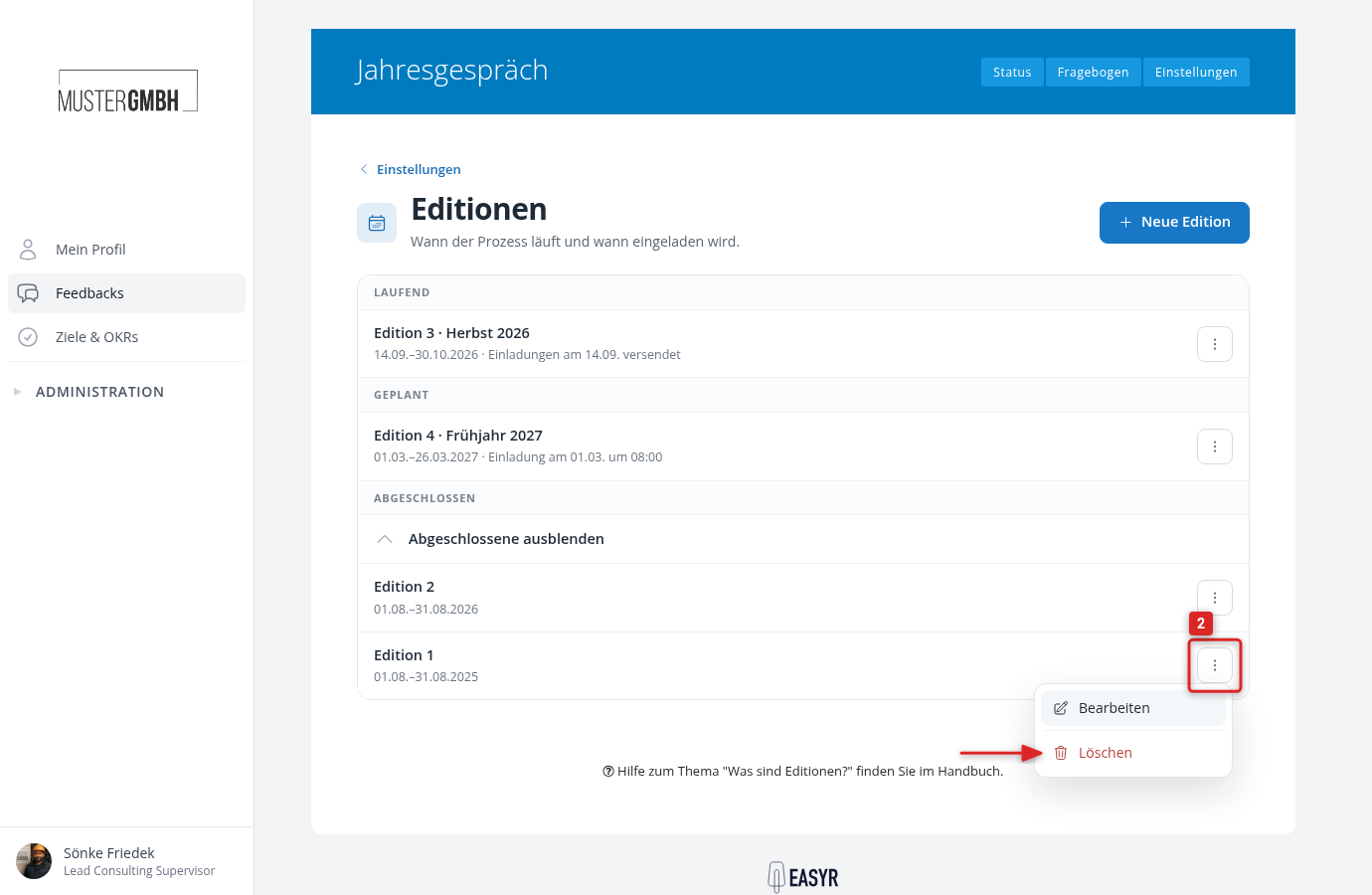
Click the ⋮ menu next to the edition and choose “Delete”.
-
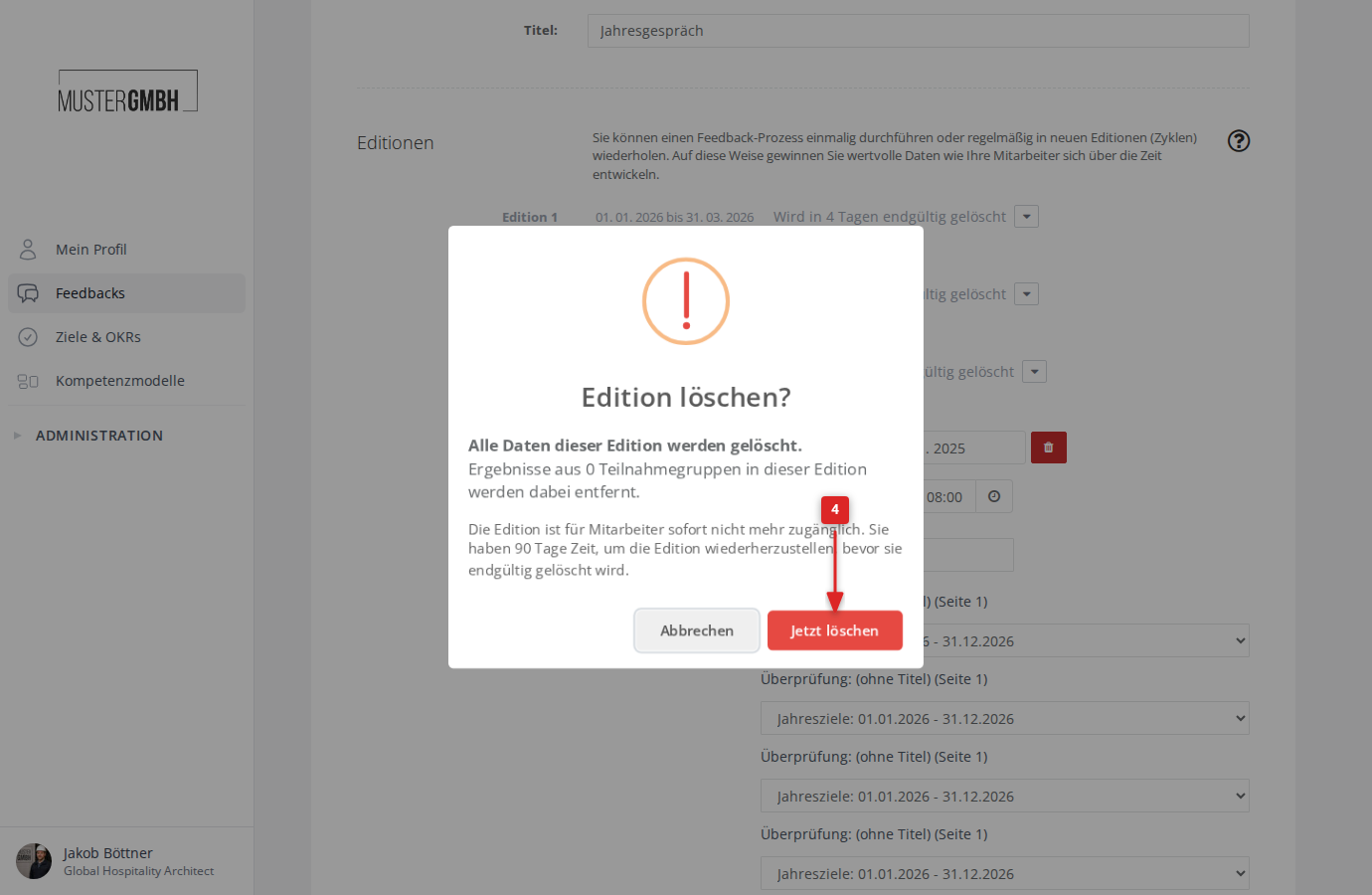
A confirmation dialog appears. It shows how many participation groups of the edition are affected and points out the 90-day restore period. Click Delete now to confirm.
The edition is marked for deletion, and easyreview reports “The edition was marked for deletion.” Employees without HR or executive management access can no longer open the deleted edition. Deleted editions don’t count toward the numbering: the numbers of the remaining editions move up until you restore the edition.
Restore a deleted edition
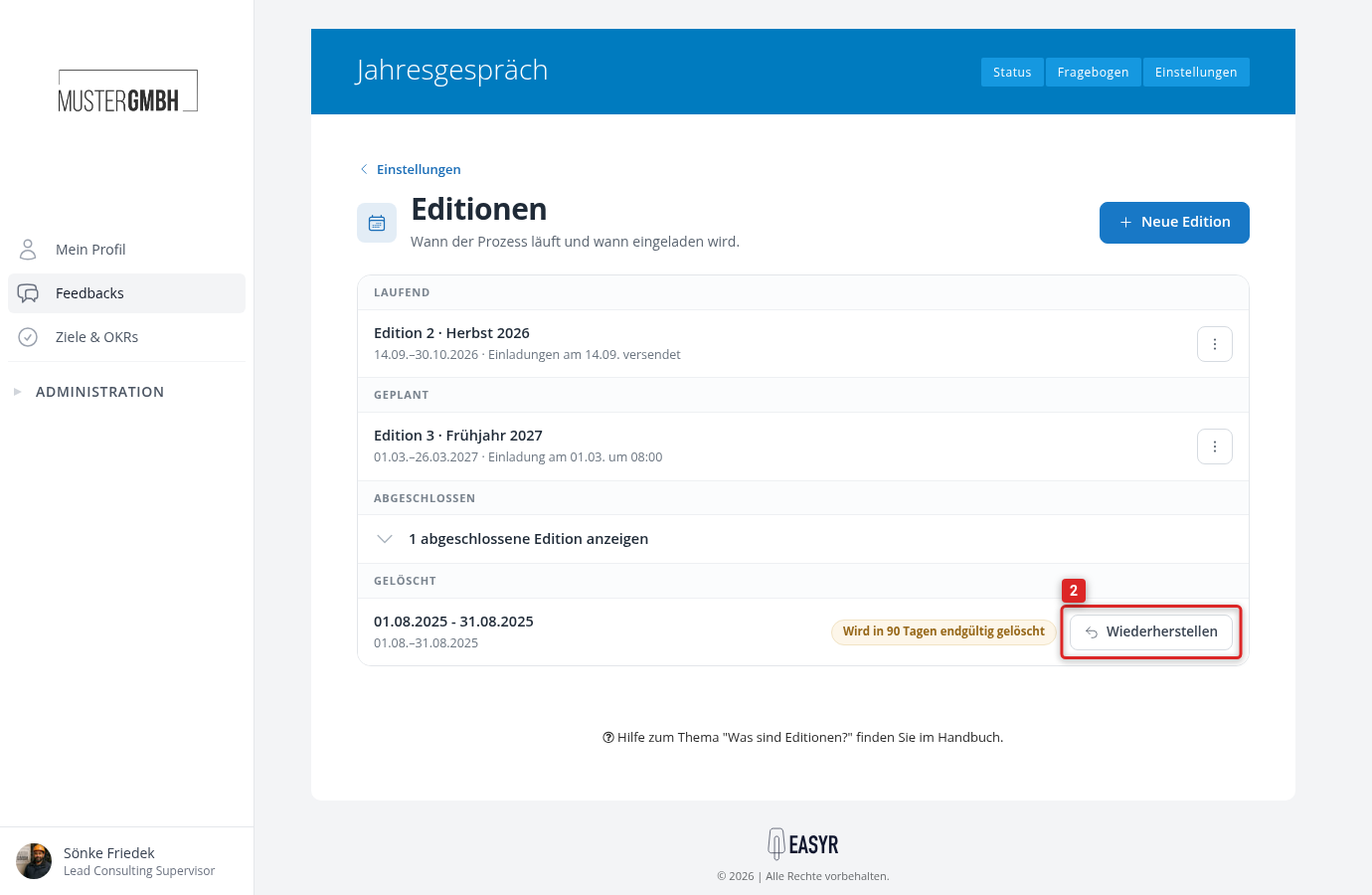
Deleted editions are listed on the “Editions” page in the “Deleted” group. Next to the period you see when the edition will be deleted permanently, for example “Will be permanently deleted in 90 days”. Within this period you get the edition back completely.
-
Open the settings of the feedback process and click “All editions” in the “Editions” card.
-
In the “Deleted” group, click Restore for the edition.
-
Confirm the restore in the dialog with Restore now.
The edition is then accessible to employees again.