Search participants
The search in the participant list helps you find individual participations within a feedback edition.
Run a search
- Open the participant list of the feedback edition you want (the Invitations tab).
- Type your search term into the “Employee data” field.
- Click “Search”.
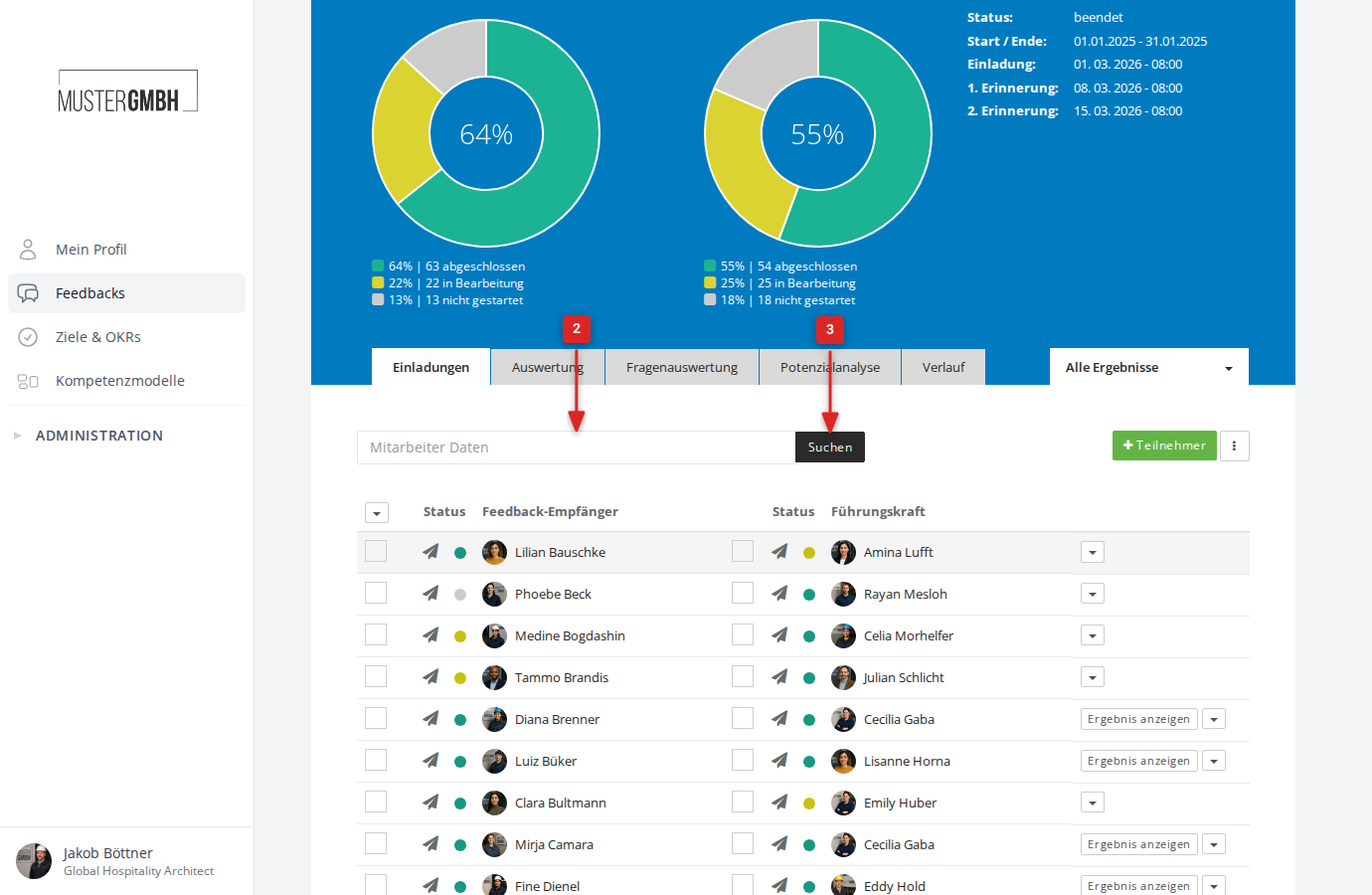
The participant list then shows only participations where the search term matches one of the people involved.
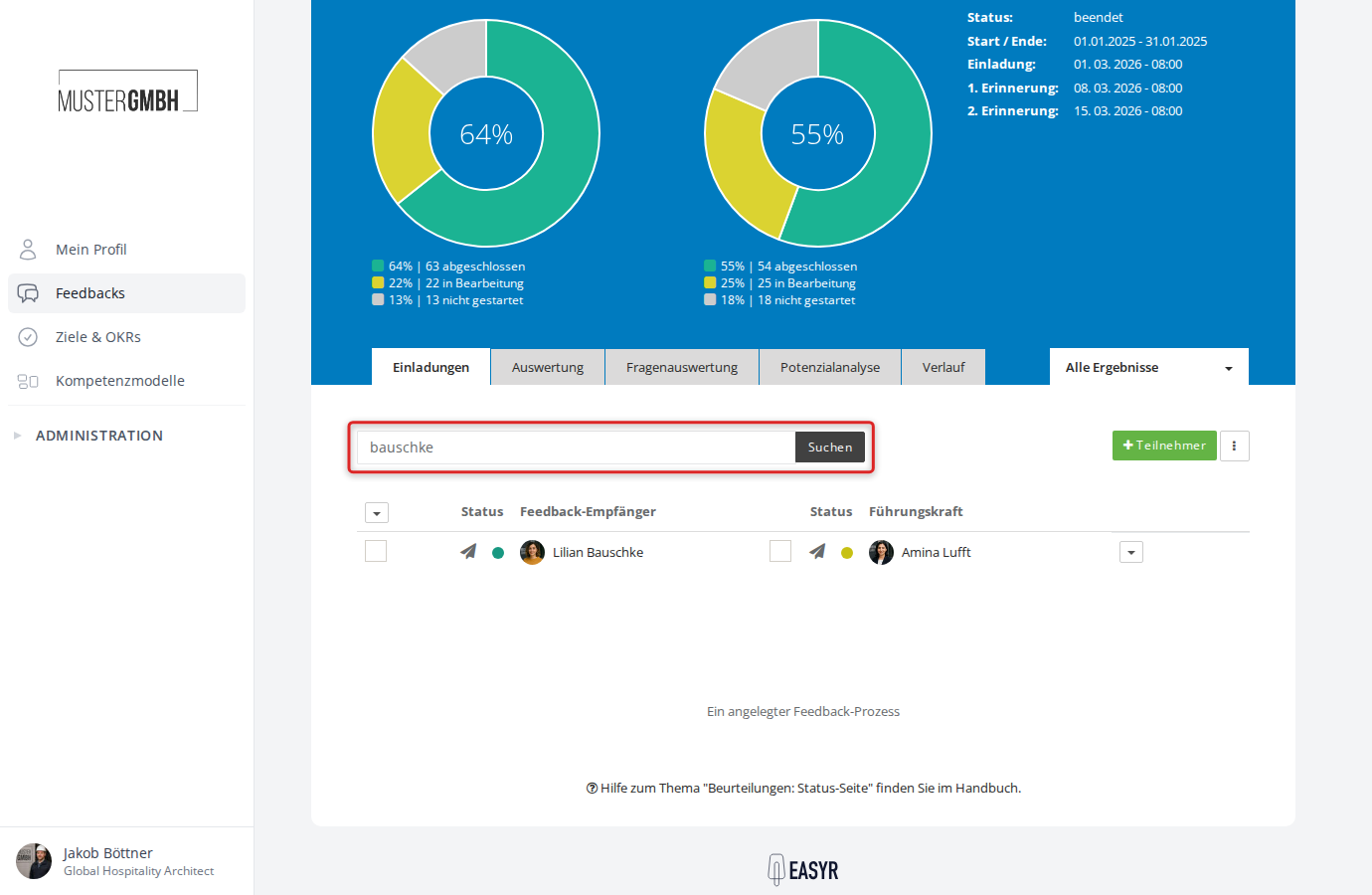
Search by supervisor
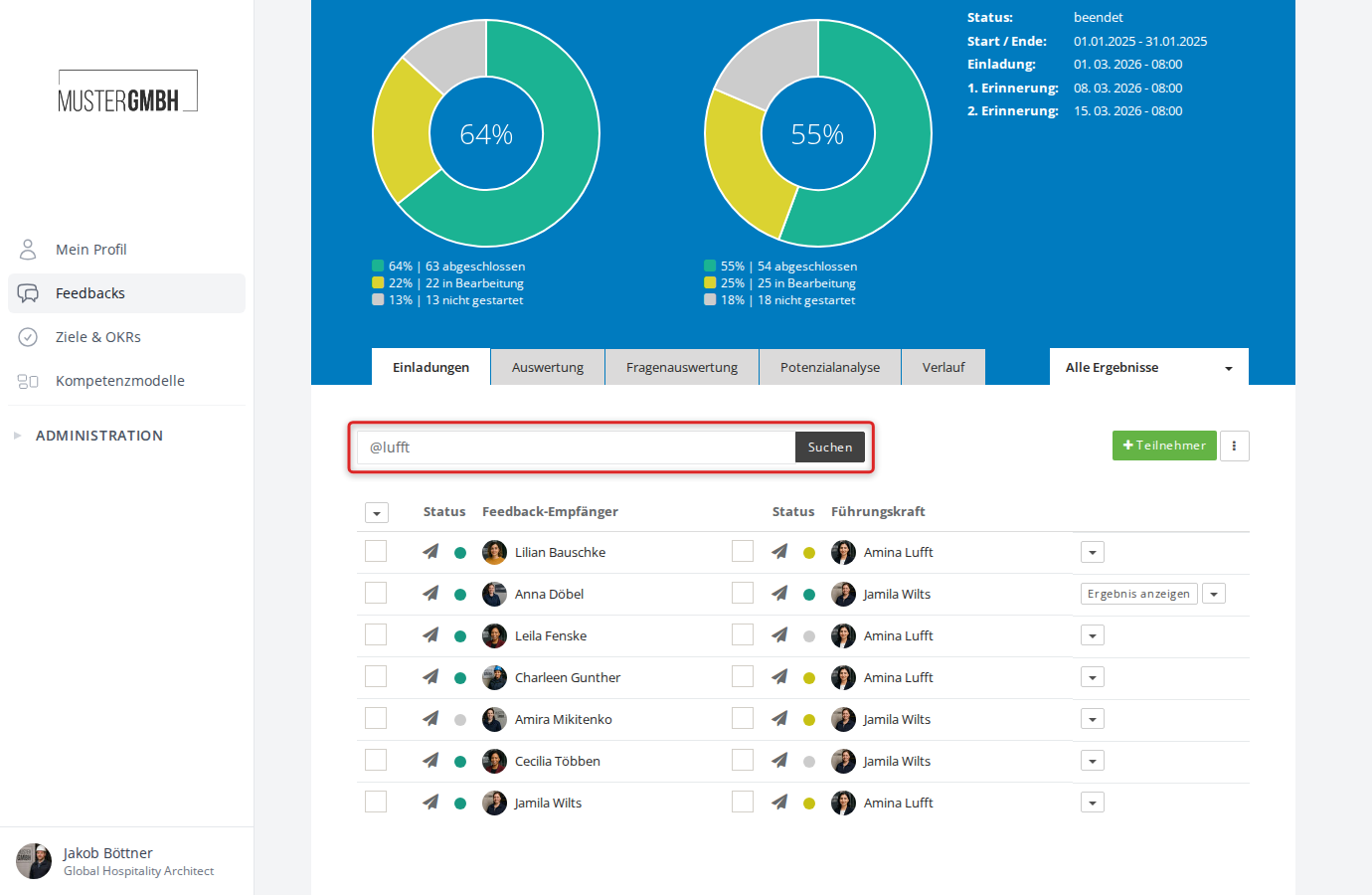
You can also find all participations belonging to a particular supervisor. Put an @ in front of the supervisor’s name.
Example: @Lufft shows all participations where a person named “Lufft” is set as the supervisor.
Reset the search
Clear the text in the search field and click “Search” again. The participant list then shows all entries once more.