Understand dashboard results and missing values
If dashboard figures look unexpected, first check the edition, filters, and card settings. Participation, response counts, and average strength scores describe different things. A missing value does not automatically mean zero.
Why are there more responses than people?
Several people may rate the same feedback recipient. In 360° feedback, six recipients might have 24 completed participations. A question with several text fields may also produce more than one text response per participation.
The people count in an analysis counts those with a valid contribution there. The response count counts the relevant answers. Participation, by contrast, shows the progress of participations even when a particular question was left unanswered.
Why do averages differ?
Check whether Rating basis uses original scale values or configured strength scores. Assigned strength points do not have to match the visible response scale.
With several raters, weighting also matters. Equal weight per feedback recipient prevents people with more ratings from having more influence solely for that reason. Equal weight per participation weights each participation equally. The options available depend on the element.
The dashboard index and the configured competency overview are also different summaries. Compare values calculated on the same basis.
What does “too few answers you are allowed to view” mean?
The current selection does not meet the required minimum count. easyreview therefore withholds its values. The threshold depends on the feedback type, anonymity and access settings, and, where applicable, export rules.

Check whether a filter, single perspective, or drill-down has made the selection very small. A whole round may have enough responses, while a particular department or question does not. Wait for more completed responses or choose a larger group that still makes sense for the analysis.
Changing the display or sharing the dashboard does not override these rules. A completed participation must also be available to you for analysis. Depending on the process settings, further completions and early insights affect when that happens. In 360° feedbacks, for example, the answers of a perspective with a quorum are missing until enough of its participations are completed, even for HR.
“No answers” or “unavailable”?
| Display | What to check |
|---|---|
| No answers available for analysis yet | Is the edition correct? Was the question answered? Are the responses completed and accessible to you? Is the filter appropriate? |
| Questions, scales, or breakdowns unavailable | Open Edit. A question may have been removed, a group archived, or a required scale changed. |
| A dash instead of a number | No usable data is available for this value. It is not included in an average as zero. |
| Not applicable | A competency category, for example, does not apply to this person. This is not a poor rating. |
Where can I find an explanation for this card?
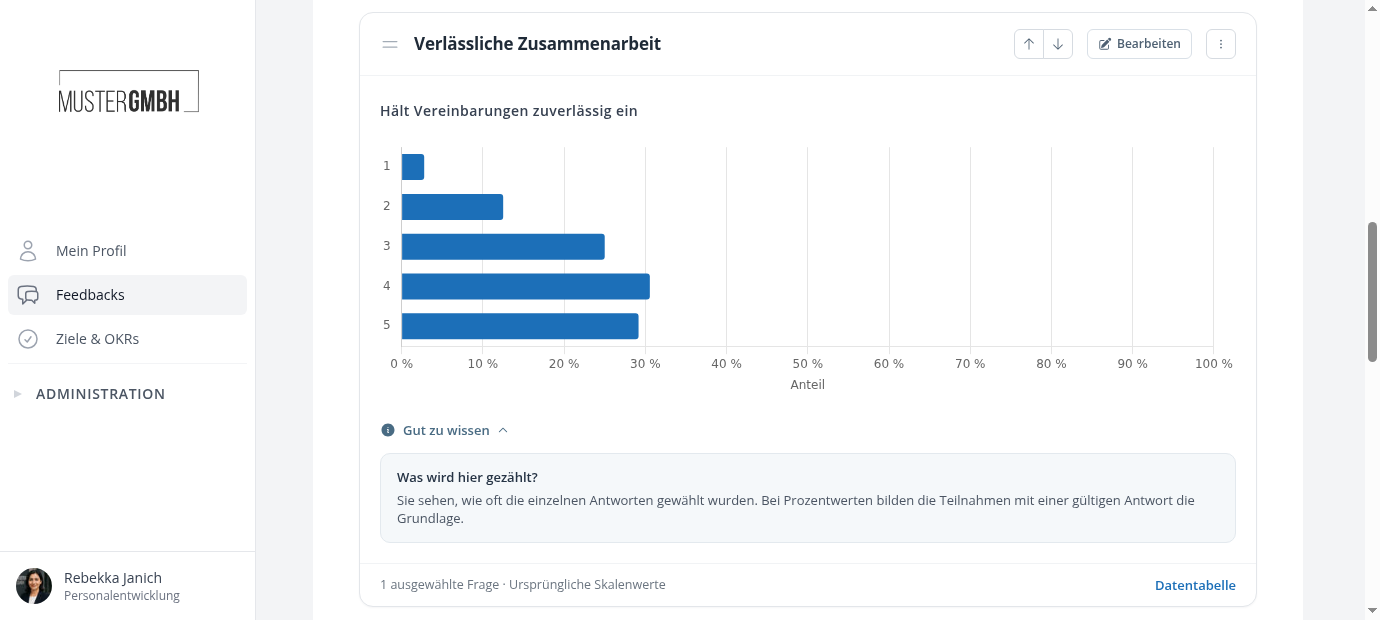
Open Good to know below the analysis. The short questions and answers relate to that element and its current configuration. An explanation about multiple raters, for example, only appears where relevant.
If the cause remains unclear, give Support the feedback process, edition, dashboard, and active filter. This helps us check the exact selection.